How to fix
Mac crashing after Big Sur update
on Windows
Struggling with crashes after a recent update? Discover effective fixes tailored for Windows 10 and Windows 11, expertly tested for quick resolution.

What causes How to fix Mac crashing after Big Sur update?
- Direct bugs in the update
- Incompatible system or program versions
- Corruptions in system management controller (SMC) files
- Issues with application freezes
- General system issues
- Browser problems
Repairs Windows system files, removes malware, and restores a clean OS state — without reinstalling.
Hello. I have a problem with my Mac. I installed the most recent update of the OS, and it was all good. However, recently is started crashing and it takes too long to wake up and even restart or load a browser. I haven't installed anything else. Can you help me fix this issue with my Mac crashing after Big Sur update?
Mac crashing after Big Sur[ref en-1] update is the problem that is reported by users with 11.0.1, 11.1.1, and 11.2.1, other versions. It seems to be the problem with various devices too because users with iMacs and macOS desktop devices report[ref en-2] their frustration with crashes, freezes, application issues.
Frequent system crashes and similar issues with devices can be caused by direct bugs in the update[ref en-3]. It is common that Mac crashing after the Big Sur update is triggered by the incompatible system, program versions. You might experience issues with application freezes, general system issues, and browser problems.
Mac crashing after the Big Sur update is not the only issue related to the Big Sur update that interferes with updating the OS directly or frustrates people after the update installation. Users report various issues like errors during updates, display problems, particular application freezes, browser crashes, and so on.
The system management controller might be related to Mac crashing after Big Sur update, so fixing issues with SMC files and other pieces can help fix the problem. SMC is responsible for managing behaviors related to various functions and features, so you might notice corruptions in various places related to:
- Power and power ports;
- Battery and charging;
- Indicators like status indicator lights (sleep status, battery charging status, and others);
- Behavior when opening and closing the lid;
- Browsers and programs in particular.
It is possible to fix Mac crashing after Big Sur update and solve additional issues with programs that fix system files and functions. You can rely on [d1] or a tool compatible with your device that is similar and falls into the category of system optimizers. Some of your issues can be solved if you trust the compatible application and its functions.
Reset NVRAM to fix Mac crashing after Big Sur update
- Shut down the device.
- Once the Mac is turned on immediately hold Option + Command + P + R keys on the keyboard.
- Hold them for 20 seconds.
- Release when the computer starts to load.
Make sure to have the latest OS update
- Click the Apple to access the menu.
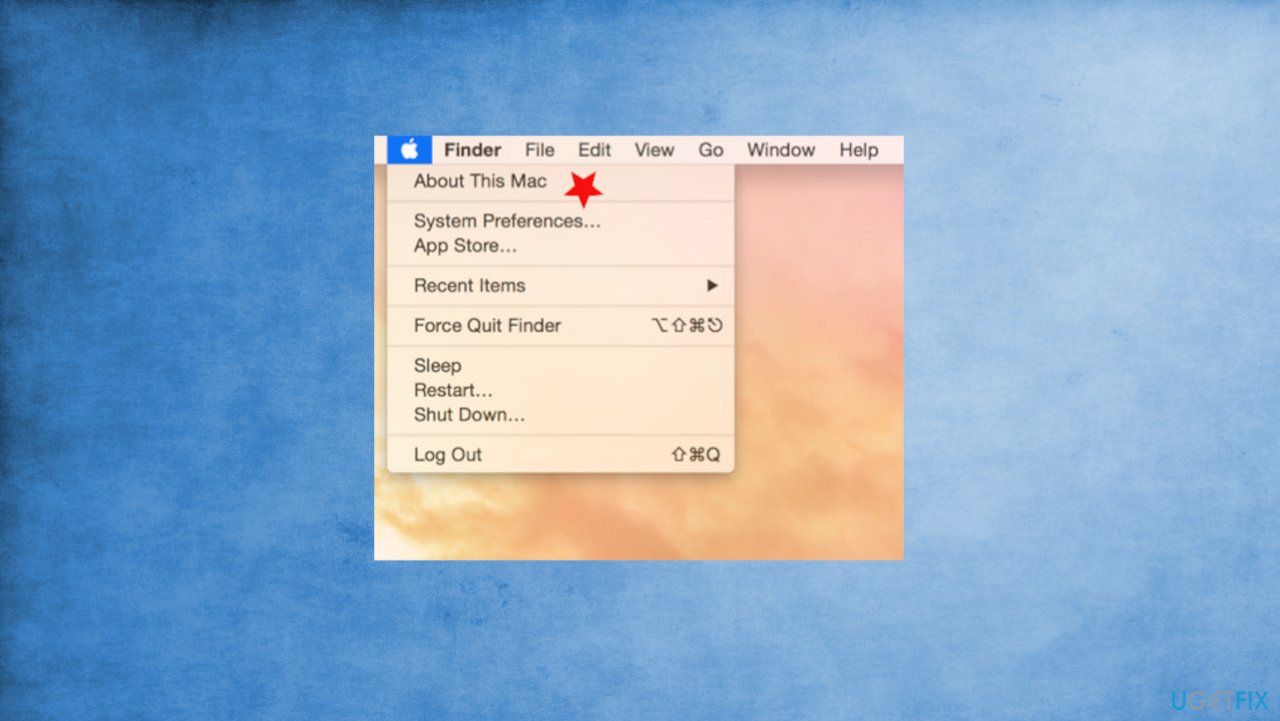
Mac crashing after big sur update about mac - Choose About this Mac and go for Software Update.
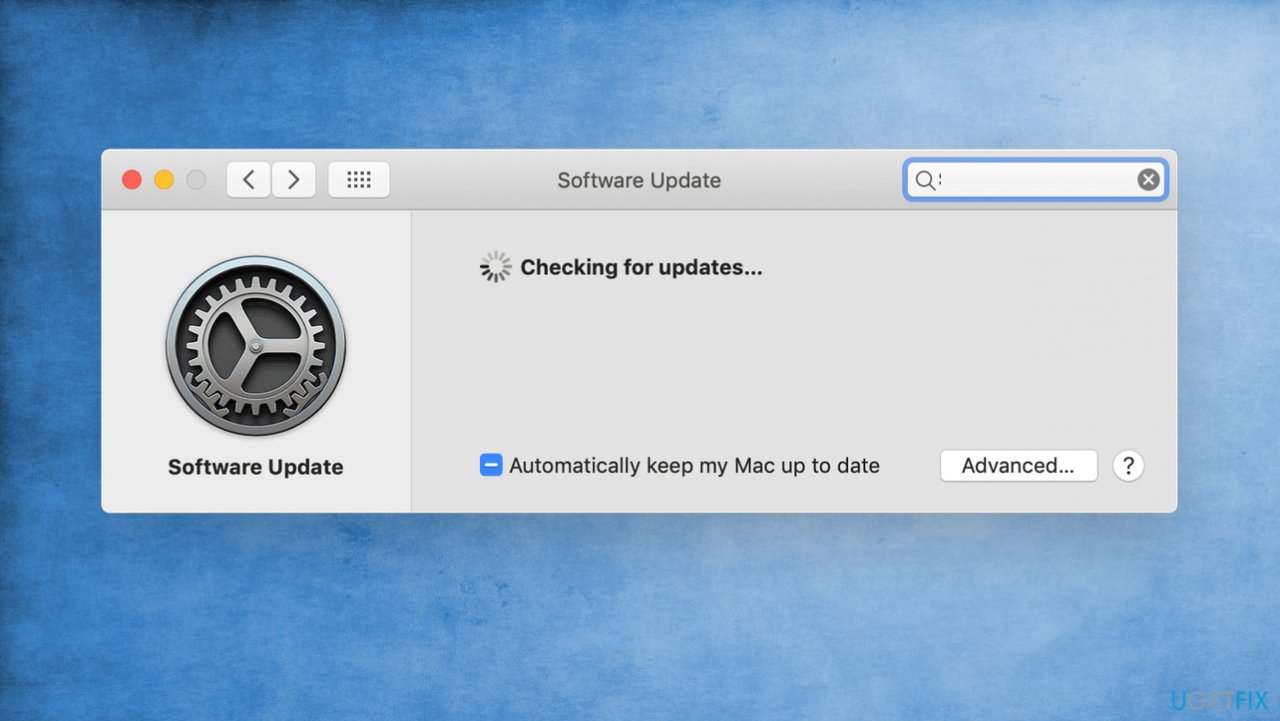
Mac crashing after big sur update os installs - If there is an update available - install it.
Clear the Safari from incompatible apps to fix Mac crashing after Big Sur update
The crash can be related to the browser crashes alone, if so:
- Go to Menu on Safari and choose Preferences.
- Click Extensions.
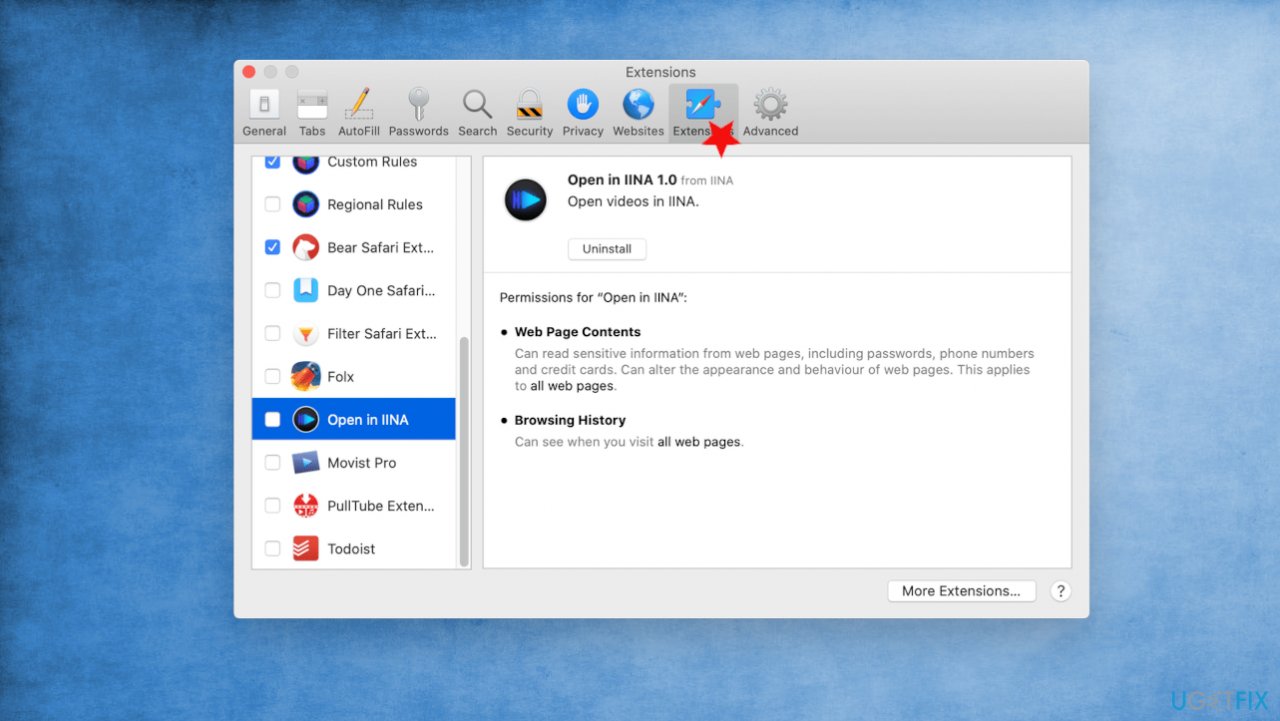
Mac crashing after big sur update safari extensions - Look through the list and uncheck boxes to each one.
- Close Preferences and quit.
- Relaunch the browser and check if that is helping.
Reset SMC on computers with T2 Security chip
There is a list of machines with the particular Apple T2 security chip. If your device has one, you can fix the Mac crashing issue by:
- Shut the machine down.
- Press and hold the power button for at least 10 seconds.
- Release the button.
- Wait and press the button again to turn the machine on.
- Then Shut the mac down and follow the steps via keyboard:
Press and hold the Control key.
Press and hold Option/Alt.
Hold the Shift key on the right. - Keep holding these buttons for 7 seconds or so and press the power button. Your mac should turn off.
- Hold all four keys for 10 seconds.
- Release.
- Turn on the device.
Reset SMC on other computers
- Shut down the device.
- Hold Shift and Control buttons on your left keyboard side.
- Press and hold the Option button on the keyboard.
- Press the power button while holding all three buttons.
- Hold all of them for 10 seconds.
- Release and press the power button to turn the mac on.
Reinstall macOS
- Go to utilities in macOS recovery.
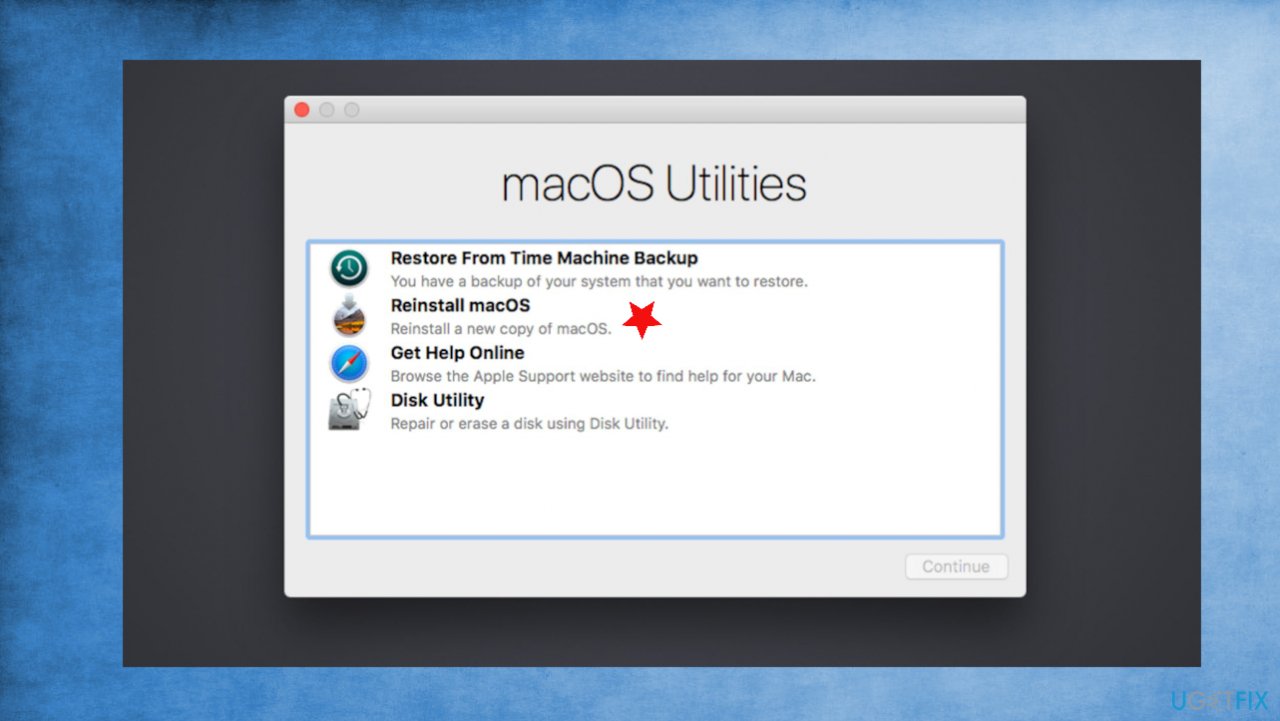
Mac crashing after big sur update reinstaal - Choose Reinstall macOS and click Continue.
Bottom line
To fix the Mac crashing after the Big Sur update, you can address issues with SMC files and utilize system optimizer tools. If these solutions do not resolve the problem, consider seeking additional support or troubleshooting resources.
Frequently asked questions
While Windows operating systems can't directly fix Mac crashes, you can use virtualization software to run macOS and troubleshoot. Alternatively, consider checking for Windows updates to ensure your system is fully compatible with any virtualization software used.
If your macOS virtual machine crashes, ensure that your Windows 10 or Windows 11 host system meets the necessary hardware requirements for virtualization. Additionally, check for updates to your virtualization software and adjust its settings for better performance.
You can use tools like BlueScreenView or WhoCrashed on Windows to analyze crash dumps if you're running a virtual machine. However, for direct Mac diagnostics, it's best to use Apple's built-in tools.




Report an issue
What's wrong with this guide? We review every report and update or remove content.
Report received — thank you. We'll review and fix it.
You need a free account to submit a report.
Be the first to comment