How to fix
PC won’t boot after Windows 10 update
on Windows
Is your PC stuck after a Windows 10 update? Discover effective solutions to get your system up and running again, fixed in minutes!

What causes How to fix PC won’t boot after Windows 10 update?
- Bugs in the Windows update
- Malfunctions triggered by the update
- Inability to boot into Safe Mode
- Need for a bootable device or installation disk
- Issues with the update itself
Repairs Windows system files, removes malware, and restores a clean OS state — without reinstalling.
Hey, my PC won't boot after the update on Windows 10. I upgraded recently, and everything worked okay, but I cannot boot the system properly now, and I don't know what to do. It even results in a blue screen when I try to boot the system. Help!
PC won't boot after Windows 10 update is one of the issues that include updates of the Windows operating system. Device checks for updates regularly, so all the latest bugs can be fixed with the newest version of the OS that downloads and installs automatically, ensuring the best performance. However, users[ref en-1] complain about OS update issues when errors and malfunctions get triggered.
Windows 10 issues can vary, and people often encounter different issues after the particular update[ref en-2]. PC won't boot after Windows 10 update is the opposite for the issue when PC cannot shut down after the update. These issues stem from bugs and needed fixes in the update itself, so rolling back the update or getting a fixed version that is the latest could help with the problem.
The issue with the reboot of the machine triggers difficulty to normally go after the solutions because not all users manage to boot the system in Safe Mode or at all without the bootable device or installation disk. PC won't boot after Windows 10 update can seem critical and serious. It is serious, but this is not a disaster, and reports show that it is possible to fix the issues.
We should note that anything resembling malware[ref en-3] or different cyber intruders shouldn't get blamed for this issue. There is no need to panic because this is the problem that comes after the OS update. If you manage to boot the machine, the quick fix to PC won't boot after Windows 10 update would be another update. However, if that is not the case, follow the steps below.
#1. Uninstall Windows updates
- Boot your computer with Windows installation disk.
- Click Repair your computer.
- Troubleshoot -> Advanced options.
- Choose Command Prompt.
- Then type: bcdedit /set {default} safeboot minimal.
- Close the command prompt and choose to Continue after the command finished. Your Windows 10 will automatically enter Safe Mode after restarting.
- Select the Start button, then select Settings.
- Update & security and go to Windows Update.
- Choose Advanced options.
- View your update history > Uninstall updates.
- Select the update you want to remove, and then select Uninstall.
#2. Rely on Startup Repair to PC won't boot after Windows 10
- Create a Windows PE bootable media or use a Windows installation disc.
- Change the boot order in BIOS and boot your computer from the bootable media or installation disc.
- Press Next in Windows Setup window.
- Then choose the Repair your computer option.
- Select Troubleshoot .
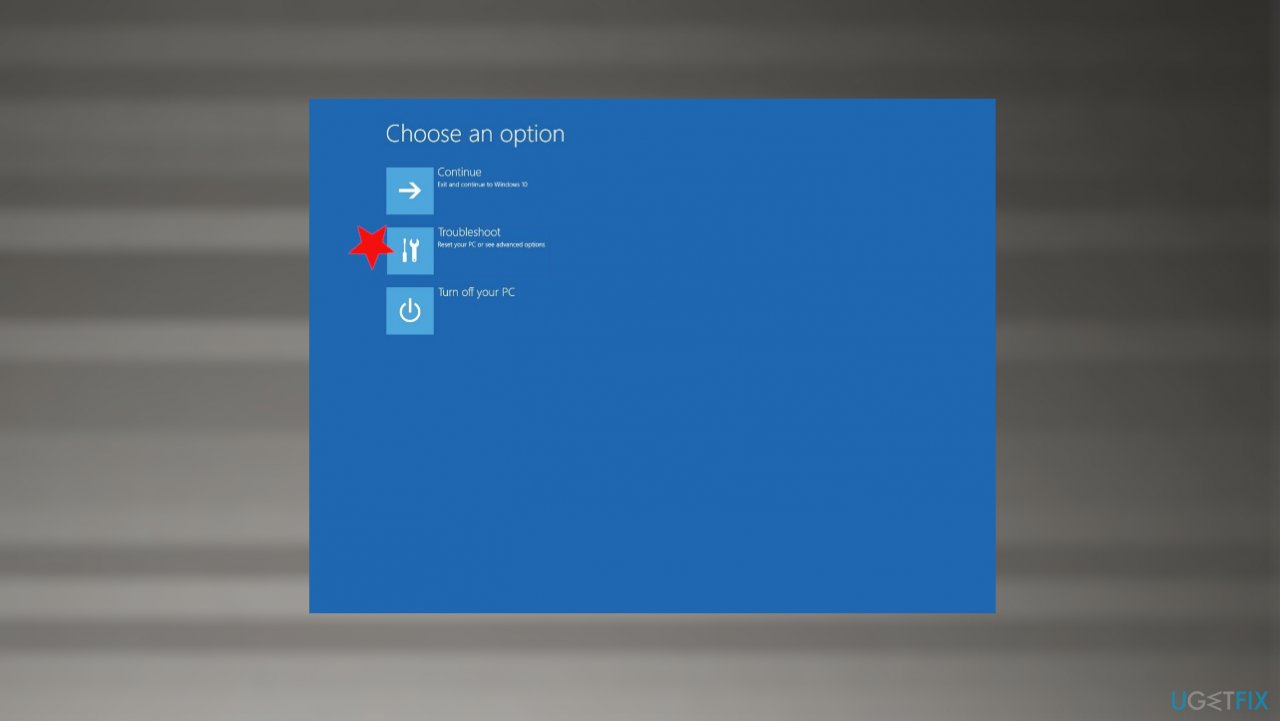
Pc wont boot after windows 10 fix troubleshoot - Advanced options.
- Startup Repair.
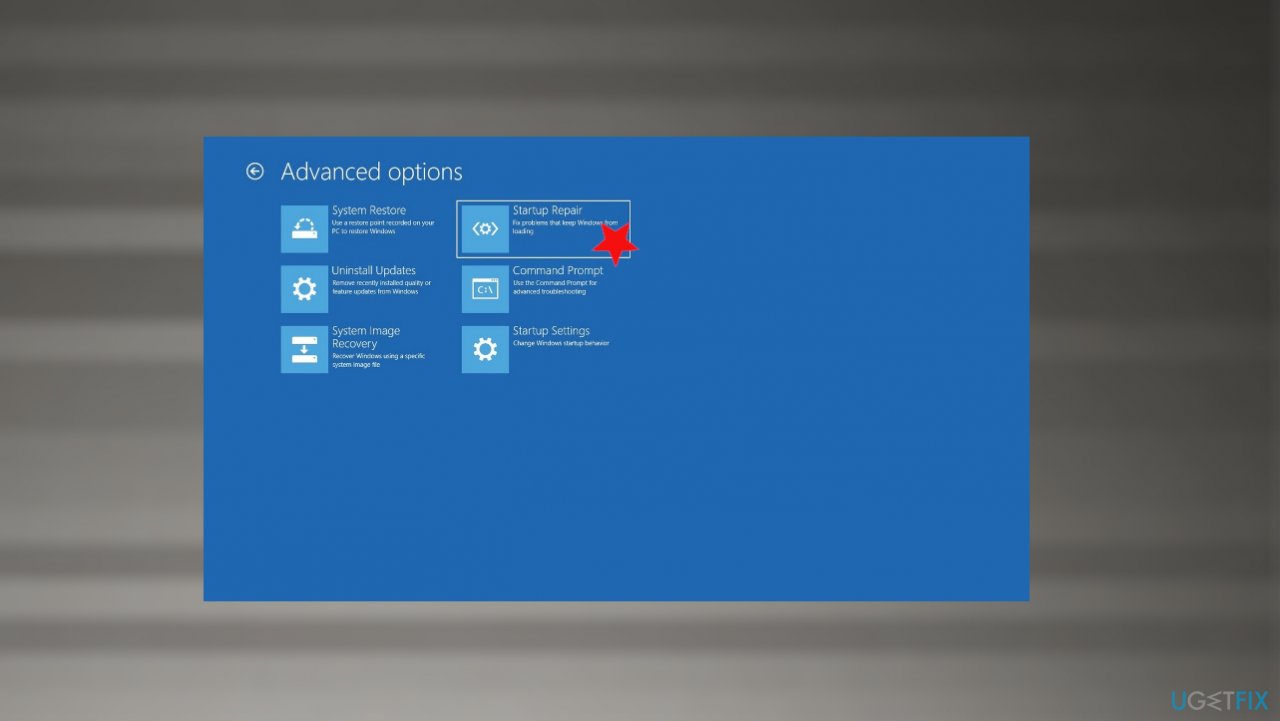
Pc wont boot after windows 10 fix startuprepait
#3. Perform a System Restore
- Type in rstrui.exe in Windows search and press Enter.
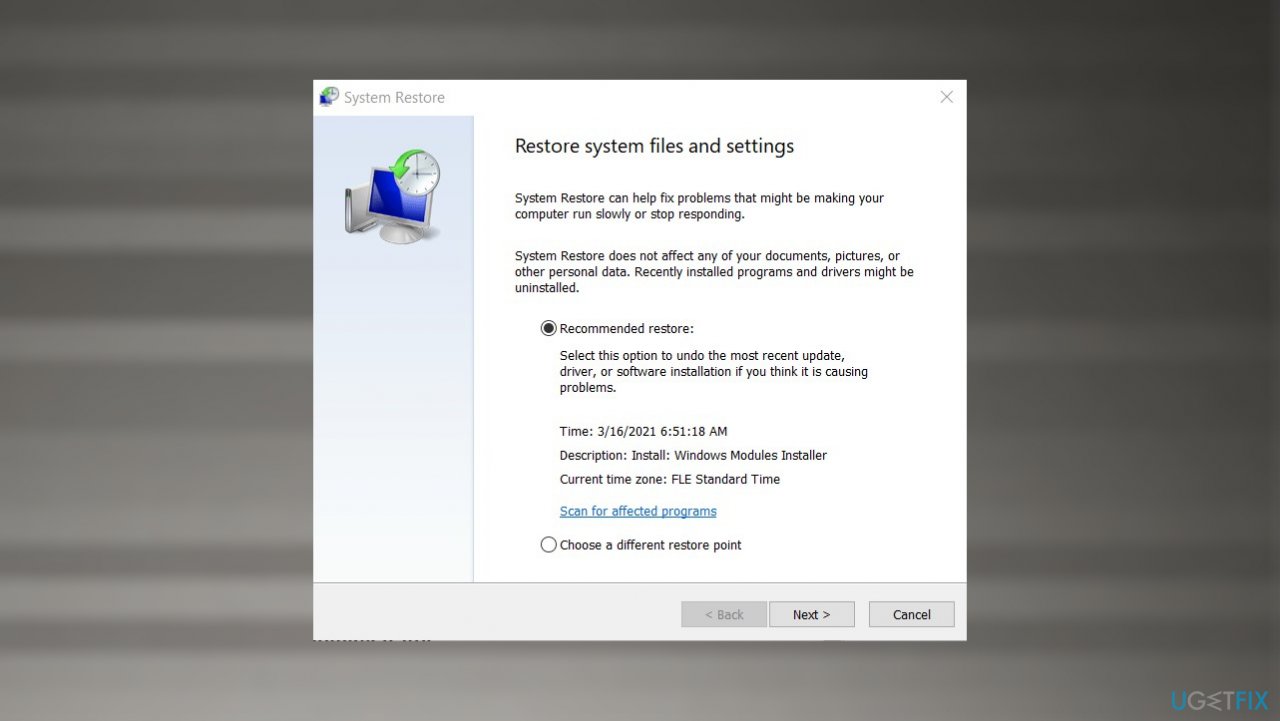
Pc wont boot after windows 10 fix restore - Select Choose a different restore point and click Next
- Tick the Show more restore points if such option is available
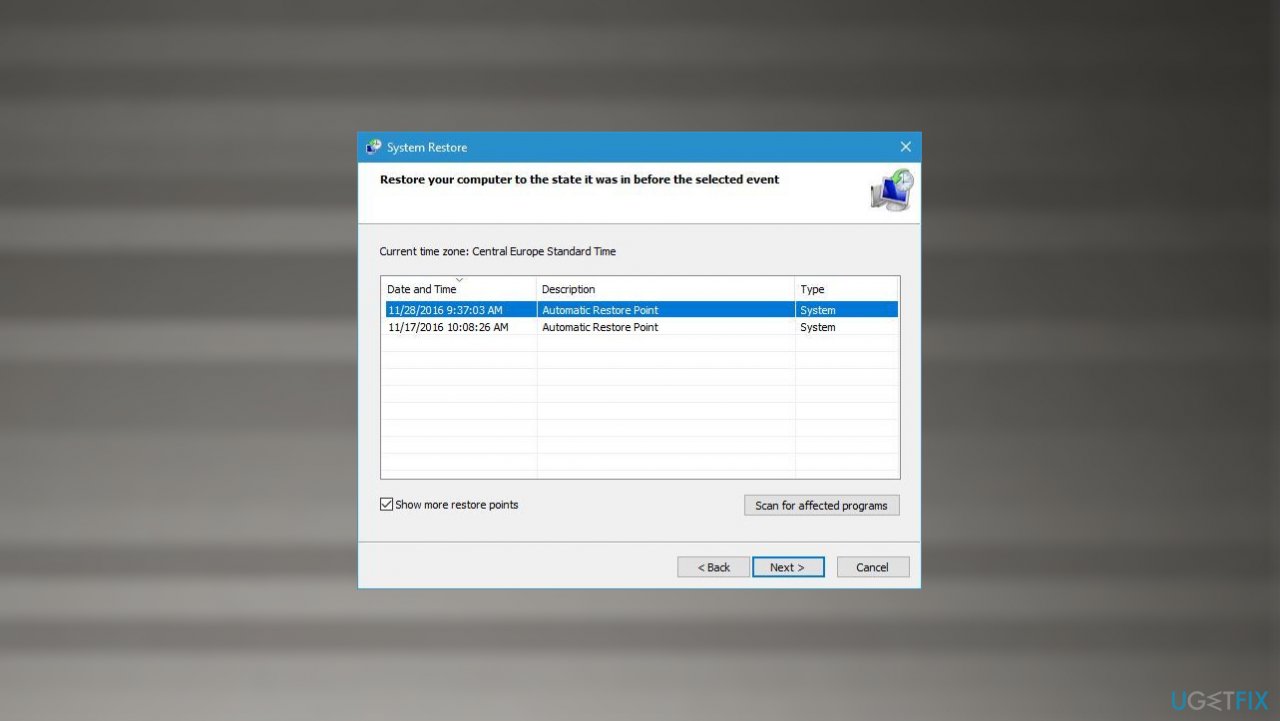
Pc wont boot after windows 10 fix restore points - Pick an adequate restore point, click Next, and Finish
- Your computer will reboot and be brought back to an earlier date.
#4. Run a System File Checker to fix PC won't boot after Windows 10 update
- Type in cmd in Windows search.
- Right-click on Command Prompt result and select Run as administrator.
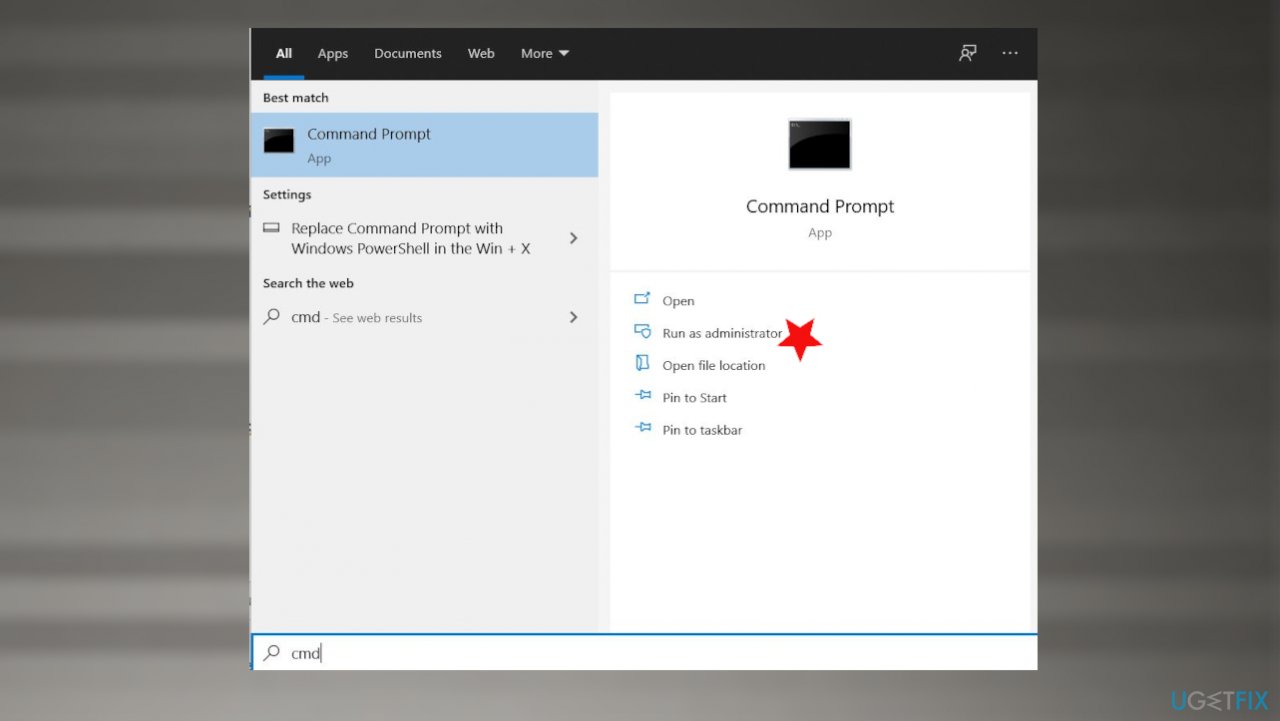
Pc wont boot after windows 10 fix cmd admin - Once Command Prompt opens, paste in the following command:
sfc /scannow. - Press Enter and wait till SFC finishes the scan and reports findings.
- Restart your PC.
Bottom line
To fix the PC that won't boot after a Windows 10 update, you can try uninstalling the updates or performing another update if you can boot the machine. If these solutions do not work, consider using a Windows installation disk to access repair options.
Frequently asked questions
You can try booting into Safe Mode and uninstalling the latest update from there. If that doesn't work, consider using the Startup Repair option from the Windows Recovery Environment.
You can access the Windows Recovery Environment by interrupting the boot process three times in a row, which will trigger automatic repair options on the fourth boot attempt.
Yes, you can roll back to a previous version by accessing the recovery options and selecting 'Go back to the previous version' if it's within the 10-day period after the update.




Report an issue
What's wrong with this guide? We review every report and update or remove content.
Report received — thank you. We'll review and fix it.
You need a free account to submit a report.
Be the first to comment