How to fix
Sysprep Windows validation error 0x80073cf2
on Windows
Resolve the Sysprep Windows validation error 0x80073cf2 easily on Windows 10 or 11. Get expert-tested solutions and fix it in minutes!


What causes How to fix Sysprep Windows validation error 0x80073cf2?
- Validation issues in Sysprep
- Error occurs on Windows 10, version 22H2 PCs
- Problems linked to updates KB5032278 or later
- Issue related to Microsoft Edge package installation
- Sysprep couldn't verify the Windows installation
Repairs Windows system files, removes malware, and restores a clean OS state — without reinstalling.
Hi, I received a 0x80073cf2 error when trying to deploy the most recent Windows updates using System Preparation tool. Is there anything that could be done about this, as it is important.
Recently, validation issues have been reported in Sysprep, a critical utility used by administrators to get Windows client or Windows Server installations ready for imaging and deployment. In particular, on Windows 10, version 22H2 PCs, the error code 0x80073cf2 appears when Sysprep is utilized in audit mode. When adding or testing drivers or software to freshly installed Windows systems, this mode is essential.
The main purpose of the utility is to generate generic Windows images that can be used with different hardware setups or to add drivers and software to a single Windows image that can be customized for a particular PC. But problems after installing updates (KB5032278 or later versions) released on November 30, 2023, have been linked to this error.
According to Microsoft, the issue is related to how a Microsoft Edge package is installed on these upgraded Windows 10 machines. When administrators try to utilize Sysprep after a post-update, they get the 0x80073cf2 error along with a warning saying that Sysprep couldn't verify the Windows installation.
Users who encounter this error are advised to check the log file at %WINDIR%\system32\Sysprep\Panther\setupact.log for further information and to try validation again once the problem has been fixed. Microsoft has offered a workaround while they are developing a solution. Utilizing a PowerShell operation, the troublesome Microsoft.MicrosoftEdge package is extracted from the impacted Windows images as a temporary fix.
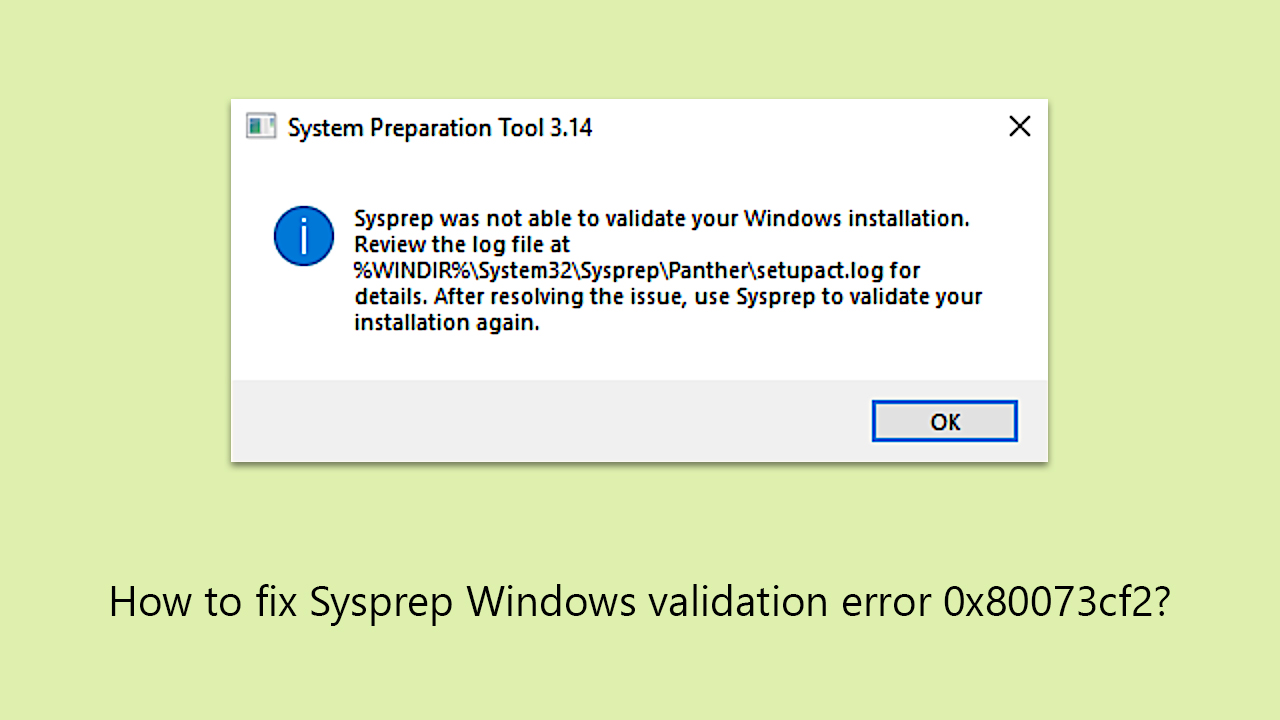
To mitigate this, please follow the workaround shown below that should help to resolve the situation until Microsoft deploys a patch. It is also advised to utilize a powerful PC repair tool [d1] to improve Windows performance. These tools can provide a more simplified and effective way to fix system problems and keep speed at its best.
How to fix Sysprep Windows validation error 0x80073cf2?
Just like any other Windows update, this one brings problems to some home and enterprise users. Luckily, Microsoft usually releases a workaround that should mitigate the issue, and this time is not an exception. All admins that are facing the 0x80073cf2 error should open elevated PowerShell and enter a command that would remove the troublesome Microsoft.MicrosoftEdge package from affected Windows images. To do this, follow these steps:
- Type PowerShell in Windows search.
- Right-click on PowerShell and select Run as administrator.
- At this point, a User Account Control window will show up asking for permission to make changes - click Yes.
- In the new window, please copy and paste the following command:
Get-Appxpackage Microsoft.MicrosoftEdge -AllUsers | Remove-Appxpackage -AllUsers - Press Enter.
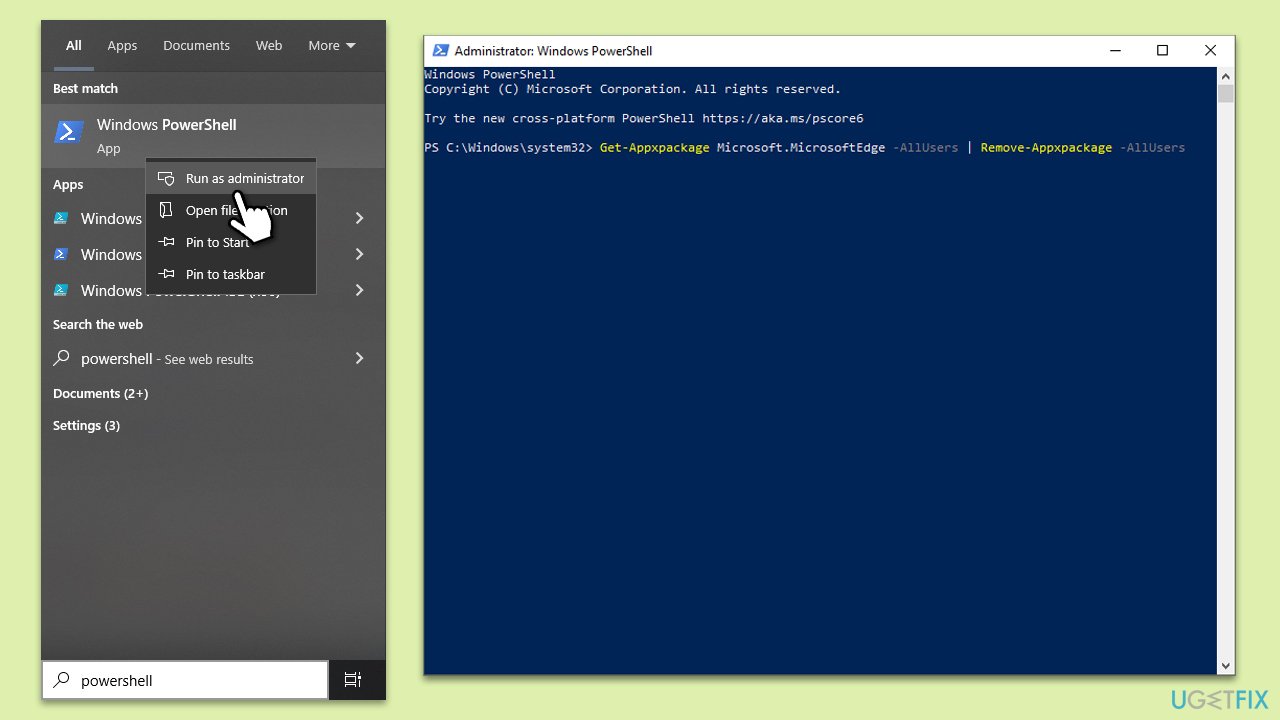
- After the command is executed, type exit and press Enter.
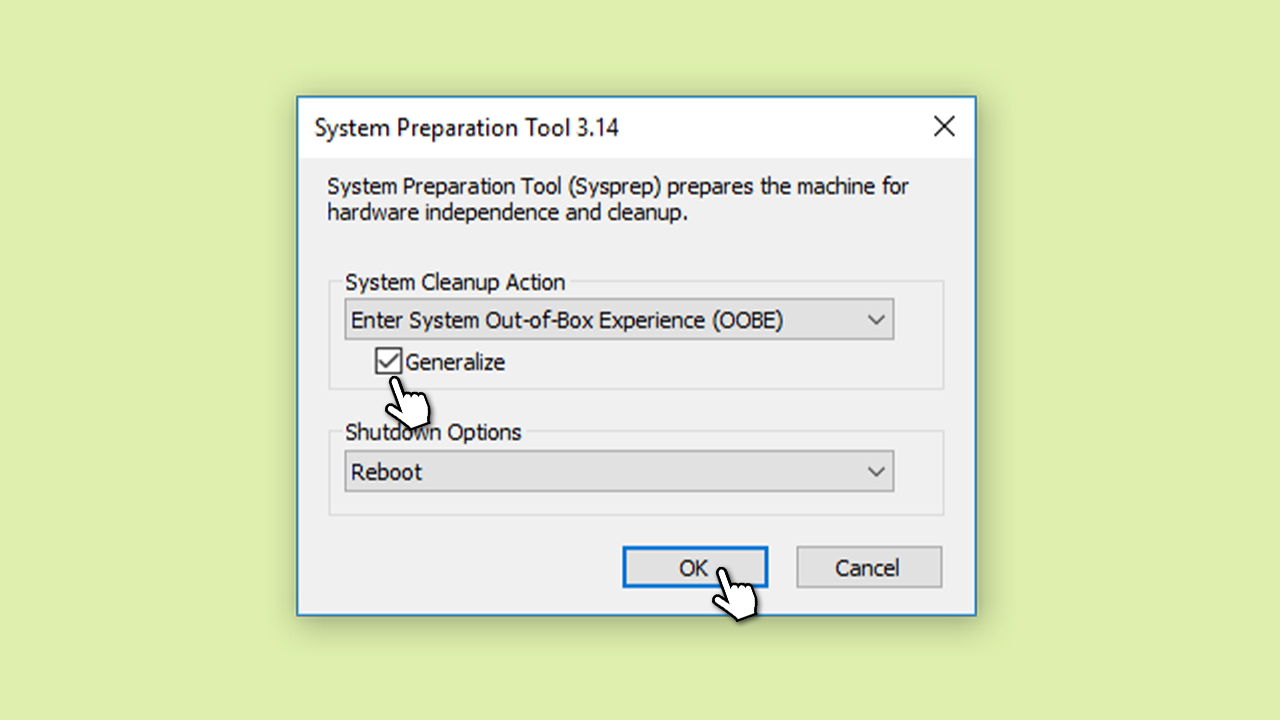
- Under System Cleanup Action, open SysRep and select Out-of-the-Bos Experience (OOBE).
- Mark the Generalize check box.
- Select Reboot under Shutdown Options and click OK.
- Your system should reboot.
The January Patch Tuesday resulted in other issues that Microsoft will need to address, including people being unable to install KB503441 which patches a critical vulnerability related to BitLocker. Below you can check associated links that could be useful.
Bottom line
To fix the Sysprep Windows validation error 0x80073cf2, users can extract the Microsoft.MicrosoftEdge package using a PowerShell operation as a temporary workaround. Additionally, checking the log file at %WINDIR%\system32\Sysprep\Panther\setupact.log may provide more information. If these solutions do not work, consider using a powerful PC repair tool to improve system performance.
Frequently asked questions
The error 0x80073cf2 typically occurs due to issues with pre-installed apps or corrupted system files in Windows 10 that prevent Sysprep from completing its process.
To fix this error in Windows 11, you can try uninstalling problematic apps, resetting the Windows Store, or running the DISM and SFC tools to repair system files.
Yes, you can run the command 'Get-AppxPackage -AllUsers | Remove-AppxPackage' in PowerShell to remove all app packages that might be causing the issue in Windows 10 or 11.




Report an issue
What's wrong with this guide? We review every report and update or remove content.
Report received — thank you. We'll review and fix it.
You need a free account to submit a report.
Be the first to comment