How to fix
Windows 10 upgrade error 0xc0000017
on Windows
Resolve the Windows 10 upgrade error 0xc0000017 effortlessly. Follow our expert-tested solutions to get your system running smoothly again, fixed in min…

What causes How to fix Windows 10 upgrade error 0xc0000017?
- Insufficient RAM disk space
- Bad memory entries within BCD store
- Failure of the update/upgrade file arrangement during system reboot
- Issues with Windows PE (Preinstall Environment)
- Problems during the installation of Windows 10 Fall Creators Update (V-1709)
Repairs Windows system files, removes malware, and restores a clean OS state — without reinstalling.
Hello all. Could someone please help me to fix an error code 0xc0000017 on Windows 10? I get it when upgrading the system to the latest version available.
Error Code 0xc0000017, which stands for the STATUS_NO_MEMORY,[ref en-1] seems to be one of the common Windows upgrade/update problems. Although initially, it occurred in the middle of 2015, it hasn't been resolved up until 2018 except that the specification of the problem slightly changed.
Originally the error 0xc0000017 started occurring when people started upgrading earlier Windows versions (usually Windows 7 and 8.1) to Windows 10. While there are still many people who encounter the same problem, most of them reported this issue when trying to install Windows 10 Fall Creators Update (V-1709).[ref en-2]
According to Windows users, this bug prevents them from upgrading Windows 10 whatever they do. They can neither install the update via Windows Update offer, manually from the attached USB drive nor use ISO file. All attempts eventually lead to the following error messages when rebooting:
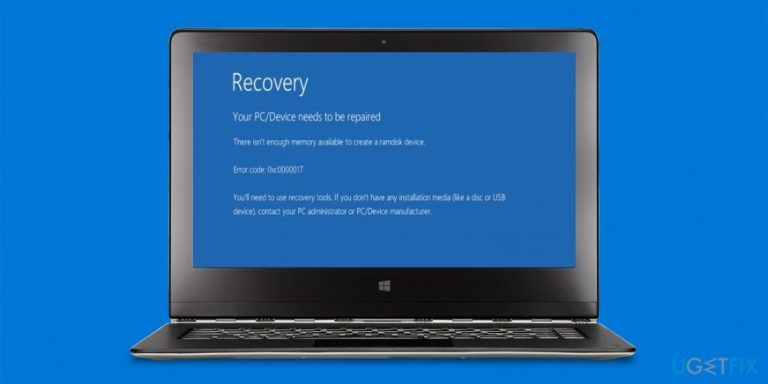
RECOVERY
Your PC/Device needs to be repaired
There isn't enough memory available to create a ramdisk device
Error code: 0xc0000017
You'll need to use recovery tools. If you don't have installation media (like a disc or USB device), contact your PC administrator or PC/Device manufacturer.
The attempt to run ISO may also end up with the 0xC1900101- 0x20017 error. As explained by Windows experts,[ref en-3] the error happens due to the failure of the update/upgrade file arrangement during system's reboot carried out within Windows PE[ref en-4] (PE stands for Preinstall Environment). The error code 0xc0000017 is supposed to be the outcome of the insufficient RAM disk space, at least that's what the error message indicates.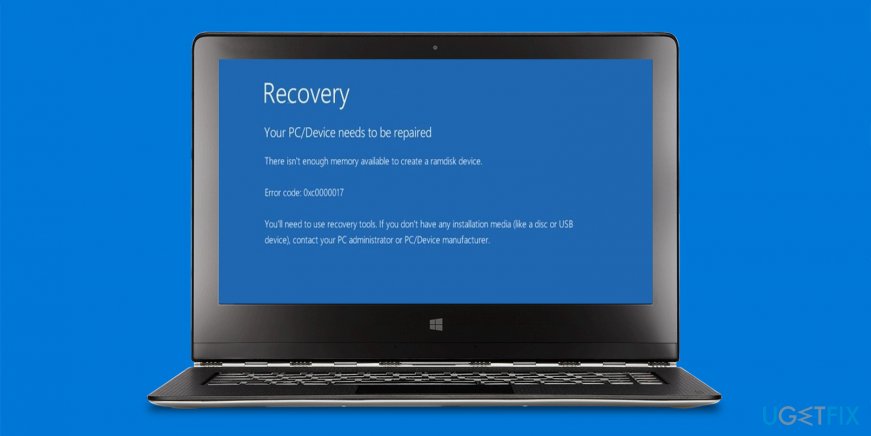
However, practice shows that the RAM on the system that is returning the upgrade error 0xc0000017 has more than enough RAM space. According to IT experts, the culprit may be the bad memory entries within BCD store. Luckily, there's a couple of methods that can help to fix 0xc0000017 error in a quite easy way.
An ultimate guide on how to fix Windows upgrade error 0xc0000017
Although this error is not a fatal one, it should be resolved immediately to enable Windows upgrade successfully. It's advisable to install the latest Windows versions due to the implementation of new features, security improvements, and other additional features.
Check and clean bad memory entries in BCD store
According to Microsoft, one of the possible 0xc0000017 error fixes is the clearance of the bad memory entries. To do that, you have to:
- Right-click on Windows key and select Command Prompt (Admin).
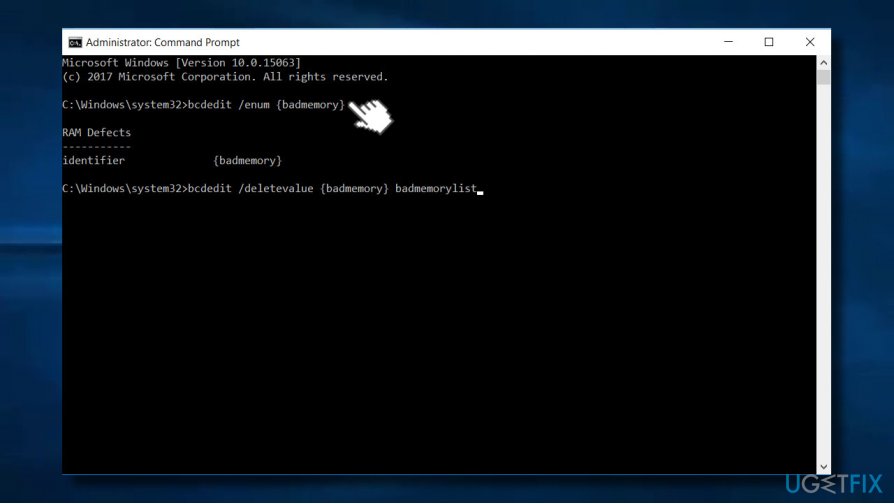
- Now type the bcdedit /enum {badmemory} command and hit Enter to enlist all bad memory entries.
- If you receive bad memory blocks in BCD store that prevent the creation of ramdisk, you'll have to clean them. For this purpose, enter the bcdedit /deletevalue {badmemory} badmemorylist command in the Command Prompt window and hit Enter.
- Close Command Prompt and check if the problem was resolved.
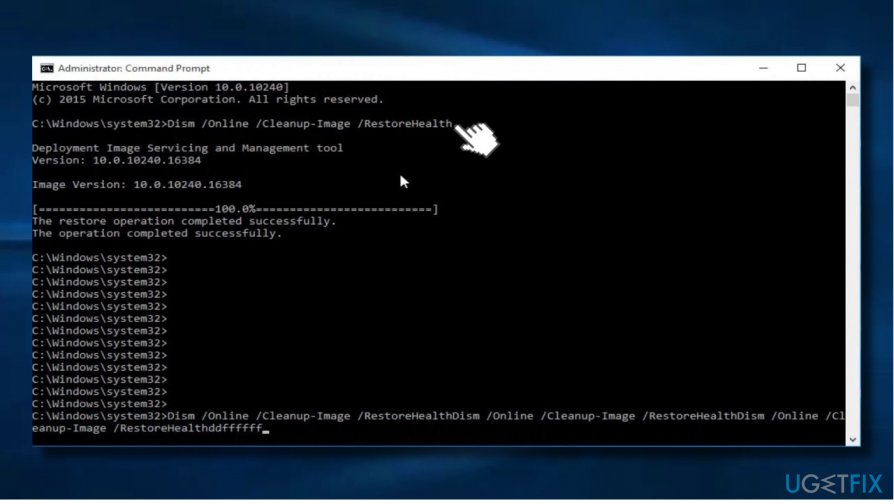
Run Deployment Image Servicing and Management tool (DISM)
- Right-click on Windows key and select Command Prompt (Admin).
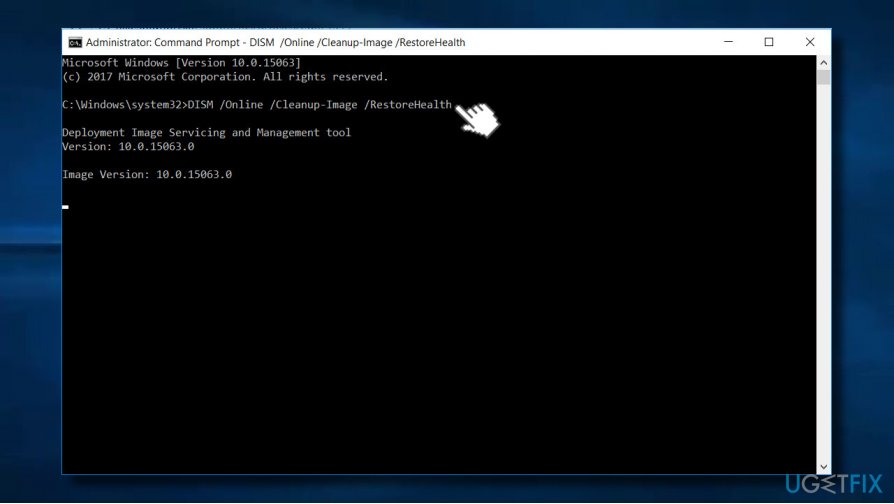
- Type DISM /Online /Cleanup-Image /RestoreHealth command and press Enter.
- Once the scan is finished, reboot your PC and try to install the upgrade.
Use Windows Installation Media
If you haven't tried to fix the 0xc0000017 error using the Windows installation media yet, the following steps may help you:
- Inset the Windows installation media and right-click on Windows key.
- Select Command Prompt (Admin).
- Copy and paste the following commands in Command Prompt window. NOTE: press Enter after each of them:
dism /online /cleanup-image /scanhealth
dism /online /cleanup-image /restorehealth
DISM /Online /Cleanup-Image /RestoreHealth /source:WIM:X:SourcesInstall.wim:1 /LimitAccess (IMPORTANT: X stands for the drive with Windows 10 installation). - Wait for the process to be executed.
Perform a clean Windows 10 install
If none of the 0xc0000017 error fixes listed above helped to resolve the problem, the last option you have to perform a clean install. For this purpose, you should navigate to the official Microsoft's website and download the Media Creation Tool. Then transfer it to a USB drive (make sure it has at least 8GB of free space) and try installing Windows 10 from scratch.
Bottom line
To fix the error code 0xc0000017, users can try repairing bad memory entries in the BCD store or ensure sufficient RAM disk space. If these methods do not resolve the issue, consider using recovery tools or contacting your PC administrator or manufacturer for further assistance.
Frequently asked questions
The error code 0xc0000017 typically indicates a memory-related issue, often due to corruption in the system files or hard drive problems during the Windows 10 upgrade process.
To fix the 0xc0000017 error on Windows 11, you can run the Windows Memory Diagnostic tool and check your disk for errors using the CHKDSK command.
If you encounter error 0xc0000017 during the upgrade, try performing a clean boot, updating your drivers, or using the Windows 10 installation media to repair your system.




Report an issue
What's wrong with this guide? We review every report and update or remove content.
Report received — thank you. We'll review and fix it.
You need a free account to submit a report.
Be the first to comment