How to fix
Why does Outlook keeps logging me out? How to fix it
on Windows
Is Outlook constantly logging you out on Windows 10 or 11? Discover effective fixes to regain access quickly, with expert-tested solutions.

What causes Why does Outlook keeps logging me out? How to fix it?
- Corrupted application files
- Incorrect application settings
- Conflicts with other installed programs
- Issues with security software
- Network connectivity problems
Repairs Windows system files, removes malware, and restores a clean OS state — without reinstalling.
I have a strange problem where Outlook keeps logging me out and I have to log back in myself each time I want to use it. Why is this happening and how can I fix it?
Microsoft Outlook is a widely used email client that seamlessly integrates with various services, offering a comprehensive platform for managing emails, calendars, contacts, and tasks. Known for its user-friendly interface and robust features, Outlook is an essential tool for both personal and professional communication.
However, some users encounter a recurring issue where Outlook logs them out unexpectedly, requiring them to manually log back in to continue using the application. This problem is not only inconvenient but can also lead to further complications, such as being repeatedly asked to enter passwords or, in some cases, being completely unable to log in (getting "Access denied" messages).
The issue of Outlook logging users out frequently can stem from several underlying causes, such as corrupted or corrupted application files which can disrupt the normal functioning of the software. Additionally, incorrect settings within the application or the Windows operating system might lead to frequent logouts.
Another potential cause is conflicts with other installed programs or security software, which can interfere with Outlook's operations. Network connectivity issues or changes in network configurations can also contribute to this problem, making it necessary to re-authenticate regularly.
To resolve compatibility issues, make sure that all the related software is updated to the latest version. Reviewing and adjusting the account settings within Outlook and the security settings of your Windows operating system may help maintain a stable login session.
Outlook login issues can be avoided by looking for and resolving any software conflicts, particularly those involving security tools. Furthermore, you may lower the frequency of interrupted logins by making sure your network connection is steady and reliable.
For comprehensive guidance on fixing these issues, please refer to the instructions provided below this article. Moreover, utilizing a PC repair tool like [d1] can automatically address any underlying Windows problems, ensuring a smoother and more reliable experience with Outlook.
Fix 1. Update Outlook
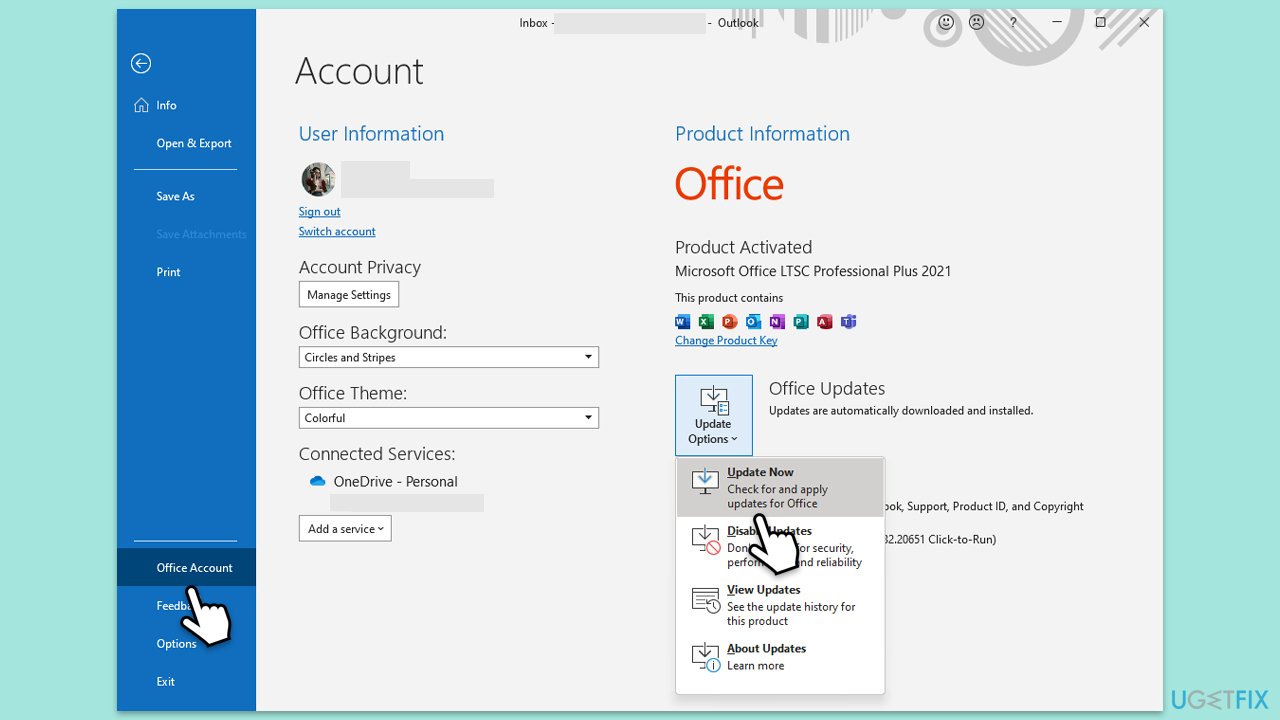
Keeping Outlook updated ensures that you have the latest features and security patches, which can resolve issues related to frequent logouts caused by software bugs.
- Open Outlook and click on the File menu.
- Choose Office Account or Account (the option may vary depending on your version of Outlook).
- Under the Product Information section, you will find an Update Options button. Click it and select Update Now.
- Outlook will check for and install any available updates.
- Once the update is complete, restart Outlook for the changes to take effect.
Fix 2. Use Microsoft Support and Recovery Assistant
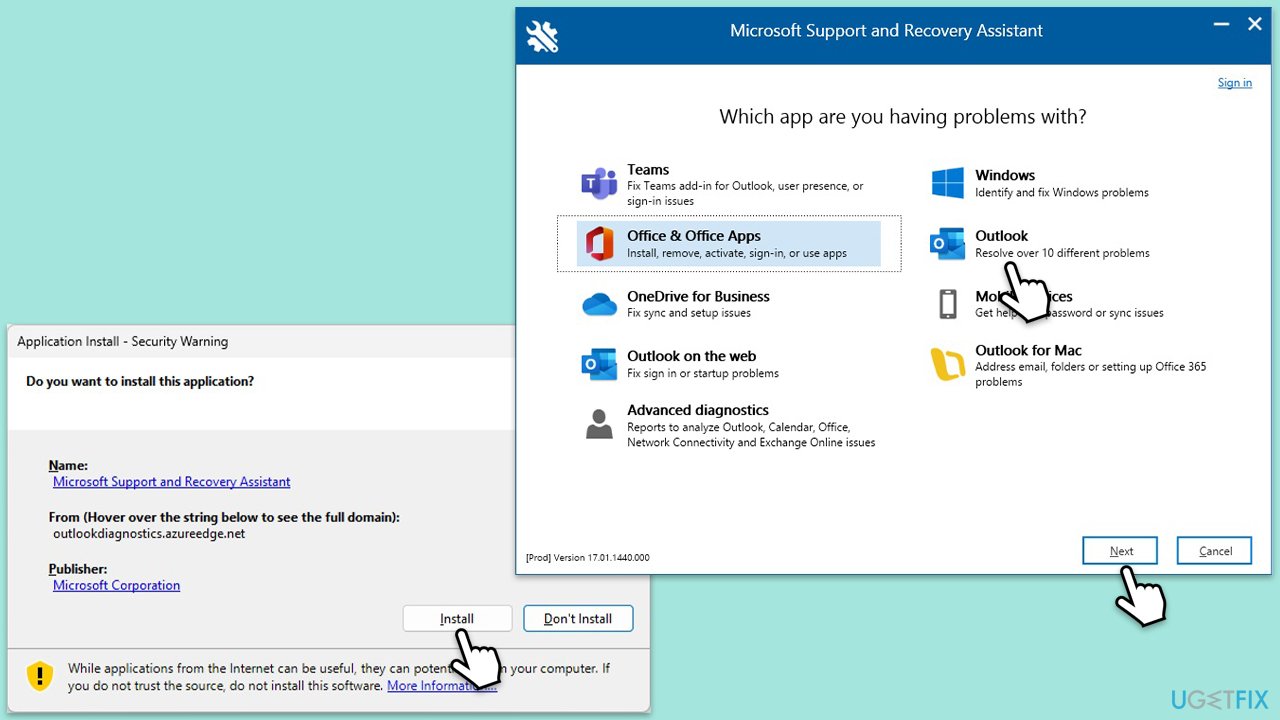
This tool can diagnose and fix many common problems with Outlook, including issues that cause it to log out unexpectedly.
- Download Microsoft Support and Recovery Assistant [direct link].
- Double-click SataSetup.exe and install the app.
- Agree to the terms and click Next.
- Select Outlook from the list, and follow the instructions provided by the app.
Fix 3. Remove Outlook cache files
Clearing the cache can resolve issues caused by corrupted files, which may be causing Outlook to log out.
- Close Outlook.
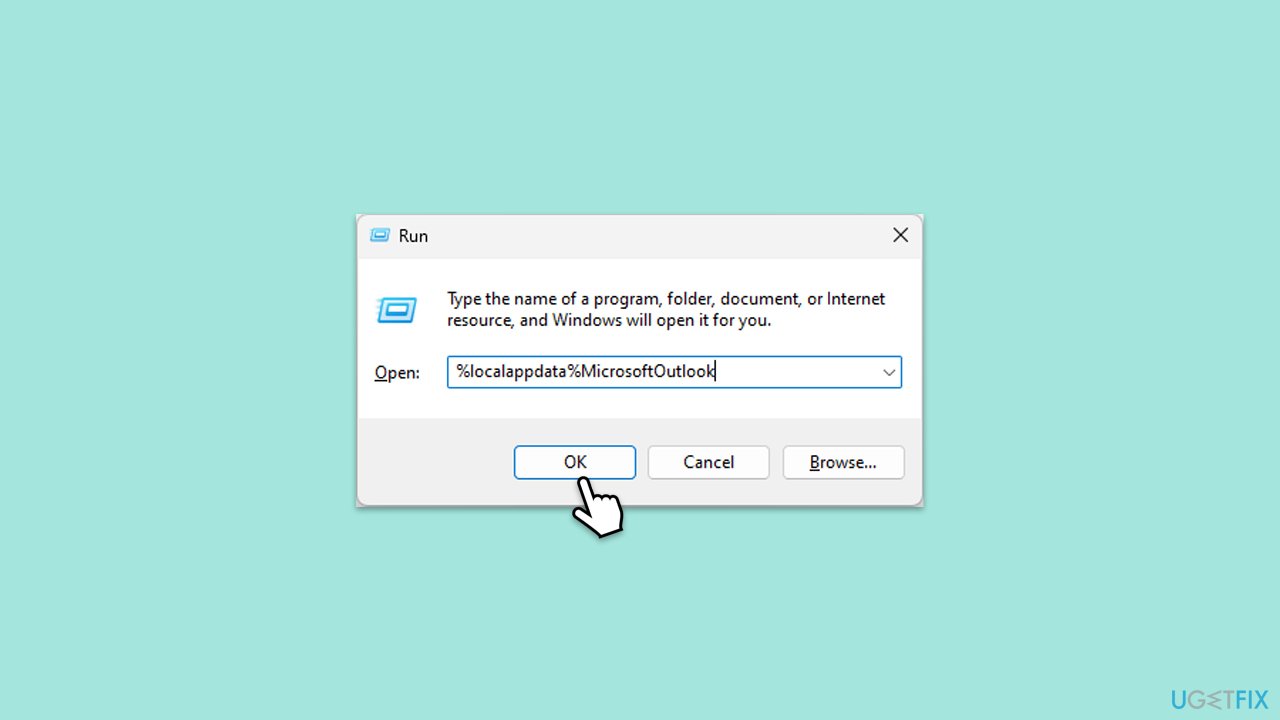
- Press Win+ R to open the Run dialog.
- Type %localappdata%MicrosoftOutlook and press Enter.
- Delete the contents of the folder.
Fix 4. Repair Outlook
Repairing Outlook can fix corrupted files and settings that might be causing the application to log out.
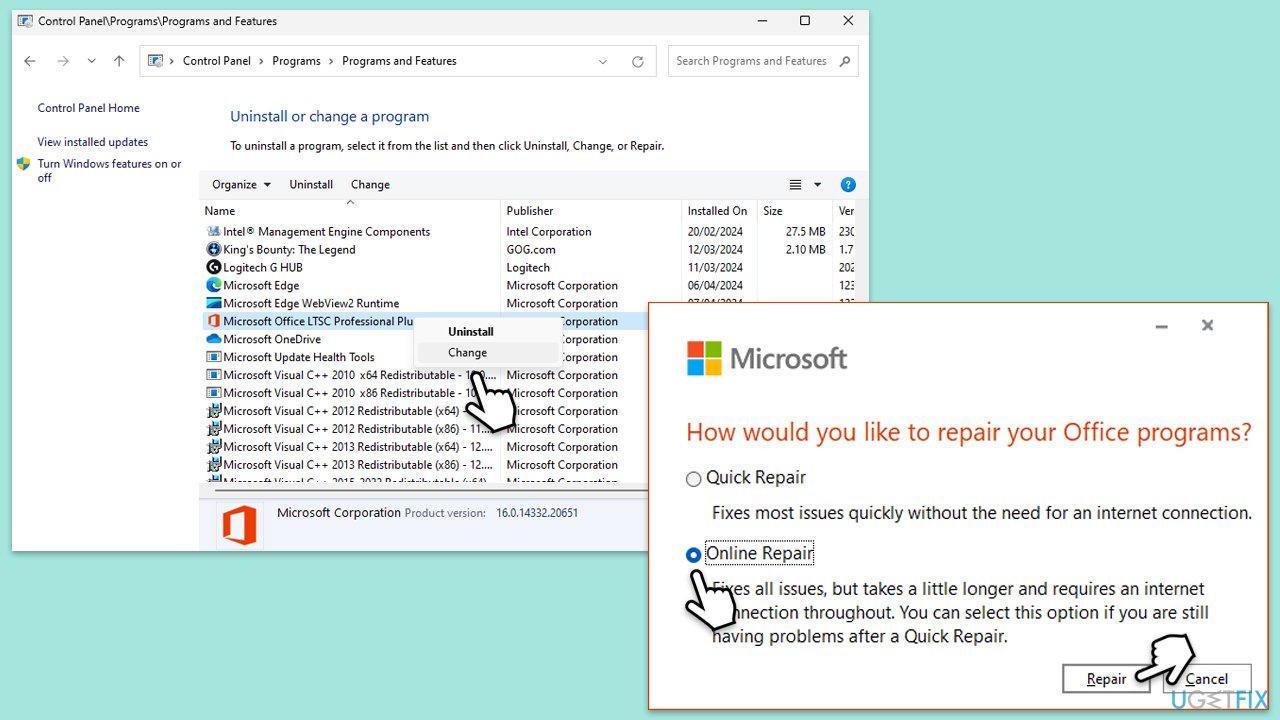
- Type Control Panel in Windows search and press Enter.
- Select Programs > Programs and Features.
- Select Microsoft Office and click on Change.
- Choose the option for Online Repair and click Repair.
- Follow the prompts to finish the process.
Fix 5. Clear Outlook credentials in Credential Manager
Sometimes, outdated or corrupted credentials can cause login issues. Clearing them can help maintain a stable login session.
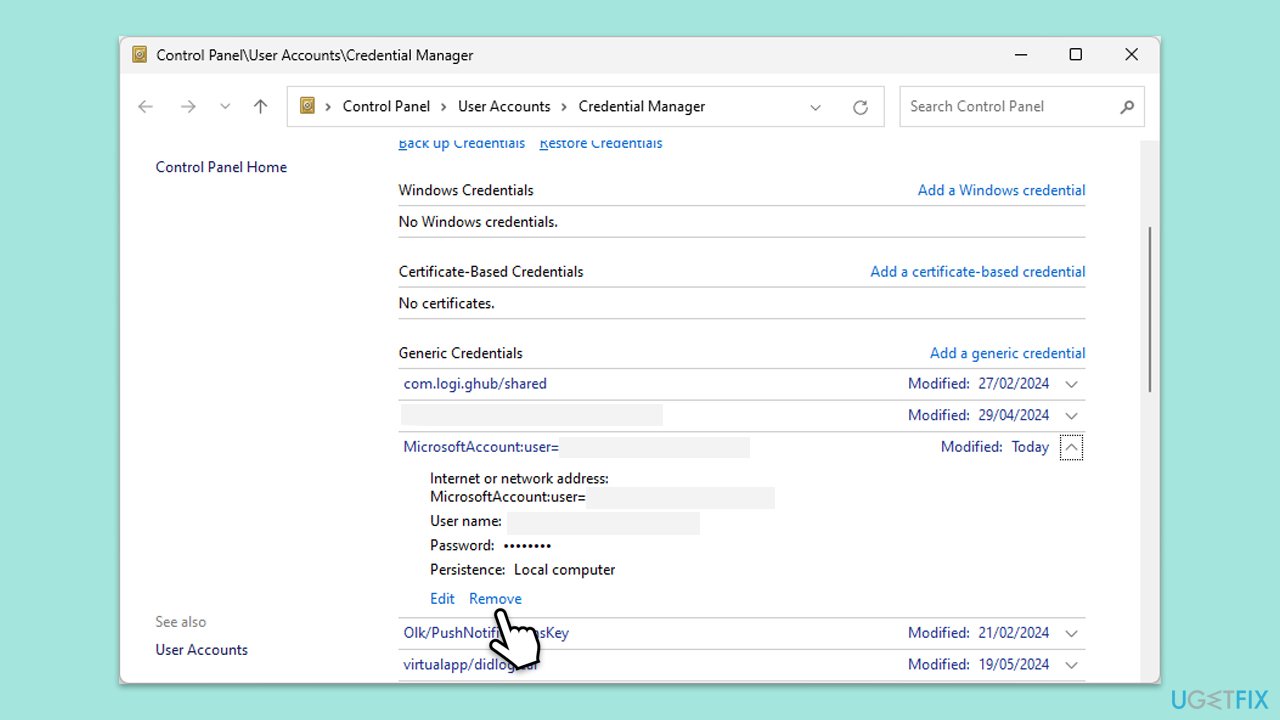
- Type Credential Manager in Windows search and press Enter.
- Select Windows Credentials.
- Locate and remove any stored credentials related to Microsoft Outlook or Office 365.
- Restart your computer.
- Try to log in again.
Fix 6. Reset the navigation pane
Resetting the navigation pane can resolve issues caused by corrupted navigation settings, which may lead to frequent logouts.
- Close Outlook.
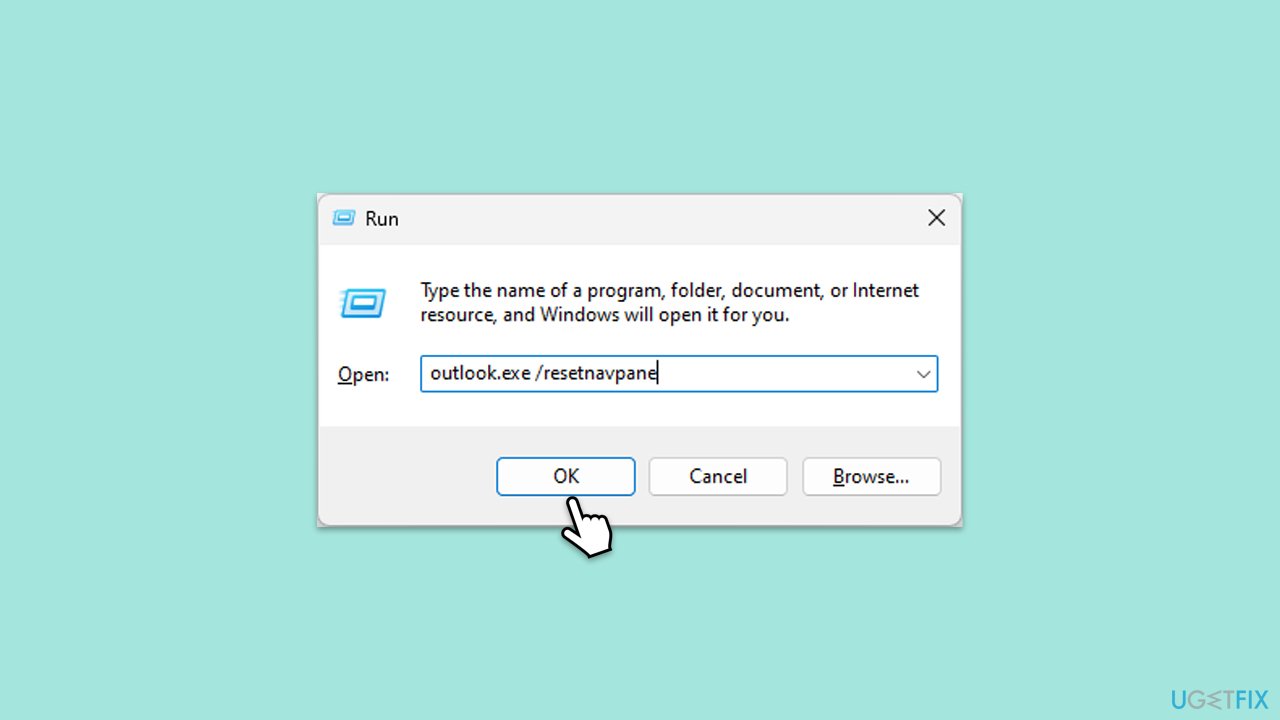
- Press Win+ R to open the Run dialog.
- Type outlook.exe /resetnavpane and press Enter or click OK.
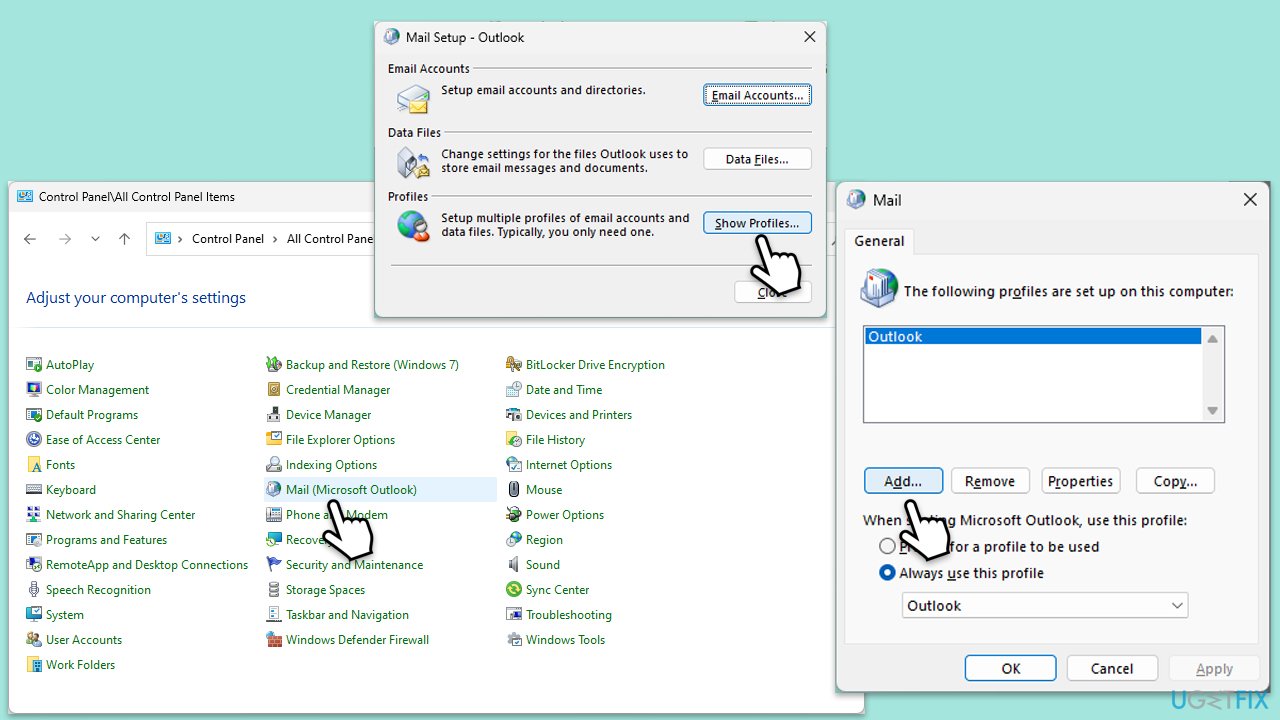
Fix 7. Create a new Outlook profile
Creating a new profile can resolve issues caused by corrupted profile settings, which might be causing frequent logouts.
- Open Control Panel.
- Select Small icons view.
- Click Mail (Microsoft Outlook).
- Click on Show Profiles.
- Select Add and create a new profile.
- Set the new profile as the default and restart Outlook.
Bottom line
To resolve the issue of Outlook logging you out, ensure that all related software is updated, review and adjust your account settings, and check for software conflicts, especially with security tools. Additionally, maintaining a stable network connection can help reduce login interruptions. If these solutions do not work, consider using a PC repair tool to address any underlying Windows problems.
Frequently asked questions
Outlook may keep logging you out due to issues with the credentials stored in Windows 10's Credential Manager or due to outdated account settings. Check your account settings and consider clearing saved credentials to resolve this issue.
In Windows 11, ensure that your internet connection is stable and check for any updates for Outlook, as outdated software can cause login issues. Additionally, try disabling any third-party security software that may interfere with Outlook's authentication process.
To fix repeated logouts in Outlook, start by removing and re-adding your account in the app settings, then clear the cache from the Outlook app. If the problem persists, consider repairing the Office installation via the Control Panel on your Windows system.




Report an issue
What's wrong with this guide? We review every report and update or remove content.
Report received — thank you. We'll review and fix it.
You need a free account to submit a report.
Be the first to comment