How to fix
Block Buketeg.xyz Referral Spam
on Windows
Easily block Buketeg.xyz referral spam on Windows 10 and 11 with our expert tips to enhance your system's performance. Fixed in minutes!

Why does How to Block Buketeg.xyz Referral Spam occur?
- Increased bounce rate due to referral spam
- Ghost traffic generated by scammers
- Manipulation of Google Analytics data
- Referral spam targeting small and medium website owners
Repairs Windows system files, removes malware, and restores a clean OS state — without reinstalling.
Hello. I need a piece of advice from the experts. I‘m using Google Analytics for several years as I‘ve started to manage one of the websites owned by the company I‘m working in. I‘m not a very advanced user of Google Analytics, but I suspect something wrong to be happening with the data on it. Past couple of days, the bounce rate and web traffic have increased in an unusual way. I‘ve noticed that lots and lots of visitors are coming from a website called buketeg.xyz, but the name of it makes me feel suspicious, so I restrained from visiting it till I did not have information about it. Are you able to check what kind of website this buketeg.xyz is and is it secure? Many thanks!
Buketeg.xyz is known as a referral spam related to the secret.ɢoogle.com referral spam network, which has been accused of an active creation of "ghost traffic" on Google Analytics. While referral spamming is not a new phenomenon, its occurrence on a massive scale has been recorded recently. More and more people are looking for relevant information explaining why the traffic to their websites and the stats on their Google Analytics accounts are changing in a very strange manner. The answer is simple – spammers (or hackers depending on your attitude towards spamming) have managed to find another gap, which allows them to increase traffic to shady websites and earn good profit. Buketeg.xyz is just one of the referral spam examples, which are flooding people‘s Google Analytics reports, messing the statistics up and making them visit bogus sites.
How does Buketeg.xyz referral spam works? Is it dangerous?
Buketeg.xyz domain is exploited by scammers whose target is Google Analytics, meaning that all potential victims are the owners/managers of small or medium websites that keep track on the status of their page rank on Google. Buketeg.xyz Google Analytics Referral Spam appears in Analytics panel and makes the user think that his/her website received a referral traffic from this domain. While some people are simply glad about an increased traffic, the others get suspicious as the numbers of the statistics does not seem natural. If a rate of new visitor jumps to something near to 100%, that’s not very likely to be a human traffic. That's rather a spamdexing technique, which, with the help of computers, enable spammers to provide fake numbers of visitors on Analytics stat, thus attracting people‘s attention and prompting them to visit the bogus URL. While the Buketeg.xyz referral spam on your Google Analytics account does not affect your website or its rank on Google directly, inaccurate statistics might confuse you and distort your viewpoint towards the status of your website. In addition, Buketeg.xyz referral spam might be linked to suspicious or even infectious domains, so you should stay away from it.
How to block Buketeg.xyz referral spam on Google Analytics?
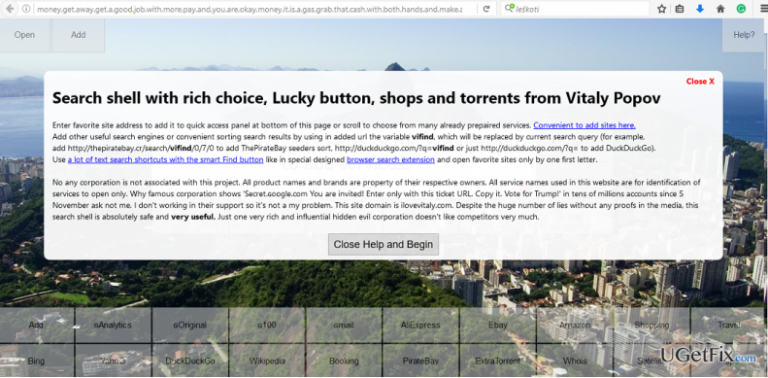
There is a long list of referral scam developed by a Russian spammer Vitaly Popov. The most notorious one these days is known as Boltalko.xyz, so beware of it as well. If you have noticed an increased traffic from Buketeg.xyz or another doubtful domain, it‘s better to ignore it or at least initiate a research about it before typing the URL into your web browser‘s address bar. To see actual Google Analytics statistics without non-existent traffic from Buketeg.xyz referral scam, you have to block the scam from your Analytics account:
Step 1. Change Filter Pattern
- Go to Admin -> All Filters. Then go to New Filter and type Buketeg.xyz in the Filter Name box.
- Select Custom Filter Type, then choose Campaign Source from the drop-down Filter Field menu.
- Eventually, in the Filter Pattern field, enter Buketeg.xyz and click Save.
Step 2. Alter HTTP settings
- Sign into cPanel account, go to File Manager section, and click on the checkbox called Document Root for -> your website.
- Click on Show Hidden Files and click Go. Once you locate the .htacess file, right-click on it and choose Code Edit. Enter the following text ant click Save Changes.
## SITE REFERRER BANNING
RewriteCond %{HTTP_REFERER} Buketeg.xyz [NC,OR]
RewriteCond %{HTTP_REFERER} Buketeg.xyz
RewriteRule .* - [F]
Step 3. Modify Language filter
- In your Analytics account, go to Admin Tab.
- Click VIEW, select Filters and then hit +Add Filter.
- In the Filter Name box, type: Language Spam.
- In the Filter Pattern box, type in: \s[^\s]*\s|.{15,}|\.|,
- Click on Verify this Filter, then Save.
After you successfully terminated Buketeg.xyz referral spam, we would recommend you to consider using a more reliable hosting provider, which can offer a prime spam filter that would ensure the best protection from the ghost spam like Buketeg.xyz.
Bottom line
To block Buketeg.xyz referral spam, you can set up filters in Google Analytics to exclude this domain from your reports. Additionally, consider implementing a .htaccess file rule to block the spam at the server level. If these methods do not resolve the issue, further investigation into your website's traffic sources may be necessary.
Frequently asked questions
You can block Buketeg.xyz referral spam by adjusting your browser settings or using security software to filter unwanted traffic. Additionally, consider using browser extensions that help manage and block referral spam.
Yes, on Windows 11, you can prevent Buketeg.xyz spam by enabling privacy settings in your web browser and regularly clearing your cache and cookies to limit tracking.
Look for reputable antivirus software that includes web protection features, which can help block sites like Buketeg.xyz and enhance your overall security on Windows 10 and Windows 11.




Report an issue
What's wrong with this guide? We review every report and update or remove content.
Report received — thank you. We'll review and fix it.
You need a free account to submit a report.
Be the first to comment