How to fix
Block sharebutton.to referral spam on Google Analytics
on Windows
Eliminate sharebutton.to referral spam in Google Analytics effortlessly. Optimize your Windows 10 or Windows 11 settings for accurate data tracking. Exp…

Why does How to block sharebutton.to referral spam on Google Analytics occur?
- Referral spam is a new phenomenon targeting Google Analytics accounts.
- Sharebutton.to has been circulating since the end of 2015 as a fake referral.
- Spammers use Measurement Protocol or spamdexing techniques to inject bogus traffic.
- The fake URL may include various word combinations to disguise its nature.
- Sharebutton.to may contain malicious code that could attract malware.
Repairs Windows system files, removes malware, and restores a clean OS state — without reinstalling.
How can I block referral spam on Google Analytics? sharebutton.to referral continuously shows up on the stats. Please help!
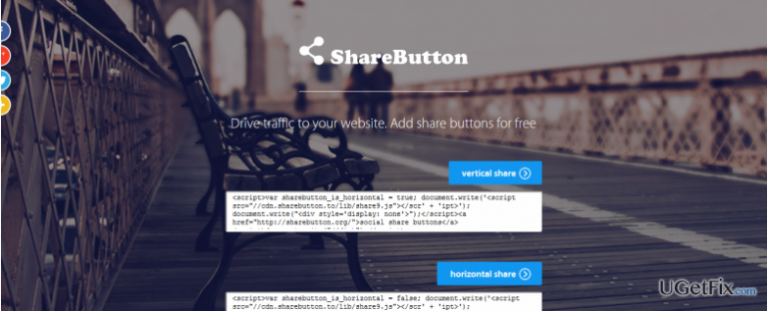
Google Analytics referral spam is considered to be a relatively new phenomenon. However, after initiating a research on this type of spam, we have found out that some of the fake referrals have been circulating on Google Analytics reports since the end of the 2015. One of the first referral spam examples detected is Sharebutton.to. Despite being an old-timer fake referral domain, Sharebutton.to fake URL has maintained its position and keeps polluting Google Analytics stats thus far. In general, referral spamming is also known as “Ghost Traffic” because it targets Google Analytics accounts directly, meaning that no real visitors have been landing on the website. For this purpose, spammers render Measurement Protocol or spamdexing technique, which injects bogus traffic indications, such as referrals, keywords, fake pages, bounce rate, duration, unique visitors, etc. to attract users' attention. Therefore, if you have noticed that your website has been visited via Sharebutton.to in a very unusual way, for example, that the number of visitors from this fake referrer increased from zero to several hundred or more, it’s then clear that your Google Analytics account has become a victim of spammers. It has been noticed that Sharebutton.to referral spam is spread with a modified URL name, for instance, the name may include various word combinations including words like free, social, traffic, floating, button, and similar. Nevertheless, if the user of spammed Google Analytics account copies the name of this fake URL and enters it in the URL address, sharebutton.to will open as a destination site.
Referral spam is not considered to be a crime as it does not affect the website or its position on Google search results. The spammers who spread sharebutton.to fake URL seek to drive traffic to their website or affiliates. However, security experts warn that sharebutton.to domain might not be safe to visit as its script may contain a malicious code, which may attract malware on your website. If the code gets inserted into the website, the hacker might get access to the victim’s social media account details, record usernames, passwords, and similar personal information. Thus, it’s very important NOT TO ADD SHARE BUTTON provided on sharebutton.to referral spam domain. In case you have already visited this URL and doubt about the content that you’ve downloaded on it, initiate a full scan with a professional anti-malware. For this purpose, use [d1]. Once done, sort out sharebutton.to referral domain from your Google Analytics stats by performing the steps given below:
How to block sharebutton.to referral spam from Google Analytics?
Step 1. Change Filter Pattern
- Go to Admin -> All Filters. Then go to New Filter and type sharebutton.to in the Filter Name box.
- Select Custom Filter Type, then choose Campaign Source from the drop-down Filter Field menu.
- Eventually, in the Filter Pattern field, enter sharebutton.to and click Save.
Step 2. Alter HTTP settings
- Sign in to cPanel account, navigate to File Manager section and click on the checkbox called Document Root for -> your website.
- Click on Show Hidden Files and click Go. Once you locate the .htacess file, right-click on it and choose Code Edit. Enter the following text ant click Save Changes.
## SITE REFERRER BANNING
RewriteCond %{HTTP_REFERER} sharebutton.to [NC,OR]
RewriteCond %{HTTP_REFERER} sharebutton.to
RewriteRule .* - [F]
Step 3. Modify Language filter
- In your Analytics account, go to Admin Tab.
- Click VIEW, select Filters and then hit +Add Filter.
- In the Filter Name box, type: Language Spam.
- In the Filter Pattern box, type in: \s[^\s]*\s|.{15,}|\.|,
- Click on Verify this Filter, then Save.
You can apply the same steps for any referral domains that look suspicious to you. Hopefully, you have successfully terminated sharebutton.to spam from your Google Account and now can see a clear stats.
Bottom line
To block sharebutton.to referral spam, consider filtering out the fake referrals in Google Analytics and using advanced segments to exclude them from your reports. Additionally, implement measures to secure your website against potential malware. If these solutions do not work, further investigation into your analytics settings may be necessary.
Frequently asked questions
You can block sharebutton.to by setting up a filter in Google Analytics, which can be done through your web browser on Windows 10. Simply navigate to the Admin section, select Filters, and create a new filter to exclude this referral.
Yes, on Windows 11, you can create a view filter in Google Analytics to exclude sharebutton.to referrals. This will help ensure your analytics data remains accurate and free from spam.
To configure Google Analytics on your Windows PC, access your account, go to the Admin panel, and create a filter that specifically excludes traffic from sharebutton.to. This can be done using any web browser available on Windows.




Report an issue
What's wrong with this guide? We review every report and update or remove content.
Report received — thank you. We'll review and fix it.
You need a free account to submit a report.
Be the first to comment