How to fix
Install Windows 10 Creators Update Manually
on Windows
Easily install the Windows 10 Creators Update manually and enhance your system's performance today. Expert-tested for a smooth upgrade experience!

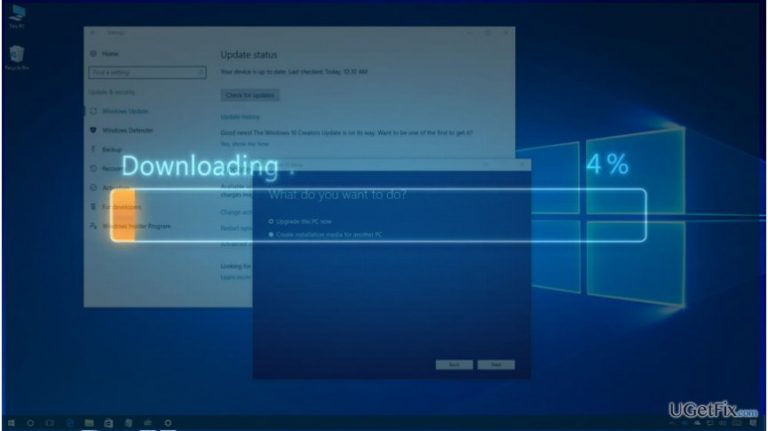
Why does How to Install Windows 10 Creators Update Manually occur?
- Windows 10 Creators Update is rolled out in phases
- Targeting primarily newer devices
- Overloaded Microsoft servers during uncontrolled distribution
- Compatibility issues with older devices
- Feedback mechanism to minimize bugs
Repairs Windows system files, removes malware, and restores a clean OS state — without reinstalling.
I did not receive Creators Update install yet. I’m really fed up with Windows 10 Creators Update rollout speed. Could you please tell me maybe it’s possible to download the update manually? I would really like to accelerate the process…
Windows 10 Creators Update was rolled out on April 11, 2017. So, one of the biggest Windows upgrades is circulating the Internet for three weeks already. Unfortunately, millions of devices still haven't been upgraded. Why? That’s because the Creators Update is set to roll out in phases. According to Microsoft stats, more than 400 million of devices all over the world are running Windows 10 operating system, so it would be naïve to hope that all of them will be upgraded at the same time. We can only speculate that uncontrolled distribution of Creators Update would leave even more unsatisfied people because Microsoft servers would get overloaded, inaccessible, and the upgrade process would get stuck for millions.Microsoft has officially reported that Windows 10 Creators Update is primarily targeting the newer devices.
The first phase will target newer devices, especially those we tested together with our OEM hardware partners. We will then expand the Creators Update release to additional devices based on the feedback we receive during the initial phase.
Microsoft is using a feedback mechanism in Windows Insider builds and analyses each users’ report expressed on online forums. This way, the company expects to minimize the number of bugs and their diffusion. The newer Windows 10 devices feature fewer compatibility issues and have comparatively less affected areas if compared to devices older than five years. Thus, to minimize the Creators Update bugs or fix the existing ones before the second roll out phase, Microsoft recommends Windows 10 users do not rush the upgrade and discourages the manual Creators Update installation using Media Creation Tool or Windows Update Assistant unless you are an advanced Windows user. If, however, you don’t want to wait for Creators Update on Windows Update utility, you have an opportunity to install it manually. This can be done either using Windows Media Creation Tool or Windows Update Assistant.
However, before doing so, open Settings app, select Update & Security and Check for Updates. That’s in case the Creators Update install is already pending. If it’s not there, we would recommend you to create System Image backup and then try one of the two manual Creators Update installation methods.
How to install the Creators Update using Windows Update Assistant?
- Open this link and click the Upgrade Now button to download the Windows 10 Upgrade Assistant.
- When the tool is downloaded, open Downloads folder and launch the tool.
- It will automatically scan for updates and prepare the Creators Update for the installation.
- Select to install it and then follow the on-screen instructions.
How to install the Creators Update using Media Creation Tool?
- Open this link and click the Download tool now button.
- Now the Windows Media Creation tool should be downloading to the system. Once downloaded, launch it from the
- Downloads folder.
- Click the Upgrade this PC now button and follow the on-screen instructions to install the ISO file.
If the manual Creators Update installation failed for one reason or another, the last thing you can try is a clean install of Windows 10. However, you should better wait for your turn to install the Creators Update without accelerating the process.
NOTE: do not underestimate the importance of PC’s optimization. Maintaining registries, software, system files, etc. is easy with the help of [d1].
Bottom line
To install the Windows 10 Creators Update manually, you can use the Media Creation Tool or Windows Update Assistant. However, Microsoft discourages this for users who are not advanced due to potential issues. If these methods do not work, consider waiting for the phased rollout to reach your device.
Frequently asked questions
To manually install the Windows 10 Creators Update, download the Update Assistant from Microsoft's official website, run it, and follow the on-screen instructions to complete the installation.
Yes, you can use the Media Creation Tool to create installation media or directly upgrade your current Windows 10 installation to the Creators Update.
Manually installing the Windows 10 Creators Update typically preserves your settings and files, but it's recommended to back up important data before proceeding.




Report an issue
What's wrong with this guide? We review every report and update or remove content.
Report received — thank you. We'll review and fix it.
You need a free account to submit a report.
Be the first to comment