How to fix
Set up AOL email
on Windows
Easily set up your AOL email on Mac and keep your Windows 10 or 11 experience seamless. Expert-tested tips ensure smooth configuration every time!

Why does How to set up AOL email on Mac occur?
- System issues affecting performance
- Malicious software interfering with setup
- Incorrect configuration settings
- Outdated version of Apple Mail
- Network connectivity problems
Repairs Windows system files, removes malware, and restores a clean OS state — without reinstalling.
Hello, I would like to set up the account of AOL email. I want to access if on my Mac device via Apple Mail. It seems to be one of the more popular free email options that also includes instant messages, I think. This is an attractive option, but how can I set up my AOL email on Mac?
Accessing AOL email in macOS is not that difficult because in most cases there is no need to separately set up AOL email on Mac since it is preconfigured in Apple Mail. Most of operating systems[ref en-1] support such functions as an email client and allows people sending and receiving emails.
Various mail applications give the opportunity to set up AOL, Gmail, Yahoo or any other emails on Mac. People sometimes think that the only option to access AOL email is the internet connection and web browsing tools. It may be convenient when you travel or have a few email accounts on different platforms.
However, for people that need one application to open their email Mail app on the computer directly is handier and it is easier to use a single mail completely organized. Recent versions of mail app are preconfigured to allow users to set up AOL email on Mac or any other account. Users can choose from popular email providers on the application. 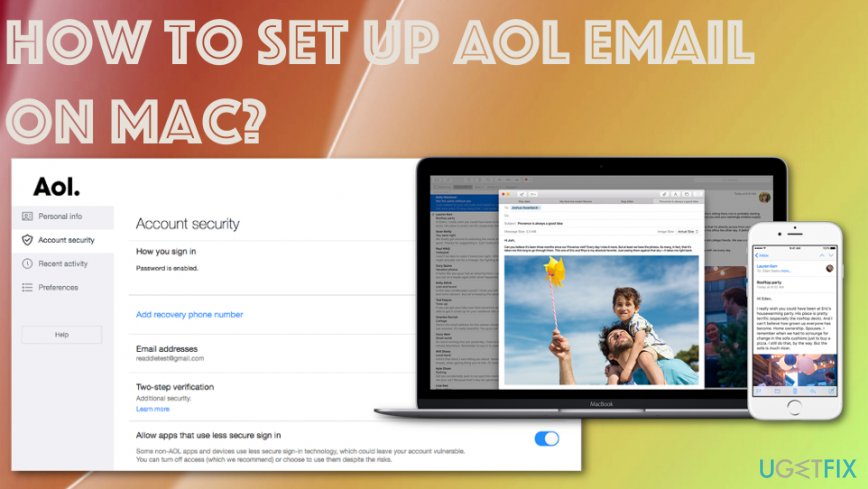
How to set up AOL email on Mac
It is totally your choice which provider to use and what methods to go for when configuring Mail applications. It may be difficult due to system issues or even malicious software that keeps the machine from running smoothly.[ref en-3] Scan the machine with [d1] and make sure that there is nothing else affecting the performance.
There are a few options for the process os setting up your AOL email and accessing the account using Apple Mail app:
- using POP[ref en-2] that can fetch your messages for offline access and you read all your emails;
- IMAP that allows mark, read, delete various messages and all those changes show up on other email clients.
Create AOL in Apple Mail
- Go to Mail and select Add Account.
- Then Choose a Mail account provider windows shows up and select AOL, click Continue.
- Enter all the needed information and select Next.
- Put in your username and password to Sign in.
- Choose what information you permit for Mac to access.
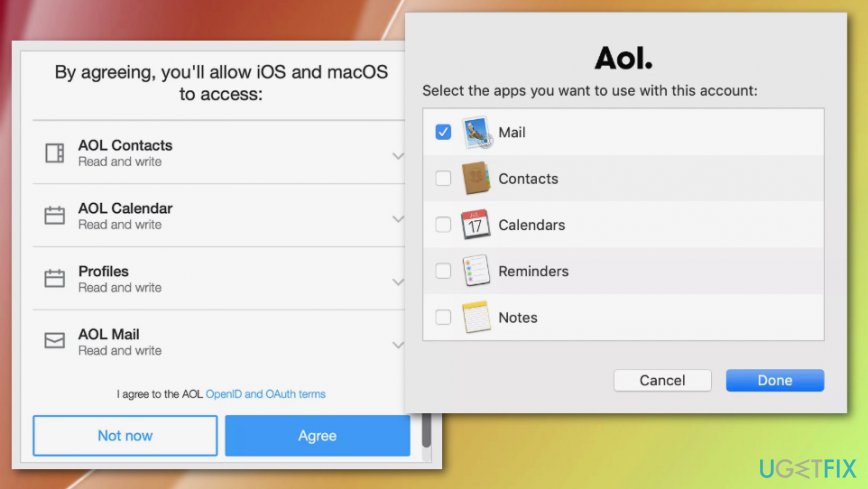
How to set up aol email on mac preferences - Select the application you want to use with AOL and choose Done.
- You should have a new AOL inbox in Mail app now.
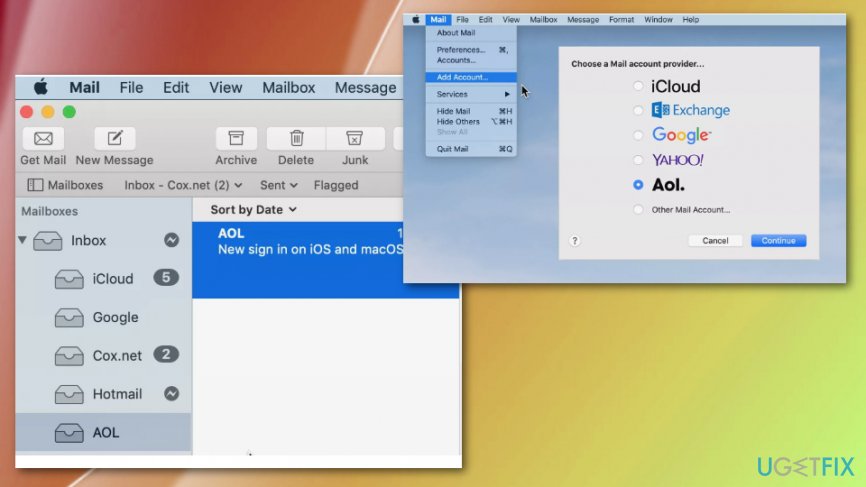
How to set up aol email on mac apple mail
Set up AOL email on Mac (POP)
- Go to Mail and then choose Preferences in the menu.
- Locate the Accounts tab and select the + button.
- Then select the radio button next to AOL.
- Enter the name, email address, and password in the provided field.
- Uncheck Automatically set up account and click Continue.
- Select POP under the Account Type section.
- Type pop.aol.com under the incoming email server and Continue.
- Type AOL in the outgoing mail server description.
- Verify smtp.aol.com is entered under the Outgoing mail server.
- Check Use Authentication and enter a username, password where needed.
- Continue to create the account.
- Highlight the newly created account under section Accounts.
- Go to Advanced tab and ensure that 100 is entered under the Port.
- From there you can choose the desired option under Remove copy from server after retrieving a message.
- Remember that if you allow macOS Mail delete messages, those are not available in AOL mail on the web or for download via IMAP.
Create an AOL email account (IMAP)
- Select the Mail icon and go to Preferences in the menu.
- Go to Accounts.
- Choose the plus button and find the radio button next to AOL.
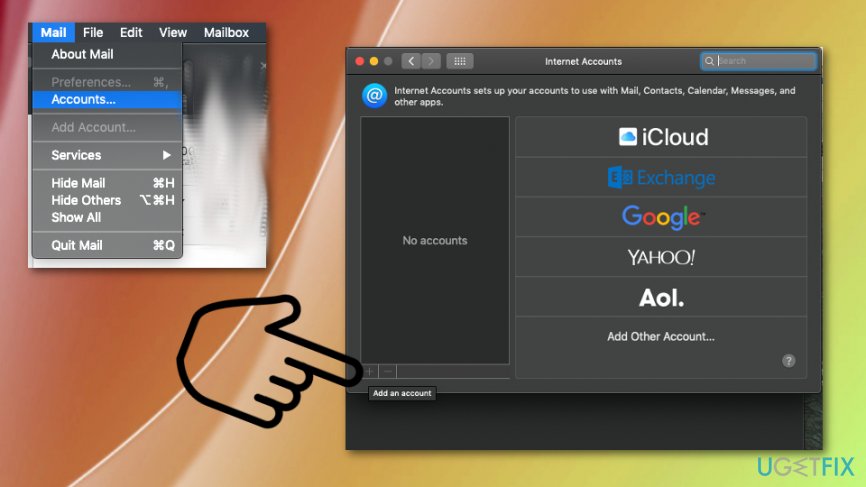
How to set up aol email on mac accounts - Enter the name, email address, and password in the provided field.
- Sign in.
- Highlight the newly created account under section Accounts.
- Go to Mailbox Behaviors tab.
- Don't check the Store sent messages on the server.
- Choose Quitting Mail under Delete sent messages when.
- Close the configuration window.
- Save all the changes.
Check problems regarding the issue of not receiving AOL Mail on Mac
Sometimes certain mail reception problems can cause other problems but there is a need to check them, so emails can be received on Apple Mail app.
- Launch Mail and go to the Menu to select Preferences.
- Select the Accounts tab and choose your AOL email account.
- Check the information for any errors and make corrections if needed.
- Select the Email Address and choose Edit Email Address.
- Double-click either your full name or email address and click OK.
- Launch System Preferences to correct AOL passwords.
- Select Internet Accounts preference and choose the AOL entry.
- Enter credentials and select Details.
Problems Sending AOL email
- Got to Mail menu and Preferences.
- Select the Accounts tab an choose the particular account that may cause you problems.
- Choose Server Settings and there expand the drop-down menu of Outgoing Mail Account.
- To verify the server settings select Edit SMTP Server List.
- Make any corrections and confirm settings.
Bottom line
To set up AOL email on Mac, ensure your Apple Mail is updated and check for any malware or system issues. You can choose between POP and IMAP settings for configuration. If these steps do not resolve the issue, consider seeking further technical support.
Frequently asked questions
Yes, you can set up your AOL email on the Mail app in Windows 10 or Windows 11 by adding it as an account in the app's settings.
You will need your AOL email address and password, along with the IMAP server settings: IMAP server as 'imap.aol.com' and SMTP server as 'smtp.aol.com'.
If you're experiencing issues, ensure your Internet connection is stable, check your account settings, and consider removing and re-adding the account in the Mail app.




Report an issue
What's wrong with this guide? We review every report and update or remove content.
Report received — thank you. We'll review and fix it.
You need a free account to submit a report.
Be the first to comment