How to fix
Terminate budilneg.xyz referral spam
on Windows
Eliminate budilneg.xyz referral spam on Windows 10 and 11 effortlessly. Protect your browser with expert-tested solutions for a smoother experience.

Why does How to terminate budilneg.xyz referral spam occur?
- Referral spam from budilneg.xyz
- Automated scripts generating fake traffic
- Ghost Spam or Ghost Traffic techniques
- Use of the Measurement Protocol to send fictitious traffic
- Increased traffic to promote a specific website
Repairs Windows system files, removes malware, and restores a clean OS state — without reinstalling.
My Google Analytics displays altered stats. A couple of month I’ve noticed a massive flow of visitors from a questionable domain named as budilneg.xyz. I’ve tried visiting it, but the exact domain does not exist as far as I understand because each time I’m redirected to unknown websites. Could you please tell me how this activity should be stopped?
Budilneg.xyz is yet another referral spam, which has been added to millions of Google Analytics referral traffic these days using automated scripts. Therefore, if you have noticed an inconceivable increase of visitor’s traffic to your website via Budilneg.xyz domain, your Google Analytics account has become a victim of referral spam and the results of the statistics, mildly saying, are not accurate.
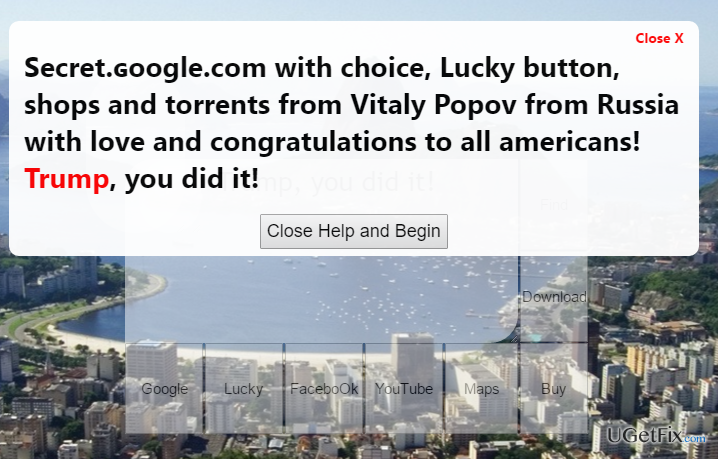
Over the past two years, people have started strange things happening on Google Analytics inducing the owners of websites to question the credibility of the statistics and Google ranking in general. Cyber crooks have invented a new spam technique, known as known as a Ghost Spam or Ghost Traffic, which fools Google Analytics’ users and prompts them to visit unreliable websites. It uses the Measurement Protocol to send fictitious traffic to various Google Analytics properties; thereby distorting the actual statistics. The purpose of this deceitful activity is to increase the traffic of Vitaly Popov’s website and earn the profit this way. While ghost traffic is not harmful to the site or Google ranking, budilneg.xyz referral spam and its alterations modify Analytics statistic, so it might be difficult to perceive the real status of your website and its rank. On top of that, there is no guarantee that the website that the budilneg.xyz referral is set to promote is not infectious.
How to terminate budilneg.xyz referral spam?
In a nutshell, if you have noticed a high visitor’s traffic from budilneg.xyz domain, do not get intrigued and do not try to access it as you will be rerouted to a suspicious domain. Be aware of the fact that a 100% bounce rate is not typical for human beings, so massive visits from a doubtful domain might indicate a computer-based activity. To block budilneg.xyz spam on your Analytics statistics, you have to initiate several alterations on your Google Analytics account. First of all, change filter pattern, modify HTTP settings, and change language filter.
Step 1. Change Filter Pattern
- Go to Admin -> All Filters. Then go to New Filter and type budilneg.xyz in the Filter Name box.
- Select Custom Filter Type, then choose Campaign Source from the drop-down Filter Field menu.
- Eventually, in the Filter Pattern field, enter budilneg.xyz and click Save.
Step 2. Alter HTTP settings
- Sign in to cPanel account, navigate to File Manager section, and click on the checkbox called Document Root for -> your website.
- Click on Show Hidden Files and click Go. Once you locate the .htacess file, right-click on it and choose Code Edit. Enter the following text ant click Save Changes.
## SITE REFERRER BANNING
RewriteCond %{HTTP_REFERER} budilneg.xyz [NC,OR]
RewriteCond %{HTTP_REFERER} budilneg.xyz
RewriteRule .* - [F]
Step 3. Modify Language filter
- In your Analytics account, go to Admin Tab.
- Click VIEW, select Filters and then hit +Add Filter.
- In the Filter Name box, type: Language Spam.
- In the Filter Pattern box, type in: \s[^\s]*\s|.{15,}|\.|,
- Click on Verify this Filter, then Save.
Bottom line
To terminate budilneg.xyz referral spam, avoid visiting the domain and recognize that high traffic with a 100% bounce rate is suspicious. Implement filters in Google Analytics to block the spam and monitor your traffic sources. If these methods do not resolve the issue, consider seeking further assistance from a web analytics professional.
Frequently asked questions
Open your browser settings and clear your cache and cookies, then check the extensions and remove any suspicious add-ons that may be linked to budilneg.xyz.
You can prevent budilneg.xyz from reappearing by adjusting your browser's privacy settings and enabling pop-up blocking features.
Yes, run a full system scan with Windows Defender to detect and remove any malware that may be causing the budilneg.xyz referral spam.




Report an issue
What's wrong with this guide? We review every report and update or remove content.
Report received — thank you. We'll review and fix it.
You need a free account to submit a report.
Be the first to comment