How to fix
Turn off Proxy
on Windows
Easily disable proxy settings on Windows 10 and 11 for faster browsing. Follow our expert-tested guide for seamless internet access, fixed in minutes.

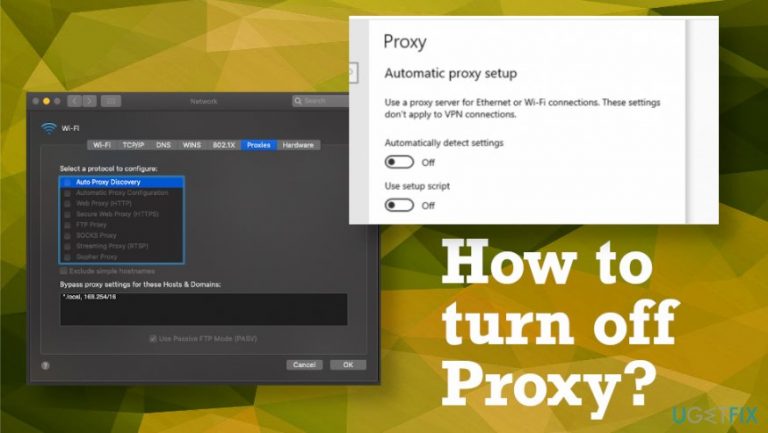
Why does How to turn off Proxy occur?
- Malware triggering unwanted activities
- Proxy settings redirecting traffic to shady sites
- Intruders loading within web browsers
- Malicious files disguised as proxies
- Disruption of internet access due to incorrect settings
Repairs Windows system files, removes malware, and restores a clean OS state — without reinstalling.
Hello, I need help with proxy server settings. I think I know how to change that on my Chrome browser, but I need to do that on the macOS device properly and other Windows devices that can be connected to the same spyware issue. I need this for stubborn malware removal because threats run on the system and redirect my traffic to various shady sites. Can you help and guide me through?
It is a common method that users tend to rely on when any malware triggers unwanted activities and redirects you to unwanted pages without permission. Intruders can manage to load within your web browsers, and disabling such proxy settings in browsers or operating systems directly can help deal with the issue that unwanted software creates.[ref en-1]
Additionally, disabling such settings can be essential when you need to delete a malicious file disguised as a proxy. You may damage some functions if you allow the AV engine to do that before disabling the proxy in the web browser beforehand. Your internet access can get disrupted if you do not know how to turn off Proxy in Chrome, for example. However, restoring access requires proxy settings disabling.
However, what is a Proxy server? The proxy server[ref en-2] is the intermediary between your computer and the internet. it is used to hide the real location and allow access to websites that may otherwise be blocked. Proxies are not providing the same privacy protections as a VPN,[ref en-3] so there might be some issues that you need to troubleshoot.
A proxy server can be set as the middle man that connects the user to needed information, so there are many advantages that it has. Anonymous online presence can be enabled when using a proxy server since your IP address is invisible to the operators of the domain. There are many restrictions regarding online content, including location-based restrictions. Using a proxy, you can access content that is restricted based on the particular location.
The proxy can keep the tab on various websites that you have visited. Once the request for a cached page is asked proxy helps to display the site quickly and reduces the length of time spent to load the domain. It can take longer to process, load, or display the page is not in the cache. 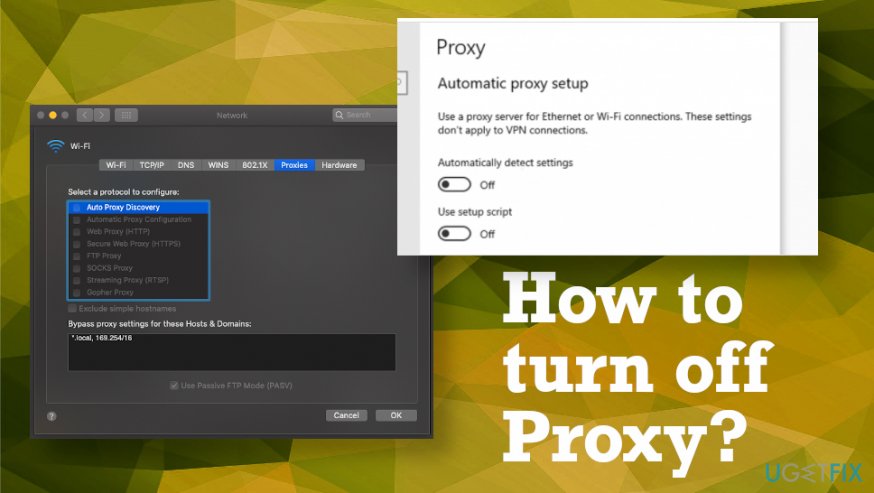
How to turn off Proxy
Each browser is different, so disabling the proxy cannot be that easy for everyone and anyone. It is a basic settings change, but there are different options for web browsing tools and OSs. How to turn off Proxy on mac may be the question that many people more familiar with Windows OS may ask.
You may also need to know how to turn off Proxy when the corporate network is no longer the main connection you use on the device. If you plan to stop using the network, you may need to disconnect from the internet using a proxy.
Turn off Proxy in Google Chrome
- Open the browser and click the three dots. Then choose Settings and show Advanced ones.
- Find System and open the Windows Internet Properties dialog.
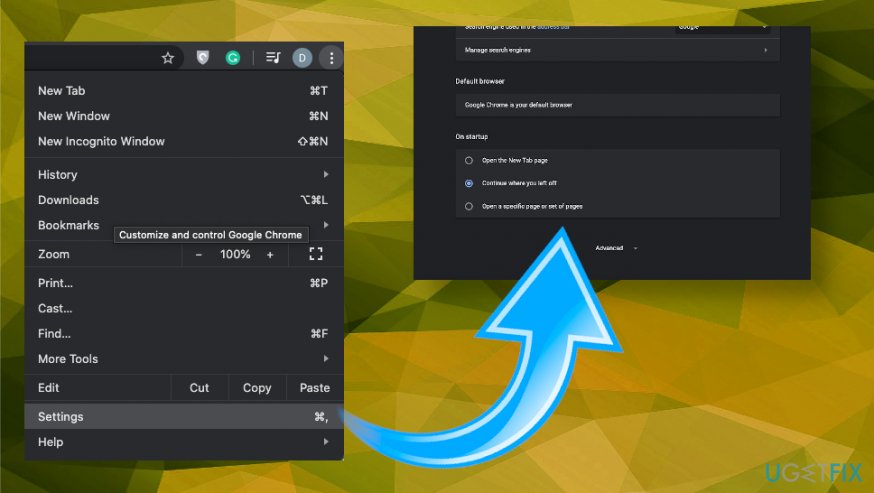
How to turn off proxy chrome - Under the Automatic proxy setup, turn off the te automatic detection.
- Under the Manual proxy setup, turn off Use a proxy server.
- Save.
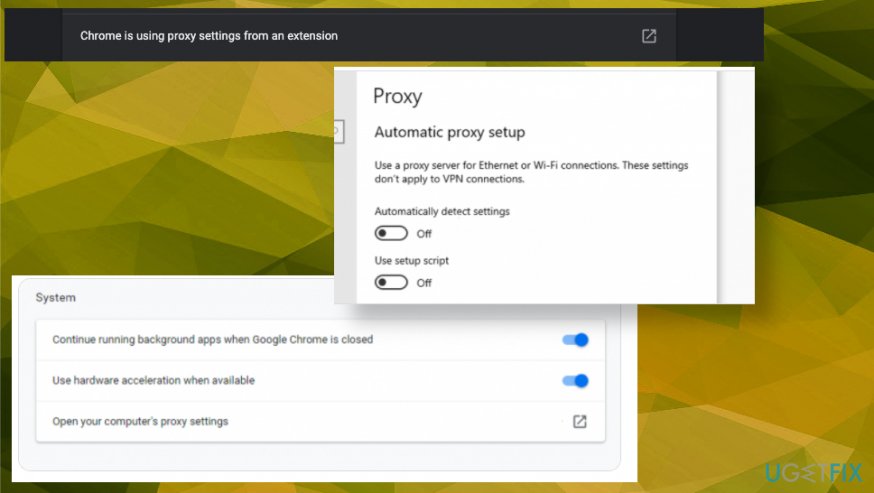
How to turn off proxy chrome proxy
Turn off Proxy on Windows 10
- Go to Google Chrome settings and find Network.
- Then choose Change proxy settings.
- Select LAN Settings button and then deselect the checkbox for Use a proxy server for your LAN.
- Click OK.
Turn off Proxy on Safari
- Open the Safari browser on your macOS and click the Safari menu to find Preferences.
- Choose Advanced settings and then click Change Settings.
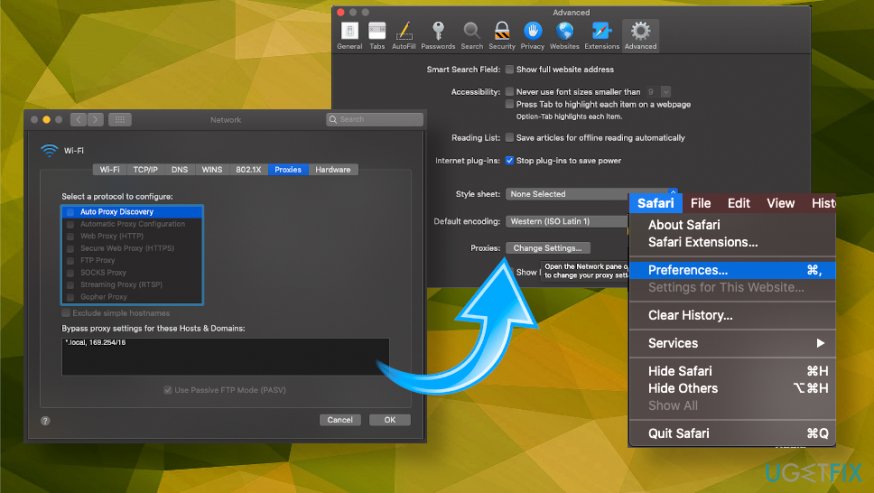
How to turn off proxy macos - Choose Proxies and remove all checkmarks on the list.
- Save the selection by clicking OK.
Bottom line
To turn off Proxy, you need to disable the proxy settings in your web browser and operating system. This can help in removing stubborn malware and restoring normal internet access. If these steps do not resolve the issue, consider seeking further technical assistance.
Frequently asked questions
To disable proxy settings in Windows 10, go to Settings > Network & Internet > Proxy and toggle off 'Use a proxy server' under Manual proxy setup.
In Windows 11, navigate to Settings > Network & Internet > Proxy, then disable 'Use a proxy server' to turn off the proxy settings.
Disabling the proxy settings may improve your internet speed and connectivity if the proxy was misconfigured, but it will prevent access to sites that require a proxy.




Report an issue
What's wrong with this guide? We review every report and update or remove content.
Report received — thank you. We'll review and fix it.
You need a free account to submit a report.
Be the first to comment