Optimize your Windows 10 or 11 performance effortlessly with Smart Driver Updater. Get expert-tested tips for hassle-free updates and fixes in minutes.
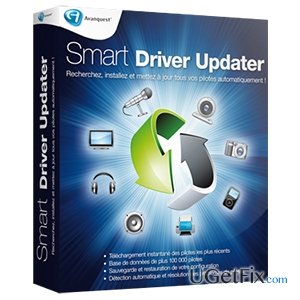
Smart Driver Updater is a software utility that has been developed by Avanquest Software. It is promoted as a driver management tool that can find outdated drivers, search for their updates and automatically apply them. Experts all around the world recommend installing this tool in order to optimize, maintain, and improve hardware's and the overall PC's performance. Updated drivers help to increase computer's speed, stability, performance and other features.
Smart Driver Updater utility contains thousands of product drivers and continuously updates them to the recent versions. Its database consists of more than 600,000 drivers and is continually filled. It installs SmartDriverUpdater.exe process, which is an automatic update component used to download the newest updates that have recently been released on the Internet. Smart Driver Updater is set to manage motherboards, networks, printers, monitors, keyboards, mice, modems, digital cameras, sound cards, video cards, and other drivers. During the setup, it creates a Windows startup key and creates a scheduled task for scanning a computer. Therefore, the user doesn't have to worry whether his/her drivers are up-to-date because they are checked weekly or daily (this can be customized) and updated automatically. Besides, Smart Driver Updater scans do not diminish PC's performance, even during the main process. Contrary, continuous scans help to optimize the system and keep its best performance.
Smart Driver Updater can also backup and restore drivers. This is specifically useful in case of Windows OS reinstall or system crash. It is capable of compressing all drivers to a zip file, which can be easily reinstalled or moved. The free trial version can be downloaded from various download sources, including the official. However, a free scan will only show which drivers are updated. In order to upgrade them, the user will have to register the product and buy one-time full system upgrade for $29.95 (15-day money back guarantee).
So, why should I select Smart Driver Updater?
While using Smart Driver Updater software, you will forget what does it means to update drivers manually. This tool will do that for you and ensure full PC's maintenance. It will ensure that you have correct drivers installed thereby increasing the speed and stability of each of your devices. Even more, it will help you deal with the drivers' compatibility, which is a very common problem that Windows users face. It will detect problematic drivers easily and replace them with a suitable version. Finally, Smart Driver Updater will save you hours of searching for individual devices in case of operating system upgrade or crash since it will backup all drivers and allow you to export them easily. Finally, you will be pleased by an easy-to-use Smart Driver Updater design, which requires only two clicks to initiate/finish the scan and update drivers. Therefore, start upgrading of your drivers with Smart Driver Updater right now and keep your machine optimized!
Bottom line
To resolve driver-related issues, consider using Smart Driver Updater to automatically find and install the latest drivers. Additionally, utilize the backup and restore feature in case of system crashes or OS reinstalls. If these solutions do not work, further troubleshooting may be necessary.
Frequently asked questions
Smart Driver Updater scans for outdated drivers and installs the latest versions, which can enhance system performance and stability in Windows 10 and Windows 11.
Yes, Smart Driver Updater is designed to safely update drivers, reducing the risk of system conflicts and ensuring compatibility with Windows 10 and Windows 11.
Absolutely, by updating drivers, Smart Driver Updater can fix hardware malfunctions and improve device functionality in both Windows 10 and Windows 11.
Windows Update troubleshootingUpdate error codesSystem maintenanceWSUS configurationFeature update recovery
Natalie Park specialises in Windows Update troubleshooting and long-term system maintenance. She covers failed and stuck updates, error codes, component store corruption, and the disruption caused by problematic feature updates. Natalie's guides take readers from reading the specific Windows Update error code through manual component repair, WSUS configuration, and clean update procedures. She also covers routine maintenance tasks — driver updates, disk health monitoring, event log interpretation — that keep Windows running reliably over years of use.





Report an issue
What's wrong with this guide? We review every report and update or remove content.
Report received — thank you. We'll review and fix it.
You need a free account to submit a report.
Be the first to comment