How to recover
Gtys ransomware files
from Windows
Recover your files from Gtys ransomware on Windows 10 or 11 with our expert-tested guide. Restore your system easily and securely, fixed in minutes.

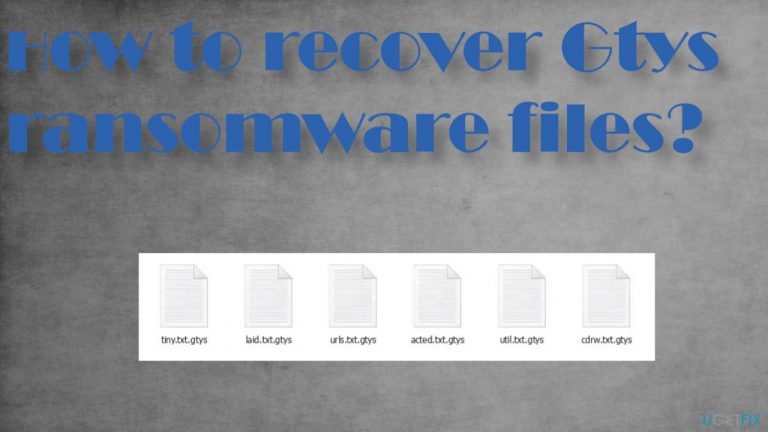
What leads to How to recover Gtys ransomware files?
- Data transmitted via pirating platforms
- Infected email attachments
- Video game cheat codes
- Licensed software cracks
- Neglecting installation details
Repairs Windows system files, removes malware, and restores a clean OS state — without reinstalling.
I need help and serious help here. My all data is encrypted with .gtys. I cannot open any of the images, videos, documents. Many many folders were affected. It is ransomware because I got _readme.txt file with payment instructions. I have no money. No Bitcoins too. Is there any hope for the locked files here?
The Gtys file virus can be lurking in any data you transmit via pirating platforms or even emails and files in attachments,[ref en-1] which is why it's so dangerous. One way this common spreading method function includes - these particular video game cheatcodes, licensed software cracks that are popular and wanted by users.
People want to get software and games and skip through important steps during installations or pay less attention to detail than needed. This is how the threat manages to spread around quickly. This family has been known for years, and it is still very active - releasing versions every few days. This one comes after Udla, Mpag, and Voom.
Demanding money once files get locked
The Gtys ransomware virus creators are relying on fear tactics and false claims about possible decryption methods to make people more eager for a quick payout. They offer 50% off if paid before 72 hours, but their only goal is to get money. It's not surprising that even contacting criminals via [email protected] and [email protected] can be dangerous - they do not care about saving you from malware or recovering your files.
Some of the actors rely on double-extortion methods[ref en-2] to keep their options getting money higher. You need to avoid this infection and do not consider payments in exchange for the decryption tool. Stay away from this threat because it's possible that your machine has already been compromised further than encryption.
Unfortunately, there are no official decryption tools for the Djvu ransomware family, so you'll need to rely on alternate methods instead! We have them listed below.
How to recover encrypted files and stop Gtys ransomware?
The data recovery process is not always successful. There are many options for file recovery, but no guarantees that your files will be restored if you pay up these criminals. We'll try our best to list the best possible solutions and alternate approaches in this article, so readers can understand what they might need. However, backups may help more often than people think since most users don't back them daily or weekly like needed.
1. Eliminate the threat
Malware infections are more than just a security threat. They can also be used to carry out functions like data destruction or alterations on the machine. You need to react as soon as possible because once files get locked, and encrypted malware already might be leaving the machine but hiding processes to keep the machine after.
This is why a full system scan is required. After you run the security tool or anti-malware program on the system, any threats will be removed. The AV tool cannot recover lost data because these types of programs detect additional software that is creating crucial issues within our computers and not just damaged pieces.
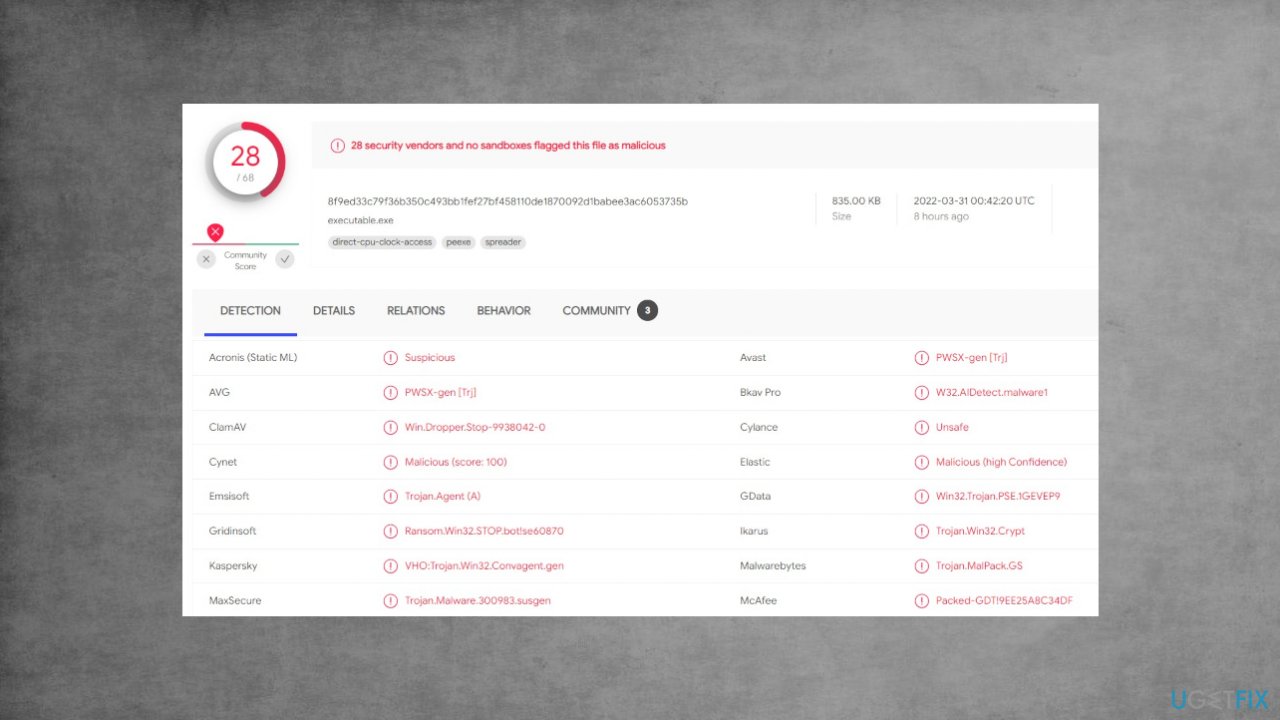
If the Gtys ransomware has infected your device, there are ways to remove it but repairing damaged machine files or even encoded files will not be easy because this kind of malicious software relies heavily on secondary procedures. Rely on removal applications that are based on AV detection.[ref en-3]
2. Restore the performance of the machine
If your computer is infected with a malware like Gtys file virus, it will change the way that you interact with system files. For example, an infection could alter the Windows registry database and damage the vital bootup process as well other sections such as deleting or corrupting DLL files which are required for normal operation of the PC. It is crucial to address.
- Download the [d1] application by clicking on the link.
- Click on the ReimageRepair.exe.
- If User Account Control shows up, select Yes.
- Press Install and wait till the end.
- Once the analysis is completed.
- Check the results in the Summary.
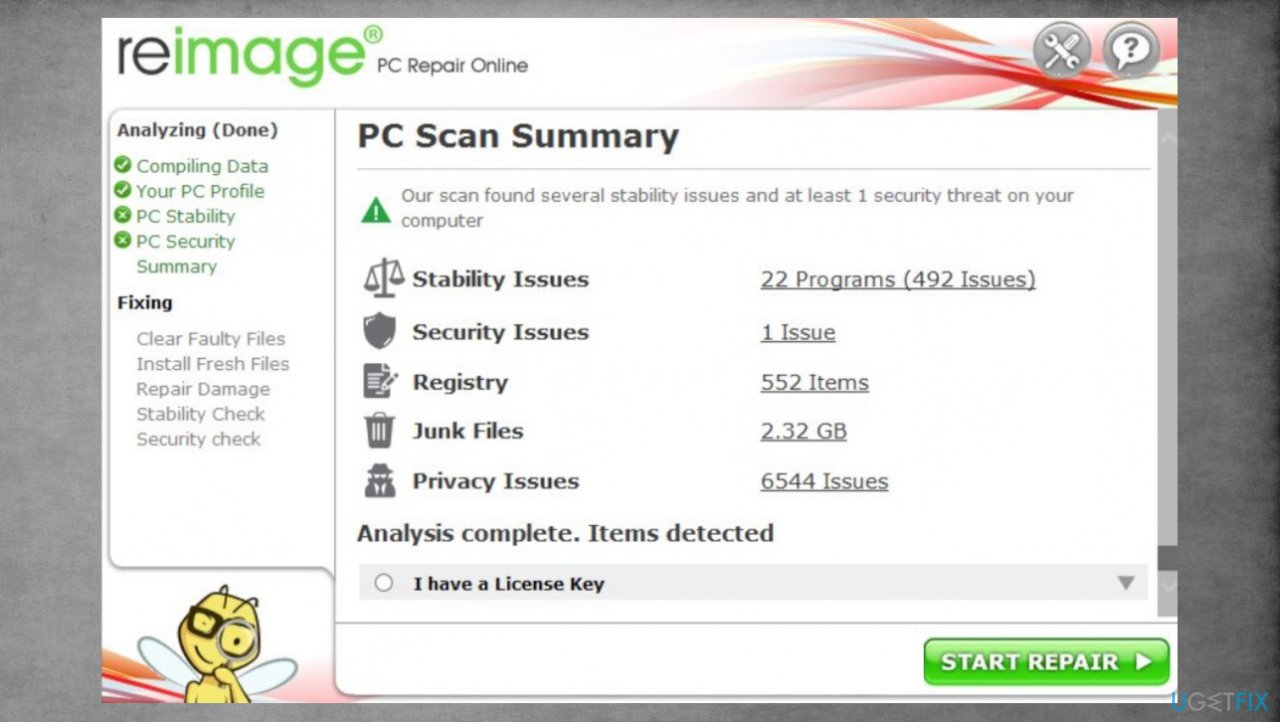
Djvu reimage repair gtys - You can now click on each of the issues and fix them manually.
- If you see many problems that you find difficult to fix- purchase the license and fix them automatically.
3. Try data recovery tools
- Get a tool like [rev id="Data Recovery Pro"] from a trustworthy source.
- Follow installation.
- Once that is finished, use the application.
- Select Everything or pick individual folders to recover.
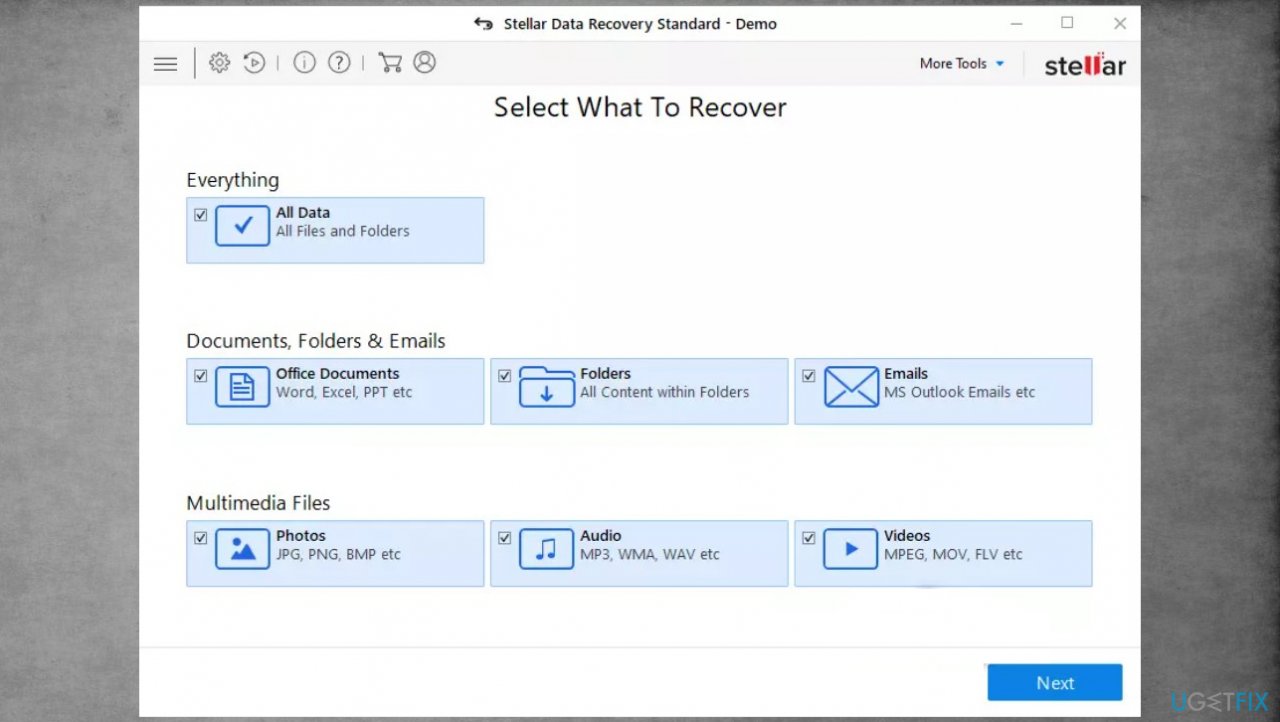
Djvu stellar data recovery gtys - Press Next to continue.
- Enable Deep scan.
- Pick which Disk you want to be scanned.
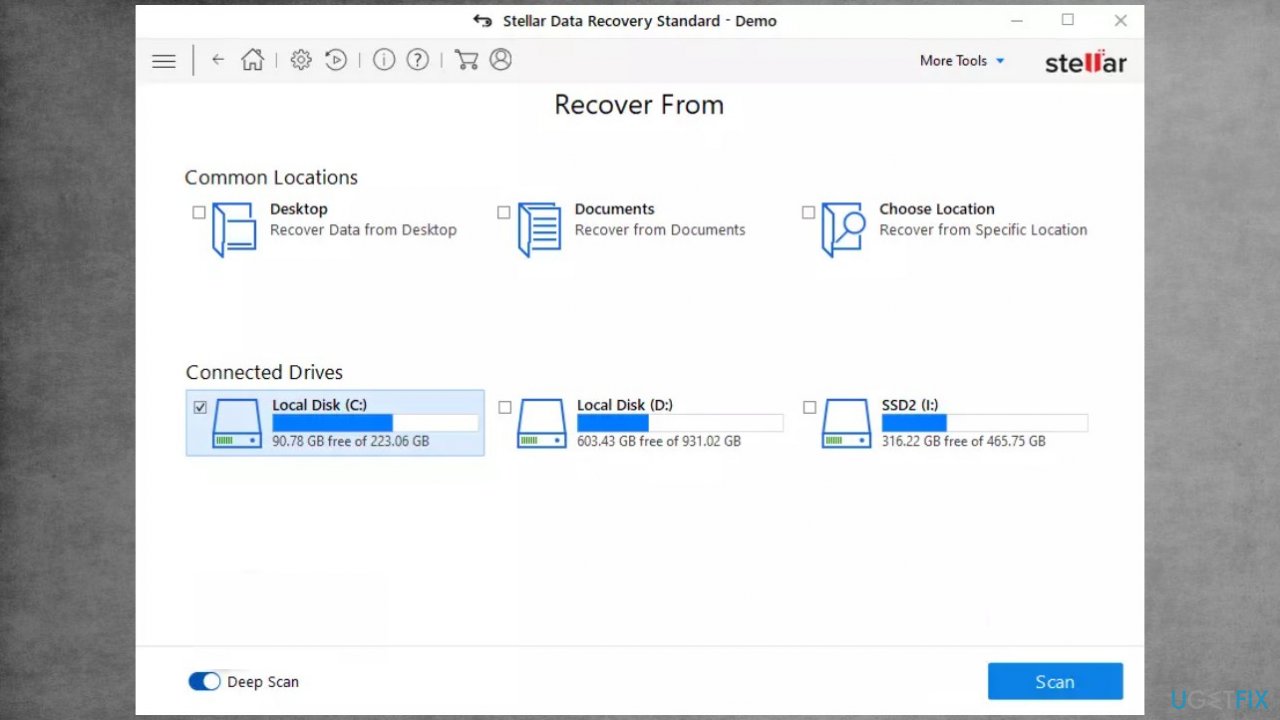
Recover gtys files fix recovery - Initiate a Scan.
- Hit Recover to restore files.
4. Check the decryption option
- Download the app on official Emsisoft website.
- Follow the steps of installation on the screen.
- The tool should locate the affected folders.
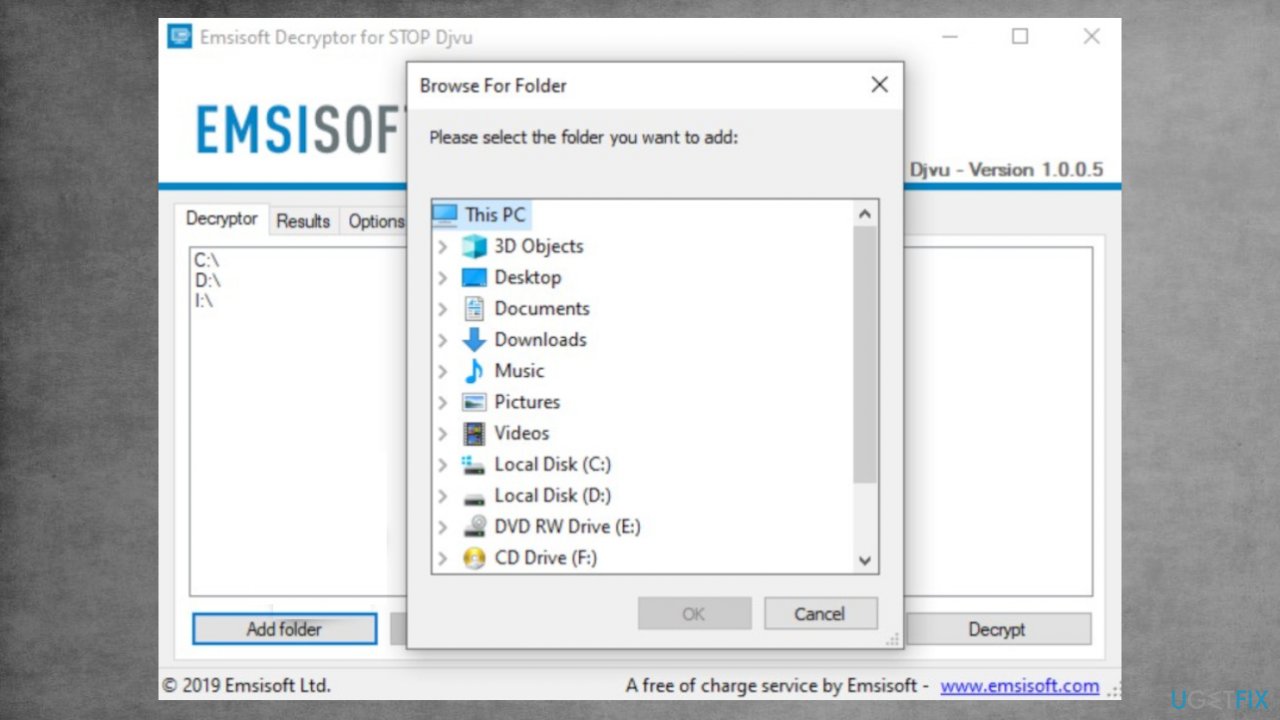
Recover gtys files fix decrypt - You can find them by pressing Add folder at the bottom.
- Press Decrypt.
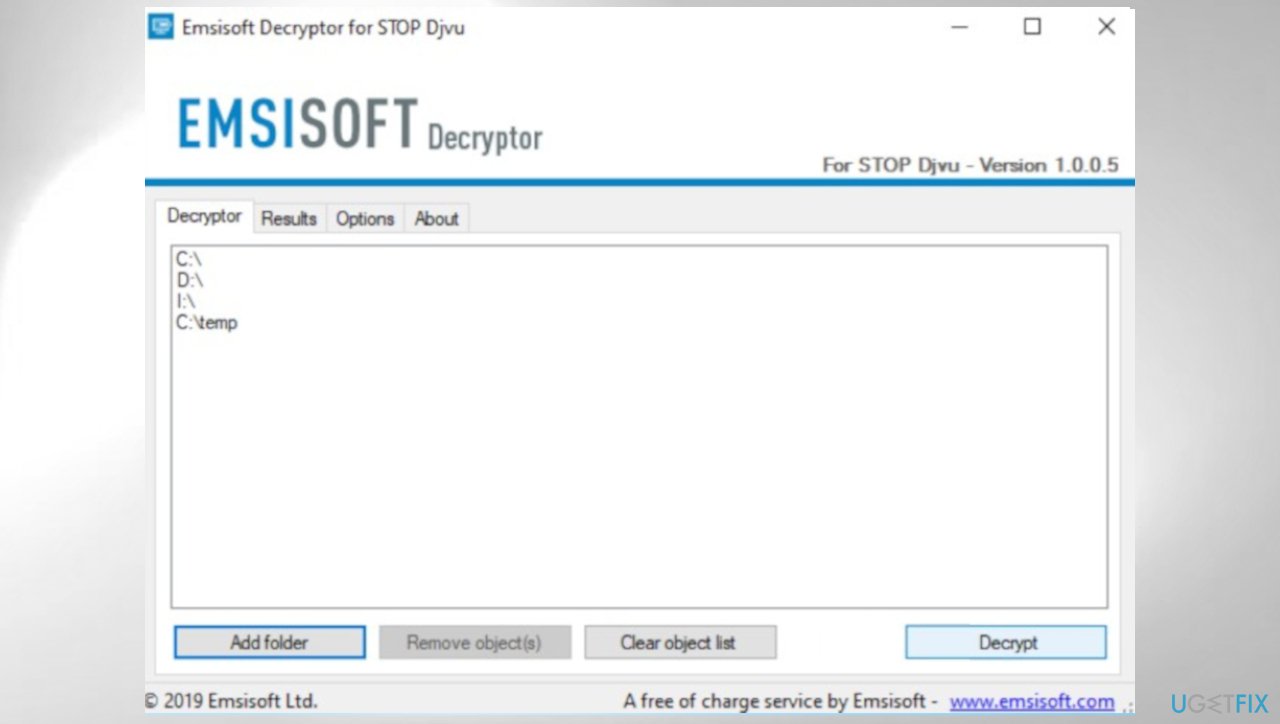
Djvu decrypt emsisoft gtys - There are particular results that can occur indicating if the decryption is possible.
Bottom line
To recover files encrypted by Gtys ransomware, consider using alternate recovery methods since there are no official decryption tools available. Avoid paying the ransom, as it may not lead to file recovery and could further compromise your system. If none of the recovery options work, seek professional help.
Frequently asked questions
Begin by isolating the infected system to prevent further spread, then use a reputable antivirus program to remove the ransomware. Afterward, check for backup options or restore points that might contain unencrypted versions of your files.
Currently, there may not be specific decryption tools for Gtys ransomware, but it's worth checking platforms like No More Ransom for any updates on available solutions. Always ensure your Windows 10 or Windows 11 system is updated to the latest security patches.
To prevent future attacks, regularly update your Windows 10 or Windows 11 system, use a strong antivirus software, and maintain regular backups of your important files. Additionally, be cautious with email attachments and links to avoid phishing attempts.




Report an issue
What's wrong with this guide? We review every report and update or remove content.
Report received — thank you. We'll review and fix it.
You need a free account to submit a report.
Be the first to comment