How to fix
AswNetSec.sys BSOD
on Windows
Resolve aswNetSec.sys BSOD errors in Windows 10 and 11 effortlessly. Expert-tested solutions guarantee quick fixes and a smooth experience, fixed in min…

What causes How to fix aswNetSec.sys BSOD in Windows?
- Corrupted aswNetSec.sys file
- Conflict with other software
- Faulty drivers
- Hardware issues
- Corrupted software
Repairs Windows system files, removes malware, and restores a clean OS state — without reinstalling.
I keep getting aswNetSec.sys Blue Screen of Death crashes. This happens at random times and I'm not sure how to handle this. Any clue to what's going on here?
Blue Screen of Death (BSOD) is a common occurrence in Windows operating systems when a severe problem occurs, causing the system to crash and stop working. It is named for the blue screen that appears when such a crash occurs, notifying the user of the problem.
Blue Screen errors typically contain error codes that can be used to determine the cause of the crash. There are many reasons why a crash might occur, including hardware issues, corrupted software, faulty drivers, and system service issues, among others.
One possible cause of a BSOD is a problem with the aswNetSec.sys file, which is a software component of Avast Antivirus by AVAST Software. It's a system driver file, standing for Avast Network Security Driver. This software helps protect your system from various threats, including malware and unauthorized access.
However, problems with aswNetSec.sys can result in a BSOD. Typically, this would be because the file has become corrupted or because there's been a conflict with other software or hardware in your system. The file is critical for the operation of Avast software, and if there is a fault with it, it could prevent the system from functioning correctly, leading to a BSOD.
Error codes associated with aswNetSec.sys-related BSODs include KMODE_EXCEPTION_NOT_HANDLED and DRIVER_IRQL_NOT_LESS_OR_EQUAL. The former error indicates that the kernel-mode program generated an exception that the error handler didn’t catch. This can occur due to the installation of faulty software or drivers. On the other hand, the DRIVER_IRQL_NOT_LESS_OR_EQUAL error is associated with a driver issue. This error occurs when a driver tries to access a memory location that it doesn't have permission to access or when a driver tries to use an incorrect memory address.
To solve the BSOD issues related to aswNetSec.sys, one can try various methods such as updating or reinstalling Avast Antivirus, updating system drivers, or performing a system restore to a point before the problem occurred.
1. Run an automatic repair tool
Sometimes, it can be quite challenging to find the root cause of a BSOD. The error messages and codes provided can often be vague, and it can be difficult to trace them back to their source. This is where a PC repair tool like [d1] can come in handy: it is designed to systematically scan and troubleshoot the various elements of your computer that could be causing the problem, greatly simplifying the process.
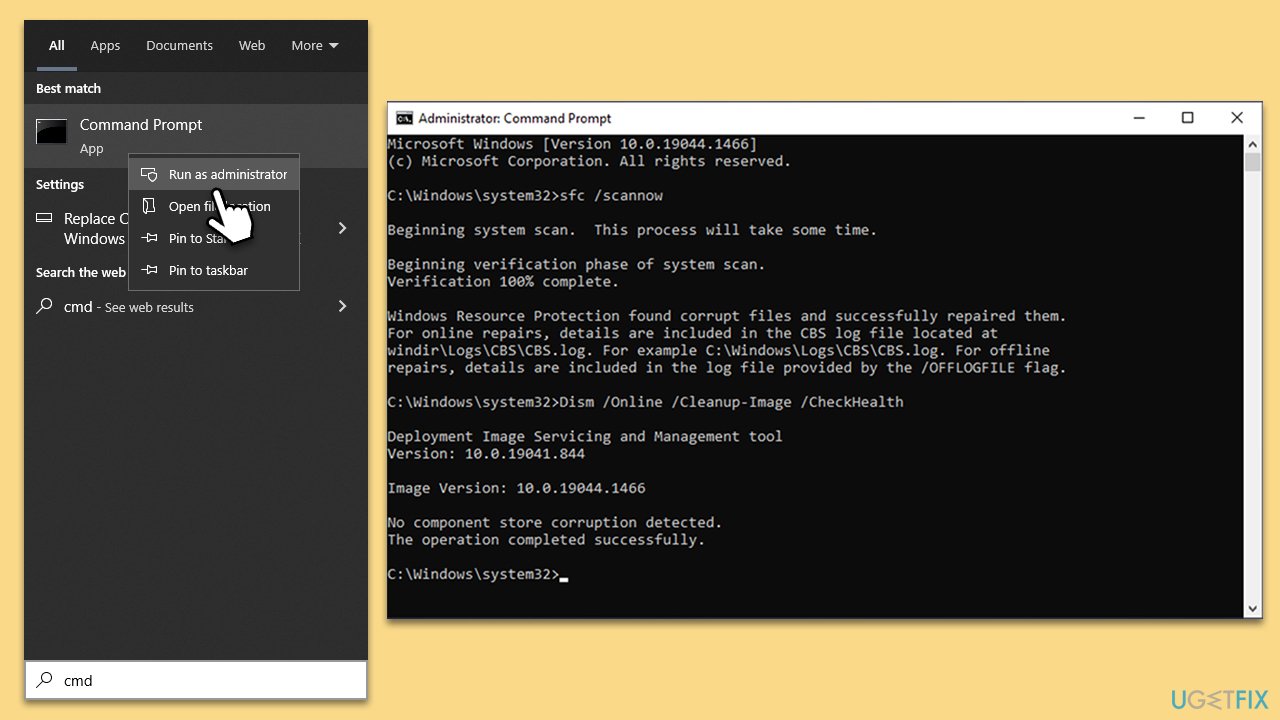
2. Repair corrupted system files
Corrupted system files are among the most common reasons for BSOD crashes. To address this, follow these steps:
- Type in cmd in Windows search
- Right-click on Command Prompt and select Run as administrator
- User Account Control will ask you whether you allow making changes to the system - click Yes
- In the Command Prompt window, paste the following command and hit Enter:
sfc /scannow - Next, use the following commands, pressing Enter each time:
Dism /Online /Cleanup-Image /CheckHealth
Dism /Online /Cleanup-Image /ScanHealth
Dism /Online /Cleanup-Image /RestoreHealth - Restart your system.
3. Update Avast
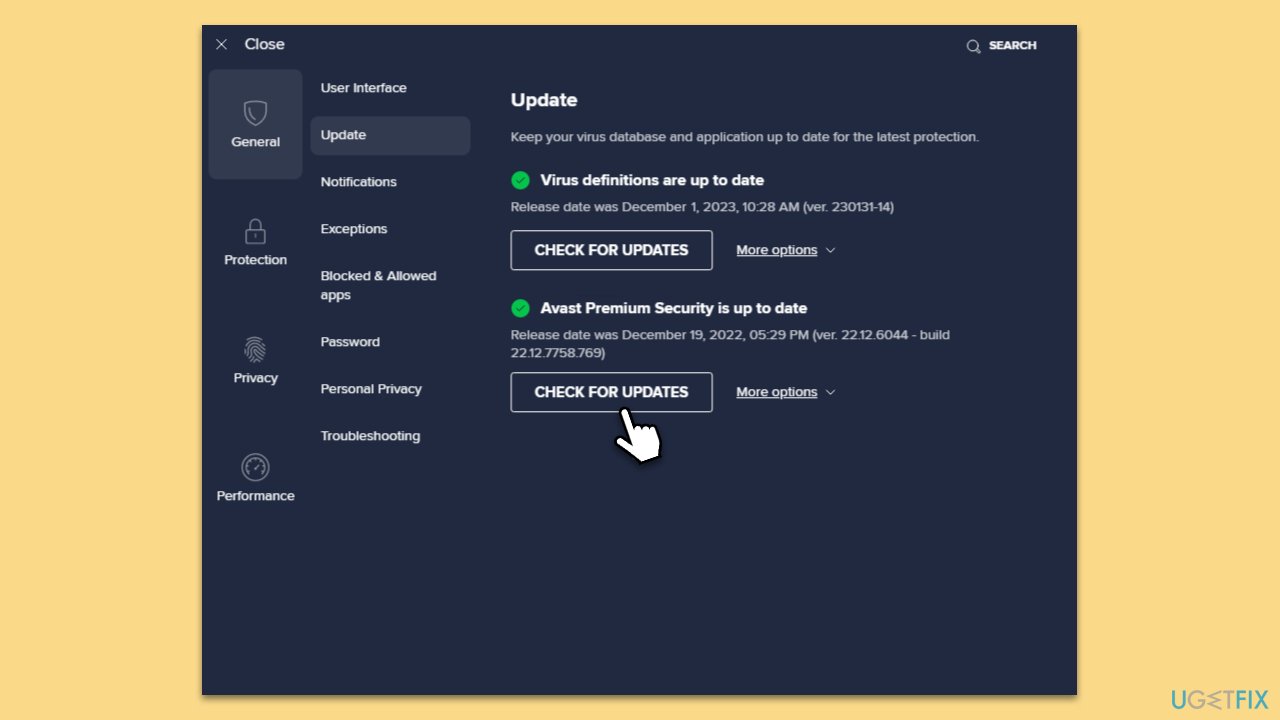
In some cases, when new updates from Microsoft are released, software incompatibilities could occur. This happens with various software, although third-party security software is especially prone to that. To manually update Avast, follow these steps:
- Right-click on the Avast antivirus icon in the system tray (or, if it is not visible, click the Show hidden items icon).
- Select Update > Engine and Virus.
- Security software should not start the update process.
- If it does not start automatically, you can click on the Check for updates button in the Settings window.
4. Reinstall or uninstall Avast
Some users reported that uninstalling Avast helped them to resolve the problem. However, uninstalling it via Apps and Features will not suffice, and a more thorough removal is required:
Make sure Avast is not running before proceeding
- Open your browser and navigate to the official Avast Uninstaller page.
- Download the avastclear.exe file and save it somewhere on your PC.
- Right-click and select Run as administrator.
- When User Account Control shows up, click Yes.
- Click Yes in the Avast Clear dialog to start your PC in Safe Mode.
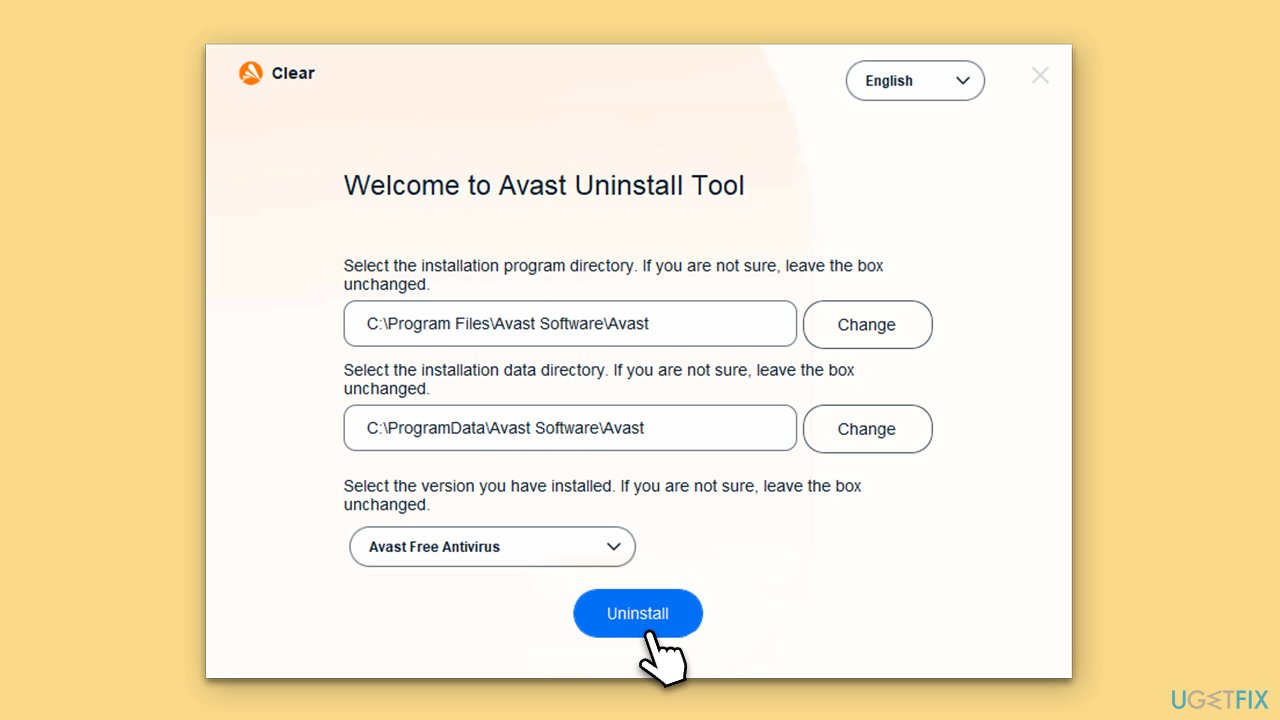
- Select the folder your Avast software is installed in, and then pick the correct product you want to uninstall.
- Finally, click Uninstall.
5. Install all Windows updates and update drivers
Drivers are among the most common reasons for Blue Screen crashes to occur. Thus, you should make sure that they are all up to date. First, initiate the Windows update process, which often includes driver updates:
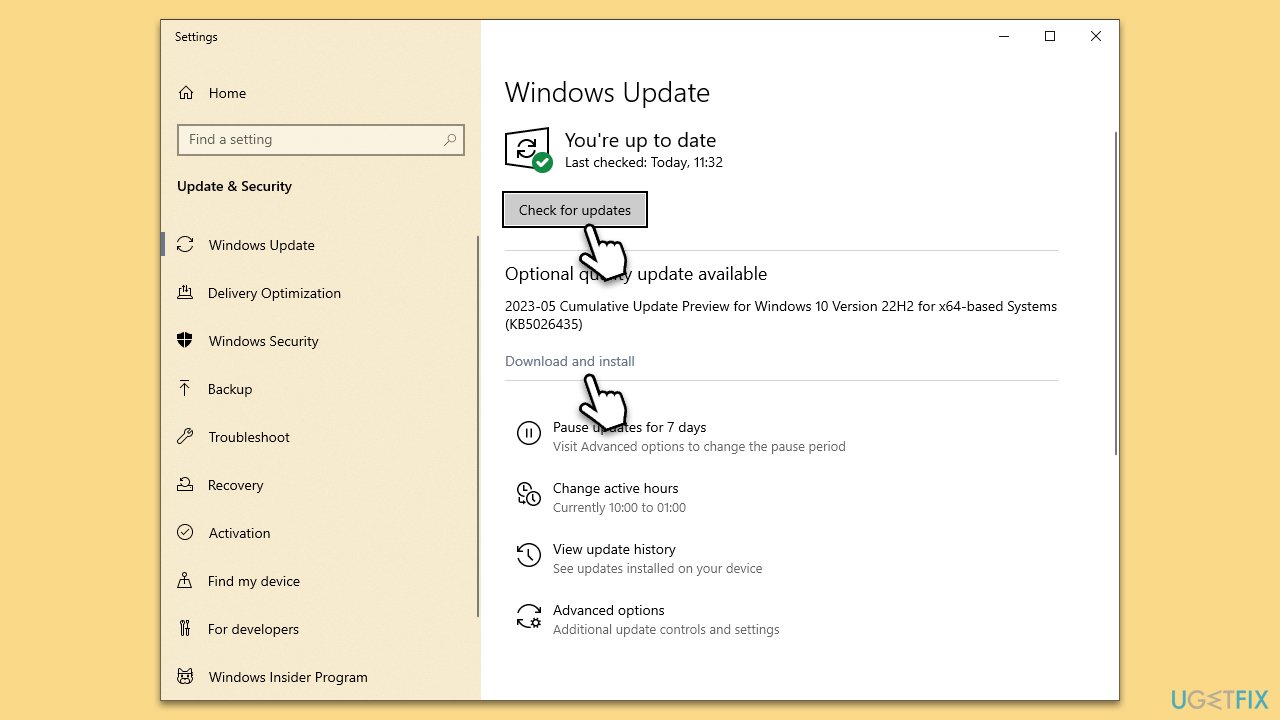
- Type Updates in Windows search and press Enter.
- In the new window, click Check for updates.
- If optional updates are available, install them too.
- When done, restart your system.
Despite being convenient, the Windows update feature might not always find the latest drivers for your hardware configuration. Thus, you can either visit the device manufacturer's website to update each of the drivers one by one or employ an automatic driver updater such as [rev id="DriverFix"].
Bottom line
To resolve the aswNetSec.sys BSOD, you can try updating or reinstalling Avast Antivirus, updating system drivers, or performing a system restore to a previous point. If these methods do not work, further investigation into hardware issues or other software conflicts may be necessary.
Frequently asked questions
The aswNetSec.sys BSOD error is often caused by issues with the Avast antivirus software or its outdated drivers, which can conflict with the operating system's stability.
To resolve the aswNetSec.sys BSOD issue in Windows 11, you can uninstall or update the Avast antivirus software and ensure all system drivers are up to date.
Yes, temporarily disabling Avast can help identify if it is the cause of the aswNetSec.sys BSOD error in Windows 10, but ensure to re-enable it or switch to another security solution afterward.




Report an issue
What's wrong with this guide? We review every report and update or remove content.
Report received — thank you. We'll review and fix it.
You need a free account to submit a report.
Be the first to comment