How to remove
“Your device is under threat” pop-up
from Windows
Eliminate the “Your device is under threat” pop-up easily from Windows 10 or 11. Get expert-tested methods that fix issues in minutes.

How does How to remove “Your device is under threat” pop-up end up on your PC?
- Adware infection from free programs
- Tech-support scam alert
- Fake virus protection interface
- Misleading notifications
- Installation of shady system optimizers
Repairs Windows system files, removes malware, and restores a clean OS state — without reinstalling.
Hi guys. For the last couple of days Windows Defender keeps showing a notification, which says “Your device is under threat.” It says to turn on virus protection. OK, so I opened Windows Defender and double checked that virus protection is on. I also ran a scan, but no threats were found. So messy... What should I do?
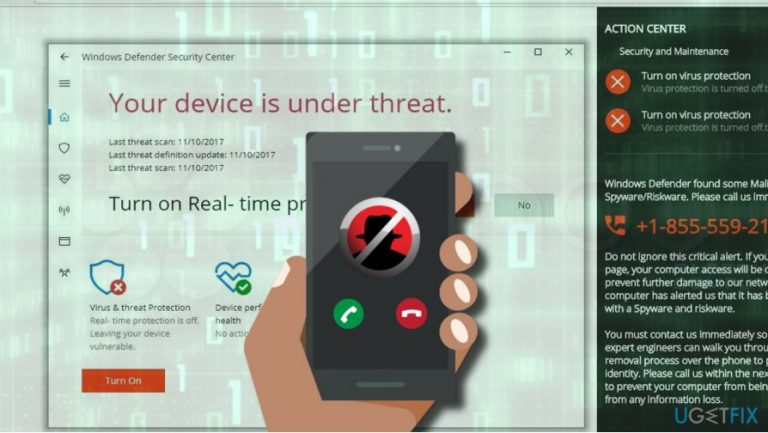
Cyber criminals started spreading a new type of Tech-Support-Scam,[ref en-1] which is currently referred to as “Your device is under threat” alert. Just like other scams, this one shows up on a web browser and reports a spyware/riskware infection.
In comparison to Windows Support Alert, Windows has detected a malicious virus, Google Chrome fatal error and other scams, “Your device is under threat” scam diverges from the rest as it mimics the interface of Windows Defender. People see a window identical to Windows Defender Security Center, which shows a Virus & Threat Protection feature[ref en-2] disabled.
On the right side of the browser’s window, “Your device is under threat” pop-up features a fake Action Center, which urges to turn on virus protection and call for remote tech support to prevent system from damage and data loss.
The “Your device is under threat” scam is not malicious, so once you see it, close your web browser’s window and check the system for malware. In general, tech support scam alerts are caused by adware infection, which might be installed onto your PC along with a free program like a download manager or PDF converter.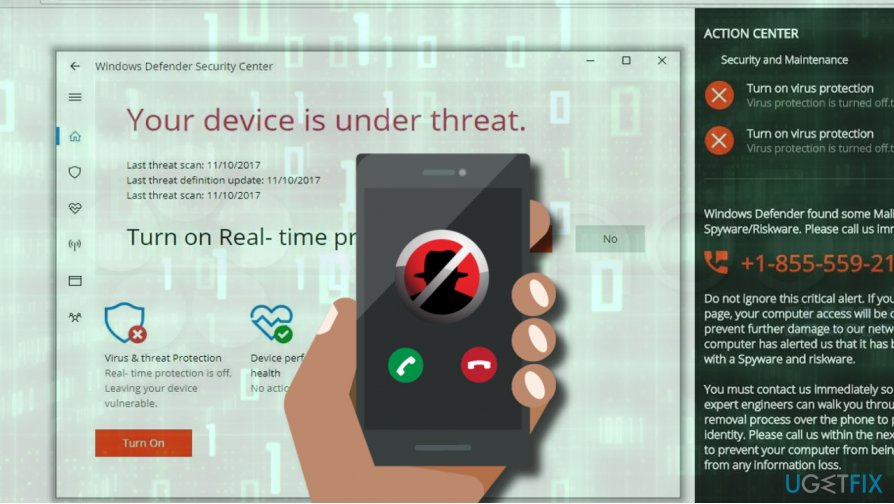
However, the “Your device is under threat” is rather misleading as its developers managed to create is very realistic and professional. People who got tricked to call for supposed technicians reported that this scam is dedicated for spreading shady system optimizer.[ref en-3] The latter mimics the performance of genuine optimization tools, but instead of reporting existing PC’s problems, they provide a list of fake problems, all of which are predetermined and fake. This way, developers of third-party optimization programs seek to sell the licenses of their programs. Do not fall for this trick as you don’t need a useless optimizer.
If you think that such a tool would be of use for you, we would recommend installing [d1]. It’s a reputable optimization tool, which will help you to remove the “Your device is under threat” scam and fix other problems, such as registry errors, cached temporary files, corrupted system files, and similar.
Nevertheless, the “Your device is under threat” error can be fixed manually. If you opt for removing this malware manually, you can use a removal tutorial given below.
“Your device is under threat” scam removal
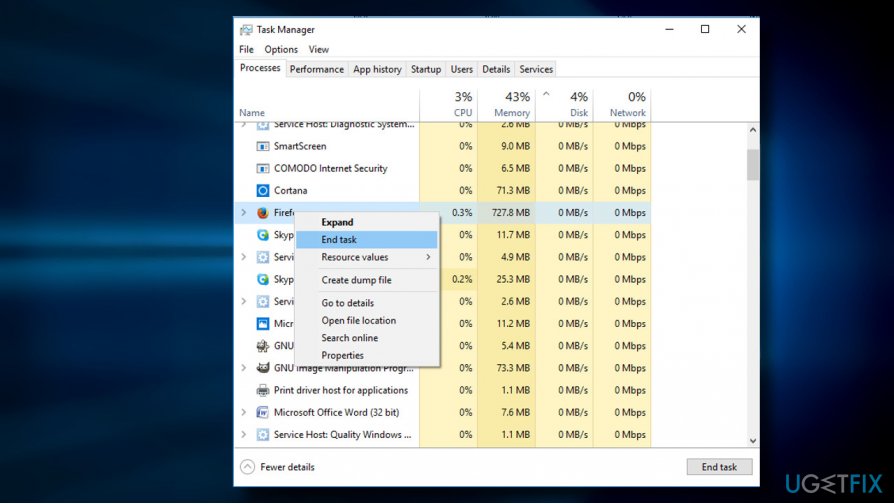
- Close your web browser's window. If you cannot do that i a usual way, press Ctrl + Alt + Delete and open Windows Task Manager.
- Find the process of your web browser, click on it, and select End Task.
Now you have to options - either remove “Your device is under threat” adware automatically using [d1] or another professional anti-malware, or uninstall malware manually. If you prefer the latter methods, please perform the steps:
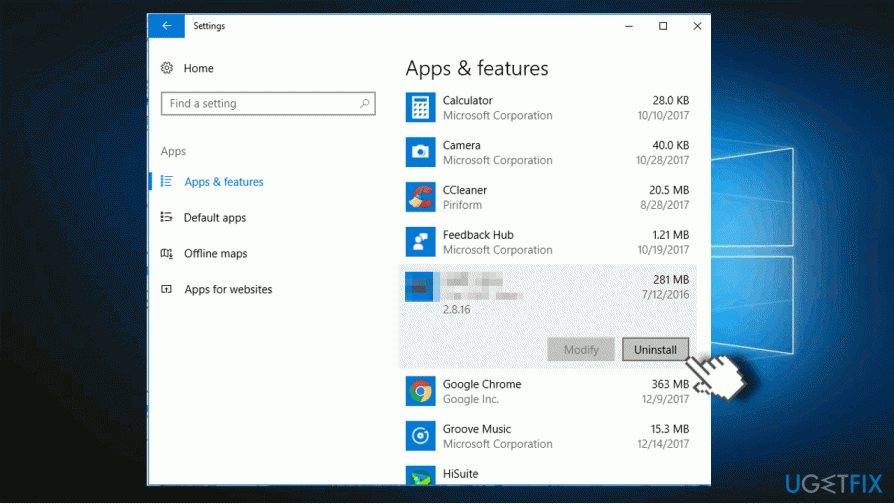
- Press Windows key + I and open Apps section. (Windows 10)
- In earlier Windows versions you should navigate to Control Panel -> Programs & Features.
- Carefully check the list of installed programs. Uninstall unknown programs or the ones that you did not install purposely.
- Click on the unwanted program and select Uninstall.
- Then open your web browser (do not restore the last browsing session) and reset its default settings. NOTE: it's a must to reset web browser's defaults regardless whether you removed malware automatically or manually. Otherwise malicious browser plug-ins may keep pushing the “Your device is under threat” alert while you browse.
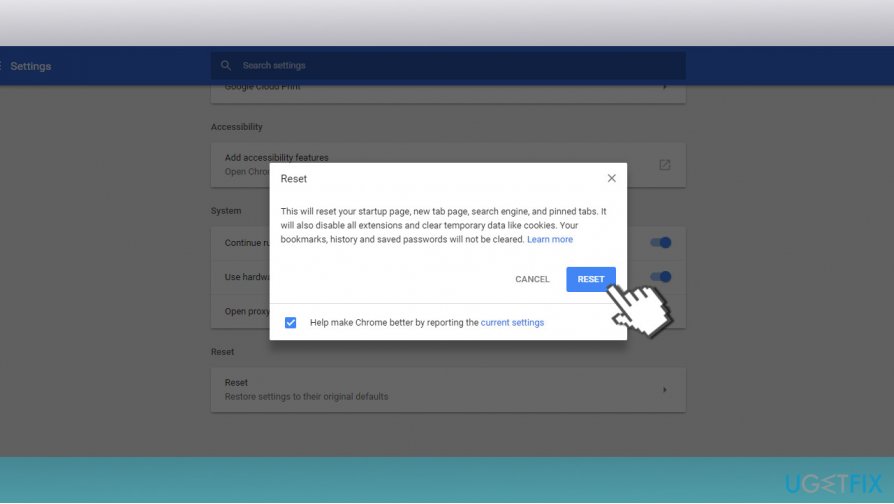
How to reset Microsoft Edge?
How to reset Google Chrome?
How to reset Mozilla Firefox?
How to reset Internet Explorer?
Bottom line
To resolve the 'Your device is under threat' pop-up, close your web browser and check your system for malware. Ensure that your virus protection is enabled and consider uninstalling any suspicious programs. If none of these steps work, seek professional assistance.
Frequently asked questions
To remove the 'Your device is under threat' pop-up on Windows 10, first run a full system scan with Windows Defender or a trusted antivirus program to detect any threats.
In Windows 11, go to Settings > Apps > Apps & features, locate the suspicious program, and select 'Uninstall' to remove it from your system.
To prevent future pop-ups on Windows, ensure your antivirus software is always up-to-date, and consider enabling real-time protection features.




Report an issue
What's wrong with this guide? We review every report and update or remove content.
Report received — thank you. We'll review and fix it.
You need a free account to submit a report.
Be the first to comment