
How to fix "Deceptive site ahead" error?
Prefer to fix it yourself? The manual steps follow.
3 methods in this guide
Hi. I can't visit a website, because it shows a red screen saying "Deceptive site ahead". Is there any way I could still open it? Thank you, for your help.
“Deceptive site ahead” error is a protective measure to warn computer users about an unsafe website. It can either be used for phishing purposes, contain malware and harmful programs or try to load scripts from unauthorized sources. It is important to understand that this alert is designed for your own safety.
The websites which are hidden behind "Deceptive site ahead" message can claim that you have won a prize or lottery and ask to submit personal information.
It can include your name, surname, email address, credit card details and other valuable data. Later, criminals use the information to swindle money from gullible and inexperienced computer users.
Besides, the content of the website marked with Deceptive site ahead alert can offer you to install less than reliable software like system optimization tools, video or audio converters, etc. Even though those programs might look handy, they also can carry a malicious script inside. Likewise, the message aims to protect you from being lured into potentially dangerous activity.
In some cases "Deceptive site ahead" error arises on websites which owners have no bad intentions. Authorities might mark your site as unsafe for the for the deceptive content from third-party sources which might appear as:
- Banners;
- Pop-up ads;
- Images;
- GIFs, etc.
Note that we do not recommend visiting phishing and other unreliable sites since you risk your safety.
However to remove Deceptive site ahead message you should follow the instructions below.
Methods to fix "Deceptive site ahead" error
The first method will show you how to open the unreliable site only once, while the second technique instructs how to disable protection from unsafe websites for good.
Also, we include guidelines to disable "Deceptive site ahead" error if your page was identified as dangerous. However, before you follow these steps, we recommend installing security software to keep you protected.
Method 1. Open an unsafe website
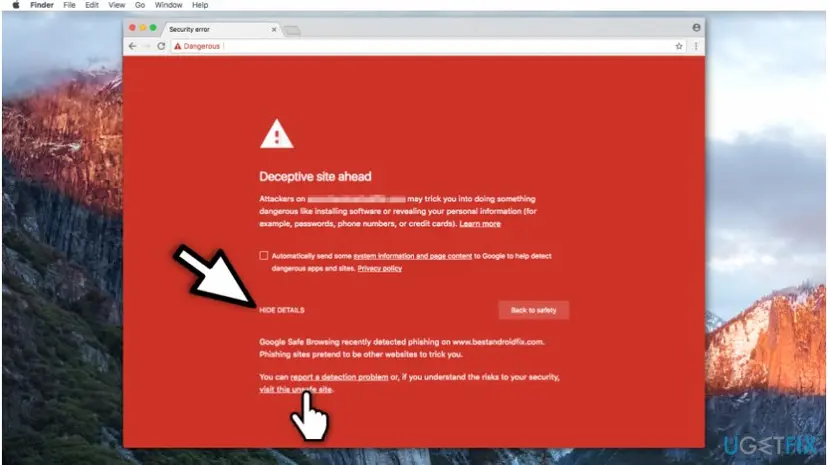
- On the error message navigate to the lower-left corner of the window;
- Click Details button;
- Select Visit this unsafe site.
Method 2. Disable protection from phishing websites
- Open Chrome browser.
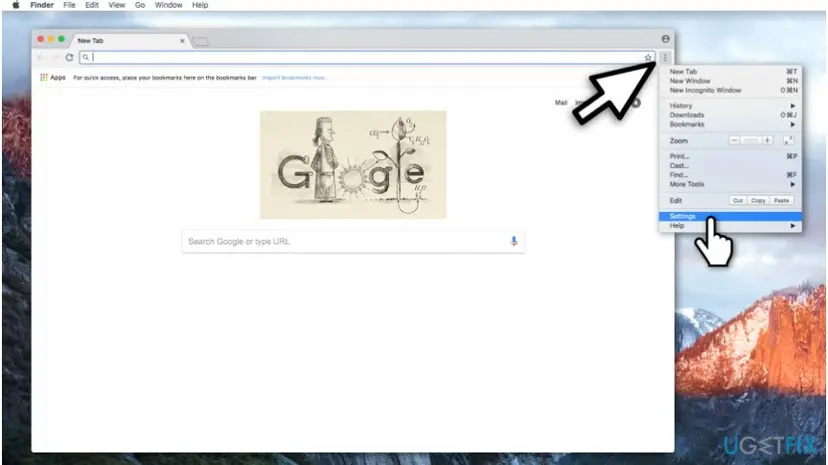
Open chrome settings - In the upper-right corner click on three vertical dots;
- Select Settings.
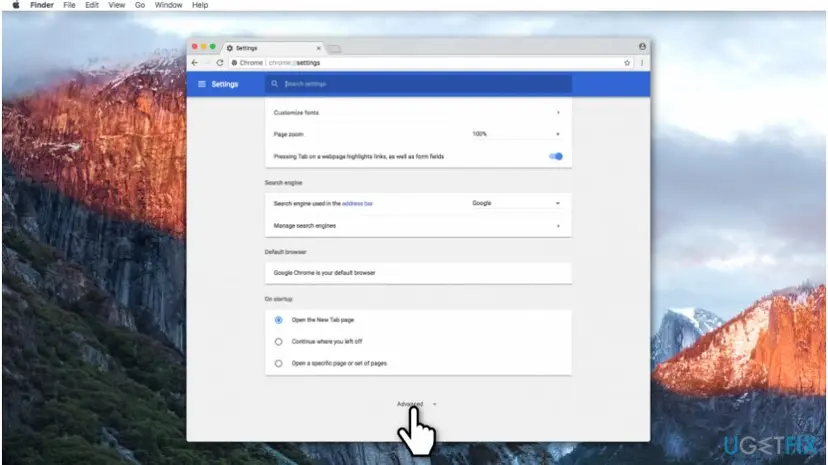
Select advanced in chrome settings - On Chrome parameters page scroll to the bottom and click on Advanced button.
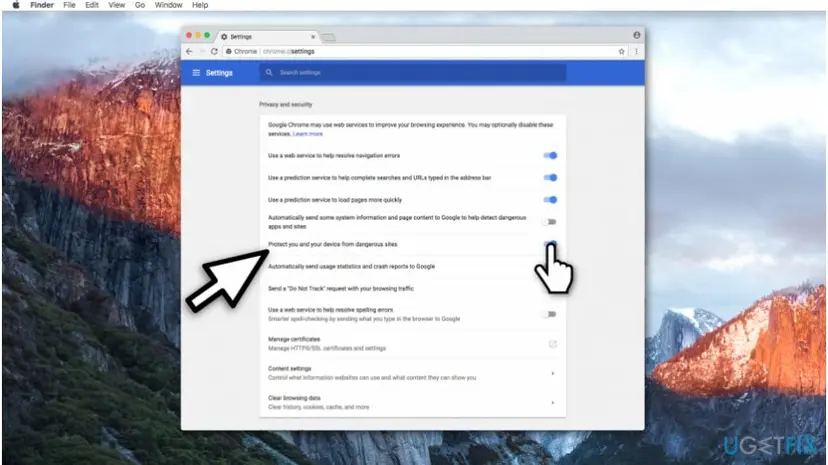
Disable protection from dangerous sites on chrome - Search for Protect you and your device from dangerous sites column and disable it.
Note that even though these instructions show how to fix Deceptive site ahead error on Chrome, you can also adjust them to other popular browsers.
Method 3. Remove "Deceptive site ahead" message from your site if you are its owner
- Navigate to http://www.google.com/webmasters and sign in to Search Console using Google account;
- Make sure that there are no unknown or suspicious owners registered;
- Check Security Issues Report and make sure that your website does not contain any deceptive materials;
- If it does, remove them and request a review at google.com/safebrowsing/report_error/.
Did this fix work?
One click, no account. It tells the next reader which guides are worth their time.
Questions and experiences: fix "Deceptive site ahead" error
Still broken, or found a fix we did not cover? Ask here: members and our editors answer. Reading is open; writing needs a free account.
…