How to fix
Forza Horizon error FH001
on Windows
Resolve the Forza Horizon FH001 error on Windows 10 and 11 effortlessly. Get expert-tested solutions and enjoy uninterrupted gaming today!


What causes How to fix Forza Horizon error FH001 in Windows?
- Dependent libraries or components are missing from your system
- Incorrectly configured software
- Incorrectly configured hardware
- Bugs within Microsoft Store app
- Issues related to the installation of the game
Repairs Windows system files, removes malware, and restores a clean OS state — without reinstalling.
Hello, I have recently downloaded Forza Horizon 5 and was very excited to play. As soon as I tried launching the game, however, I received an error code FH001, saying the game can't be launched. I am not sure why and how can I fix this. Please advise.
Forza Horizon 5 is the fifth installment in the hugely popular Forza Horizon series from Microsoft's Xbox Game Studios. It is a racing-adventure video game that allows players to race around an open world in a variety of environments and compete in various events. The game also features two main modes: free roam and online multiplayer. Players can create their own characters and customize their vehicles as they progress through the game.
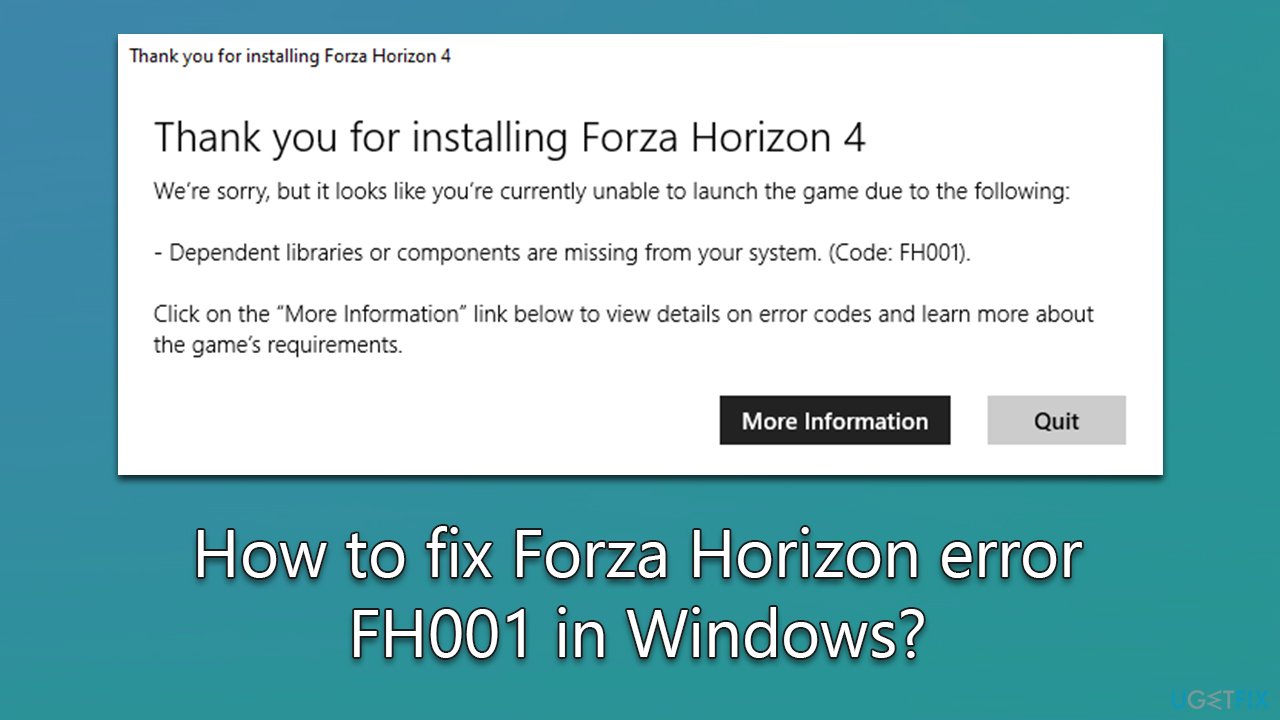
Code: FH001 is an error that some users might encounter when trying to launch not only the latest Forza Horizon 5 installment but also its predecessor - Forza Horizon 4. Many people reported that they were unable to launch the game as soon as they had downloaded and installed it. They received the following message instead:
Thank you for installing Forza Horizon
We're sorry, but looks like you're currently unable to launch the game due to the following:
- Dependent libraries or components are missing from your system. (Code: FH001).
Click on "More information" link below to view details on error codes and learn more about the game's requirements.
From here, users just have two options: click the "More information" button, which would redirect to an article with nothing concrete explained, or hit the "Quit" button, which would simply close everything down.
There could be several reasons for the Forza Horizon error FH001 to occur, but it is mainly related to incorrectly configured software or hardware. General bugs within Microsoft Store app could also cause this problem, so there are several troubleshooting steps that could address this.
Before proceeding with the manual solutions below, we recommend you check your PC with [d1] automatic maintenance and repair utility. It can find underlying Windows issues and repair them as required, ultimately resolving common errors, BSODs, registry errors, and more.
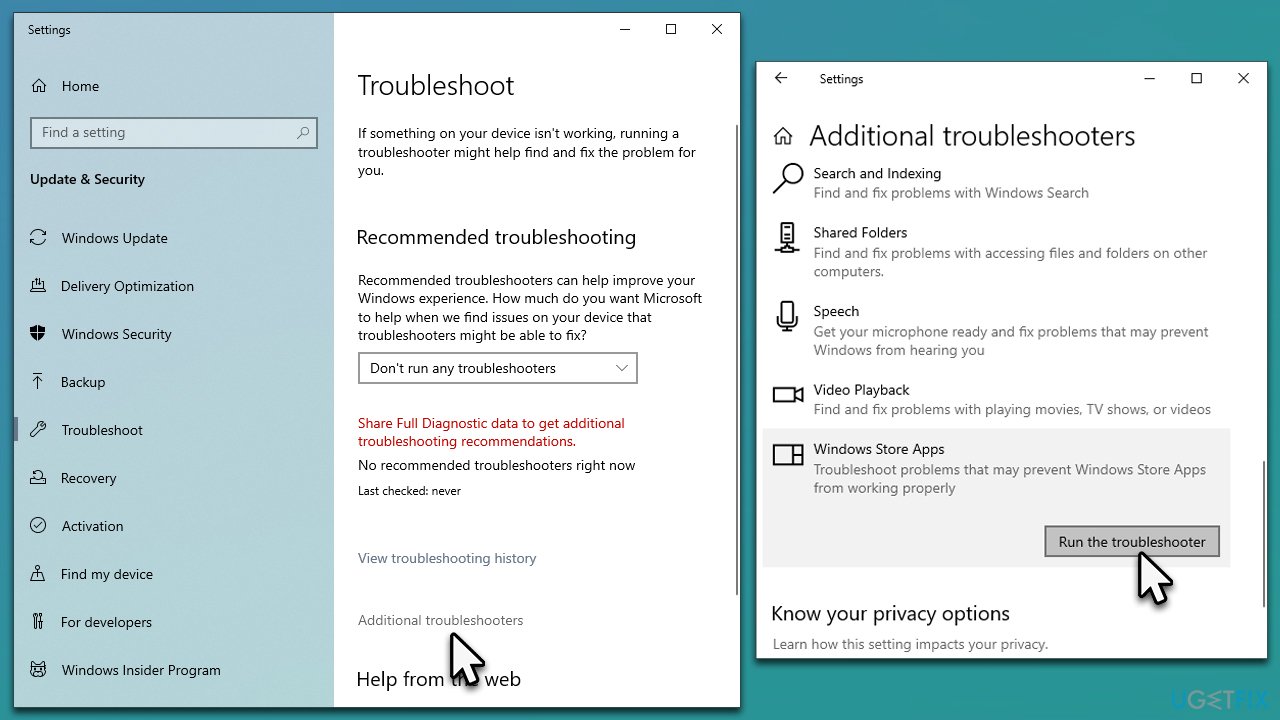
Fix 1. Run Windows Store Apps troubleshooter
- Type Troubleshoot in Windows search and press Enter
- Click Additional troubleshooters if you can't see them listed
- Scroll down to find Windows Store Apps
- Click and select Run the troubleshooter
- Wait till the scan is complete and apply all the suggested fixes.
Fix 2. Disable integrated graphics
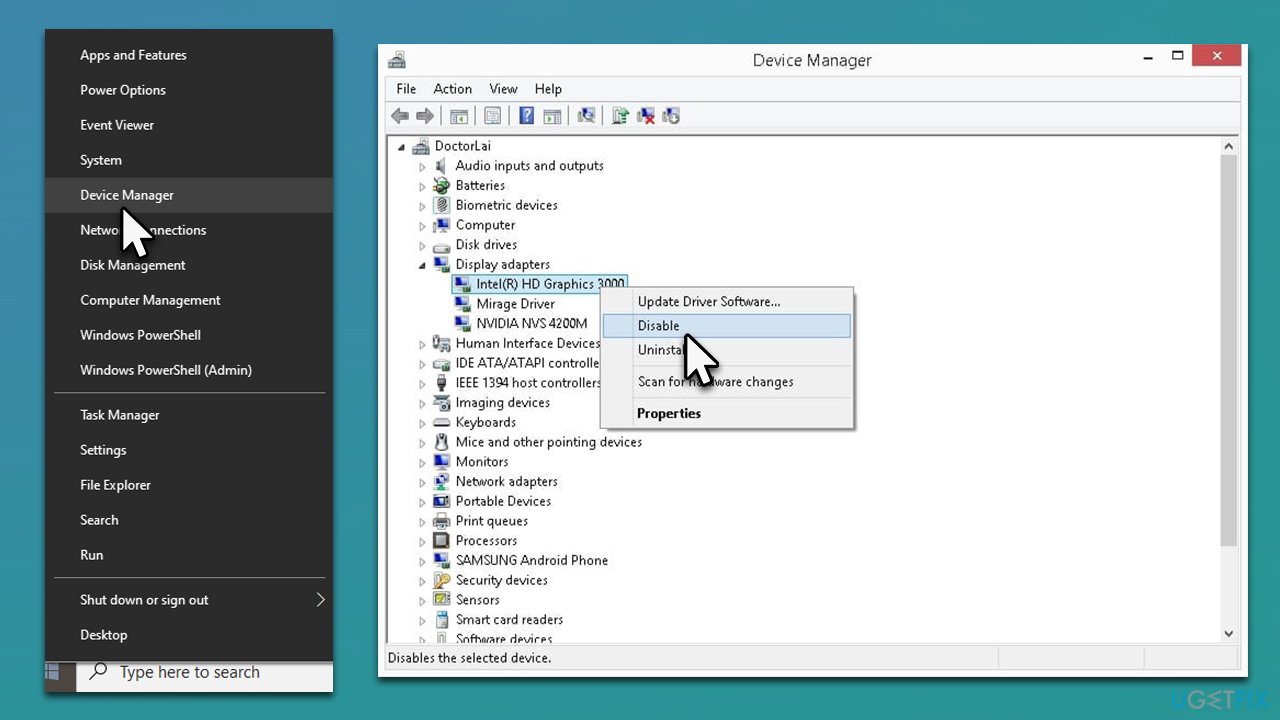
One of the main reasons why users encounter Forza Horizon error FH001 is because they have integrated graphics enabled instead of dedicated ones. You can disable integrated graphics via the Device Manager:
- Right-click on Start and pick Device Manager
- Expand Display adapters
- Select integrated graphics, for example, Intel UHD Graphics, right-click, and pick Disable
- Reboot your system.
Fix 3. Update GPU drivers
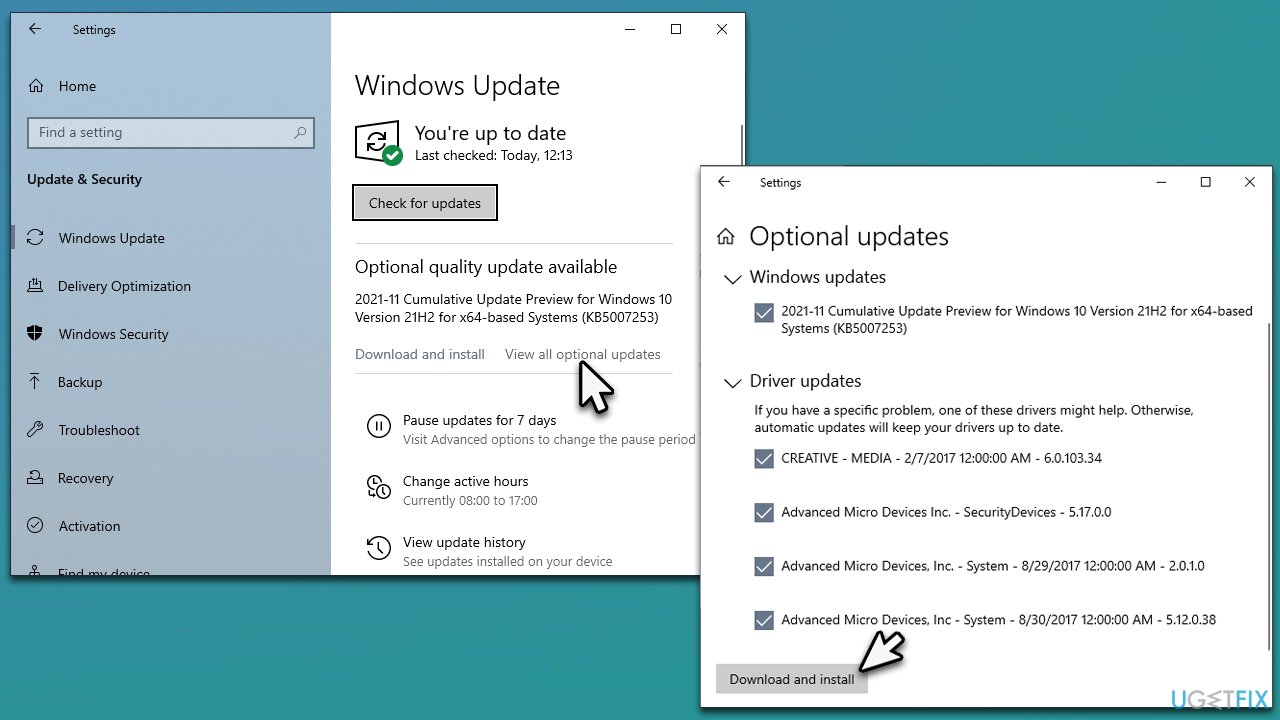
The easiest way to update drivers is by employing an automatic driver updater such as [rev id="DriverFix"]. You could alternatively download compatible drivers from your hardware manufacturer's website or by using the Windows update feature (note that this method is not always reliable, as GPU drivers might be missed):
- Type Update in Windows search and hit Enter
- Click Check for updates and install everything available
- Then, click View optional updates
- Find the Driver Updates section, tick the checkboxes, and click Download and Install
- Reboot your system once done.
You can also opt to reinstall your GPU drivers if this method does not work.
Fix 4. Check system requirements
While system requirements is not something most users concern about (especially if they have high-end gaming PCs), the newest games are quite demanding, and it is important to make sure that minimum requirements are met. This is especially true if you are using older or low-end hardware.
These are minimum requirements for Forza Horizon 5:
| Requires a 64-bit processor and operating system | |
| GPU | NVidia GTX 970 OR AMD RX 470 |
| Memory | 8 GB RAM |
| Processor | Intel i5-4460 or AMD Ryzen 3 1200 |
| DirectX | DirectX 12 |
| Storage | 110 GB |
| OS | Windows 10 version 15063.0 or higher |
| Network | Internet connection |
Minimum requirements for Forza Horizon 4:
| Requires a 64-bit processor and operating system | |
| GPU | NVidia 650TI OR AMD R7 250x |
| Memory | 8 GB RAM |
| Processor | Intel i3-4170 @ 3.7Ghz OR Intel i5 750 @ 2.67Ghz |
| DirectX | DirectX 12 |
| Storage | 80 GB |
| OS | Windows 10 version 15063.0 or higher |
| Network | Internet connection |
Fix 5. Install the latest Visual C++ Redistributable package
Visual C++ is extremely important when it comes to apps and games. If one of the components is damaged or missing, these apps may not work correctly or not even launch. Thus, download and install the latest version:
- Visit the official Microsoft website for Visual C++
- You should download both 32-bit and 64-bit versions - x86: vc_redist.x86.exe and x64: vc_redist.x64.exe files
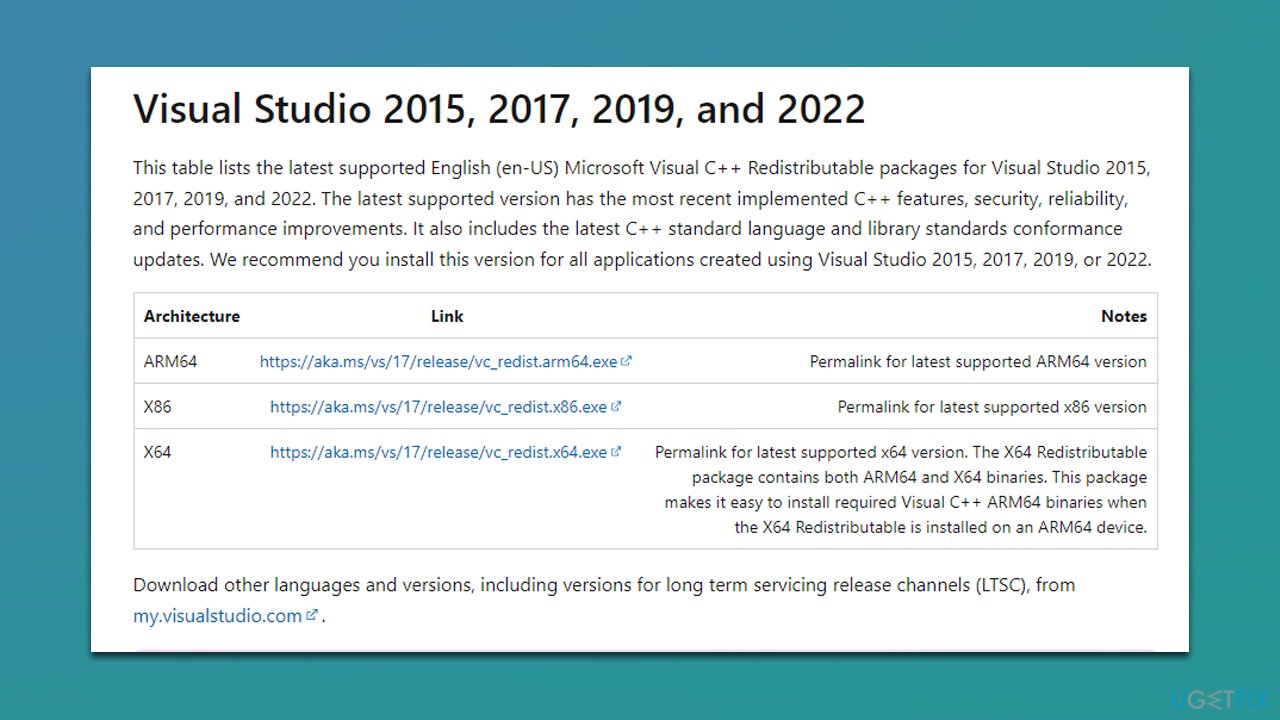
- Launch each of the installers and proceed with on-screen instructions to finalize the process
- Restart your computer and see if the error is gone.
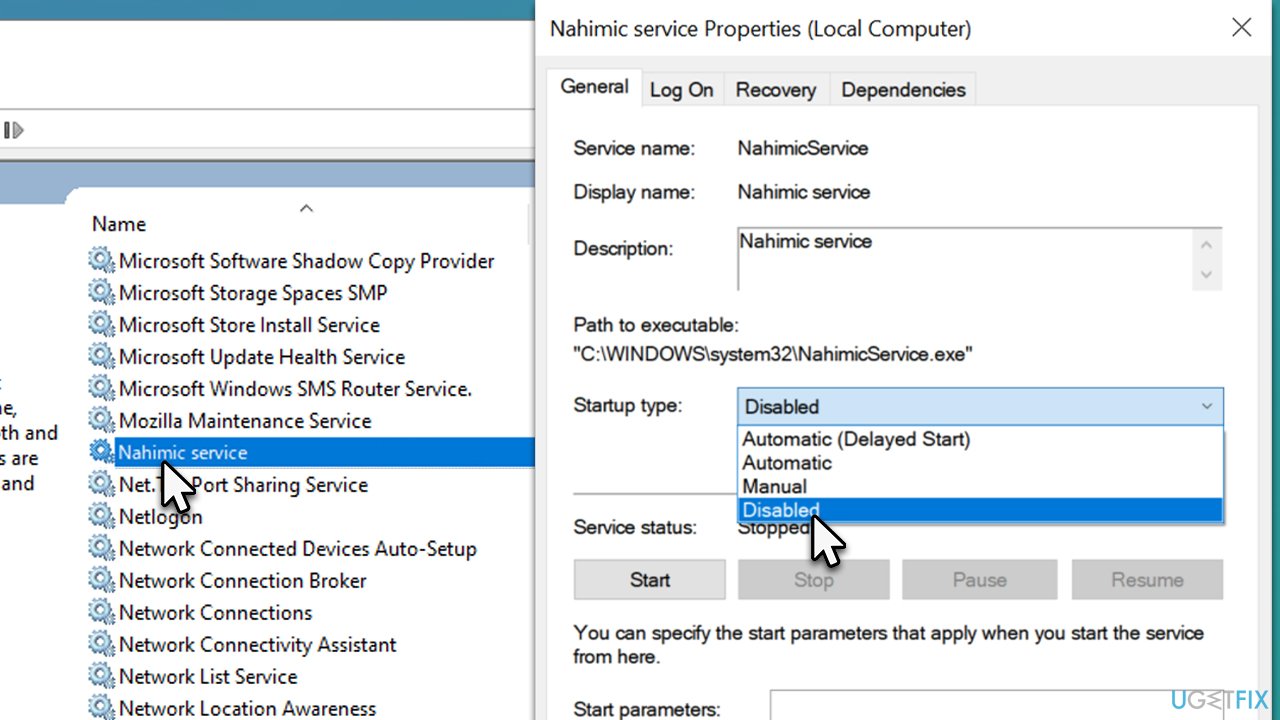
Fix 6. Disable audio enhancing service Nahimic
Some users said that they managed to fix Forza Horizon error FH001 after disabling Nahimic.
- Type Services in Windows search and hit Enter
- Scroll down until you find Nahimic service and double-click it
- Under Startup type, select Disabled
- Click Stop, Apply, and OK.
Fix 7. Reset Windows Store cache
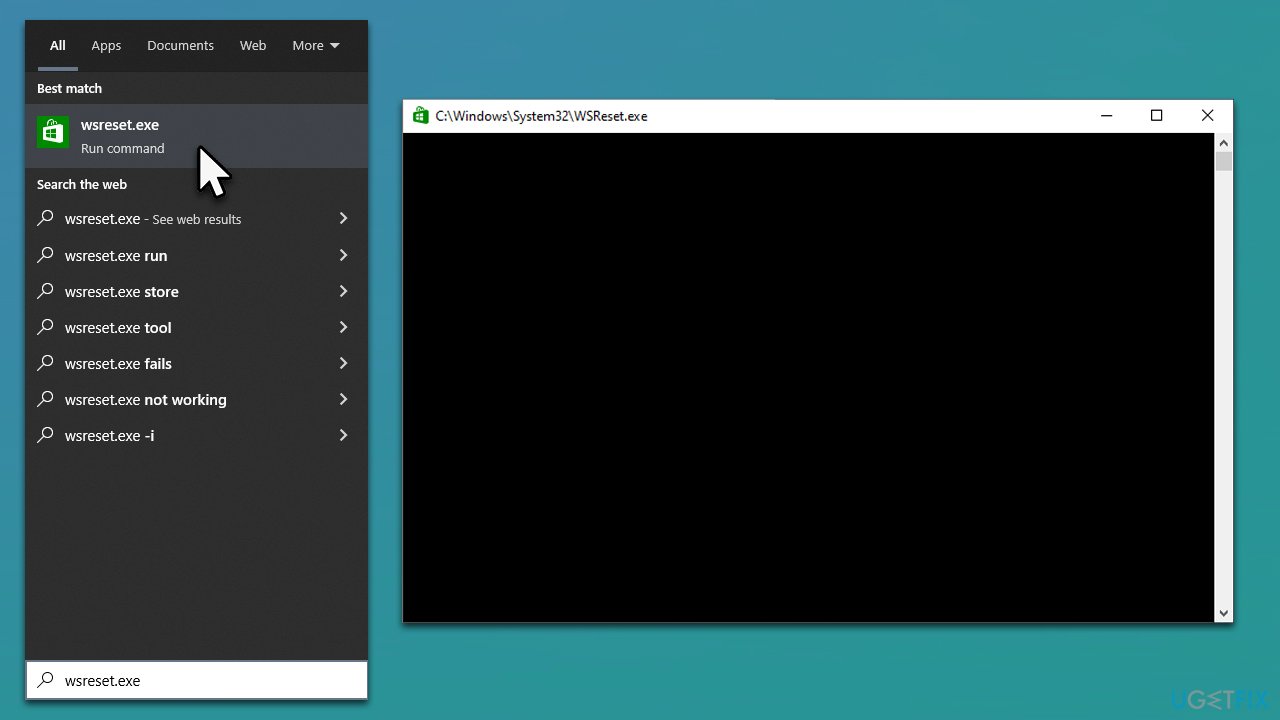
- In Windows search, type wsreset.exe and press Enter
- Wait till a black window shows up – do not close it
- Once it's gone, Microsoft Store should restart
- Try launching the game once more.
Related topics:
Bottom line
To fix the Forza Horizon error FH001, users can check their PC with an automatic maintenance and repair utility, ensure all necessary components are installed, and troubleshoot any software or hardware configurations. If these solutions do not resolve the issue, further investigation into system requirements and compatibility may be necessary.
Frequently asked questions
The FH001 error typically occurs due to corrupted game files or issues with the Xbox app and its permissions on your system.
You can repair the game files by going to Settings > Apps > Apps & features, selecting Forza Horizon, and then clicking on 'Advanced options' to find the 'Repair' option.
Yes, ensure that the Xbox app is updated and that it has the necessary permissions enabled in Windows settings to access your game files.




Report an issue
What's wrong with this guide? We review every report and update or remove content.
Report received — thank you. We'll review and fix it.
You need a free account to submit a report.
Be the first to comment