
How to fix Origin error code 106128 - external service is having some issues?

Prefer to fix it yourself? The manual steps follow.
On this page
Hey. I get stuck on Origin with the external service error with the particular code 106128. I get this when trying to play the game on origin. The message states about issues with the external service but no other explanations or solutions. I am clueless. Help me.
Origin error code 106128 - external service is having some issues is the error that users of the digital distribution platform by Electronic Arts encounter. The platform allows people to buy and play video games on their personal computers. This particular error message could indicate a temporary glitch, so rebooting the machine could help with the solution.
However, the continuous appearance of the error message shows that the problem roots deeper. Once the error appears, the only thing that users can do is close the Origin client completely. However, this is not the solution, and the launch is not possible when the error keeps appearing on the screen.
The Origin error code 106128 can occur due to server issues or when it is under maintenance. This can be happening because developers repair the application, for example. You can check the server status to make sure this is the trigger. Otherwise, the problem can be triggered by the Origin online mode. The launcher can try to connect to the server when in online mode. This reason can be fixed by changing the mode to offline.
Another trigger for the issue could be missing administrator privileges. The game might need them to launch but cannot load the game or the platform. Launching the game with administrator privileges might help to fix the problem with reoccurring errors.
Also, it is common to encounter the Origin error code 106128 - external service is having some issues or other application, program, system problems when particular files are corrupted o the machine. These issues with altered or damaged files can appear due to malware leftovers, other program compatibility issues, or even manual alterations that led to these problems with needed PC functions.
This is the way to solve any common data problems, and this is the way to possibly fix Origin error code 106128 - external service is having some issues.
1. Change to offline mode
- Launch the Origin application.
- Once you are inside the Origin launcher, click on the Origin button in the top left corner.
- Click on Go offline.
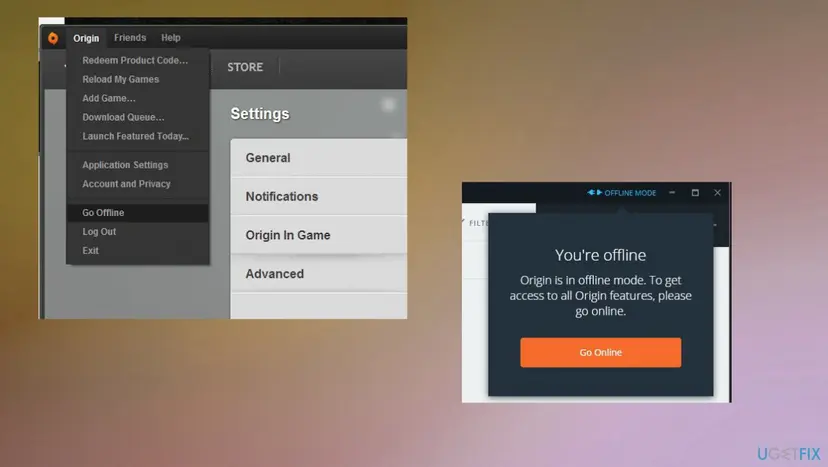
Origin error code 106128 external service issues offline - You can try to launch the game to see if the error still appears.
2. Run the game with admin privileges
- Go to the location where the Origin shortcut is present and right-click on it.
- Press the Properties option from the appeared context menu.
- Move to the Compatibility tab.
- Make sure to check the Run this program as an administrator option.
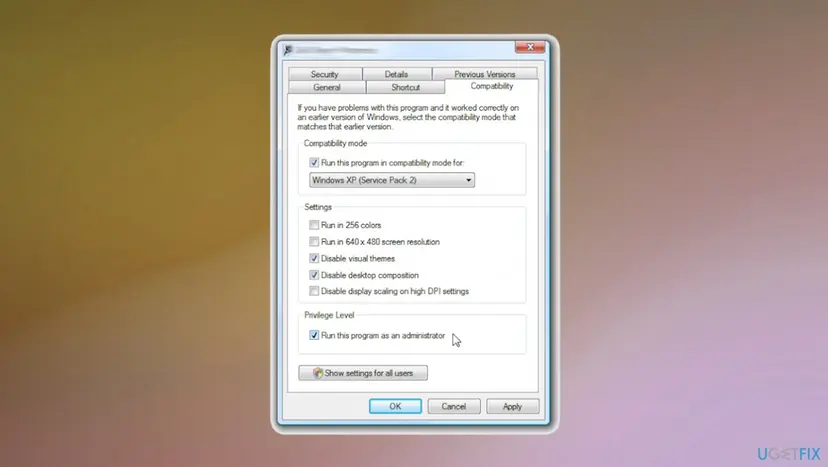
Origin error code 106128 external service issues run as admin - Press the Apply and OK button to save changes.
- Move to the location on your PC where the game executable is saved.
- Repeat the process for the game to run as an administrator.
3. Verify the game files on Steam
- Open the Steam desktop app and go to LIBRARY.
- Find the problematic game and right-click on it.
- From the context menu, click on the Properties option.
- Navigate to the LOCAL FILES tab.
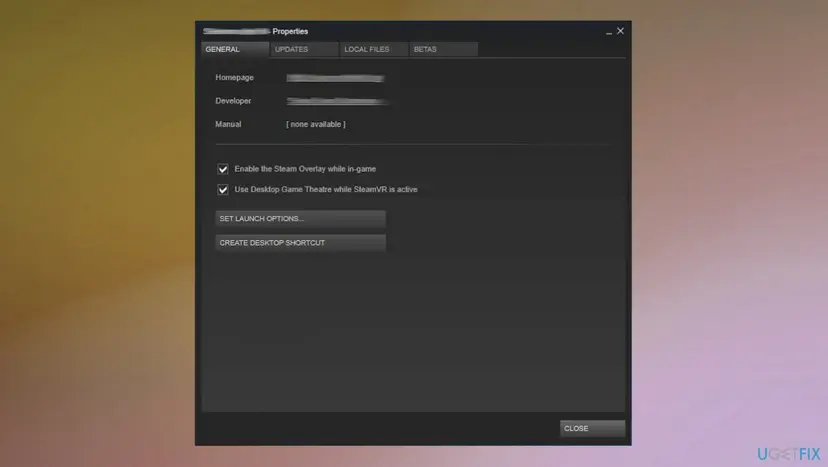
Origin error code 106128 external service issues local files - Hit on the Verify integrity of game files button.
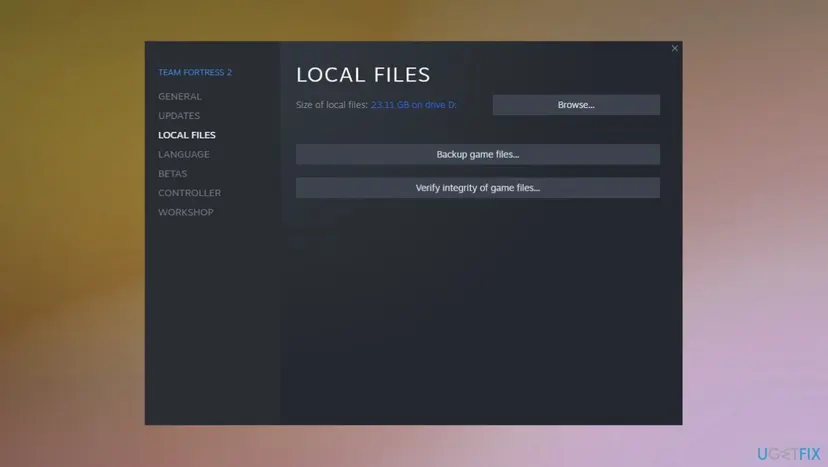
Origin error code 106128 external service issues vorify integrity - Steam will now start verifying the game files and replacing the corrupted ones. This process might take 10-15 minutes or even more than that.
- Once the process is complete, you can try opening your game.
4. Reinstall the application
- Press the Windows key + R to open a Run dialog box.
- Then type inside the search bar appwiz.cpl and press Enter to open.
- You can go to Uninstall a program via Control Panel too.
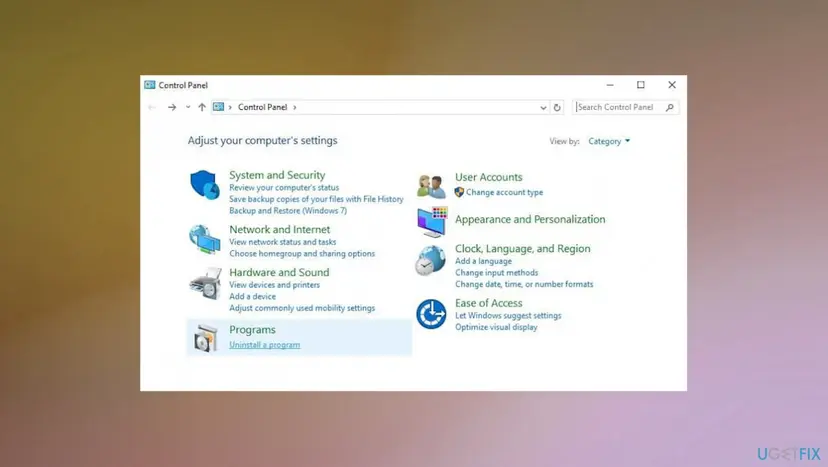
Origin error code 106128 external service issues programs - Through the list of apps search for Origin.
- Right-click on the launcher and click on Uninstall.
- Follow the instructions to complete the process.
- Visit the official Origin site and download the Origin installer.
- Click on the installer once it is downloaded.
- Follow the on-screen instructions to complete the installation.
Did this fix work?
One click, no account. It tells the next reader which guides are worth their time.
Questions and experiences: fix Origin error code 106128 - external service is having some issues
Still broken, or found a fix we did not cover? Ask here: members and our editors answer. Reading is open; writing needs a free account.
…