How to fix
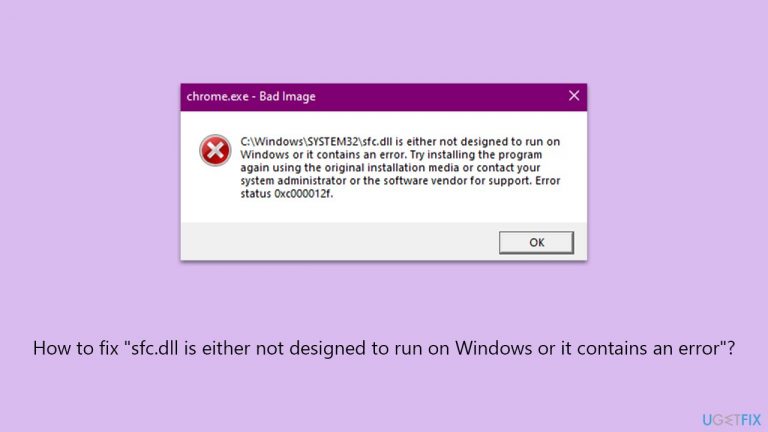
“sfc.dll is either not designed to run
on Windows
Resolve the "sfc.dll is either not designed to run on Windows" error on Windows 10 or 11 quickly and easily. Expert-tested solutions inside!

What causes How to fix “sfc.dll is either not designed to run on Windows or it contains an error”?
- Version mismatch between the DLL file and the Windows version
- Corruption or loss of the DLL file
- Malware infections altering the DLL
- Software conflicts on the system
Repairs Windows system files, removes malware, and restores a clean OS state — without reinstalling.
Hi, I have recently updated Windows and now I can no longer open my browser because I receive the "sfc.dll is either not designed to run on Windows or it contains an error" message. Any tips would be appreciated.
Dynamic Link Libraries (DLLs) are foundational elements in the Windows operating system, serving as modular libraries of executable functions or data. These libraries are used by Windows applications to perform various functions without the need to incorporate these functions into the application itself. This design promotes efficient use of system resources and code, as multiple applications can share the capabilities provided by a single DLL file, reducing redundancy.
The "sfc.dll" file is a specific type of DLL that plays a critical role in the Windows environment. It is associated with the Windows File Protection (WFP) service, which is essential for maintaining the integrity of system files. WFP is designed to prevent programs from replacing critical Windows system files.
If these files are modified or replaced by unauthorized means, the WFP service uses the "sfc.dll" file to restore the original, correct versions of these system files. This process is crucial for the stability and security of the operating system, as it helps prevent system crashes and ensures that the system operates smoothly and securely.
Despite their importance, DLL files like "sfc.dll" can encounter issues, such as the error "sfc.dll is either not designed to run on Windows or it contains an error." This error can occur due to a version mismatch between the DLL file and the Windows version in use, corruption or loss of the DLL file, malware infections altering the DLL, or software conflicts on the system. When this error arises, it indicates a failure in the functioning of the "sfc.dll," potentially leading to application malfunctions or system instability.
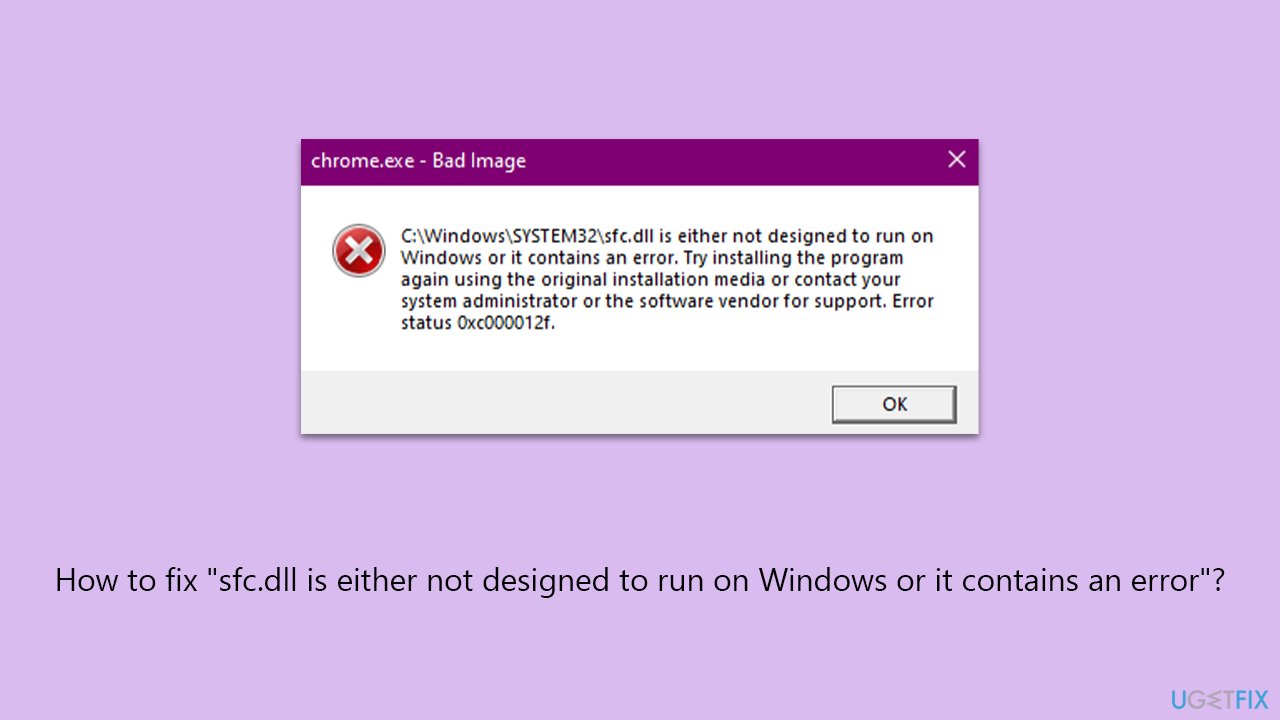
Addressing this error typically involves identifying the underlying cause, such as restoring the correct version of the DLL, running malware scans, resolving software conflicts, or performing system updates.
For individuals less familiar with manual troubleshooting, or for a more comprehensive solution, using a PC repair tool like [d1] can be beneficial. Such tools are designed to automatically diagnose and rectify issues within the Windows operating system, including those related to crucial DLL files, thereby ensuring the system's efficient and secure operation.
Fix 1. Run SFC and DISM
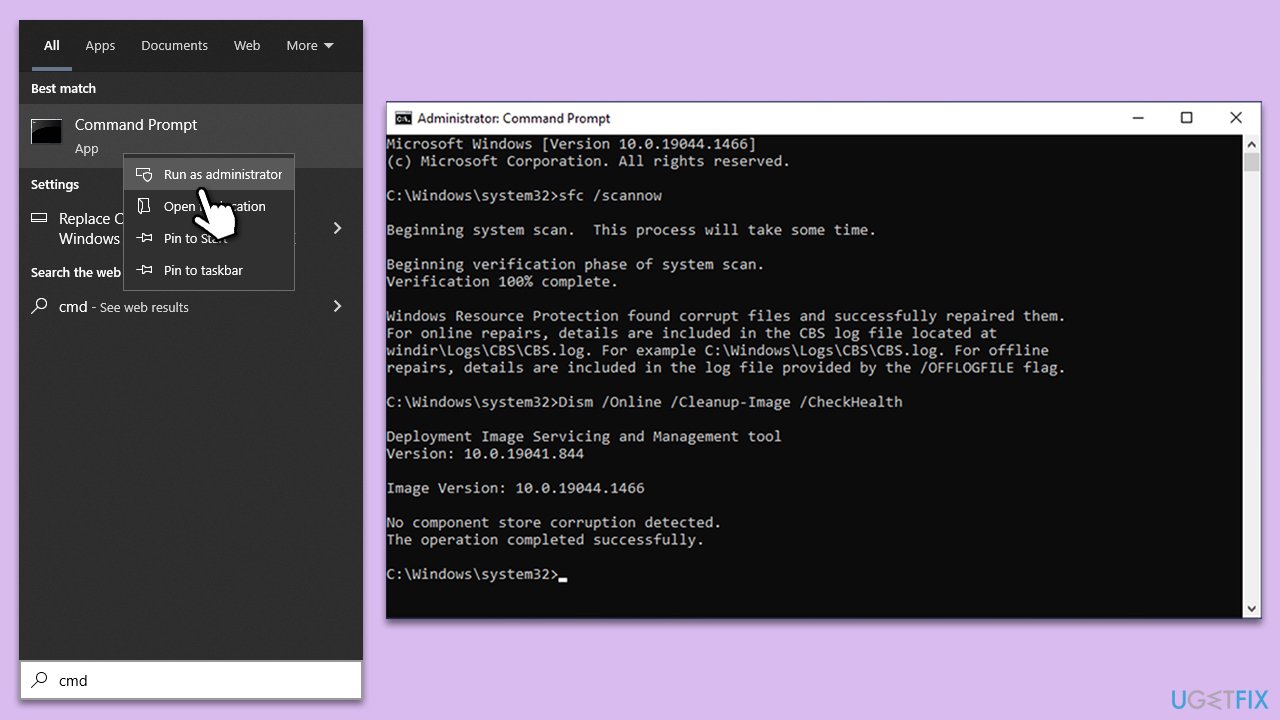
Running System File Checker and Deployment Image Servicing and Management tools can effectively resolve the sfc.dll error in most cases. SFC scans for and repairs corrupt or missing system files, while DISM fixes Windows corruption errors that might prevent SFC from functioning correctly. Together, they offer a comprehensive solution to DLL-related issues.
- Type cmd in Windows search.
- Right-click on Command Prompt and pick Run as administrator.
- User Account Control window will show up - click Yes when prompted.
- Then, copy and paste the following command, pressing Enter after:
sfc /scannow - Wait till the scan is finished. If Windows finds system file integrity violations, it will attempt to fix them. After this, use the set of the following commands, pressing Enter each time:
DISM /Online /Cleanup-Image /CheckHealth
DISM /Online /Cleanup-Image /ScanHealth
DISM /Online /Cleanup-Image /RestoreHealth - (Note: if you get an error executing this last command, add /Source:C:\RepairSource\Windows /LimitAccess to it and try again).
- Close down the Command Prompt and restart your device.
Fix 2. Perform a malware scan
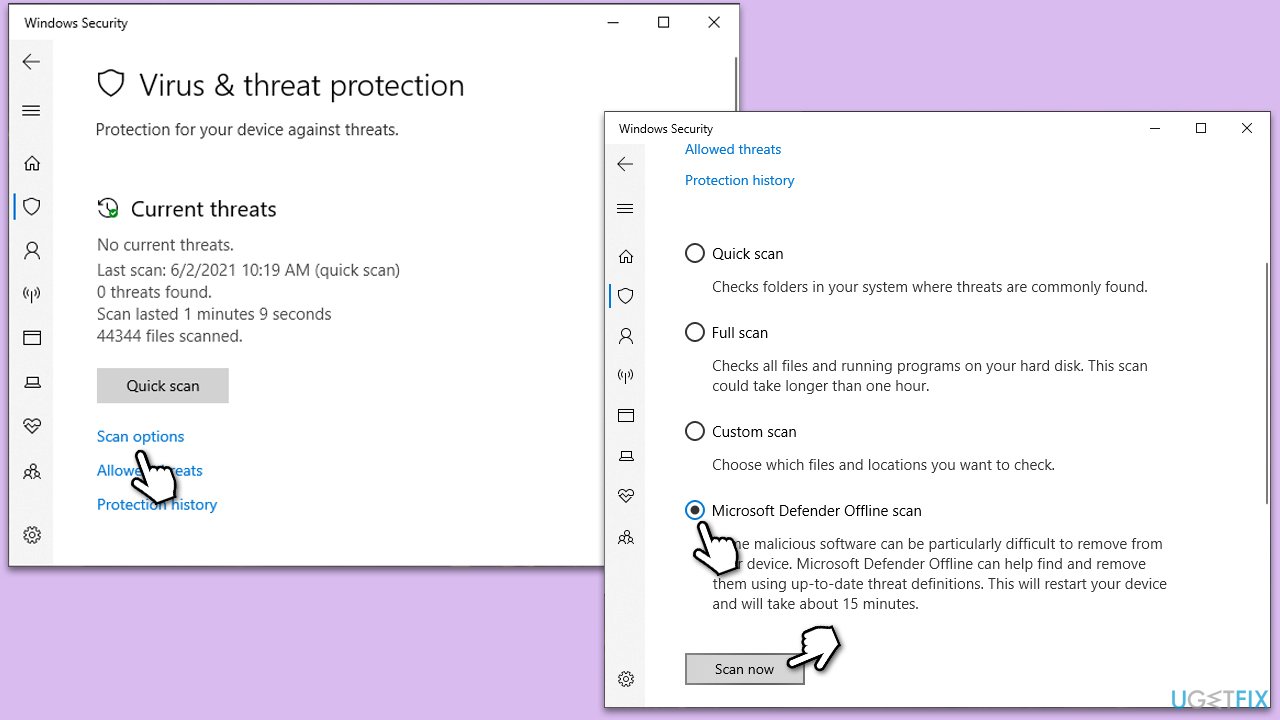
Malware can often corrupt or modify DLL files, causing errors. Running a full system scan with reliable antivirus software can identify and remove malicious software that might be causing the issue. If you don't have a third-party anti-virus, you can rely on Microsoft Security Scanner, or the built-in Microsoft Defender:
- Type Windows Security in the Windows search bar and hit Enter.
- Select Virus & threat protection.
- Pick Scan options.
- Choose Microsoft Defender Offline scan and click Scan now.
- Your PC will immediately reboot and begin a deep scan.
Fix 3. Reinstall the affected program
If a specific program triggers the 'sfc.dll' error, reinstalling the program can replace the damaged DLL file and resolve the issue.
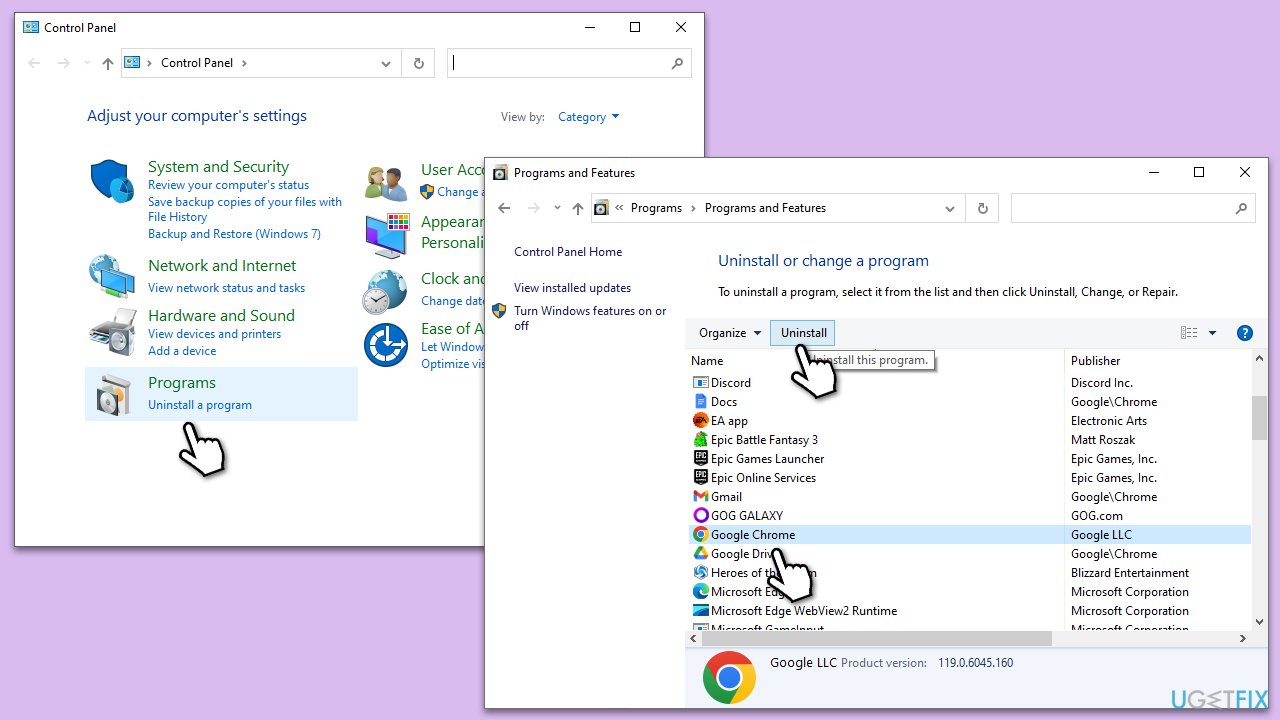
- Open the Control Panel and go to Programs > Uninstall a program.
- Find the program causing the issue in the list and select Uninstall.
- Follow the prompts to remove the program.
- Restart your computer.
- Reinstall the program from its original installation source.
Fix 4. Try Clean Boot
Performing a Clean Boot in Windows can help identify if background applications or services are causing the 'sfc.dll' error. A Clean Boot starts Windows with a minimal set of drivers and startup programs, which can eliminate software conflicts that occur when installing or running an application, or when running certain services.
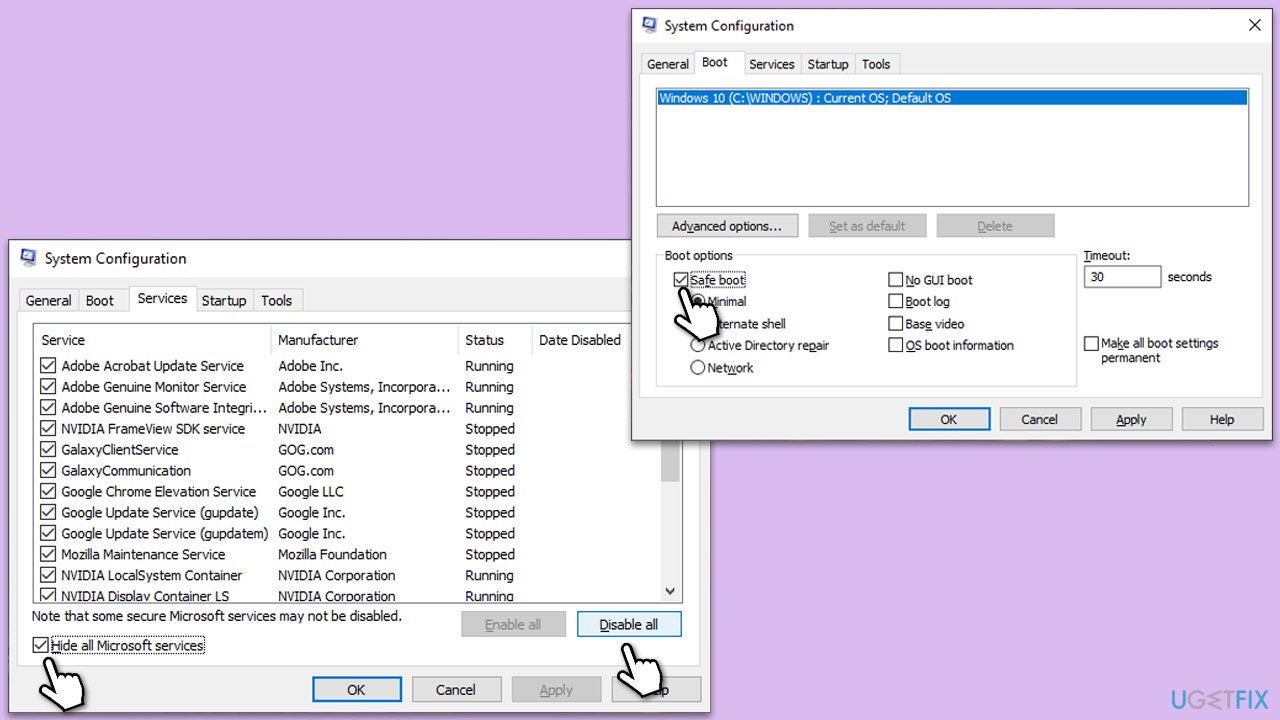
- Type msconfig in Windows search and hit Enter.
- Go to the Services tab and tick the Hide all Microsoft services checkbox.
- Select Disable all.
- Go to the Startup tab and click Open Task Manager.
- Here, right-click on each of the non-Windows entries and select Disable.
- Close down the Task Manager.
- Go to the Boot tab and tick the Safe boot option.
- Restart your device.
- If you find that the problem is resolved, you should enable half of the services and restart your system, eliminating the culprit this way.
Fix 5. Update Windows
Outdated Windows versions can cause compatibility issues with DLL files. Updating Windows can resolve these issues by installing the latest DLL versions and patches.
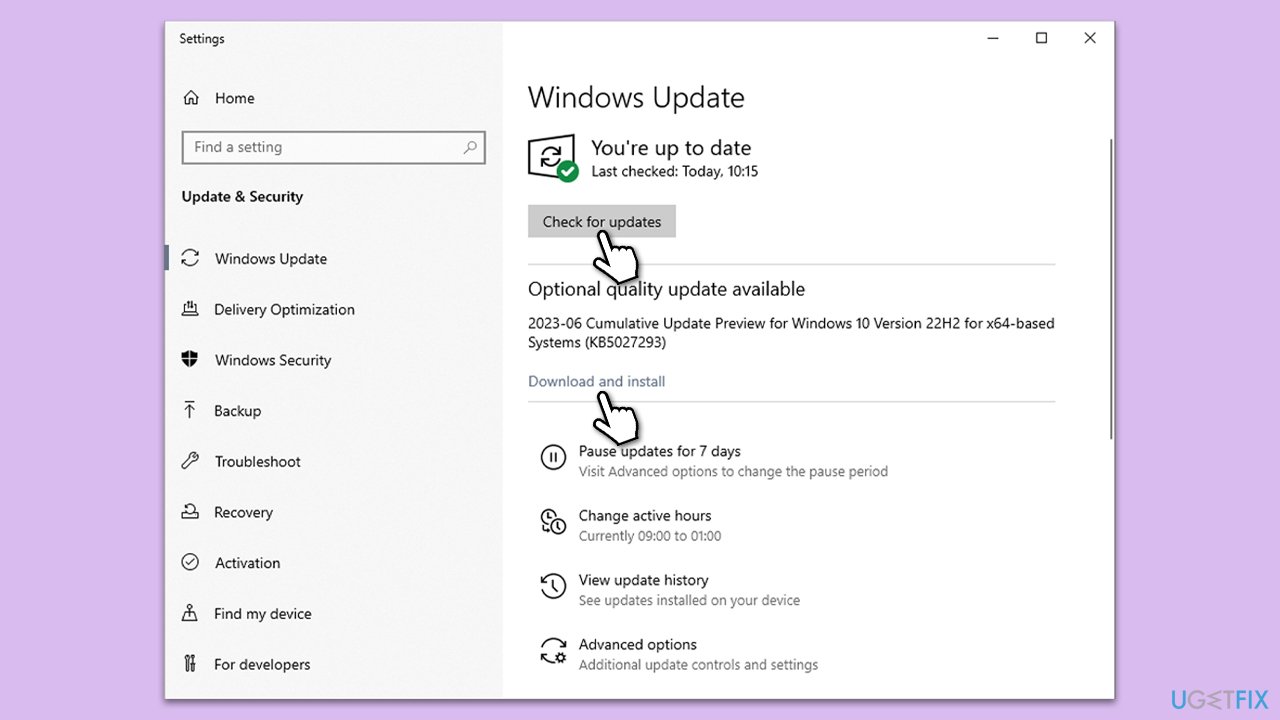
- Type Updates in Windows search and press Enter.
- Here, click Check for updates.
- Wait till Windows downloads and installs all the files.
- If optional updates are available, install them as well.
- Reboot your device.
Fix 6. Resort to System Restore
System Restore can revert your system's state to a previous point in time when the sfc.dll file was not corrupt. This can fix the error without affecting personal files.
- Type Create a restore point in the Windows search bar and open it.
- Click on System Restore.
- In the new window, click Next or Choose a different restore point.
- If available, mark the More restore points checkbox.
- Select the point in time when the issue did not exist and click Next.
- Finally, click Finish.

Related articles you might want to check out:
Bottom line
To fix the error, you can restore the correct version of the sfc.dll file, run malware scans, resolve any software conflicts, or perform system updates. If none of these solutions work, further investigation into the system's integrity may be necessary.
Frequently asked questions
First, try running the System File Checker tool by opening Command Prompt as an administrator and typing 'sfc /scannow'. If the issue persists, consider repairing or reinstalling the affected application.
Yes, you can resolve this issue on Windows 11 by performing a clean boot to eliminate software conflicts, then re-run the System File Checker.
This error can be caused by corrupted system files, an incompatible application, or malware infections affecting the sfc.dll file.




Report an issue
What's wrong with this guide? We review every report and update or remove content.
Report received — thank you. We'll review and fix it.
You need a free account to submit a report.
Be the first to comment