
How to fix Steam Pending Transaction error?

Prefer to fix it yourself? The manual steps follow.
4 methods in this guide
Hello. So I was trying to purchase a game on Steam, and after attempting to complete the payment, it brought me back to the Steam page, but I instead saw "Working..." Sadly, this did not change for a while, and I thought that something must have messed up. I attempted to redo the transaction but instead got the "Your transaction cannot be completed because you have another pending transaction on your account" error. Now I can't purchase any games because of this Pending Transaction error. Any fixes?
Steam is the largest video game distribution platform in the world, with 21 million concurrent users and more than one billion accounts. It also hosts thousands of games for users to choose from, and most of them are not free. To buy a game, users need to add their payment method (PayPal, credit card) and then perform the transaction in just a few clicks.
However, not everything goes as planned. Some users reported that, after the payment via the bank or PayPal, they are simply redirected to the Steam page with no visible results. In other cases, gamers receive the following error:
Steam - Purchase pending
Your purchase is still being processed - Steam will notify you when the transaction has been completed. Until then, this game is not available to play.
The Steam transaction pending issue usually can mean one of the two things - either there are network connectivity issues (which can arise due to several different reasons), or there is indeed a pending transaction against your Steam account. In any case, we provide several methods to fix Steam Pending Transaction error below.
Despite being one of the most popular platforms, the community might encounter several issues with it - Steam Pending Transaction error is just one of them. Accounts get hijacked, users are unable to start the client or suffer from disk write errors. Just as with these other issues, today, we will explore ways to fix Steam Pending Transaction error for good.
Fix 1. Cancel your pending transactions
Steam pending transactions can occur due to several reasons. For example, if Steam security implementation monitoring the platform spots too many purchases within a small time frame, it might suspend the purchase due to possible account hacks. Alternatively, it might be a simple bug.
You can cancel the pending transaction easily - just follow these steps:
- Go to the official Steam website for recent purchases
- Scroll down and click on View complete purchasing history
- In here, you will see the full list of your Steam transactions
- If you see several pending transactions, cancel one one by one (simply click once on a game title and then select Cancel this transaction)
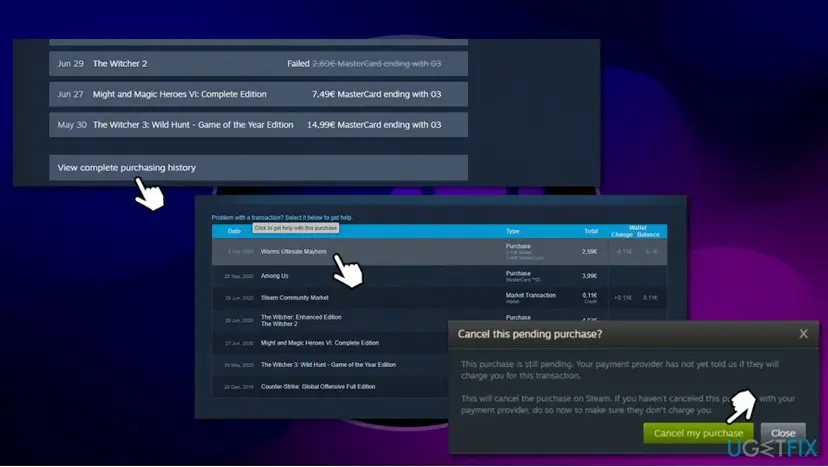
How to fix steam pending transaction error cancel transaction
Once this is done, you should restart Steam client and attempt to purchase the game once again.
Fix 2. Check if Steam servers are having problems
It is important to understand that any service, regardless of how big it is, might have problems. Be it DDoS attacks or technical issues, unexpected things happen, although when it comes to Steam, this is very rare. Nevertheless, it is always worth checking out whether the service is working as expected.
There are several websites that can help you with that, but possibly the most known one is DownDetector - it can detect issues for many different services, not only Steam. As evident, server issues might not affect all the userbase, so you might be among the unlucky ones.
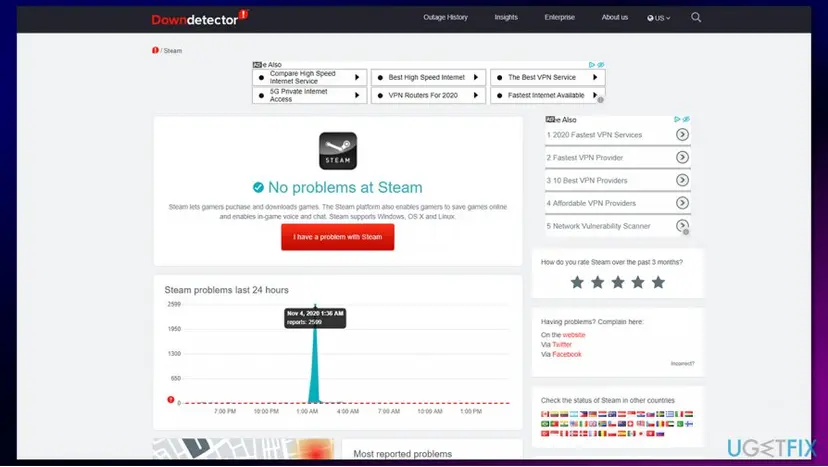
If you noticed that Steam is having problems, you should simply wait till Valve solves the issues it is having. Keep in mind that such problems are on top of their priority list, as players are unable to purchase games.
Fix 3. Disable VPN or proxy
VPN is one of the best ways to ensure your online anonymity and access geo-restricted content. While a VPN is an amazing tool, connections to particular locations might be terminated. Alternatively, the Steam client might find that the server you are connected to is insecure and perceive it as a threat. Therefore, you should ensure that your VPN is disabled when you are attempting to purchase a game.
Additionally, you should ensure that you are not using any proxies. Here's how:
- Type in Internet Options in Windows search and hit Enter
- In the Internet Properties window, pick Connections tab
- At the bottom, click on LAN settings
- Untick the Proxy server and click on Automatically detect settings
- Finalize with OK
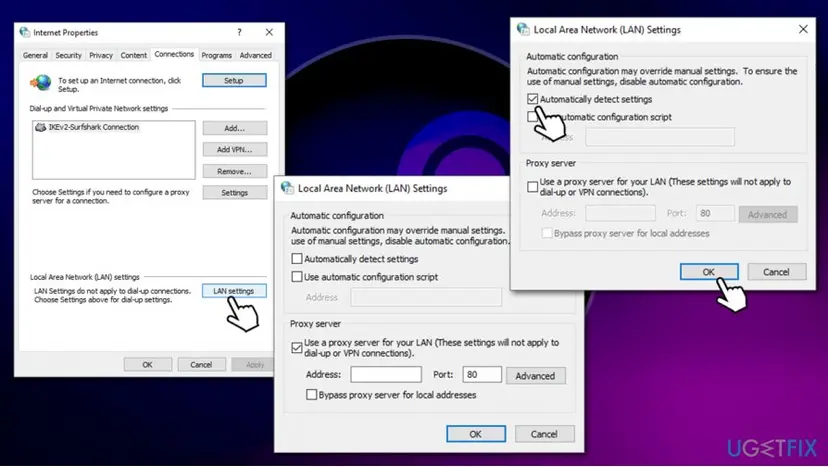
How to fix steam pending transaction error disable proxy
Fix 4. Try to purchase the game via the Steam website
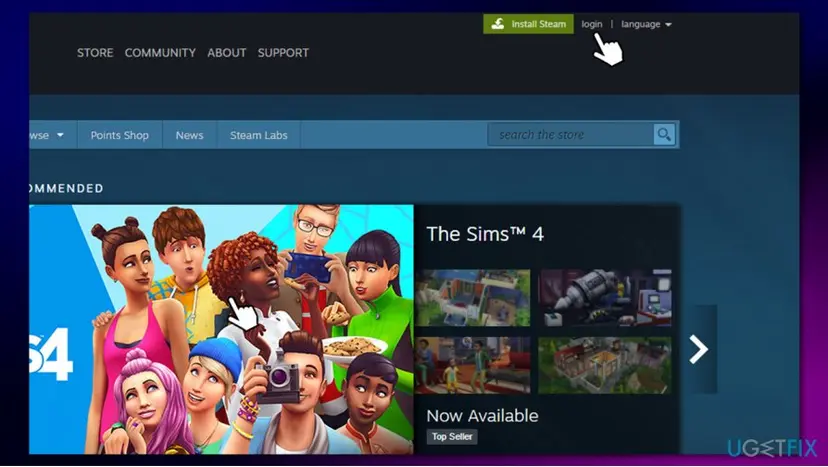
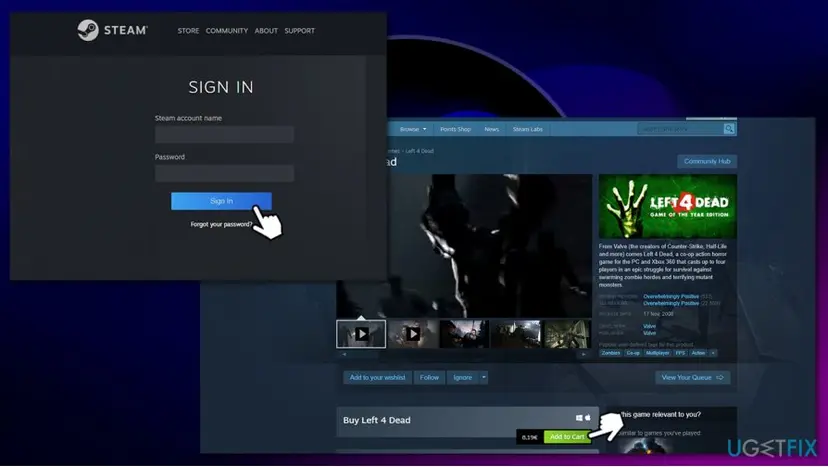
Steam client is a rather comfortable tool that allows users to do various things with their accounts, including purchasing new games. However, websites are generally better for online money transactions rather than various platforms. There very few differences between the website and the Steam client - all you have to do is go to the official website, log in with your credentials, and proceed as you normally would on the platform.
Did this fix work?
One click, no account. It tells the next reader which guides are worth their time.
Questions and experiences: fix Steam Pending Transaction error
Still broken, or found a fix we did not cover? Ask here: members and our editors answer. Reading is open; writing needs a free account.
…