How to fix
Windows 11 shutdown box keeps showing up randomly
on Windows
Resolve the frustrating Windows 11 shutdown box that appears unexpectedly with expert-tested solutions. Get it fixed in minutes!

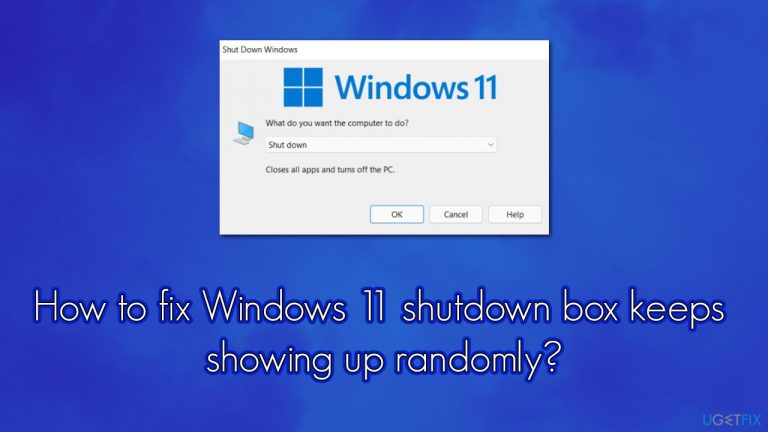
What causes How to fix Windows 11 shutdown box keeps showing up randomly?
- Software bugs in Windows 11
- Conflicting applications or processes
- Keyboard issues causing unintended inputs
- Corrupted system files
- Malware or viruses affecting system behavior
Repairs Windows system files, removes malware, and restores a clean OS state — without reinstalling.
Hi, I have recently upgraded to Windows 11, and initially, there were no issues - everything ran great. However, recently I have noticed that the shutdown box just keeps popping up randomly whenever I do something on the PC, like browse the web or type inside a document. This happens quite frequently, so it's quite annoying. Any idea on how to fix this, please?
Windows 11 was first released in early October 2021 after first being announced earlier that year. Without a doubt, the latest version of Windows was relatively well received in comparison to some of the older ones out there, so many people were eager to try all the new features, improved UI, and other iterations of the newest operating system.
As it is common, a new release of Microsoft products never goes completely smoothly, and there were plenty of criticisms regarding the availability to upgrade, as many older processors were not eligible. While it is still possible to bypass this restriction via the simple Registry Editor trick, it might result in system instability and other issues.
While most of those who had the opportunity to upgrade were generally happy, the release did not go without issues. People started noticing various bugs[ref en-1] affecting the newest OS version. There have been several reports about a strange phenomenon on Windows 11 - there is a shutdown box appearing randomly when users perform actions on their PCs.
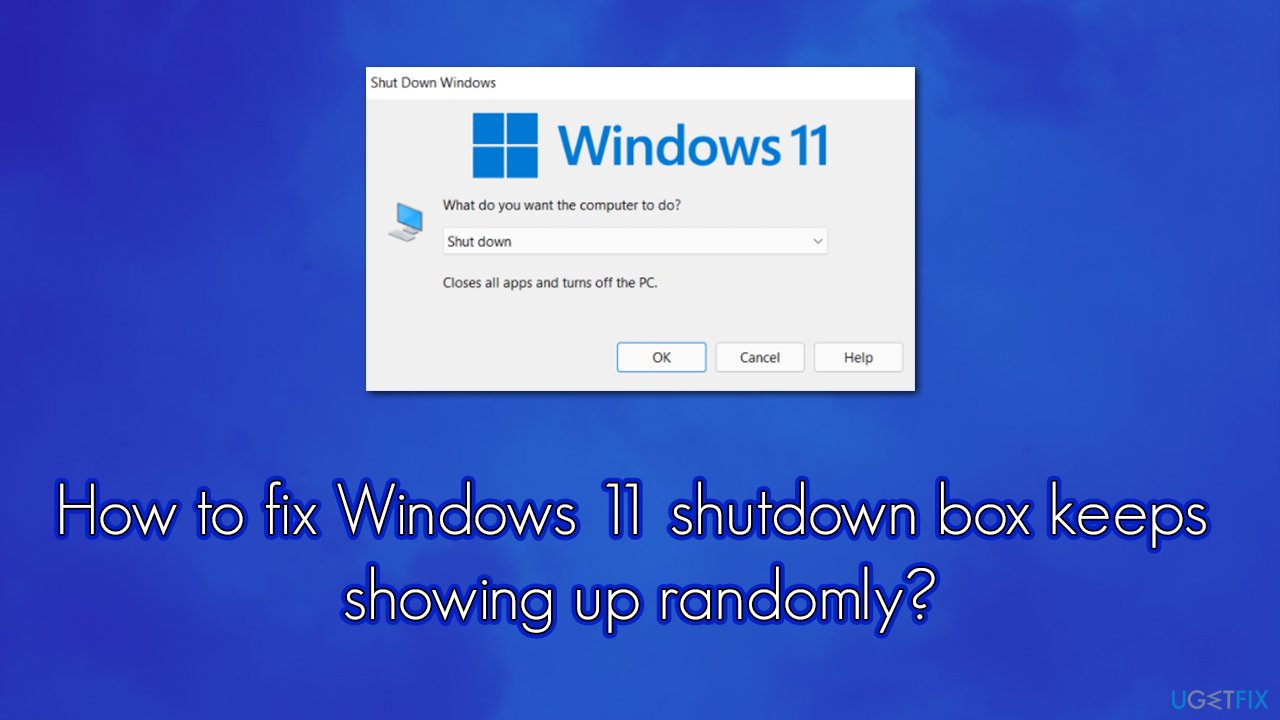
This activity is not usually initiated by any specific actions, as users report the issue whenever they browse the web, play video games, or type something within a text file. The frequency of this issue also differs, although most people said that the shutdown box appears every few minutes. It goes without saying that it is yet another Windows 11 bug.
Luckily, there are steps that should help you fix all these annoying inconsistencies and bugs. Below we provide several solutions for the problem, and at least one of those should work for you.
Fix 1. Run a PC repair tool
Windows 10 is a complicated system, and each of the users has its own setup. Precisely for this reason, what works well with one person might not work as well for another - especially when there are so many different causes of PC problems to arise. Thus, we highly recommend you try running a repair tool such as [d1]. It can find the underlying Windows issues and repair the corrupt system files.
For example, if some of the system files are corrupted, the software finds them and replaces them automatically with working ones. Besides, they can also fix registry[ref en-2] issues, clean system junk, and resolve blue screen[ref en-3] errors for good.
Fix 2. Repair damaged system files with SFC and DISM
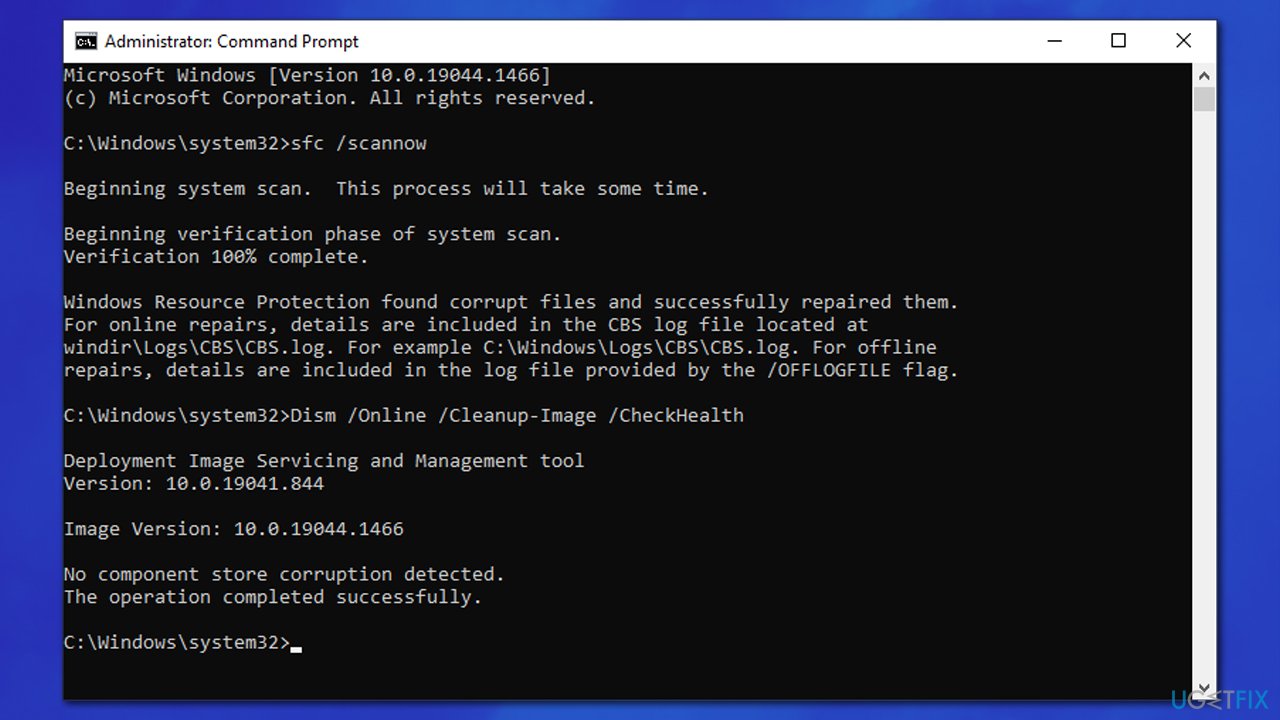
System file corruption might cause the shutdown box to randomly show up on Windows 11. If that is the case, running particular commands in the elevated Command Prompt might fix the issue:
- Type cmd in Windows search
- Right-click on Command Prompt and select Run as administrator
- User Account Control should pop up - click Yes
- Type this command and press Enter:
sfc /scannow - Wait for the scan to finish
- As soon as the scan finishes, Windows will report whether integrity violations were found and if they could be fixed. Regardless of the outcome, please use the following commands next, pressing Enter after each:
Dism /Online /Cleanup-Image /CheckHealth
Dism /Online /Cleanup-Image /ScanHealth
Dism /Online /Cleanup-Image /RestoreHealth
- Restart your PC.
Fix 3. Update Windows
You should make sure that all the latest Windows updates are installed.
- Click Start and select Settings
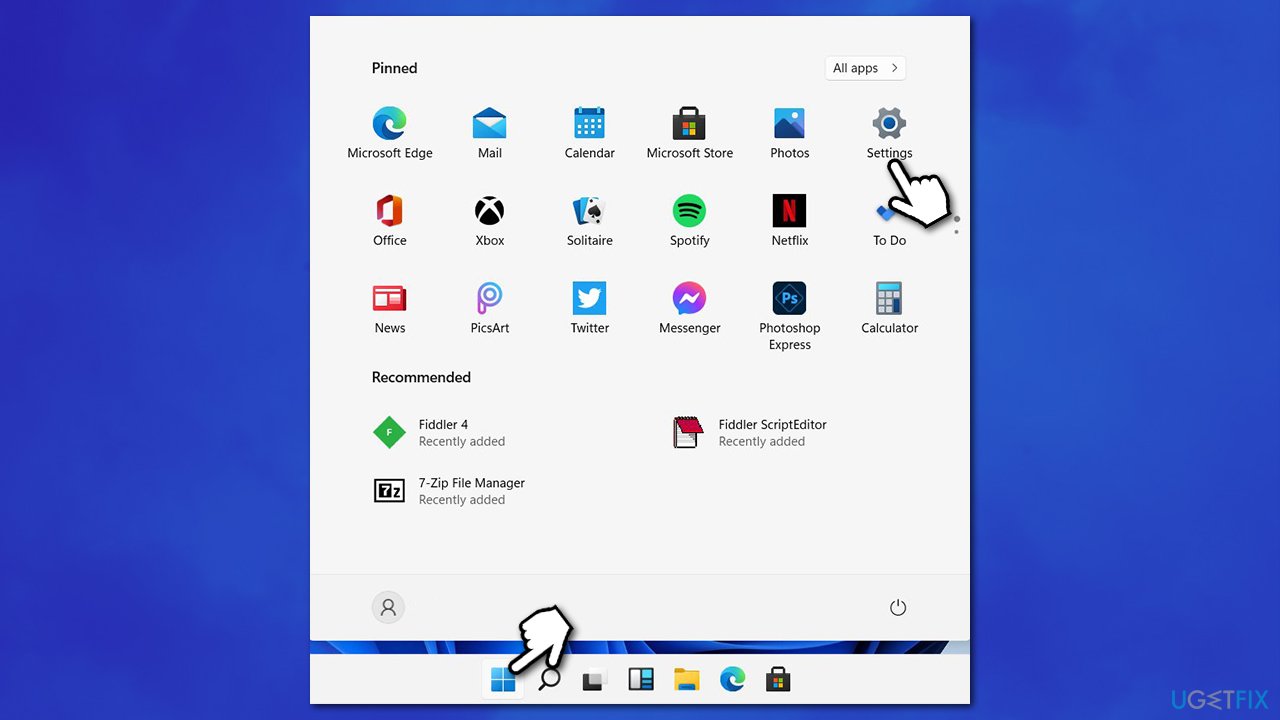
- Go to the Windows Update section
- Click Check for updates and wait
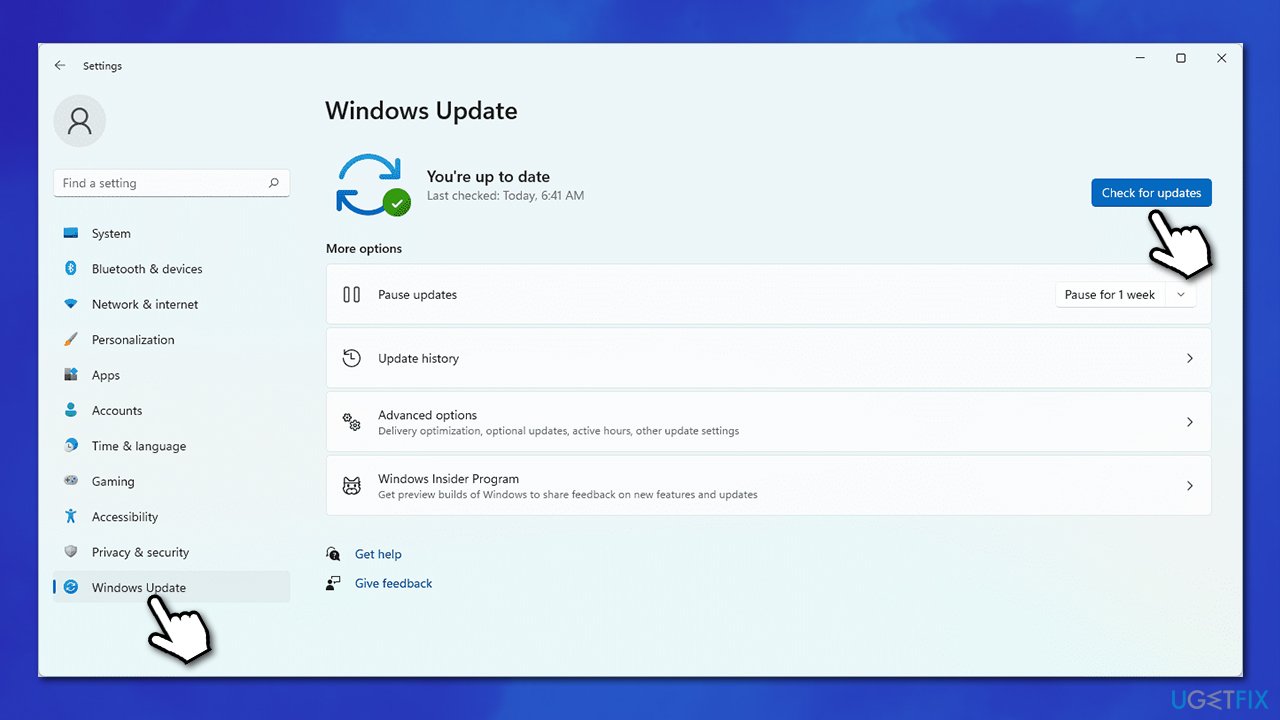
- Windows should install all the necessary files
- Restart your device.
Fix 4. Try Clean Boot
Clean Boot can show whether software conflict is causing random shutdown pop-ups. Proceed with the following steps:
- Type msconfig in Windows search and press Enter
- Select Services tab
- Check the Hide all Microsoft services box and pick Disable all
- Go to the Startup tab and select Open Task Manager
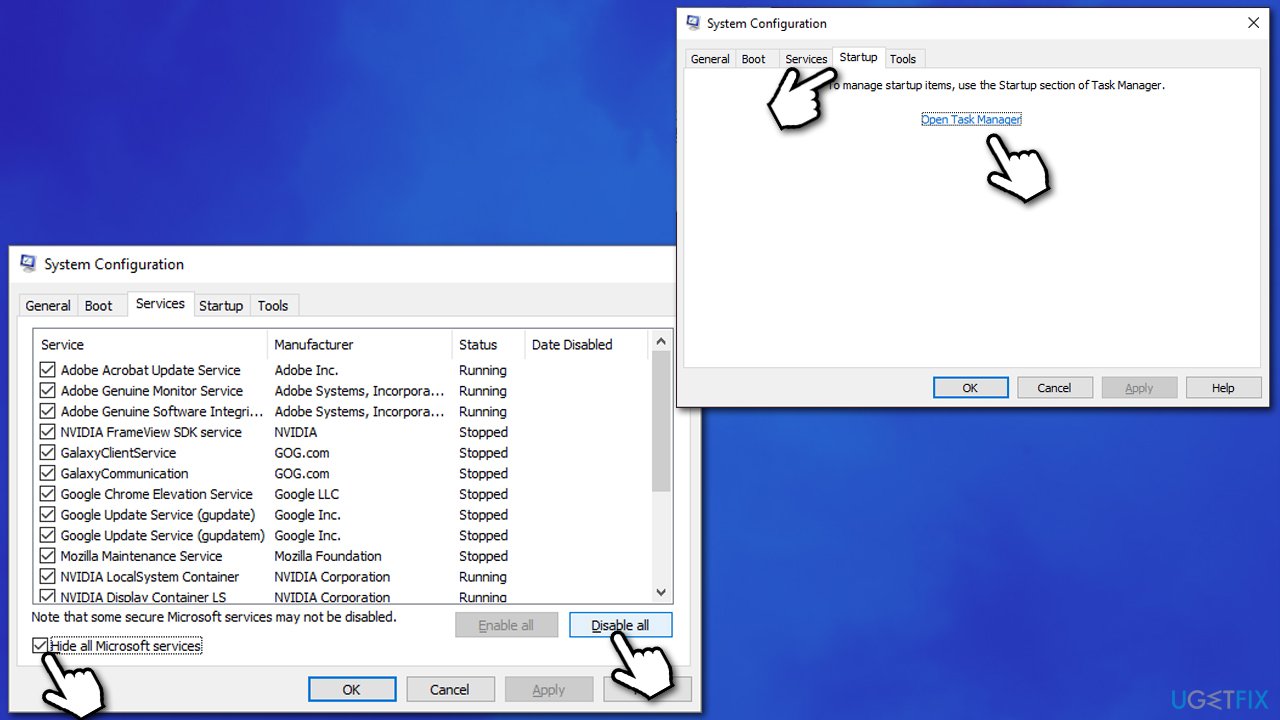
- In the Task Manager, right-click on every entry and select Disable, then close the Task Manager
- Go to Boot tab, tick Safe Boot, then click Apply and OK.
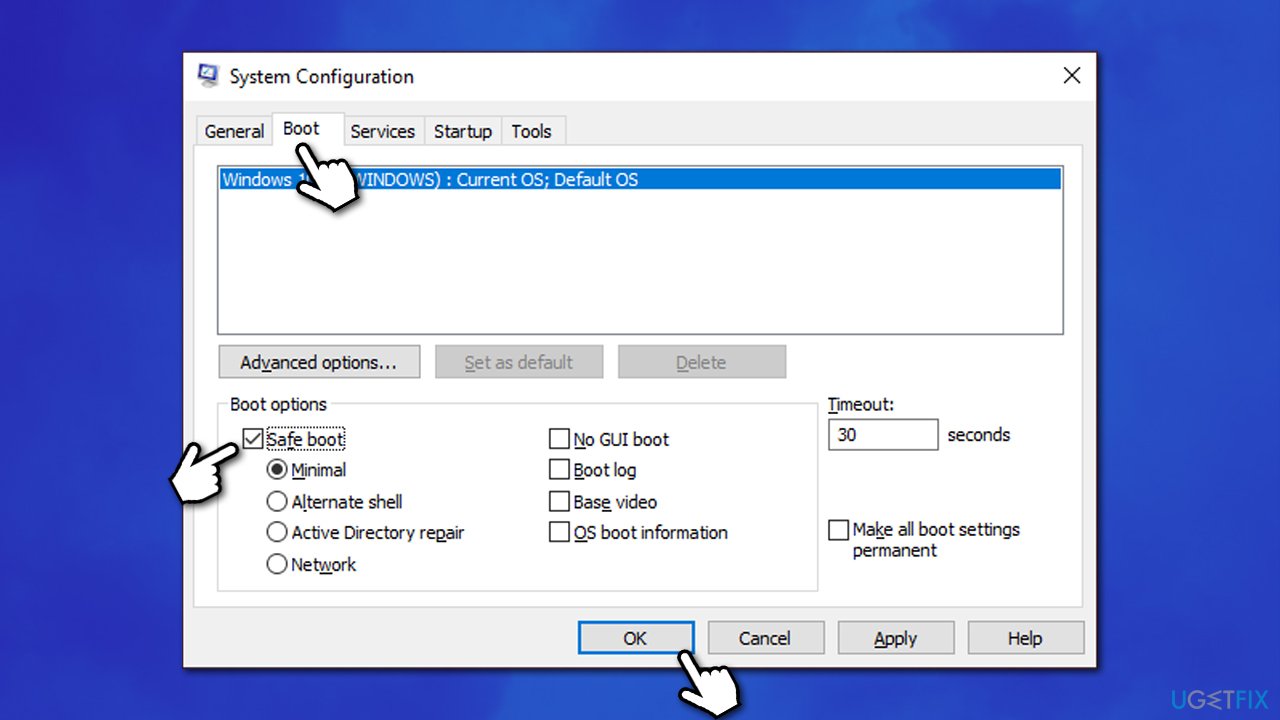
If the problem is gone within the Safe boot environment, it means that third-party software is causing the issue. To find the app in question, open the Task Manager and enable each of the startup entries one by one. The programs that some users associated with the problems were MemReduct, Spybot, and some Logitech apps. Once uninstalled, they resolved the issue for people suffering from it.
Bottom line
To resolve the issue of the shutdown box appearing randomly, users can try running a PC repair tool, checking for software conflicts, or scanning for malware. If these solutions do not work, further troubleshooting may be necessary.
Frequently asked questions
The random appearance of the shutdown box in Windows 11 can be caused by stuck keys on your keyboard, software conflicts, or corrupted system files.
To stop the shutdown box from appearing, try checking your keyboard for stuck keys, updating your drivers, or running a system scan to fix corrupted files.
Yes, you can troubleshoot by booting into Safe Mode, checking for recent updates, or performing a clean boot to identify any conflicting software.




Report an issue
What's wrong with this guide? We review every report and update or remove content.
Report received — thank you. We'll review and fix it.
You need a free account to submit a report.
Be the first to comment