
How to fix Windows Defender error 0x80073b01?
Prefer to fix it yourself? The manual steps follow.
5 methods in this guide
Hey, I have an issue with my computer. I get the error related to Windows Defender, and the code of the error is 0x80073b01. The pop-up appears from the Microsoft Security Client when I click on the failed defender. I still run Windows 8, so I consider upgrading to 10. Is it possible that would fix the issue? Can you explain this error and offer some solutions?
An error like this can occur when you start or try to start the Windows Defender. Leftovers of the thrid-arty antivirus tools possibly cause it. You should thoroughly uninstall the program and all the applications that may interfere with the inbuilt security solution. Users report the issue because it affects the machine's security and raises concerns.
Windows Defender error 0x80073b01 can be fixed by upgrading your operating system and even updating to Windows 10. Running the system file repair and cleaning can also help to fix the problem for you. If you already run Windows 10, patching and fixing specific OS bugs can always be a good idea.
Anti-malware tools often get to interfere with Windows Defender and other processes or programs, so getting a different application or uninstalling the one you have can solve the common problem. Malware can be controlled by the Windows Defender perfectly, so you don't need to run a few tools simultaneously to keep the machine secure.
When the operating system is cont complete, issues occur. Also, various features have bugs and temporary issues that get fixed with troubleshooting or quick updates. The error 0x80073b01 triggers frustration, but the problem is common and can get fixed.
This tool can clean damage and affected parts automatically for you. Then you can move on to proper solutions and fix Windows Defender error 0x80073b01 yourself with the methods listed. Do not skip and pay close attention to all the steps in the instructions.
Fix 1. Uninstall third-party software
- Press the Windows key and type in Change or remove a program.
- Find your third-party security software.
- Press Uninstall near the top of the window.
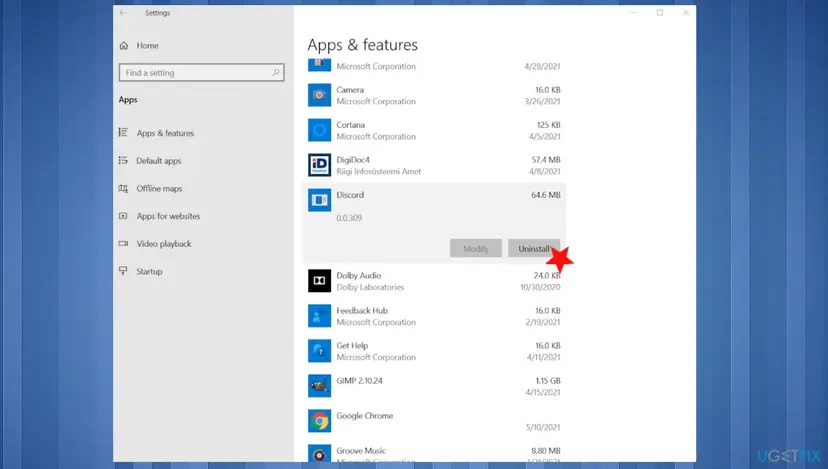
Fix windows defender error 0x80073b01 uninstall - Follow the instructions until the software is removed.
- Restart your device.
- Windows Defender should be working fine now.
Fix 2. Update Windows
- Go to Settings.
- Click Update & Security.
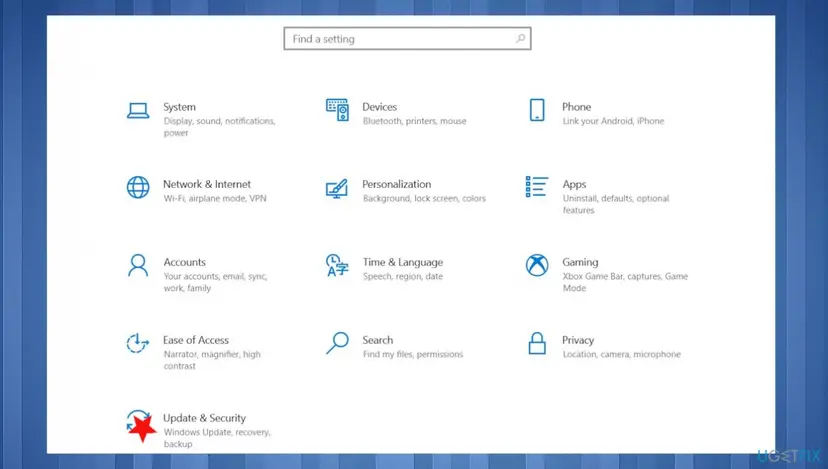
Fix windows defender error 0x80073b01 update security - Choose Windows Update.
- Click Check for updates and see if there are any updates available.
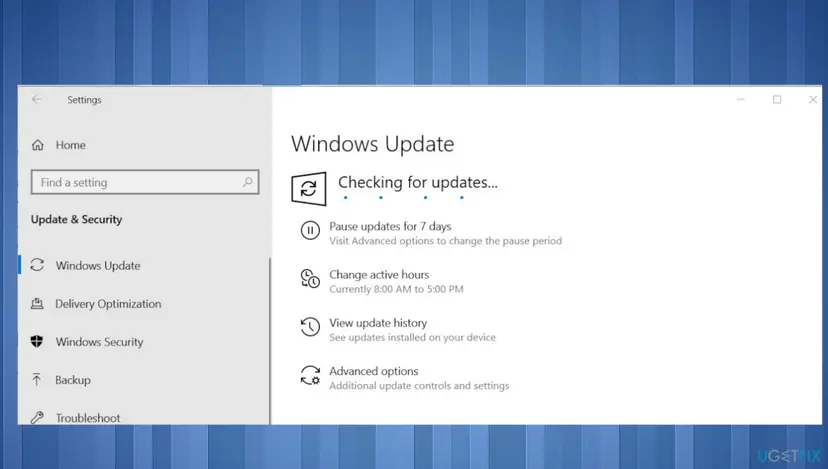
Fix windows defender error 0x80073b01 update check - If there are, proceed with installing them and reboot after.
Fix 3. Run DISM command
- Right-click Start and open Command Prompt (Admin).
- Paste the following command and press Enter:
DISM /Online /Cleanup-Image /RestoreHealth - Wait until the scan is finished.
- Restart your computer.
Fix 4. Run SFC
- Press the Windows key and type in CMD.
- Choose Run as administrator.
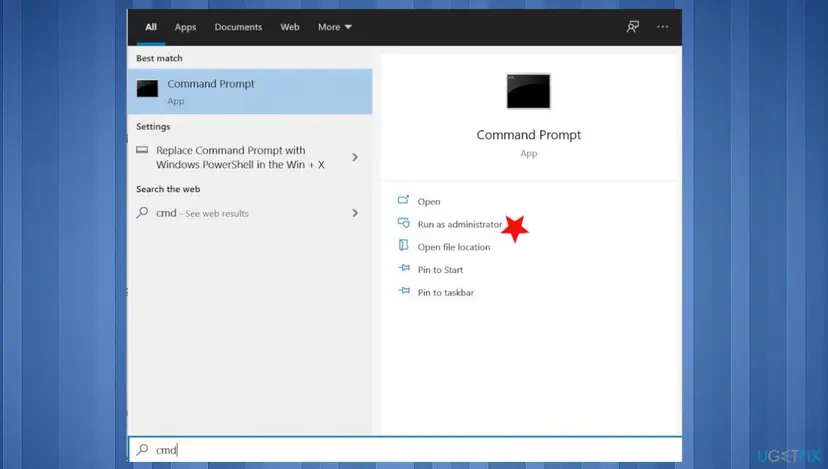
Fix windows defender error 0x80073b01 run admin cmd - Type in the following command, and press Enter to execute it:
sfc /scannow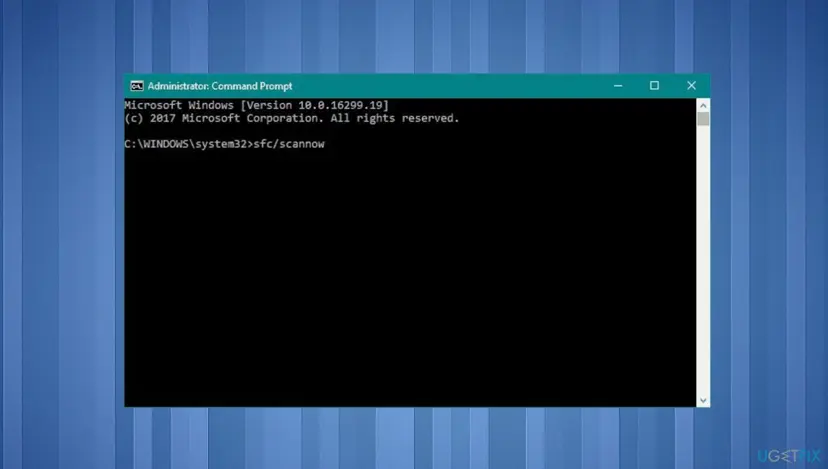
Fix windows defender error 0x80073b01 sfc - Once the process is complete, your problem should be fixed.
Fix 5. Alter the registry
- Press Windows + R to open Run box.
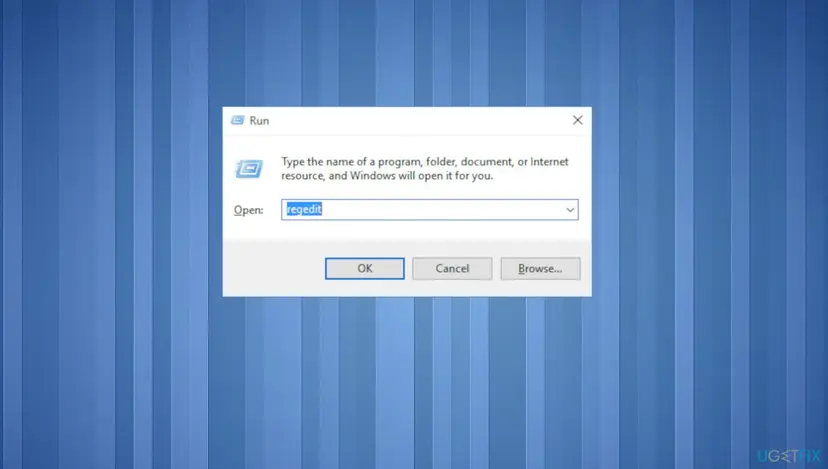
Fix windows defender error 0x80073b01 regedit - Type in regedit and press Enter.
- Go to the following address and delete the msseces.exe entry from both of them:
HKEY_LOCAL_MACHINE/SOFTWARE/Microsoft/WindowsNT/Current Version/Image File Execution Options
HKEY_CURRENT-USER/Software/Microsoft/Windows/Current version/Policies/Explorer/DisallowRun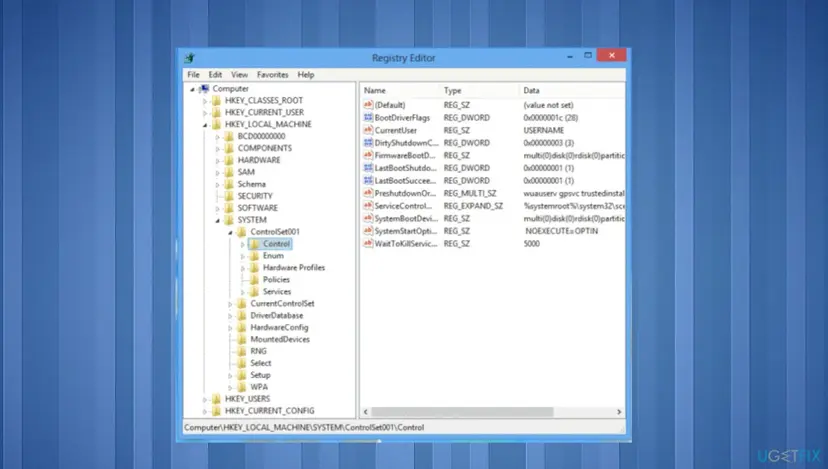
Fix windows defender error 0x80073b01 registry - Reboot.
Did this fix work?
One click, no account. It tells the next reader which guides are worth their time.
Questions and experiences: fix Windows Defender error 0x80073b01
Still broken, or found a fix we did not cover? Ask here: members and our editors answer. Reading is open; writing needs a free account.
…