
How to Restore Task Manager?
Prefer to fix it yourself? The manual steps follow.
When I'm trying to open task manager by hitting ctrl + alt + del buttons or start it by clicking on Start Task Manager widget placed on the taskbar, for some reason it does not respond. So I tried executing the task manager from system32 directory, still, it gives me the same error. Has my task manager gone corrupt? If so how can I fix it? Thanks.
The particular issue with disappearing Task manager Menu bar and tabs is not new. That's actually a very common problem, so people often encounter such behavior on their devices and have no idea how to deal with it or fix the issue initially. Taskmanager is a useful and important component of the Windows operating system because it helps to manage applications and services that are running in the background and end processes when the system freezes or gets corrupted.
As you have already indicated, Task Manager may not respond when the user hits Ctrl + Alt + Delete buttons. According to the experts, the most frequent cause of this is malware infection. In fact, that's a very clever trick that cybercriminals may employ to prevent malware from being detected. As you probably already know, computer users often notice suspicious processes working on Task Manager and start suspecting a virus to be hiding in the system.
Thus, by enabling the Task Manager, they ensure that malware stays undetected longer. Besides, people will not be able to terminate any processes via the Task Manager, which, indeed, is a very bad thing as the performance of the computer may diminish.
The first sign indicating that malware has banned you from opening Task Manager is the color of the icon - it becomes grey. Usually, icons that are colored in grey signal that something went wrong with the program and that it cannot be opened by clicking on the icon.Besides, in some of the cases, clicking on the corrupted Task Manager icon or hitting the combination of the buttons may result with an error message saying:
Windows cannot find "C:\\windows\\system32\\taskmgr.exe" Make sure you have typed the name correctly and try again.
If you are going through this experience right now, then we will try to explain how to restore Task Manager.
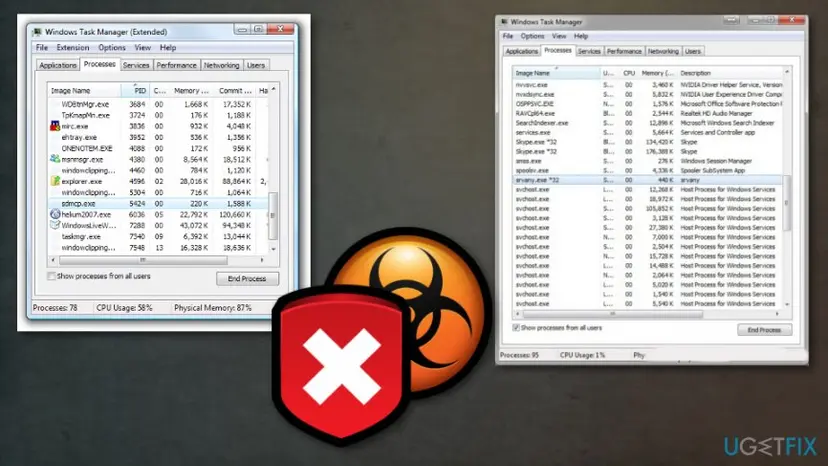
How to Restore Task Manager
To sum up, if you decide not to check your machine with an anti-spyware, then sooner or later your Task Manager will be blocked again. To prevent this from happening, install a tool that could boost your computer's speed and improve its performance by eliminating all suspicious and needless components or recovering needed files.
Recover Task Manager manually
As already noted, Task Manager may not respond due to malware infection. In order to restore Task Manager, follow the instructions below:
- Click Windows + R, enter “gpedit.msc” in the search box and click OK in order to open Windows Group Policy Editor.
- Find User Configuration (on the left) and click on it.
- Go to Administrative Templates → System → CTRL+ALT+DELETE options.
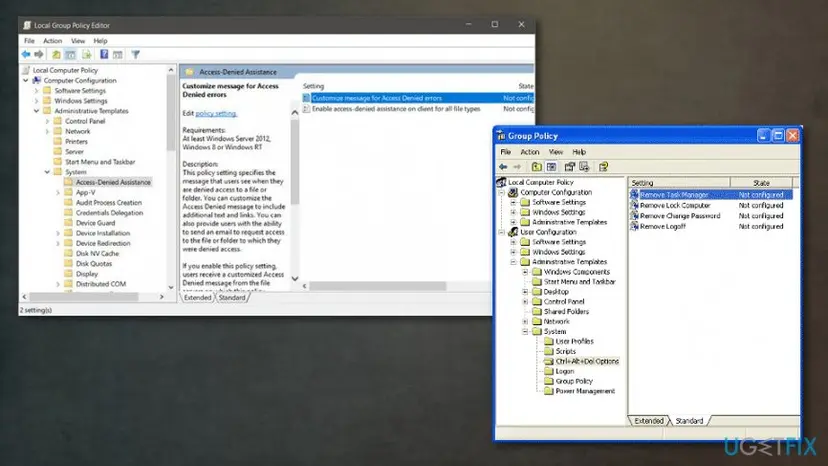
How to restore task manager group editor - Find 'Remove Task Manager' (on the right side), right-click on it and select Properties.
- Select Not Configured and click OK.
- After that, Task Manager should be enabled.
In case you run Windows 7 or Windows 8, you should:
- Open 'Start menu', type “regedit” and 'OK' in order to open Windows Registry Editor.
- After that, select 'Edit' and 'Find'. Look for Disable Taskmgr and delete it.
- Finally, Task Manager should work properly.
Did this fix work?
One click, no account. It tells the next reader which guides are worth their time.
Questions and experiences: Restore Task Manager
Still broken, or found a fix we did not cover? Ask here: members and our editors answer. Reading is open; writing needs a free account.
…