How to fix
Enable two-factor authentication on Reddit
on Windows
Secure your Reddit account with two-factor authentication on Windows 10 or 11. Protect your data effortlessly and enjoy peace of mind, expert-tested.

Why does How to enable two-factor authentication on Reddit occur?
- Account is not secured with two-factor authentication
- Password may be guessed or compromised
- Third-party access to account is possible
- Lack of additional security measures
- Inconvenience for users who prefer simpler login methods
Repairs Windows system files, removes malware, and restores a clean OS state — without reinstalling.
I want to secure my Reddit account from being hacked. Is there a way to set two-factor authentication?
The social news aggregation, web content rating, and discussion website Reddit has just announced[ref en-1] about a possibility to enable two-factor authentication in order to give users extra security layer and prevent from third-party access to their accounts.
Two-factor authentication is usually gold as a “gold standard of security”[ref en-2] because it prevents third-party access to your account. Setting this feature does not protect from having your password guessed. However, no one will be able to log in using it because the needed authentication code will be sent to your mobile phone.
The major social networking sites and email services provide two-factor authentication. Additionally, there are numerous apps that make access to your accounts more complicated for attackers or stalkers and you.
Once you enable two-factor authentication, you will need to enter your password and unique verification code every time you want to login to Reddit or other accounts. Thus, it takes some time and might not seem convenient for lazy users. However, taking care of cyber security and privacy is very important nowadays.
However, if you value your privacy more, you should not hesitate and set two-factor authentication[ref en-3] on Reddit, Facebook, Twitter and other accounts. We will show you how it’s done.
Instructions on how to enable two-factor authentication on Reddit
Setting up two-factor authentications offers more security to your Reddit account. Once you enable this feature, you will need to enter your password, and 6-digit verification code received to your phone every time you log in:
Step 1. Enable two-factor authentication
- Login to your Reddit account.
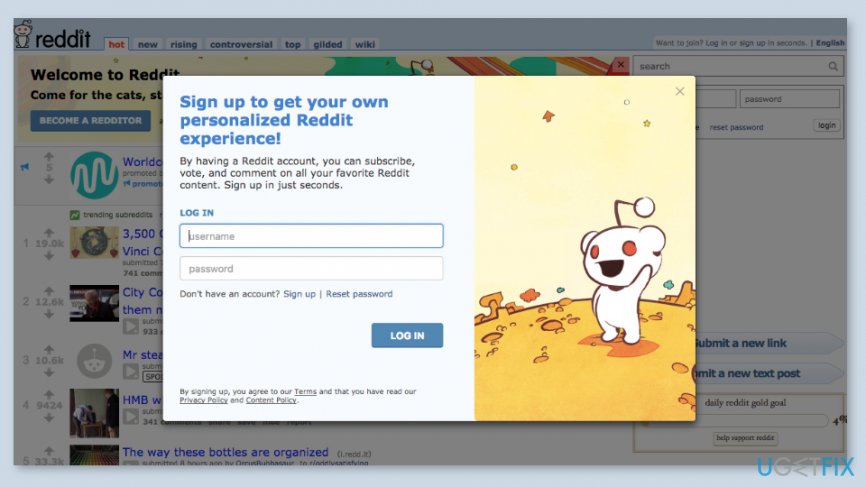
Log in to reddit account - In the top menu, you should find preferences option. Click on it.
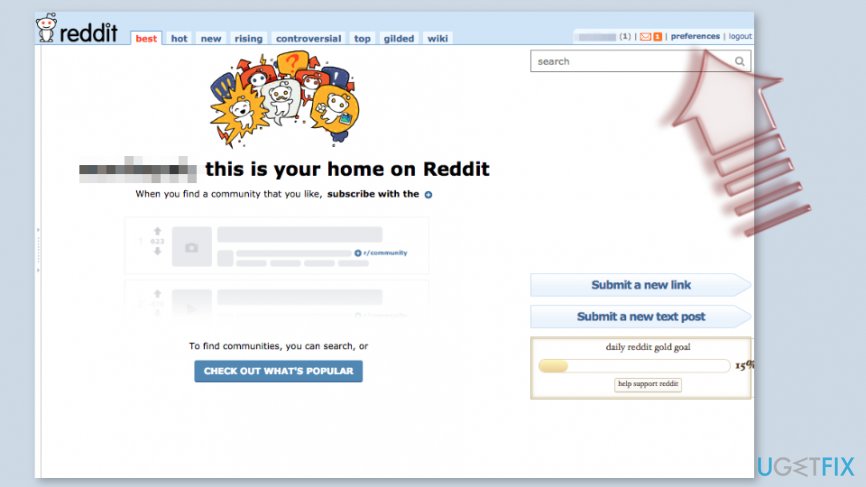
Open preferences - Navigate to password/email tab.
- Find two-factor authentication section and click enabled.
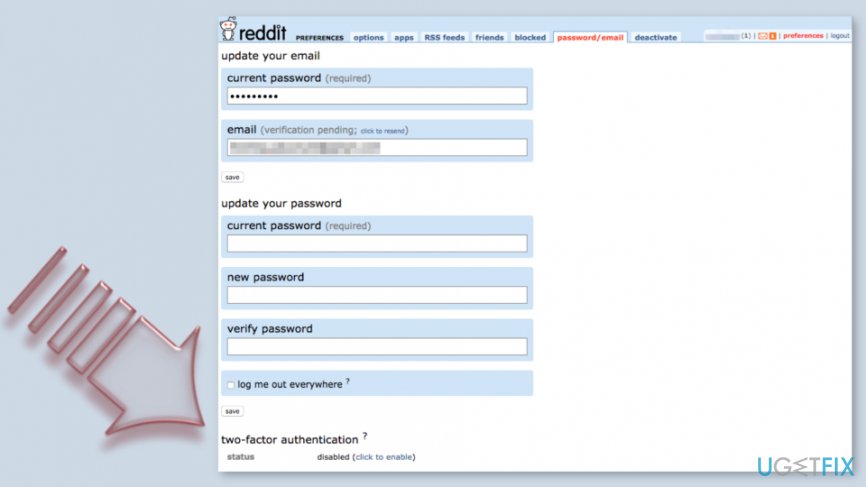
Reddit two factor authentication - Once you enable this feature, you have to verify your email and enter the password.
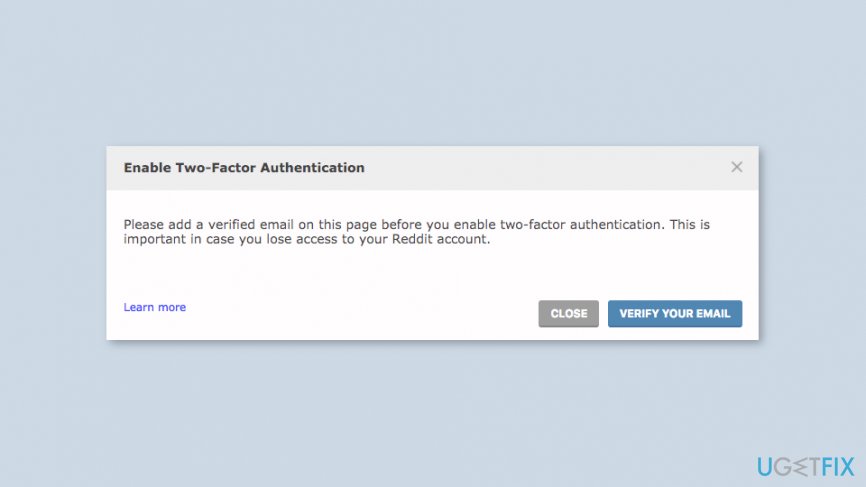
Enable reddit two factor authentication
Step 2. Set up the authenticator app
Reddit recommends using either Google Authenticator or Authy apps (both available on Android and iPhones) as the authentication app in order to generate verification codes. However, you can use other apps that support Time-based One-Time Password (TOTP) protocol.
Based on the app you choose, you will need to:
- login/register with your Reddit account;
- scan the QR code or enter the security key manually;
- configure and setup the app.
Once these tasks are completed, you will receive a confirmation email and a personal message.
Step 3. Create backup codes
Generating backup codes is the last step. Though, it might seem not needed. However, in case you will lose your smartphone and become unable to access authenticator app, these codes will help you to login to Reddit.
- Login to Reddit.
- Access preferences and navigate to password/email.
- Find two-factor authentication section.
- There you have to click generate for backup codes.
- Then you will have to enter your password and write down (or print) your backup codes.
Note. Each code can be used only once. Additionally, if you change the phone, you have to disable two-factor authentications and re-enable it on the new device.
Bottom line
To enable two-factor authentication on Reddit, log in to your account, navigate to the preferences option, and enable the feature under the password/email tab. Then, set up an authenticator app like Google Authenticator or Authy to generate verification codes. If these steps do not resolve your security concerns, consider additional measures or consult Reddit support.
Frequently asked questions
To enable two-factor authentication on Reddit using Windows 10, go to Reddit's account settings, select 'Safety & Privacy', and then toggle on 'Two-Factor Authentication'. Follow the prompts to link your mobile authentication app.
Yes, on Windows 11, you can manage Reddit's two-factor authentication by accessing the account settings in your browser and navigating to 'Safety & Privacy' to enable or disable the feature.
If you face issues, ensure your Windows system is updated and try clearing your browser cache or using a different browser to access Reddit's settings.




Report an issue
What's wrong with this guide? We review every report and update or remove content.
Report received — thank you. We'll review and fix it.
You need a free account to submit a report.
Be the first to comment