How to fix
Sync iPhone with Your Phone app
on Windows
Easily sync your iPhone with the Your Phone app on Windows 10 or 11. Enjoy seamless connectivity and enhanced productivity, expert-tested for results.

Why does How to sync iPhone with Your Phone app occur?
- Limited compatibility between iOS and Windows 10
- Your Phone app primarily designed for Android devices
- Lack of full feature support for iPhone users
- Potential issues with syncing notifications and messages
- Differences in platform architecture between Apple and Microsoft
Repairs Windows system files, removes malware, and restores a clean OS state — without reinstalling.
Hi. How do I connect my iPhone to Windows 10? I have been using an iPhone for many years, and I am not planning on switching to Android. I use a PC for my work and other activities, however. Any tips would be appreciated.
Although most iPhone users prefer Apple devices when it comes to desktop computing, it is not always the case. There are also plenty of people who use Macs but Android phones, and vice versa. It is not a secret that Windows and macOS are very different platforms, each providing its own benefits. It is up to users to pick which one they like the most.
There are plenty of examples of how Windows and macOS do work together to create a universal and convenient user experience - MS Office for Mac or iTunes for Windows comes to mind.
However, in some cases, those who do decide to use peripherals from different manufacturers, especially when it comes to Microsoft vs. Apple, for example, things might look quite bleak. Previously, we discussed an instance of Airpods Pro having bad sound quality on Windows computers - and this is just one instance that users have to deal with when facing compatibility issues.[ref en-2]
In this case, we are looking into the case of the Your Phone app and its compatibility with the iPhone. Initially, the Your Phone app is a convenient tool launched in 2018 by Microsoft,[ref en-3] which makes it easier for users to sync their mobile devices to their PCs. It allows showing text messages and notifications, receive and make calls, and much more.
While all the features are present for those who use Android-based phones, iPhone users are not that much in luck, as it turns out. According to numerous sources, Your Phone app sync with Windows 10 does not provide the full list of features listed above.
Naturally, the question comes up: what can iPhone users do when connecting their iOS devices to Windows via the app? Here is the list of supported features:
- viewing web content via the desktop app;
- sending links from supported apps such as YouTube or web browsers;
- checking visited pages list via the Timeline from the Edge browser for iPhone (if such is installed);
- view MS Office documents if they are synced on iCloud.
Get the Your Phone app
If you are already running Windows 10 version 1809 (October 2018 release)[ref en-1] or above, Your Phone app should already be installed on your device. If it is not installed, you should either install it manually or update Windows. We strongly recommend the latter as you miss out on stability improvements and new features of the operating system.
To update Windows, follow these steps (If you using older version of Windows, you should download the app from Microsoft Store):
- Right-click on Start and pick Settings
- Select Update & Security section
- On the right side, pick Check for updates
How to sync iphone with your phone app windows go to windows settings - Install everything available and reboot your PC.
Sync iPhone with Your Phone app
Note: make sure that both your PC and iPhone have access to the internet.
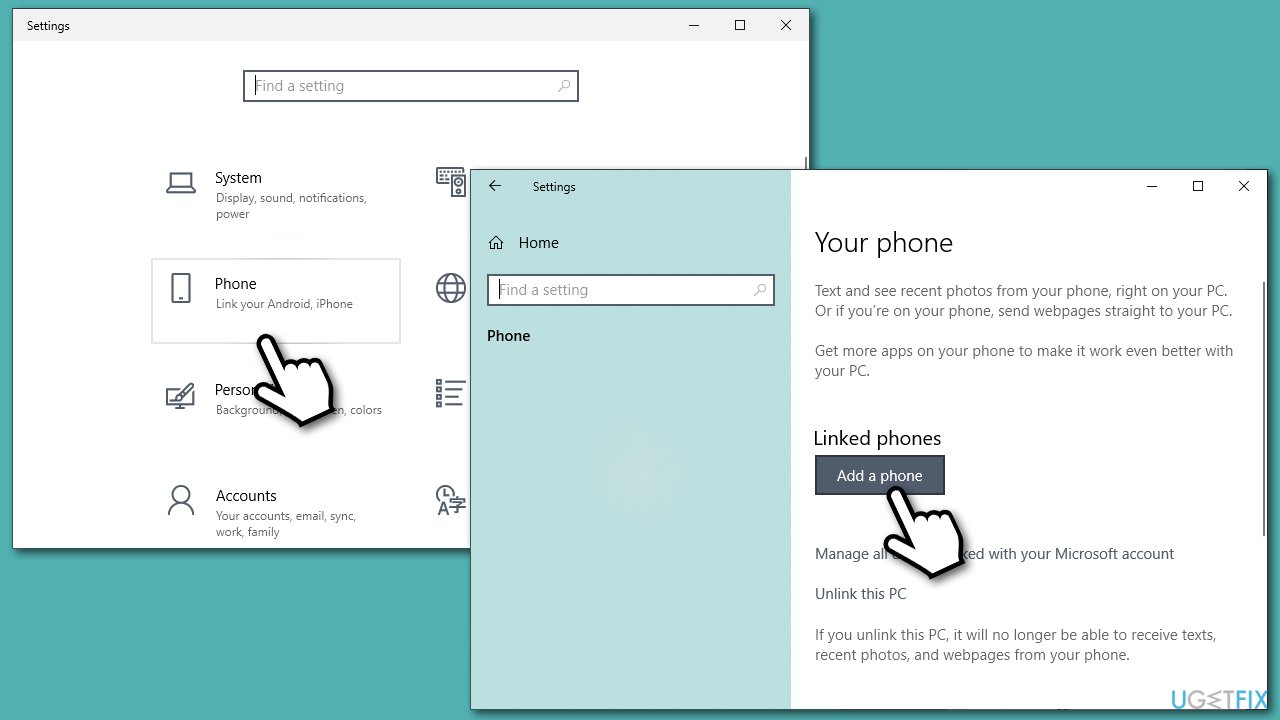
- Right-click on Start and pick Settings
- Select Phone option and then select Add a phone
How to sync iphone with your phone app windows go to windows settings - If you do not have your Microsoft account linked to your PC, you will be asked to enter your phone number
- Select iPhone when prompted
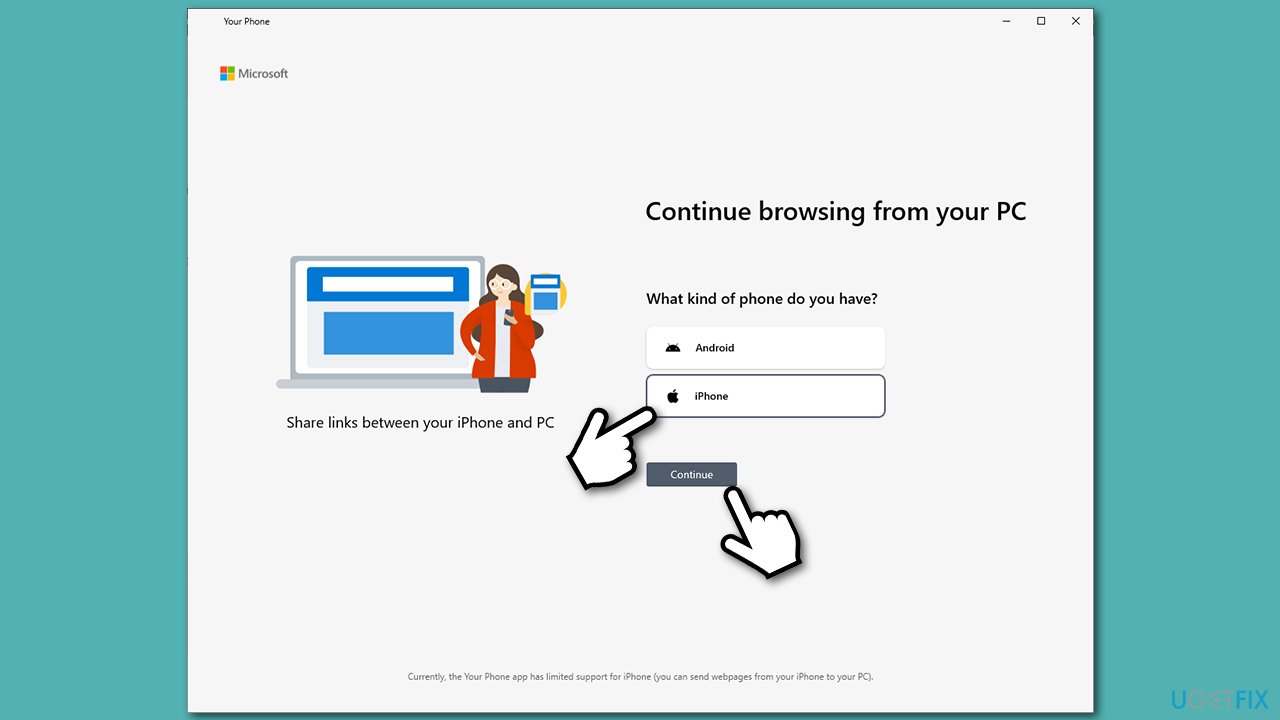
How to sync iphone with your phone app windows pick iphone - As explained in the instructions, you will have to access a particular web page and to get an app and install Microsoft Edge on iPhone
- Once done, tick the Yes, I finished installed Edge on my iPhone checkmark and pick Continue
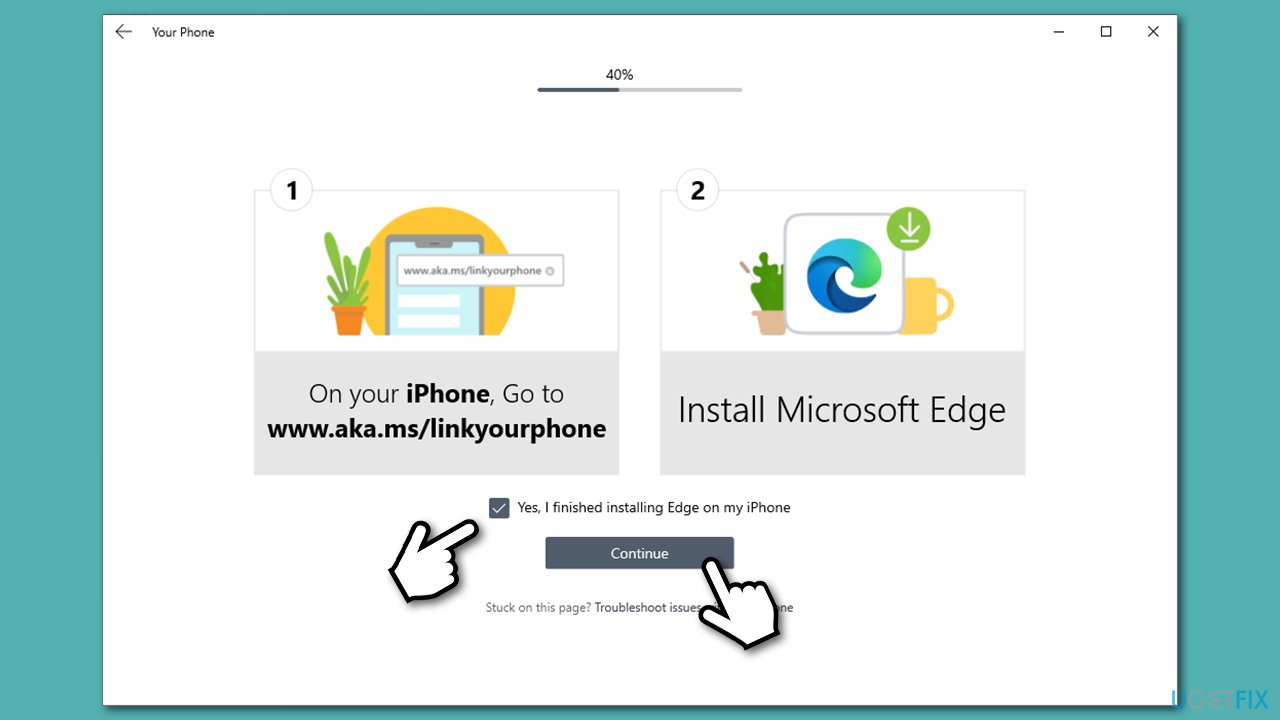
How to sync iphone with your phone app windows download edge on iphone - Sign in with your Microsoft account on your iPhone and use Continue on PC button
- Your iPhone now should be synced with your Windows PC.
As already mentioned, you will not be able to receive calls or write messages via a Windows 10 computer. In fact, the functionality is rather limited compared to what Your Phone offers to Android devices. However, it might be useful if you want to continue work on your PC or accessing MS Office documents easily.
Bottom line
iPhone users can utilize the Your Phone app to view web content and send links from supported apps. However, they may face limitations compared to Android users. If these features do not meet your needs, consider alternative methods for syncing your iPhone with your PC.
Frequently asked questions
To connect your iPhone to the Your Phone app on Windows 10, download the 'Your Phone' app from the Microsoft Store and follow the prompts to sign in with your Microsoft account and link your devices.
Yes, once your iPhone is synced with the Your Phone app on Windows 11, you can receive notifications, but ensure that notifications are enabled in both the app and your iPhone settings.
When syncing your iPhone with the Your Phone app on Windows 10, you can access photos, messages, and notifications, but some features may be limited compared to Android devices.




Report an issue
What's wrong with this guide? We review every report and update or remove content.
Report received — thank you. We'll review and fix it.
You need a free account to submit a report.
Be the first to comment