How to fix
Script Hook V critical error in GTA 5
on Windows
Fix the Script Hook V critical error in GTA 5 on Windows 10 or 11 quickly. Get expert-tested solutions and get back to gaming in no time!

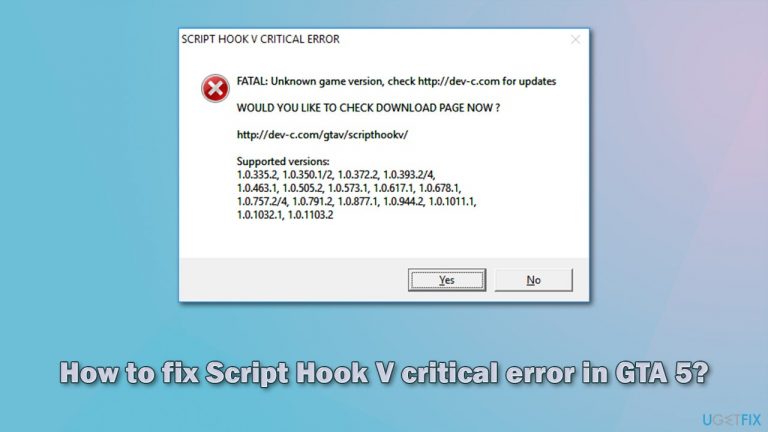
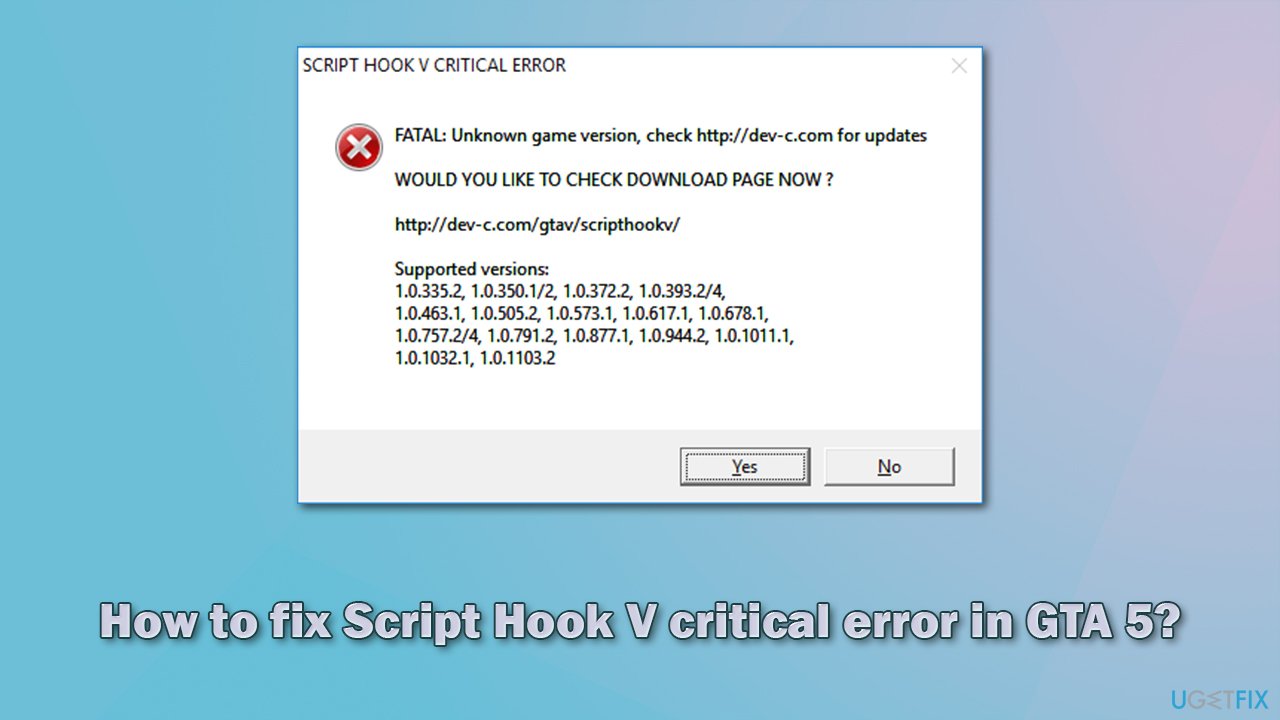
What causes How to fix Script Hook V critical error in GTA 5?
- Game version is unknown
- Script Hook V is outdated
- Modded version of the game is being used
- Game treats Script Hook V as a cheat or hack
- Game has been patched with a new version
Repairs Windows system files, removes malware, and restores a clean OS state — without reinstalling.
Hi. I don't know if this is common but something happened to my GTA V. Yesterday I could run the game just fine but today I can't even launch it due to the Script Hook V critical error that shows up every time I try. Please help me fix this because I can't play the game at all. Thanks.
Grand Theft Auto 5, otherwise known as GTA 5, is the latest action-adventure game developed and released by Rockstar studios back in 2013. Despite its age, the game is very much active, with hundreds of thousands of players engaging in the virtual world every single day. It remains one of the best-selling titles of all time, with more than 150 million copies sold by 2021.[ref en-1]
Players said that they started experiencing the Script Hook V critical error abruptly, which would result in them not being able to play or even launch the game. The message informs users that the game version is unknown, and also provides the list of seemingly supported versions. The issue is also present when the offline mode is being used.
The Script Hook V GTA 5 error can only occur on machines that use the modded version of the game. Mods are very popular among various games, although the outlook of game developers is completely different from studio to studio. Rockstar does not support this practice. Its parent company recently even filed a lawsuit against modders.[ref en-2]
In order for the game to support mods, players need to install Script Hook V. Because the game treats it as a cheat or a hack, it gets patched with every new game version. Thus, in order to fix the problem, you would have to update the component manually or remove your mods.
Note: if you have issues with your Windows computer that made your applications crash, you experience strange BSODs,[ref en-3] registry errors, and similar issues, we recommend you scan your device with a repair and maintenance utility [d1]. It can also remove malware from an already infected computer and remediate the damage done to system files.
1. Update Script Hook
Since the game is patched to no longer work with the Script Hook V, downloading the newer version of the app would usually solve this problem.
- Download the latest version of the app
- Right-click on the archived file and pick Extract
- Go to the extracted folder and enter the bin folder
- Copy all the contents from the bin folder to the bin folder of your GTA V installation directory
- When the prompt shows up, click Copy and Replace.
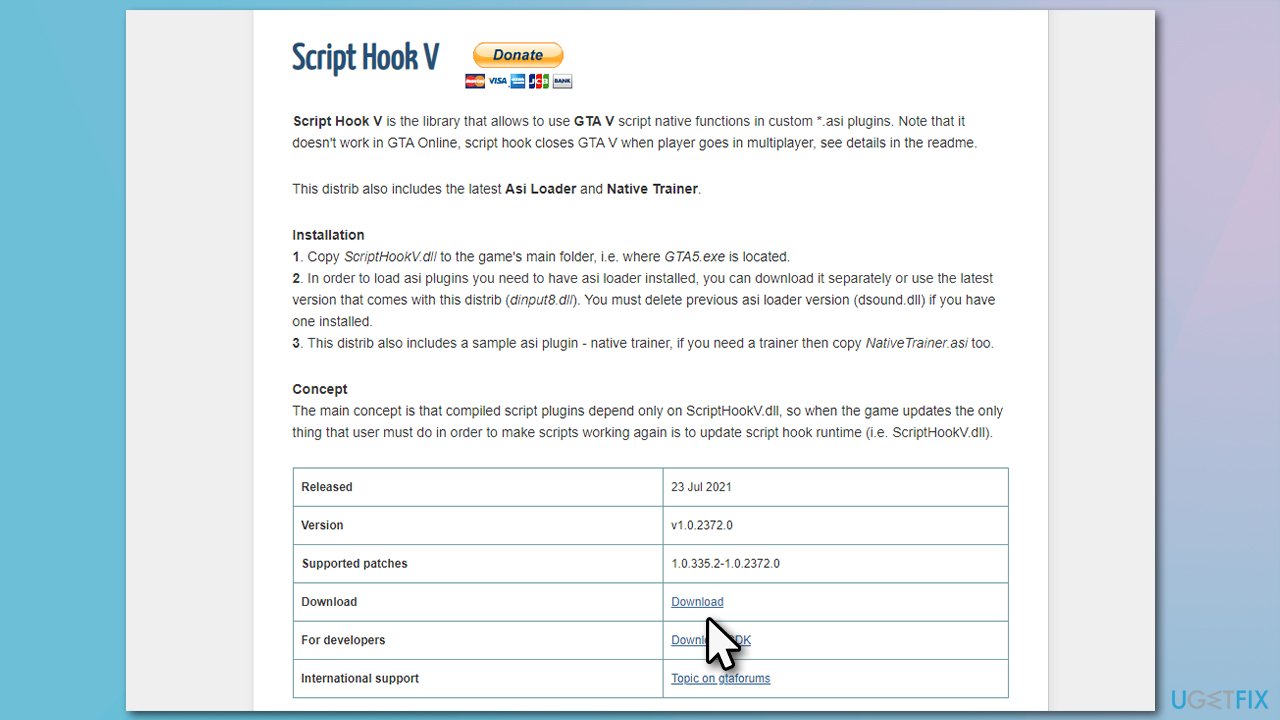
How to fix script hook v critical error in gta 5 download new version of scripthook
2. Remove your mods
One of the easiest ways to fix Script Hook V critical error is by simply removing all your mods. This would allow you to launch and play the game as usual, although you would not be able to enjoy game modifications as before.
In order to remove the mods, you can download the removal tool designed specifically for that.
3. Use an older version of the game
Keep in mind that this solution requires you to visit third-party websites to download the older version of GTA 5. This might be not secure and, in some cases, even illegal, so be warned.
- Find the GTA V downgrade files online for your version of the game
- Extract the downloaded files
- Copy GTA5.exe and GTAVLauncher.exe and paste them to the original installation folder of the game
- If a warning shows up, click Replace the file in the destination
- Next, copy the remaining file - update.RPF
- Open the Update folder of the original game location and paste the file there. Once again, select Replace the file in the destination
- To avoid the launcher from updating the game automatically, you can download the No Launcher mod.
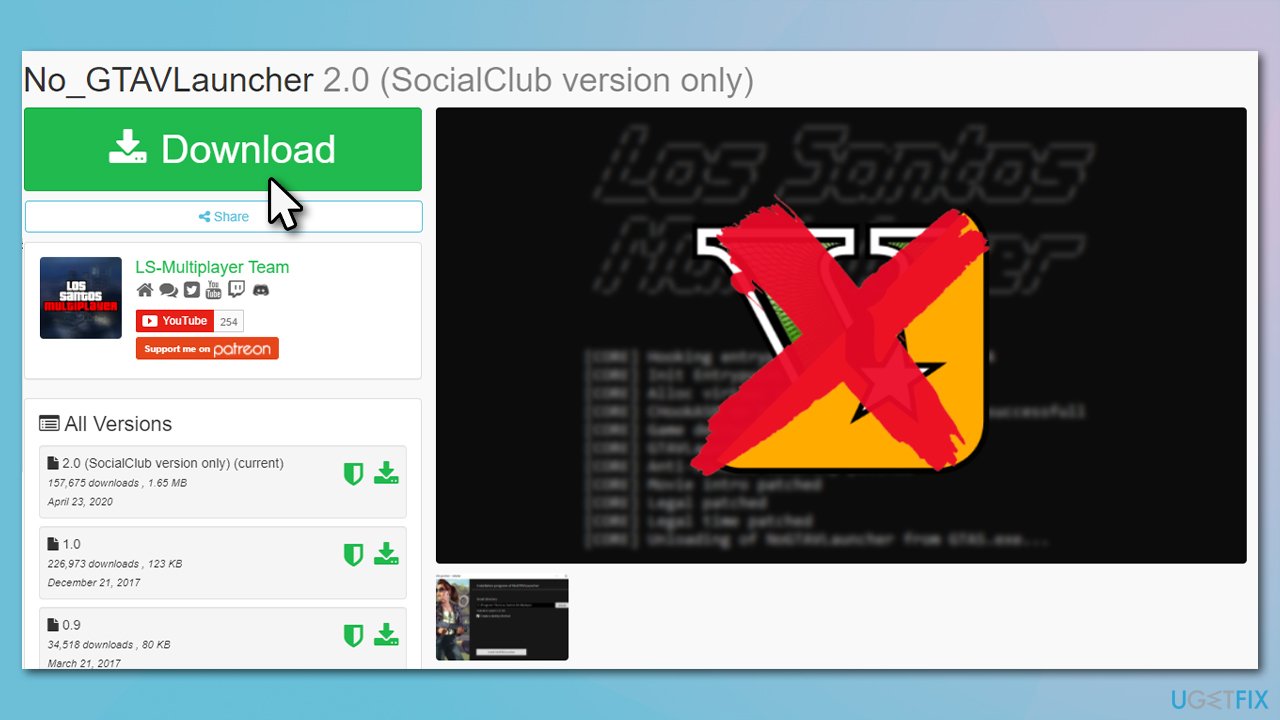
How to fix script hook v critical error in gta 5 download no launcher mod
Other topics you might be interested in:
Bottom line
To fix the Script Hook V critical error in GTA 5, you should update Script Hook V or remove your mods. If the issue persists, consider scanning your device for errors or malware as a potential underlying cause.
Frequently asked questions
Common causes include outdated Script Hook V files, incompatible mods, or a game version mismatch. Ensuring all components are up to date can often resolve the issue.
To update Script Hook V, visit the official website, download the latest version, and replace the existing files in your GTA 5 directory. Make sure to backup your original files before making any changes.
If the error persists, try removing any recently added mods or reinstalling GTA 5 entirely. Additionally, check for Windows updates that might affect game performance or compatibility.




Report an issue
What's wrong with this guide? We review every report and update or remove content.
Report received — thank you. We'll review and fix it.
You need a free account to submit a report.
Be the first to comment