How to fix
Windows activation error 0x8007232B
on Windows
Resolve the Windows activation error 0x8007232B quickly and easily. Get your system running smoothly again—expert-tested solutions await!

What causes How to fix Windows activation error 0x8007232B?
- Volume license media is used for activation
- KMS activation server is down
- Product key not provided during installation
- DNS name does not exist
- KMS host not published correctly in DNS
Repairs Windows system files, removes malware, and restores a clean OS state — without reinstalling.
Hello. I tried to activate Windows on my PC but I receive an error 0x8007232B. What should I do?
Windows activation errors can be quite annoying because you might be left with a system that does not function properly. We previously wrote about many activation errors, such as 0x87e107f9, 0XC004F009, 0xc004f210, etc. Recently, some users encountered an activation error 0x8007232b after installing the operating system.
The error code indicates that a volume license media[ref en-1] is used for activation or the KMS activation server is down. Depending on the Windows build, some users might not be asked to provide a product key during Windows installation which could trigger the 0x8007232b error when users try to activate the operating system through the standard Windows Activation wizard.
This error code can be accompanied by the following messages:
- Activation Error: Code 0x8007232b - DNS Name does not exist
- Error: 0x8007232b - Windows could not be activated. Key management services (KMS) host could not be located in domain name system (DNS), please have your system administrator verify that a KMS is published correctly in DNS.
- Error: 0x8007232b - The file name, directory name, or volume label syntax is incorrect
In this guide, you will find 5 steps that could help you fix the Windows activation error 0x8007232B. Potential solutions include running the built-in activation troubleshooter, changing the product key from KMS to MAC, and others. In some cases, such errors can appear because of system file corruption.
You can try running a maintenance tool like [d1] that can fix most system errors, BSODs,[ref en-2] corrupted files, and registry[ref en-3] issues. Otherwise, follow the instructions below.
Method 1. Run Activation Troubleshooter
- Launch the Settings app
- Go to Updates and Security and click Activation
- If you keep seeing the error, you should see the Troubleshoot button
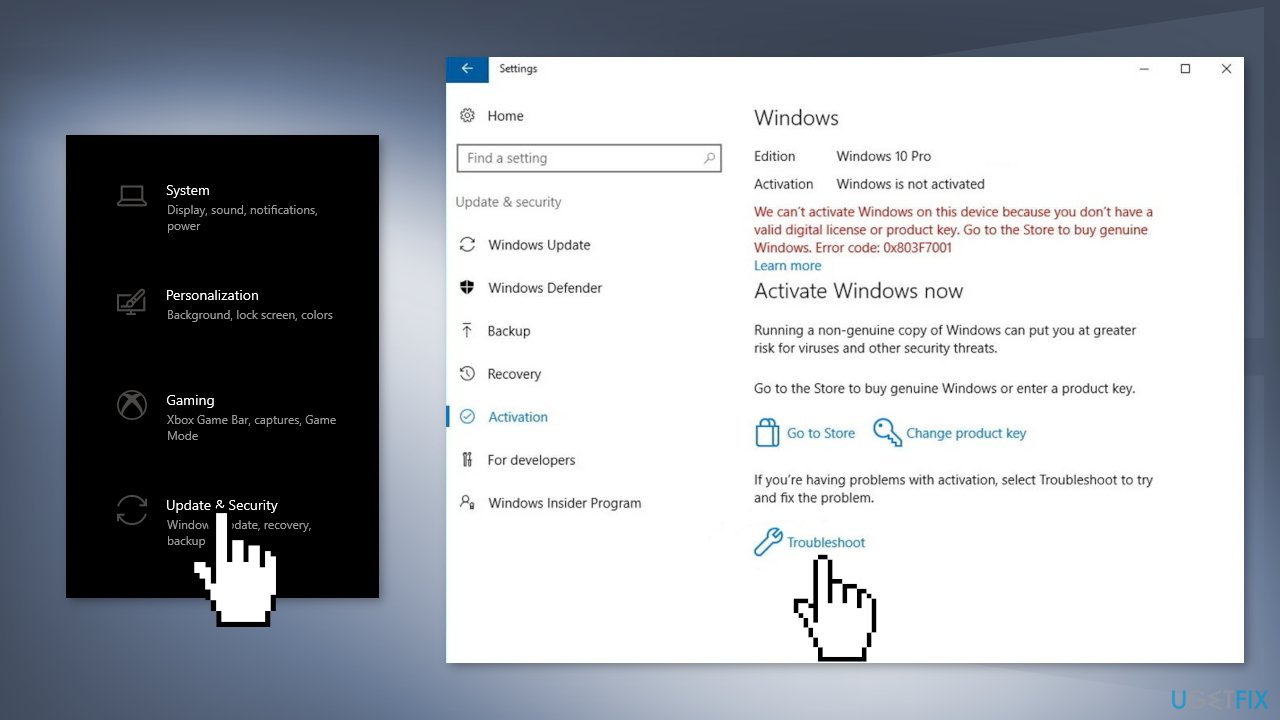
- If any problems are found, follow the instructions to fix it
Method 2. Change the product key from KMS to MAC
- Open the Command Prompt as Administrator
- Type slmgr -ipk followed by your product key. The result should look like this:
slmgr -ipk xxxxx – xxxxx – xxxxx – xxxxx – xxxxx (the x placeholder represents your product key) - Double-check the key and hit Enter
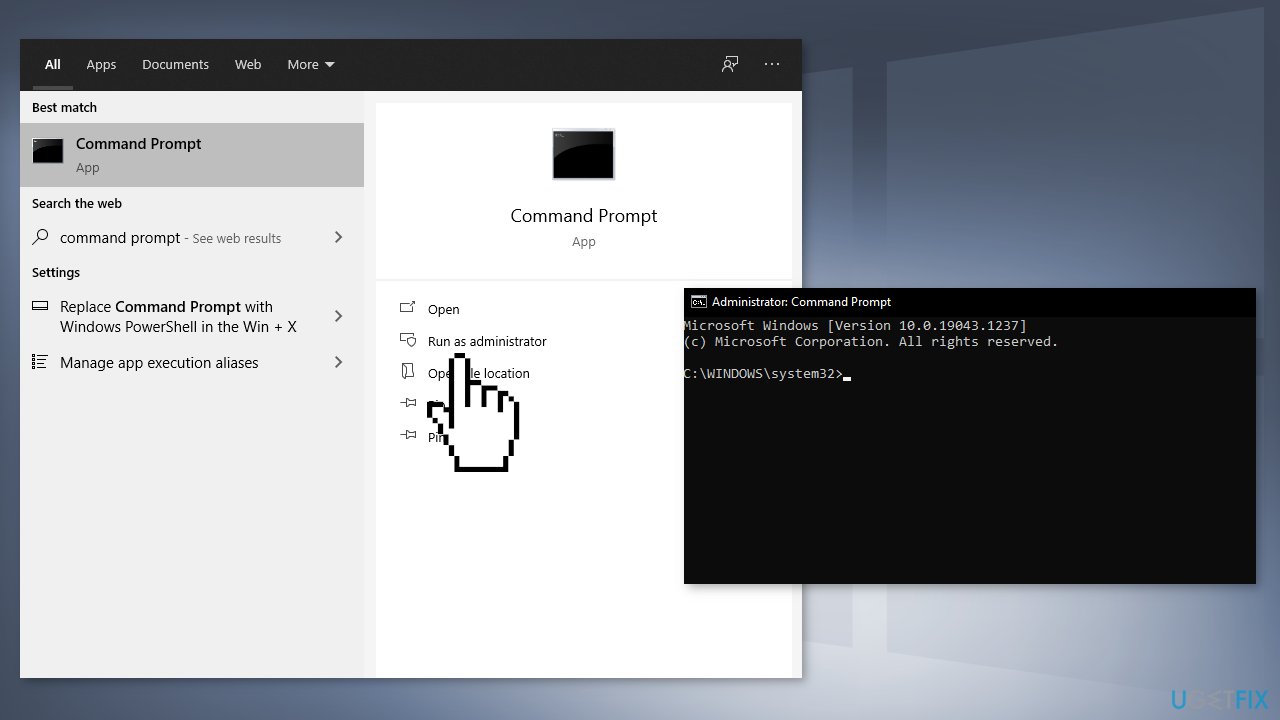
- If the installation is successful, you will see a Windows Host Script pop up after a few seconds
Method 3. Use a Default Product Key
If none of the fixes above worked, you can try to use a default activation key. This is a generic key provided by Microsoft to resolve common activation errors. If you use it, Windows will activate temporarily. This is a temporary solution as you will need to replace it with a genuine key later on.
- Press Windows + I keys to open the Windows Settings
- Select the Update & Security option and then click on the Activation tab
- Under the Update Product key section, click on the Change product key
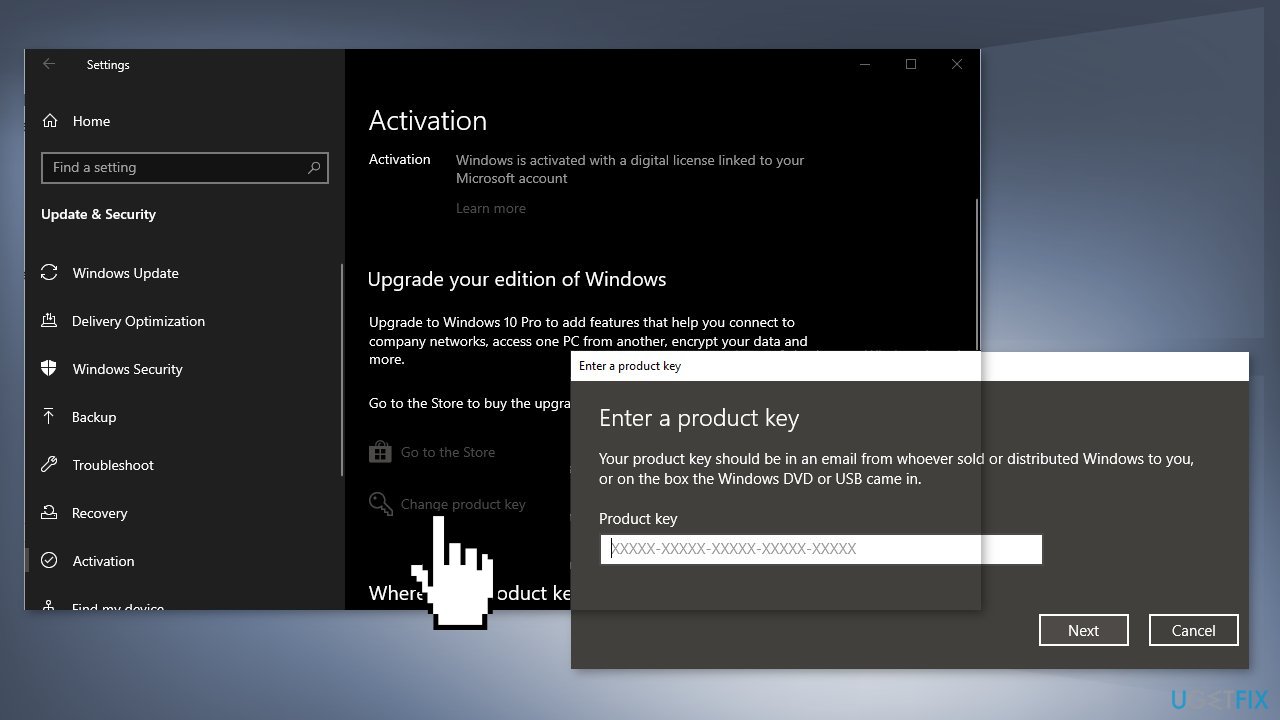
- Find a default license key according to the Windows version installed on your device on the Microsoft website
- After successful activation of the operating system, restart your computer
Method 4. Contact the Store or the Seller
Try contacting the store or the seller that you bought your device from and inquire about your PC's license key. For personal home PCs, usually, an OEM or Retail license is used to activate Windows. 0x8007232B error code indicates that a volume license media is used for activation.
Method 5. Contact Microsoft Support
If none of the above methods have helped you in resolving the Windows activation error 0x8007232B, you might have a serious issue with restrictions and activation servers. When you register your Windows license for the first time, it associates itself with your computer’s hardware. However, if you have made hardware changes, such as replacing your motherboard, Windows might be unable to verify the validity.
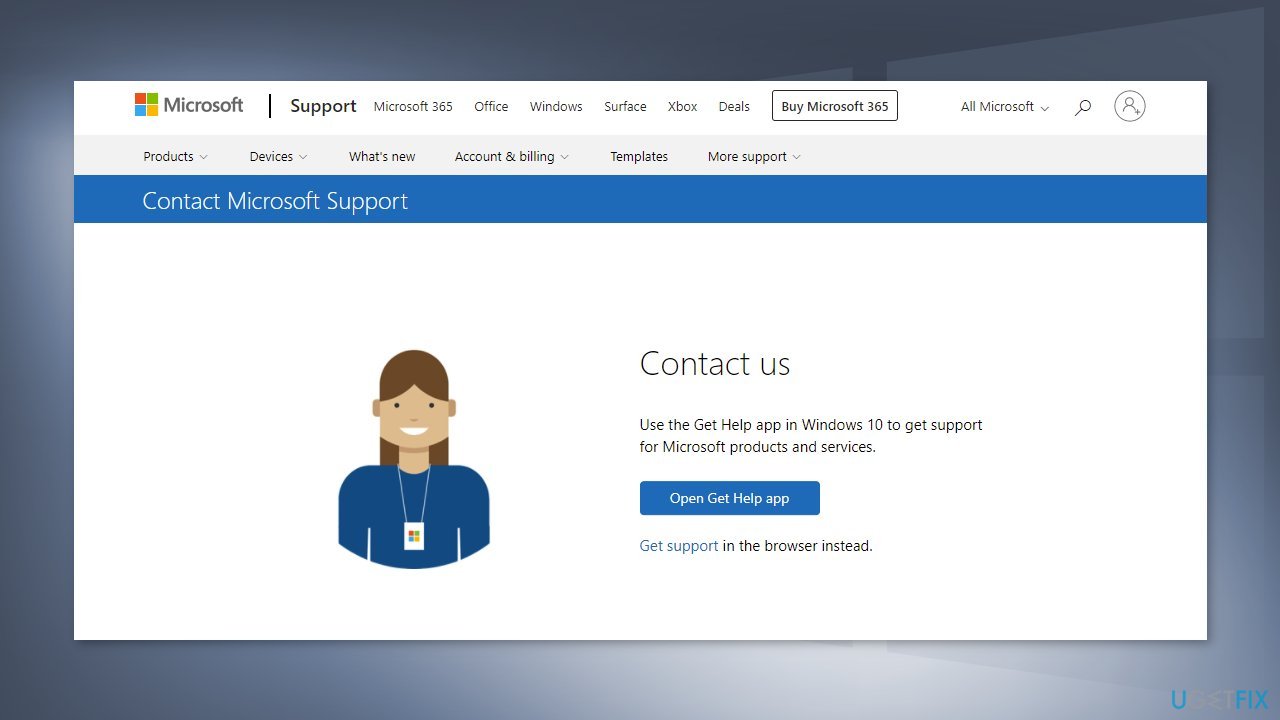
A support agent from Microsoft might help you find the reason and remotely fix the problem for you. Try to contact Microsoft support via the official contact page.
Bottom line
To fix the Windows activation error 0x8007232B, you can run the Activation Troubleshooter or change the product key from KMS to MAC using the Command Prompt. If these methods do not resolve the issue, consider running a maintenance tool to fix potential system file corruption.
Frequently asked questions
The error 0x8007232B typically occurs when the system cannot connect to the DNS server to find the activation service, often due to network issues or incorrect configuration. This can happen on both Windows 10 and Windows 11 systems.
To fix the error on Windows 10, you can try running the Windows Activation Troubleshooter found in Settings under Update & Security. Additionally, ensure your internet connection is stable and try activating again.
Yes, you can open Command Prompt as an administrator and run the command 'slmgr.vbs /ato' to attempt activation and address the error 0x8007232B in Windows 11.




Report an issue
What's wrong with this guide? We review every report and update or remove content.
Report received — thank you. We'll review and fix it.
You need a free account to submit a report.
Be the first to comment