How to fix
Error code 0xc000007b
on Windows
Resolve error code 0xc000007b on Windows 10 effortlessly. Follow our expert-tested guide and fix the issue in minutes for a smoother experience.

What causes How to fix error code 0xc000007b on Windows 10?
- Missing .NET Framework 3.5
- Corrupted .NET Framework 3.5
- Missing Visual C++ Redistributable Packages
- Corrupted Visual C++ Redistributable Packages
- Mixing 32-bit applications with a 64-bit OS
- Recent installation of patch or feature updates
Repairs Windows system files, removes malware, and restores a clean OS state — without reinstalling.
Hello. Could you please help me to fix the 0XC000007B error? The message keeps popping up when I try to run a game or application. It often shows a full message " Application unable to start correctly" or just the error code. I’m using Windows 10. Thanks in advance!
The Error Code 0xc000007b is a common Windows problem that flared up with the release of the Windows 10 Anniversary update,[ref en-1] although such errors typically persist over the years. Usually, it emerges right after the installation of patch or feature updates and prevents people from launching specific apps.
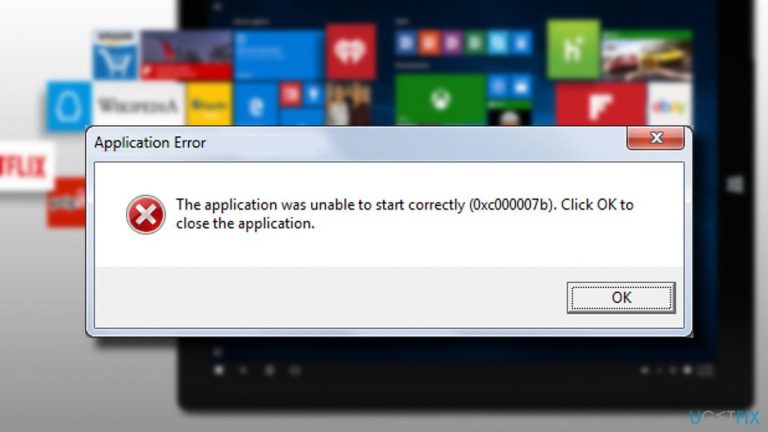
The list of apps affected by 0xc000007b error usually differs; therefore, it may block access to Skype, Messenger, Microsoft Office Package, some video games, or any other application that people were used to using before. The error is typically marked with a notification:
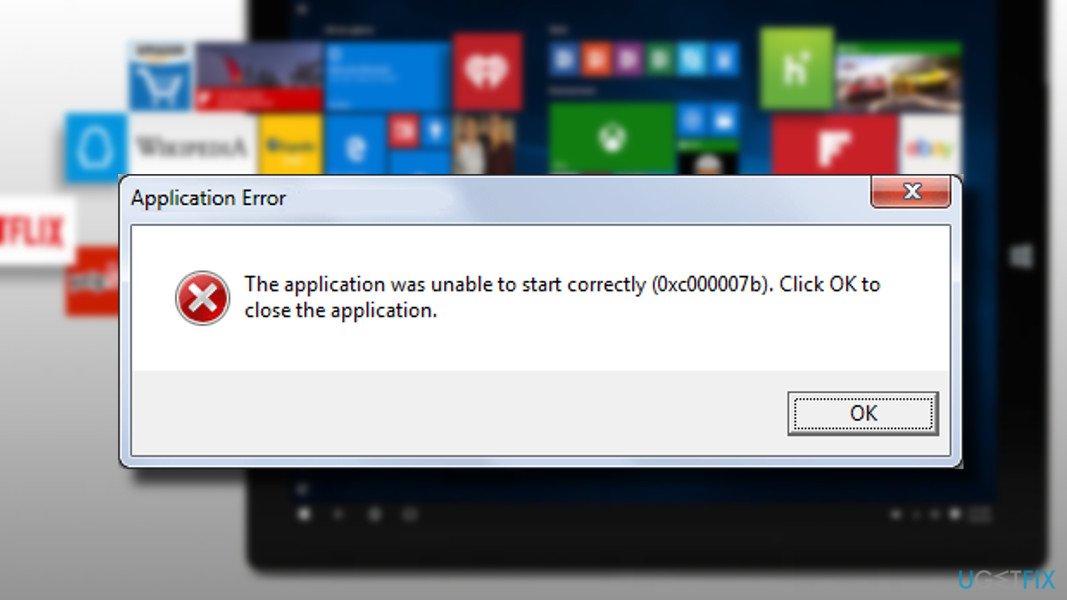
Application Error
The application was unable to start correctly (0xc000007b). Click OK to close the application.
Nonetheless, such an explanation is insufficient for ordinary PC users to address the problem from the right perspective. Clicking OK just closes down the app, preventing users from opening it completely, leaving them without any answers.
Many people managed to fix the 0xc000007b error by re-installing the app that throws this error. That’s a good idea if the problem affects only one or several apps, the removal of which does not cause data loss or other inconveniences.
However, the issue usually affects a whole package of applications. That’s because the error code 0xc000007b often occurs due to the missing or corrupted .NET framework 3.5[ref en-2] or Visual C++ Redistributable Packages.[ref en-3]
Without a doubt, this error code is not the only one that is related to the .NET framework or Visual C++ Redistributable packages. If one of these (or both) components are somewhat damaged, you might also encounter the following errors:
Fix Error Code 0xc000007b automatically
Typically this error occurs when the 32-bit version of Windows mixes with 64-bit OS or applications. Sometimes restarting Windows may help to fix the issue, so you can try this as your first step. Updating the operating system can also fix the error since various versions of Windows had different bugs.[ref en-4]
However, before applying manual solutions for the Error Code 0xc000007b message, you need to scan the machine with a PC repair tool like [d1]. This program indicates issues that require fixing and can resolve them. This particular tool can restore Windows files and even eliminate malware, and its damage caused.
Fix 1. Install Windows Updates and fix Error Code 0xc000007b
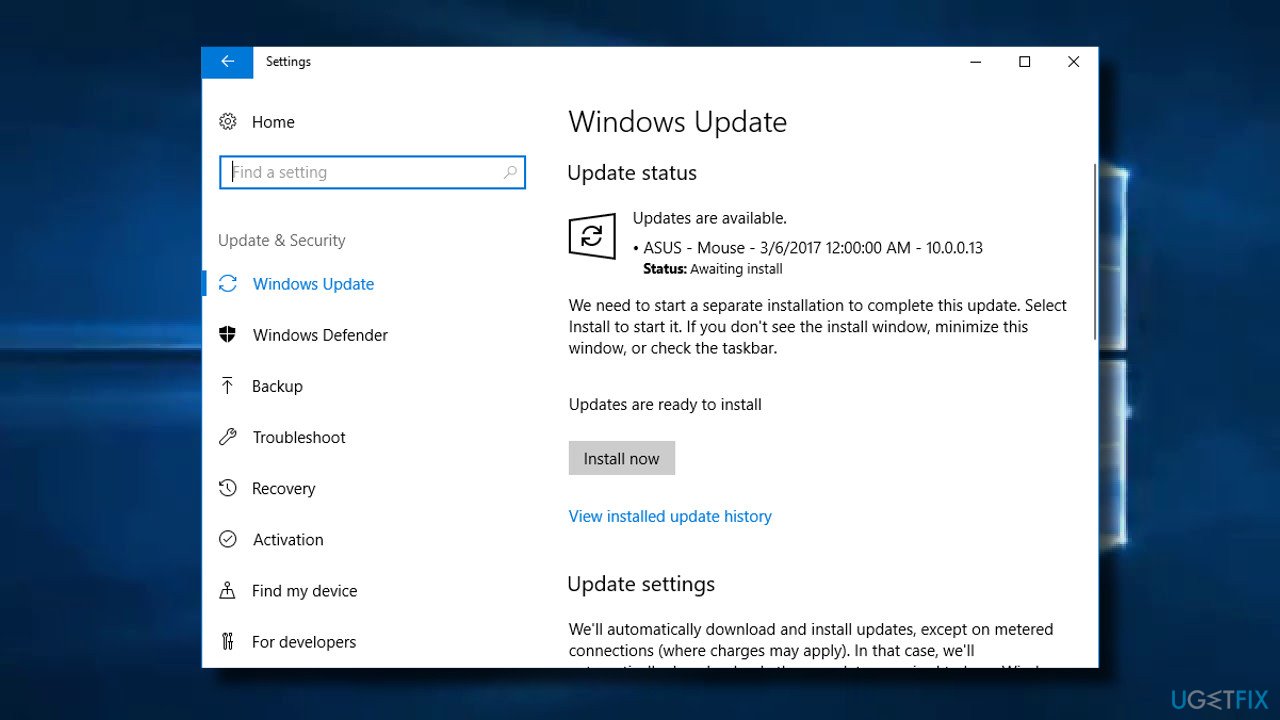
Windows Updates patch many issues, and 0xc000007b error may be one of them. This fix especially applies to those who have disabled automatic Windows Updates and did not install the latest updates for a long time.
- Press Windows key + I and select Update & Security.
- Now click Check for Updates button.
- The system should automatically detect and install all missing Windows Update.
- To finish up the installation, restart the system and check if the problem persists.
Fix 2. Launch the affected app with Administrative privileges
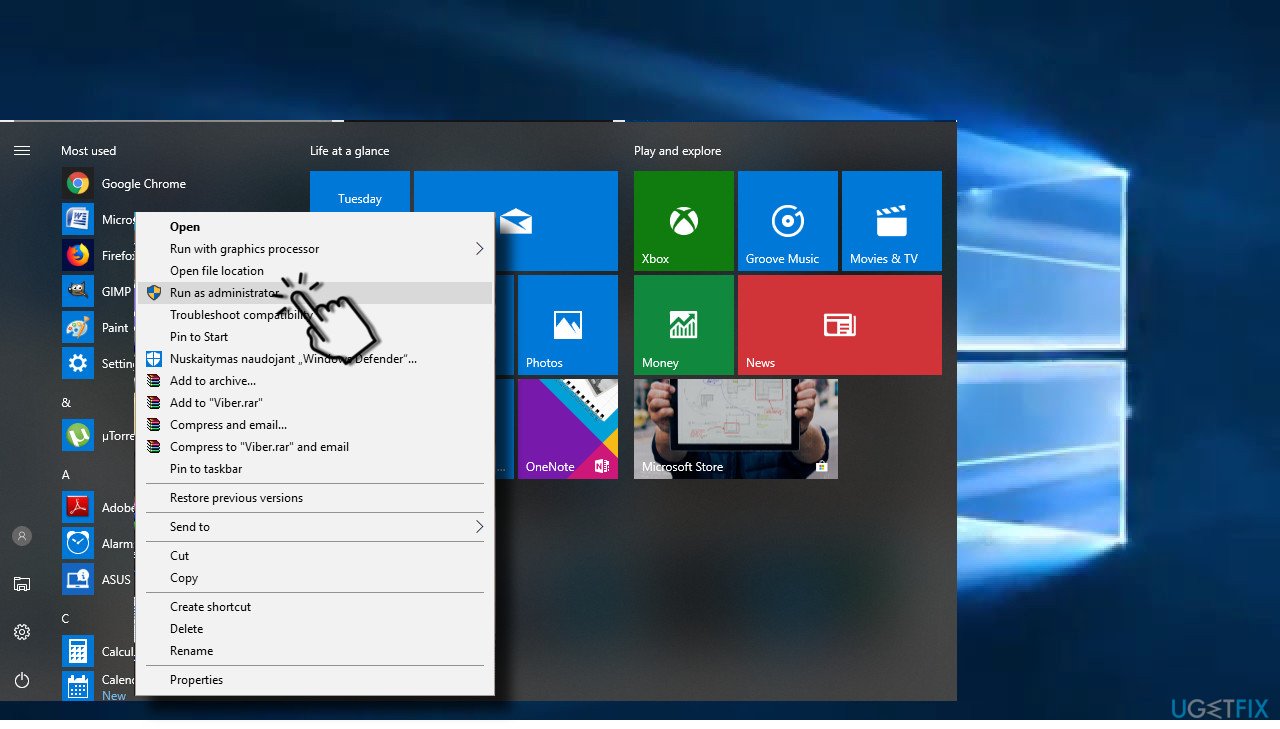
If you cannot run only one app due to the error, you should try to run it with administrative privileges. For this purpose, right-click on the icon of the app and select Run as Administrator. If you received a “The application was unable to start correctly” notification with an error code 0xc000007b, try to reset the app.
Fix 3. Reset the app that causes issues
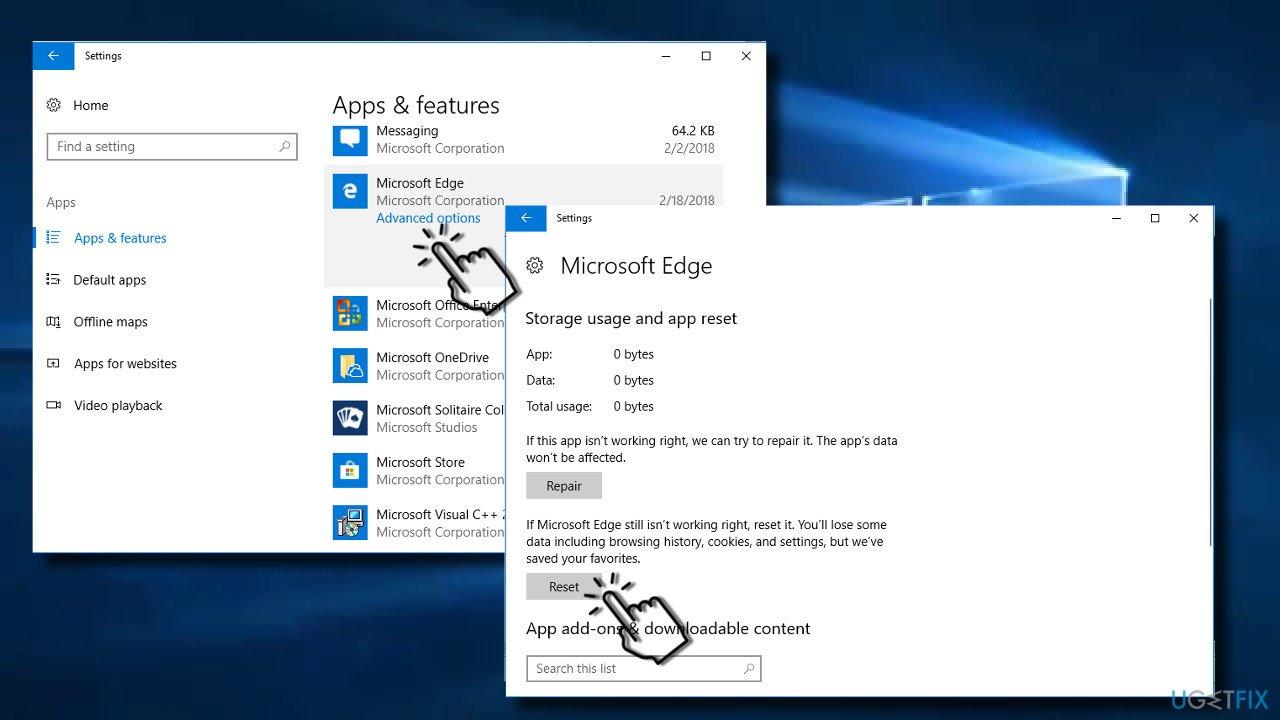
If the program that you cannot open is one of the defaults Microsoft’s apps, you should try to reset it:
- Press Windows key + I and select Apps.
- Find the affected application and click on it.
- Click on the Advanced options link.
- Click Reset button and Reset again to confirm the command.
Fix 4. Reinstall the app
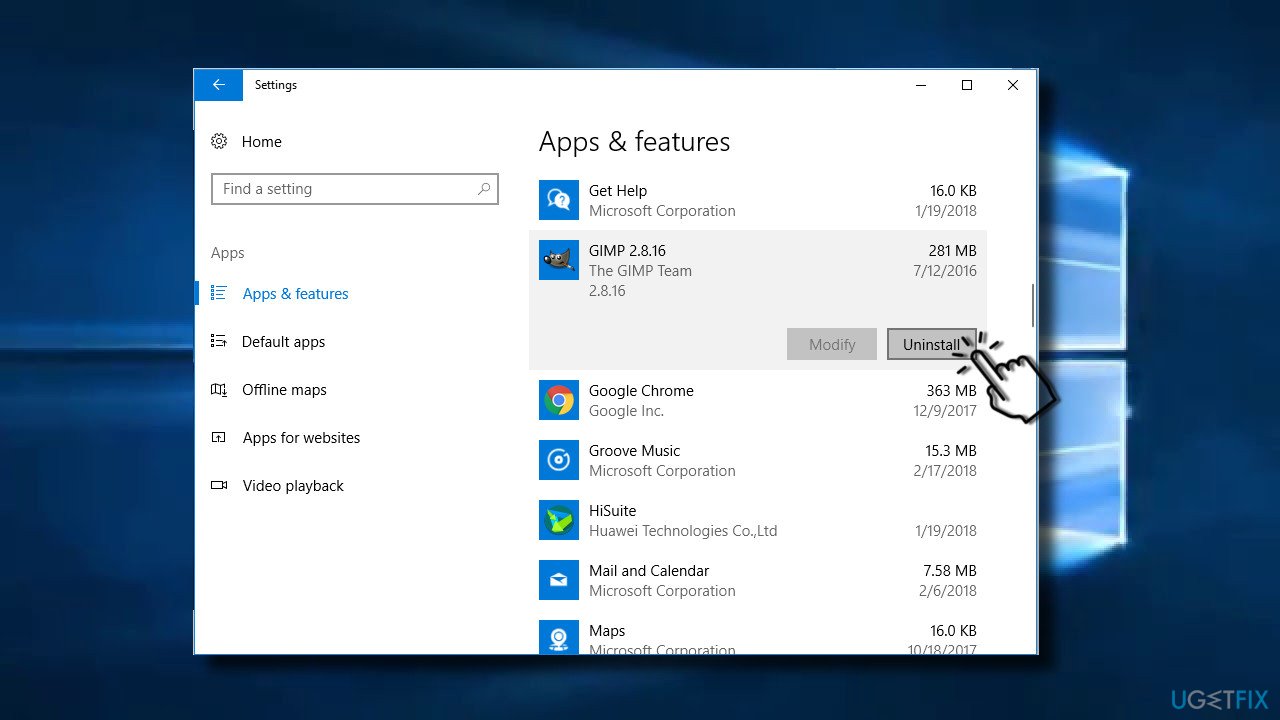
If previous methods did not work, you might need to reinstall the problematic application. You can do that by following these steps:
- Press Windows key + I and select Apps.
- Find the problematic app and click on it.
- Press Uninstall button and Uninstall again to confirm the command.
- Finally, reboot your PC and install the app from the official website.
Fix 5. Reinstall Microsoft Visual C++ Redistributable
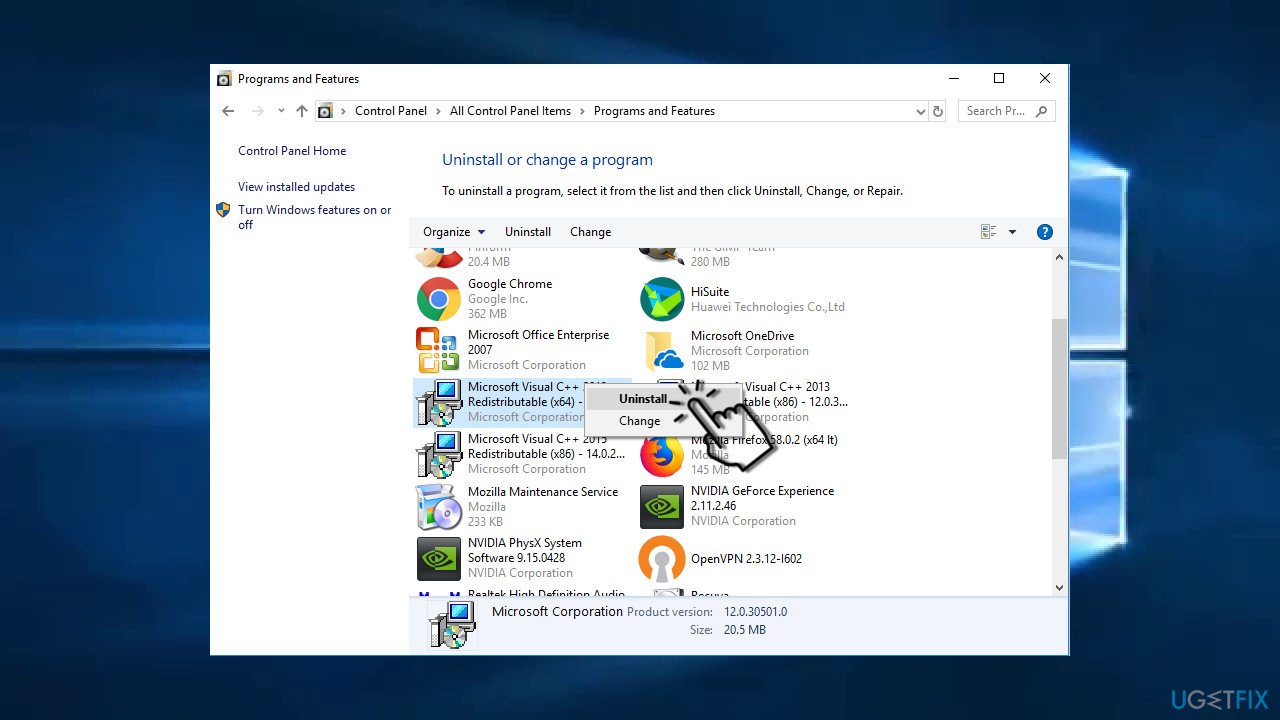
If neither of the previous methods worked or if the problem affected many apps installed on your PC, try to reinstall Microsoft Visual C++ Redistributable:
- Right-click on Windows key and select Control Panel.
- Open Programs and Features section and remove all Microsoft Visual C++ Redistributable items.
- Then navigate to the official Microsoft‘s website and install Visual C++ Redistributable Package manually.
Fix 6. Reinstall Microsoft .NET Framework 3.5 to end Error Code 0xc000007b alerts
Before reinstalling Microsoft .NET Framework 3.5, try to run a scan with [d1] or similar professional optimization utility. It may fix issues related to Microsoft .NET Framework 3.5, so you may avoid manual interference with the package. If the scan did not help, you should:
- Open Control Panel and select Programs and Features.
- Click on Microsoft .NET items and select Uninstall/Change.
- Follow the on-screen instructions to uninstall the items completely.
- Finally, navigate to the Microsoft .NET Framework download website and reinstall the framework manually.
Fix 7. Run a CHKDSK scan to check the hard drive
- Type in cmd in Windows search
- Right-click on the search result and launch Command Prompt as administrator.
- Type chkdsk /f /r and press Enter.
- Confirm the scan for the next time of reboot and Restart the machine.
- CHKDSK will automatically scan the computer and fix the possible issues.
Fix 8. Check system files for corruption
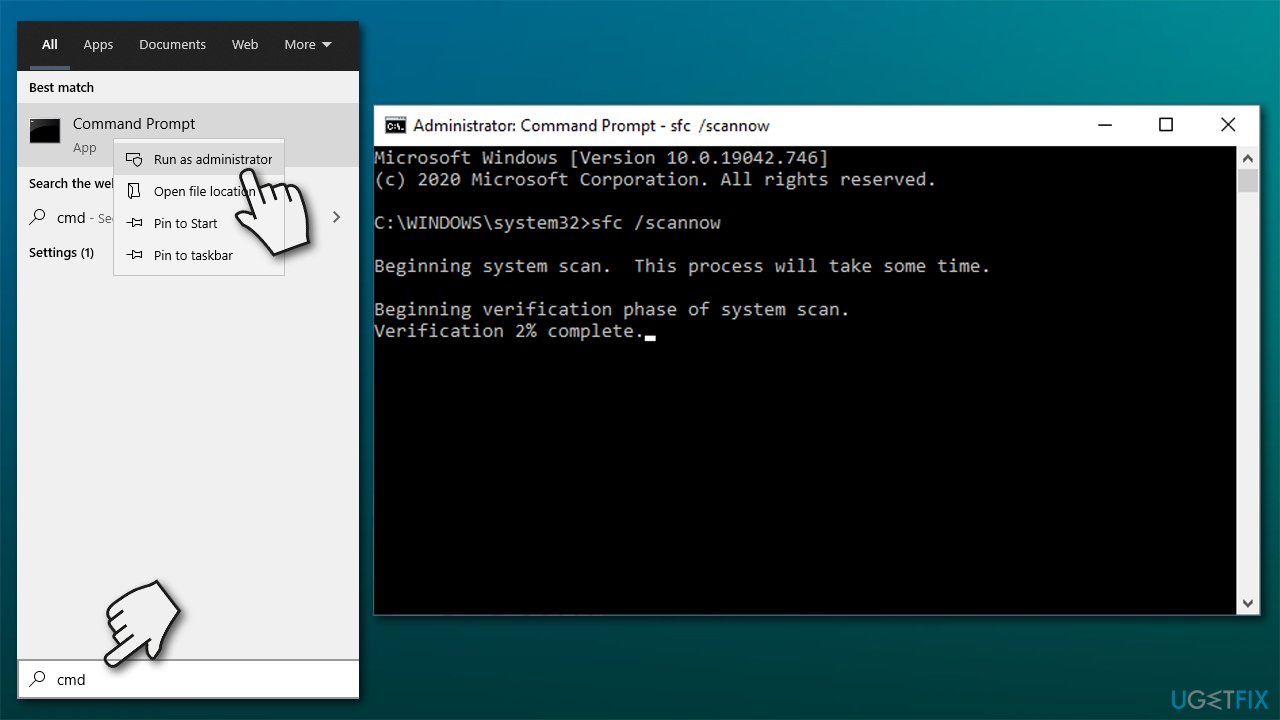
Windows has great built-in system file repair capabilities, although they can only be used via Command Prompt. Initially, it might seem like it is difficult to operate as it does not have regular UI features (like buttons or icons) that most users are so accustomed to. Instead, you will have to write a few commands - here's how:
- Type in cmd in Windows search
- Right-click on Command Prompt and pick Run as administrator
- In the new window, type in the following command line and press Enter after:
sfc /scannow
- Now wait till the scan is finished - Windows will report its findings. Reboot the PC after.
If that did not help, you can also initiate DISM checkup to fix Windows image files:
- Open Command Prompt as administrator once again
- Type in the following commands, pressing Enter after each:
dism /online /cleanup-image /scanhealth
dism /online /cleanup-image /checkhealth
dism /online /cleanup-image /restorehealth
Bottom line
To fix the 0xc000007b error, you can try reinstalling the affected applications, repairing or reinstalling the .NET Framework 3.5 and Visual C++ Redistributable Packages, or restarting your Windows system. If none of these solutions work, further troubleshooting may be necessary.
Frequently asked questions
Error code 0xc000007b typically indicates a problem with mixing 32-bit and 64-bit applications on Windows 10, often due to missing or corrupted DLL files.
To fix this error, you can try reinstalling the affected application, repairing Visual C++ Redistributables, or checking for Windows updates.
Yes, tools like the System File Checker (sfc /scannow) and the DISM tool can help repair corrupted system files that may cause error code 0xc000007b.




Report an issue
What's wrong with this guide? We review every report and update or remove content.
Report received — thank you. We'll review and fix it.
You need a free account to submit a report.
Be the first to comment