How to fix
PUBG Lite is unavailable in your region
on Windows
Resolve the PUBG Lite region issue on Windows 10 or 11 quickly and easily. Expert-tested solutions with screenshots ensure you'll be gaming in no time!

What causes How to fix PUBG Lite is unavailable in your region?
- Region restrictions by the developer
- Temporary server issues
- Account-related problems
- Network connectivity issues
- Changes in game availability in certain countries
Repairs Windows system files, removes malware, and restores a clean OS state — without reinstalling.
Hello. I played PUBG Lite on my phone for a while now. Then one day, suddenly, I am not able to connect to the game at all, it says that it is not available in my region, although it used to work fine just a day before. I have no clue why this happened and how to fix it. Is any help available?
PUBG, otherwise known as PlayerUnknown's Battlegrounds, is one of the most popular games from the battle royale genre, played by millions of people each day. Followed by the success of this free-to-play game, the Lite version was released in July 2016, allowing players to access it on low-end machines such as laptops. Another version provides support for mobile devices as well.
While accessing the game on a low-end PC is great, one of the most valuable features of the Lite version is that it is completely free. The full version of the game otherwise costs $29.99. Unfortunately, free versions sometimes do not work as expected. PUBG Lite is also not available in all countries, although the developer is reducing these restrictions regularly.[ref en-1]
When users with low specification PCs were already happy about having a version of the game that runs on their machines, they faced a new problem. They reported that they were unable to play it due to PUBG Lite being unavailable in their countries. While it is indeed true that not all regions are allowed to access the game freely, the issue is prevalent among players who are in suitable locations.
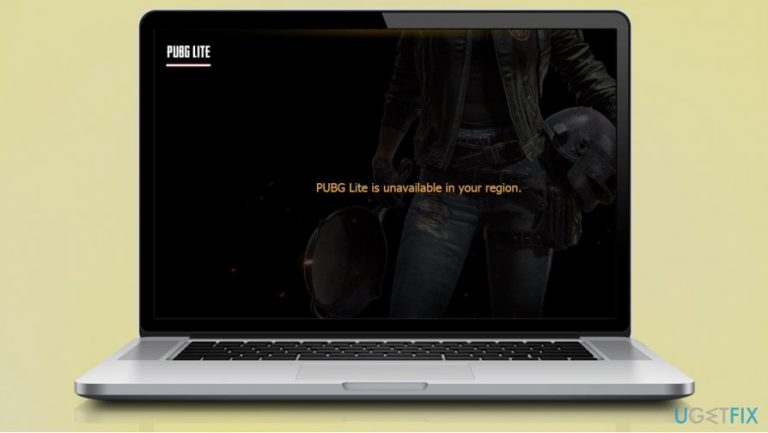
For example, users from EU countries said that they were unable to access the game and instead received the following error message:
PUBG Lite is unavailable in your region
The error occurs when trying to log into the game or after finishing a match, after which users are unable to access their accounts or queue for matches. It can be a particularly frustrating issue, especially if gamers are trying to access the game from eligible regions.
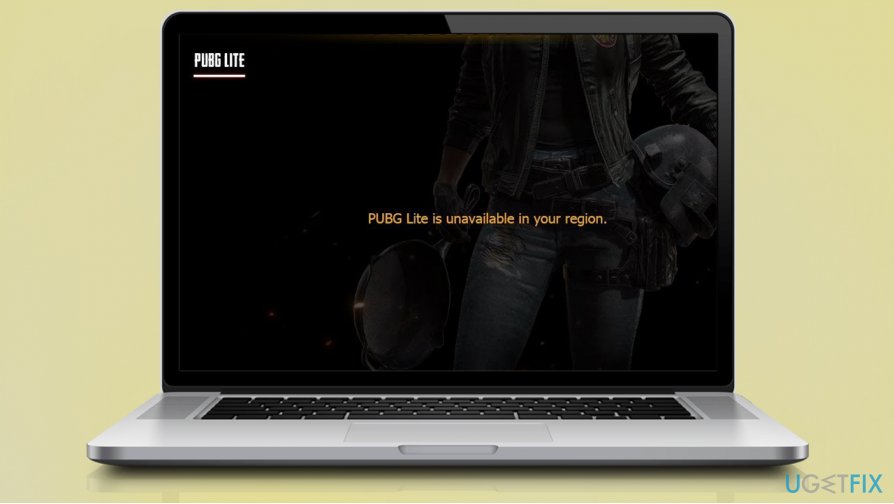
So the question arises - why is this happening? The answer can differ, depending on your current location, internet settings, other installed programs, etc. Therefore there are several different ways to fix PUBG Lite region error, and we provide all the answers below.
This article is just one of many that help players fix errors related to games. You might also want to check:
- Roblox Error Code 277
- Roblox error Code 267
- An existing connection was forcibly closed by the remote host Minecraft error
- Minecraft not responding
- World of Warcraft was unable to start up 3D acceleration error
Before you begin, we would like to suggest you trying [d1] software. If you are suffering from Windows-related issues, such as BSODs, errors, random reboots, etc., this repair tool could help you fix them and increase the overall health and performance of your system.
Fix 1. Use a VPN
Without a doubt, PUBG Lite is unavailable in your region error is related to your computer not being able to connect to the game's servers. While reasons for this might differ, you need first to ensure that you are not in the geo-restricted area. If you are, you should not worry, as a reliable VPN[ref en-2] can make this work for you easily.
VPN, otherwise known as Virtual Private Network, is a great tool to bypass geo-restrictions, all while completely masking your online presence. This means that your ISP, websites, games, and other parties would not be able to recognize who you are. Unfortunately, not all VPNs serve the purpose - most free versions of this software insert ads and collect information about users (which completely negates the objective of a VPN).
Therefore, it is important to choose well. Our recommendation is [rev id="Private Internet Access"] - a VPN service that offers more than 3300 servers to choose from and holds a strictly no-log policy. By using this tool, you could not only fix PUBG Lite is unavailable in your region error but also stay completely anonymous online.
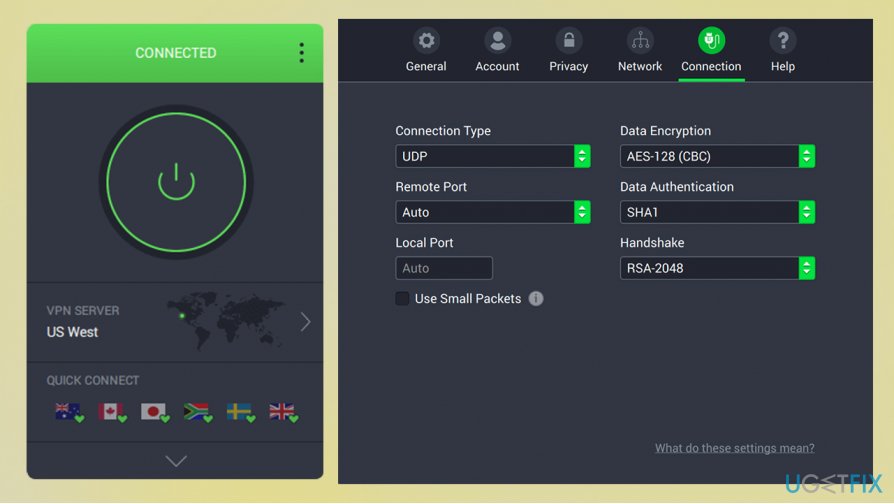
Private Internet Access also offers a variety of connection options for customization purposes. For increased security, users can also rely on:
- DNS Leak Blocking
- First-party DNS
- IPV6 Leak Blocking
- TCP Port 443
- VPN Kill Switch
- WebRTC Leak Blocking
- Ad Blocker
- Split Tunneling.
Finally, when it comes to gaming, a reliable VPN can also decrease the latency[ref en-3] when playing online games. Since PUBG is a shooter, it becomes particularly important, as a difference between 200ms and 30ms can be incredibly significant.
Fix 2. Check your time and date settings
Many users were able to fix the PUBG Lite region error after changing their time/date settings. If incorrect, it can result in a variety of issues, including game errors. Here's what you need to do:
- From system tray (located at the right corner of the taskbar), right-click on time/date
- Select Adjust time/date
- In the new window, ensure that Set time automatically and Set time zone automatically options are enabled
- Press Sync now
- Make sure that Adjust for daylight saving time automatically option is enabled
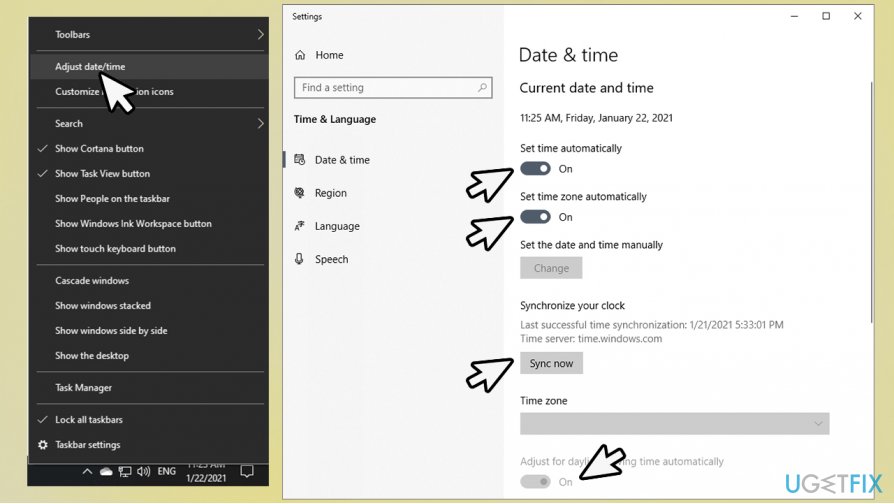
How to fix pubg lite is unavailable in your region check time and date - Reboot your computer.
Fix 3. Allow applications to access your location
Setting your time and date settings correctly will not do anything if you won't allow PUBG Lite to access your location:
- Right-click on Start and pick Settings
- Go to Privacy
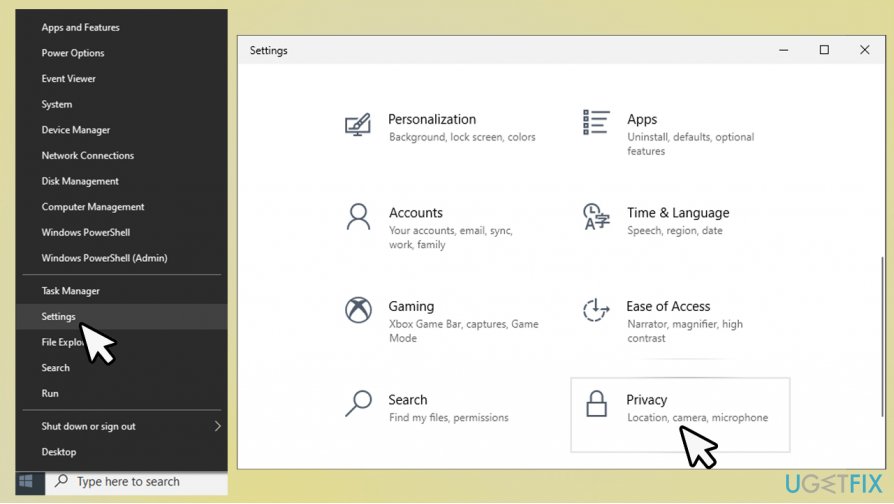
How to fix pubg lite is unavailable in your region go to privacy settings - On the left side, under App permissions, select Location
- Now head to the right side of the window - scroll down to Location
- Under Allow apps to access your location, make sure that the switch is set to On.
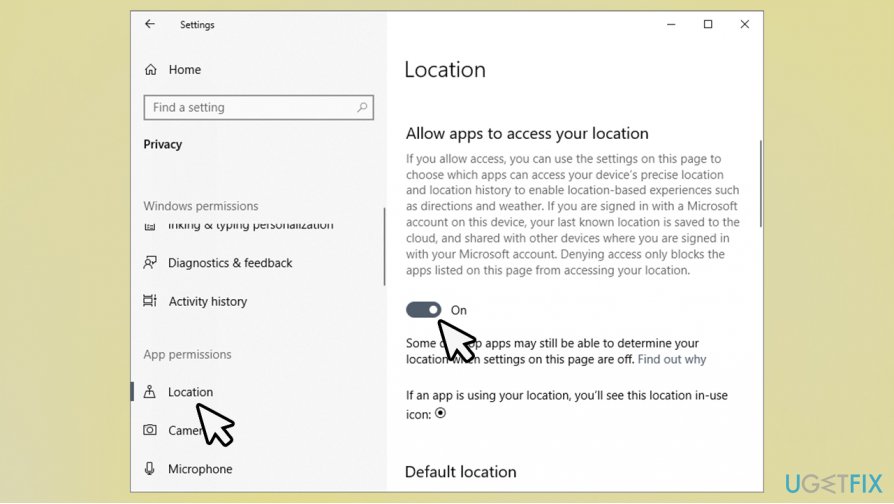
How to fix pubg lite is unavailable in your region enable location for apps
Fix 4. Reboot your router
PUBG Lite is unavailable in your region error fix can also be related to your IP settings. By default, you are assigned a dynamic IP, which changes from time to time. In some cases, this might cause some geo-location mismatches. Therefore, you should reset your router and see if that helps. Here's how:
- Locate your router
- DO NOT press Reset button, as it could reset the device to factory settings, and you would have to reconfigure it once again
- Instead, take out the power plug from the router or disconnect if from the power socket
- Wait for around a minute, and plug it back in
- Check if that helped you resolve the issue.
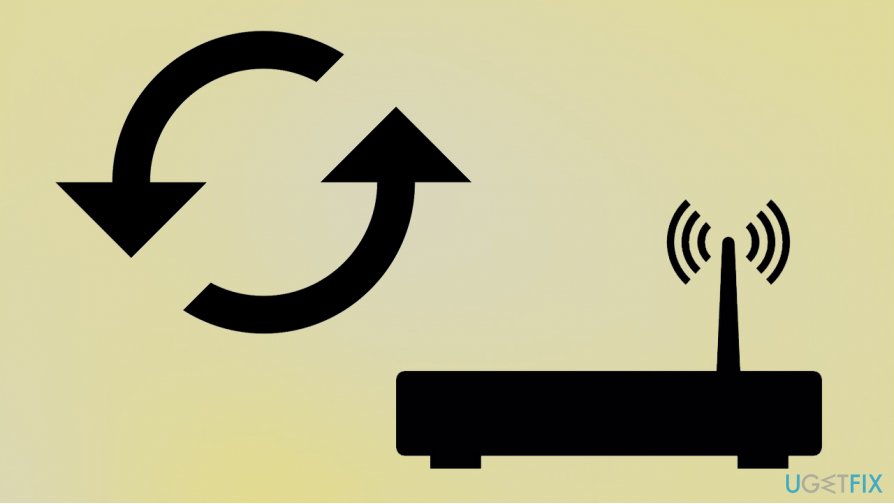
How to fix pubg lite is unavailable in your region reset your router
Bottom line
To resolve the issue of PUBG Lite being unavailable in your region, you can try using a VPN to change your location, check your internet connection, or ensure your account is in good standing. If none of these fixes work, consider reaching out to customer support for further assistance.
Frequently asked questions
This error typically occurs due to regional restrictions set by the game developers. You can try changing your region settings in Windows 10 or using a VPN to access the game.
You can check the official PUBG Lite website or forums to see if your region is listed as supported. Additionally, ensure that your Windows 11 settings reflect the correct region.
If adjusting your region settings doesn't resolve the issue, consider reinstalling the game or contacting PUBG Lite support for further assistance.




Report an issue
What's wrong with this guide? We review every report and update or remove content.
Report received — thank you. We'll review and fix it.
You need a free account to submit a report.
Be the first to comment