How to fix
Unable to launch the game: Unrecoverable Error in New World
on Windows
Resolve the "Unrecoverable Error" in New World on Windows 10 and 11 swiftly. Get expert-tested fixes to get back to gaming in minutes!

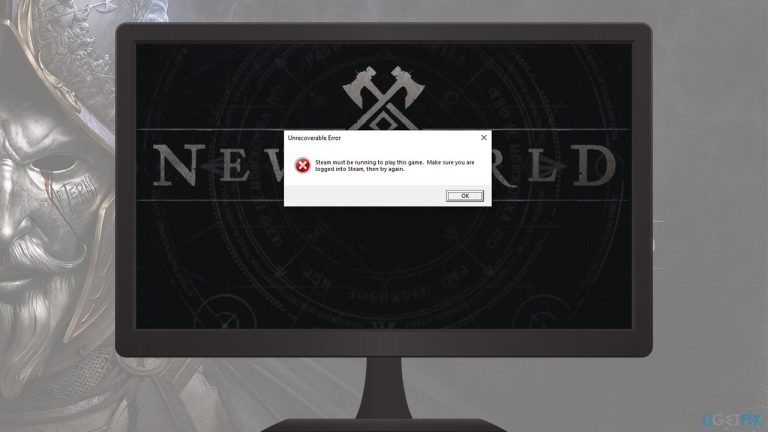
What causes How to fix Unable to launch the game: Unrecoverable Error in New World?
- High-end Nvidia GPU issues
- Server queue problems
- Game patches causing new errors
- Insufficient system requirements
- Corrupted game files
Repairs Windows system files, removes malware, and restores a clean OS state — without reinstalling.
Every time I try to launch New World through Steam, I get the "Unrecoverable Error." When I press the Play button, I can see the game files loading, and the loading screen shows up, just to be interrupted with the error. I then click the blank button, and the game simply shits down. Any solutions for this as I'm unable to play New World due to this.
New World was a long-anticipated MMORPG developed by Amazon and released on September 28, 2021. As it is common for awaited releases, the game broke concurrent player records on Steam, becoming the most played game of the year during its launch week. It also spiked on the streaming platform Twitch with over half a million viewers at launch and continues to be one of the top games on the platform.[ref en-1]
Despite the game's popularity, it has been a rather bumpy ride for Amazon. Initially scheduled to be launched in August, it was postponed after Beta testing, right after player feedback made it clear that the game was still not ready. At that time, news broke that New World was breaking high-end Nvidia GPUs in some rare cases - a problem that still continues to this day.[ref en-2]
With the launch, more troubles followed. Users were stuck in 20k+ queues and couldn't play the game at all. To tackle the problem, Amazon announced that it would be increasing the number of available[ref en-3] servers, later allowing character transfers free of charge. Even though the situation and reception of the game were overall not bad, technical difficulties are still an issue.
New patches are often released soon after the initial game release. The first update was applied during launch day, with the 1.0.1 version coming out on October 6. Players were eager to patch the game for a better gaming experience - that is what the updates are for. Unfortunately, they can also break things for some players, and "Unrecoverable Error" prevented users from launching New World.
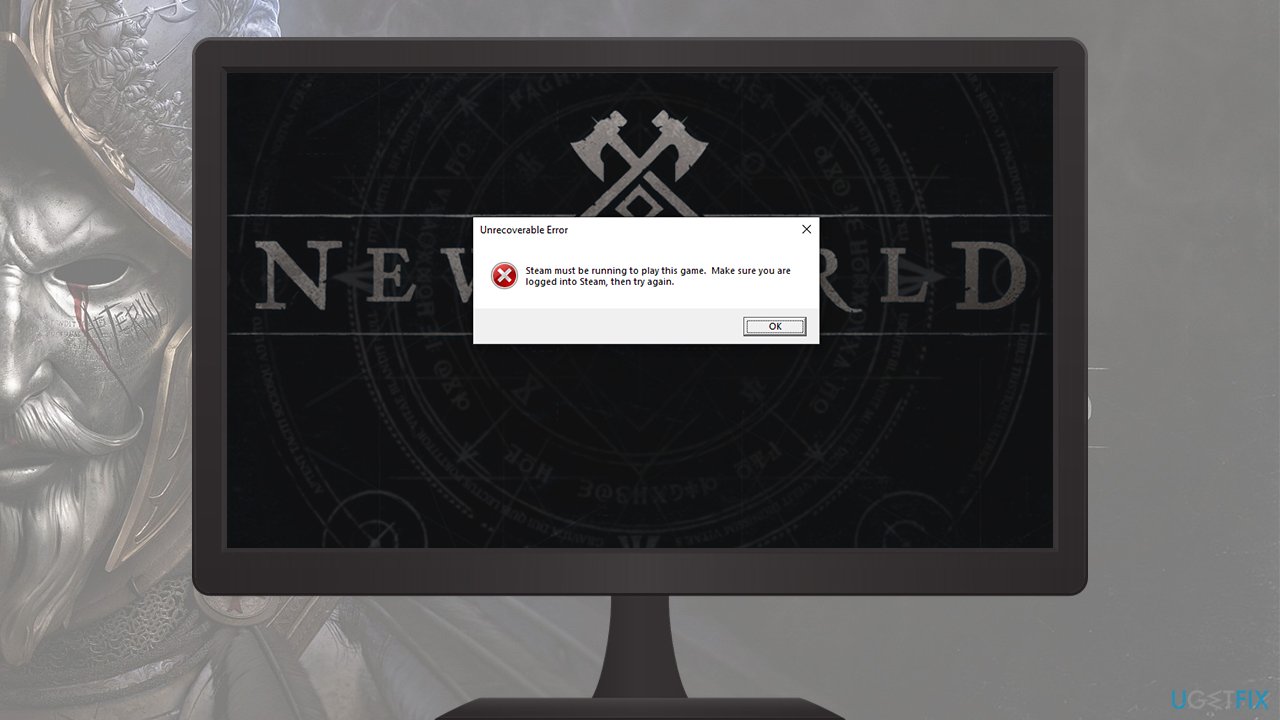
When launching the game through Steam, users said that the startup screen was indeed visible, just as it normally is. However, instead of seeing the login screen, people are met with the error, which includes the following information:
Unrecoverable Error
Steam must be running to play this game. Make sure you are logged into Steam, then try again.
This made little sense, as people have the Steam client launched to be able to start the game in the first place. After pressing OK, they are met with the next error:
Easy Anti-Cheat
Untrusted system file (C:\\Windows\\System32\\TextShaping.dll)
While this is somewhat confusing to many, the problem lies within faulty certificates, which must have affected the way Steam perceives some files of the game as insecure. They were implemented by the update and are the main reason why users are facing this issue. Alternatively, repairing the Easy AntiCheat might also help people to get rid of these errors.
Before you proceed with the below New World Unrecoverable Error fix, we recommend you run a scan with a powerful PC repair tool [d1], which can fix any underlying issues on Windows, which might also prevent you from launching the game.
1. Delete the certificates
Make sure you complete all the steps provided below, or you might encounter other errors. Make sure the game is not running before you proceed.
- Open Steam and go to your Library
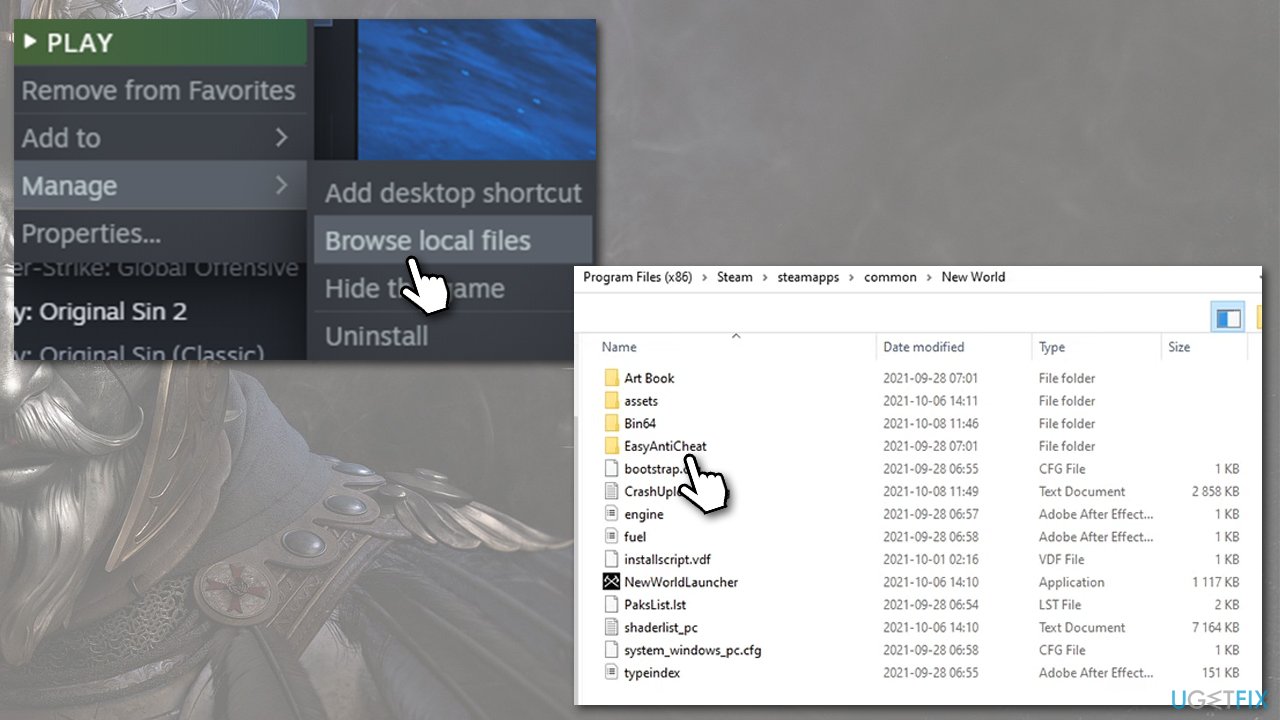
- Right-click New World and select Manage > Browse local files
- Here, go to the EasyAntiCheat folder
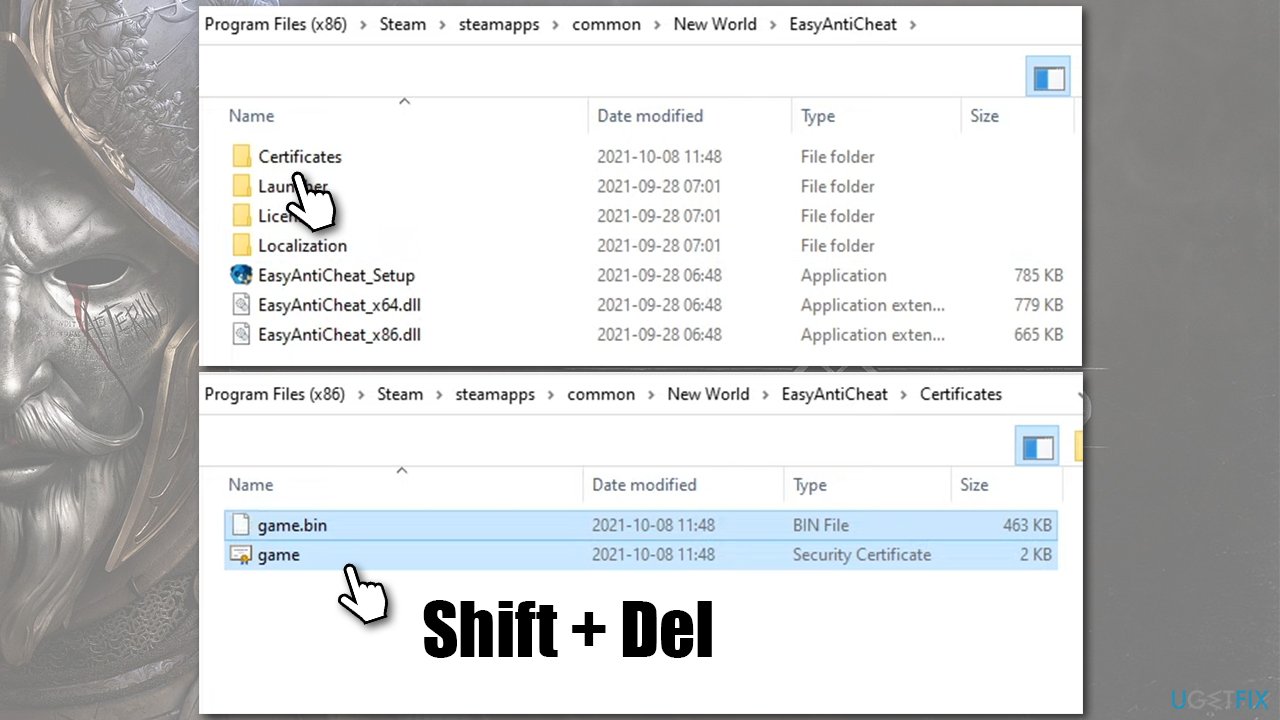
How to fix new world unrecoverable error browse local files - Find the Certificates folder, mark it, and press Shift + Delete on your keyboard
How to fix new world unrecoverable error delete certificates - Go back to Game Properties > Local Files and click the Verify the integrity of game files
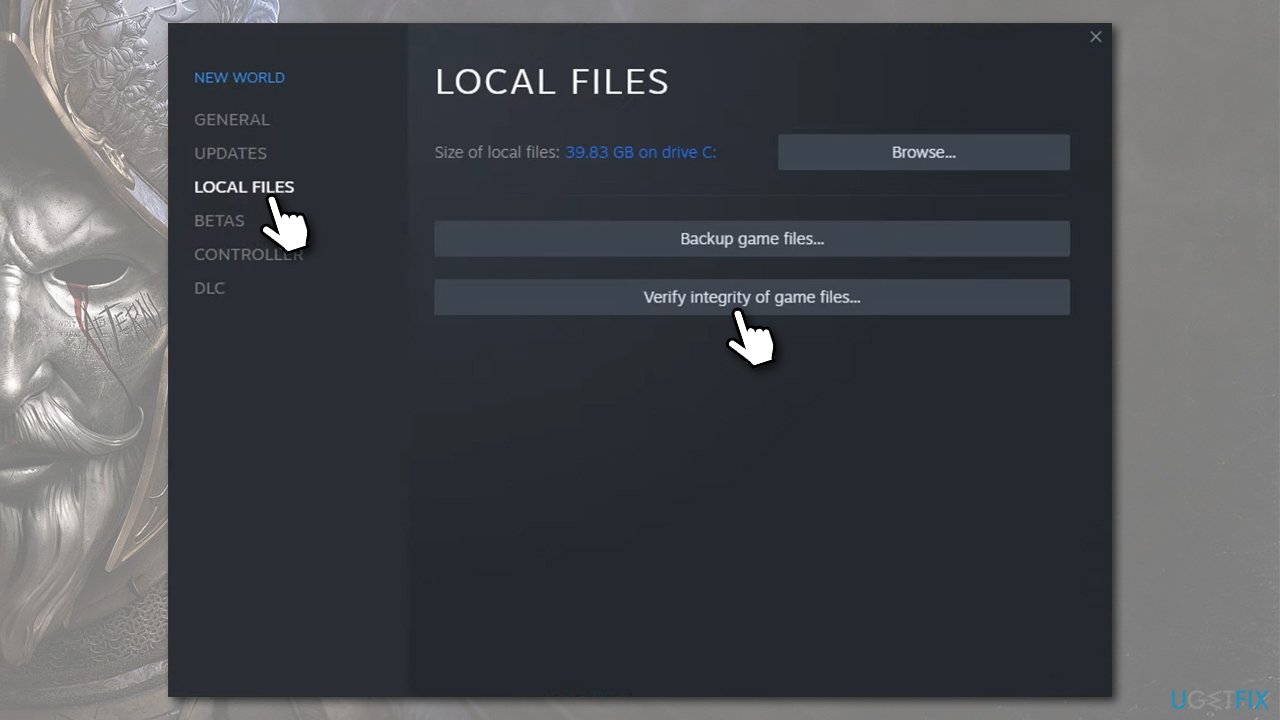
How to fix new world unrecoverable error verify the integrity of game files - Wait till the process is over and try launching the game - all the errors should be gone.
2. Repair Easy AntiCheat Service
If you are still receiving errors after using the fix above, you can try repairing the Easy AntiCheat.
- Follow the steps above to open local files of the game
- Enter EasyAntiCheat folder
- Locate EasyAntiCheat_Setup.exe
- Right-click it and select Run as administrator
- From the drop-down menu, select New World
- Click Repair Service
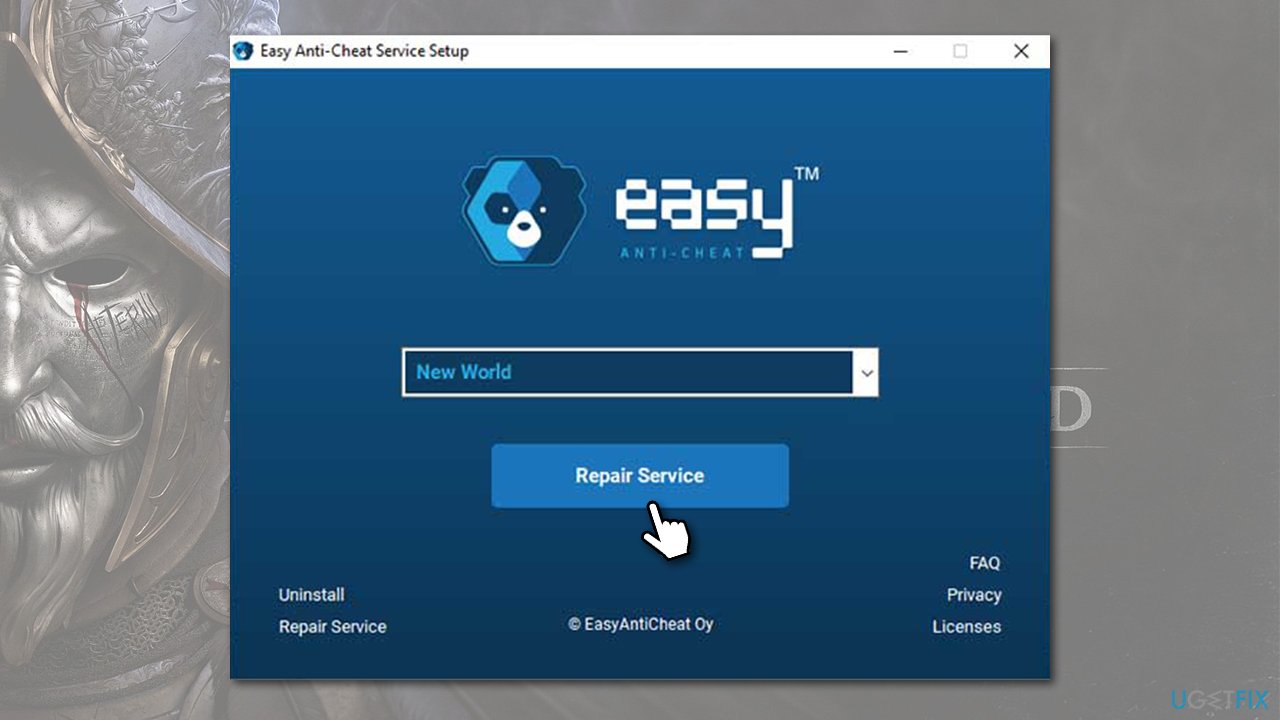
How to fix new world unrecoverable error repair easy anticheat service - Wait till the process is over and see that that helped to fix the error.
You could also try reinstalling Easy AntiCheat, as well as the New World game itself.
Other related topics:
Bottom line
To resolve the 'Unrecoverable Error' in New World, players can try verifying the integrity of game files, updating their graphics drivers, and ensuring their system meets the game's requirements. If these solutions do not work, consider reaching out to Amazon support for further assistance.
Frequently asked questions
First, ensure your Windows 10 is fully updated and that your graphics drivers are current. If the issue persists, try verifying the game files through Steam to fix any corrupted files.
You can start by running the game as an administrator and checking for any Windows 11 updates that might be pending. Additionally, consider disabling any background applications that could interfere with the game.
Yes, updating DirectX to the latest version can often resolve compatibility issues that lead to the Unrecoverable Error in New World on Windows 10 or 11. You can do this through the Microsoft website or by using the DirectX Diagnostic Tool.




Report an issue
What's wrong with this guide? We review every report and update or remove content.
Report received — thank you. We'll review and fix it.
You need a free account to submit a report.
Be the first to comment