How to fix
DirectX Runtime Installers removed: Xinput1_3.dll missing – how to fix
on Windows
Resolve the Xinput1_3.dll missing error on Windows 10 or 11 with our expert-tested guide. Get back to gaming in minutes, with screenshots included!

What causes DirectX Runtime Installers removed: Xinput1_3.dll missing – how to fix?
- Xinput1_3.dll file is missing
- Xinput1_3.dll file is corrupted
- DirectX malfunction
- Removal of DirectX Runtime Installers from the official website
- Security concerns related to SHA-1 content
Repairs Windows system files, removes malware, and restores a clean OS state — without reinstalling.
Hey guys, I have an issue while trying to launch a game. Xinput1_3.dll is missing shows up every time I'm trying to launch it. How do I fix this problem?
DLL files are possibly the most common file types one can encounter on a Windows operating system. They are a type of executable files that are shared between several applications and are only launched when needed. As a result, in case one of such files gets corrupted or is missing, it can cause problems across the board.
Xinput1_3.dll is missing is just one of many problems that users encounter on a regular basis. Other good examples that are extremely prevalent include MSVCP140.dll, VCRUNTIME140.dll, and Api-ms-win-crt-runtime-l1-1-0.dll. In particular, Xinput1_3.dll is often used by video games or video editing programs to utilize graphics engine. Problems with the file arise due to Microsoft DirectX malfunction.
If you are one of the users who are continuously experiencing this error, then it means that the Xinput1_3.dll file is broken or, for some reason, cannot function properly, which, of course, prevents DirectX software from working efficiently. Consequently, the programs that require the aforementioned software cannot be launched.
DirectX is a complication of application programming interfaces (APIs) that is designed to support programming and multimedia tasks. It is a vital Windows component that cannot be uninstalled via the Control Panel or other regular means. In most cases, users could fix Xinput1_3.dll missing error by reinstalling DirectX - it could be downloaded from the official Microsoft website.
Unfortunately, those who would head to the official download website would be met with the following error message:
We're sorry, this download is no longer available.
Perhaps one of the following links will help you find what you need.
So, what happened? Recently, Microsoft decided to remove DirectX Runtime Installers from the official website, and not many official statements were provided.
A post on Windows IT Pro Blog by Namrata_Bachwani, a representative of Microsoft, had some more insights about this decision. According to the post, all SHA-1 content is no longer available as of August 3, 2020, which includes all the DirectX installers due to security concerns[ref en-3] of the weaker encryption algorithm.[ref en-2]
According to Microsoft, "This is the next step in our continued efforts to adopt Secure Hash Algorithm 2 (SHA-2), which better meets modern security requirements and offers added protection from common attack vectors."[ref en-1] This is understandable because executables that use insecure encryption methods might be tampered with relatively easily, resulting in malware infections for the end-users.
So, since the DirectX Runtime installer was removed, how do you fix Xinput1_3.dll missing error? Well, there are several aspects to this problem that qualify for different users. For example, it mostly depends on the operating system version you are running, as DirectX is now included in the most recent Windows 10 updates.
However, for those running Windows XP, Windows Vista, or Windows 7, things are a little bit different. Below we will provide adequate methods on how to overcome the DirectX Runtime Installers removed issues, as well as fix Xinput1_3.dll missing error.

Solution 1. Reboot your PC
Xinput1_3.dll is missing error may become a serious headache since you might not be allowed to launch your favorite game. Right after you receive this error message, try to restart your computer. In some of the cases, the Xinput1_3.dll file fails to upload; therefore, by rebooting the system, you may force DirectX software to reload all its components.
Solution 2. Update Windows
If you are using Windows 10 or Windows 8 and ran into the Xinput1_3.dll is missing error, you should simply launch the update process (note: Windows 8/8.1 users are limited to DirectX version 11.12, and need to upgrade to Windows 10 for newer versions of DirectX).
Important: if DirectX is corrupted and you are unable to update it, it is recommended you uninstall DirectX completely. It might be quite difficult to do for a novice user, but following our guidelines should make it much easier.
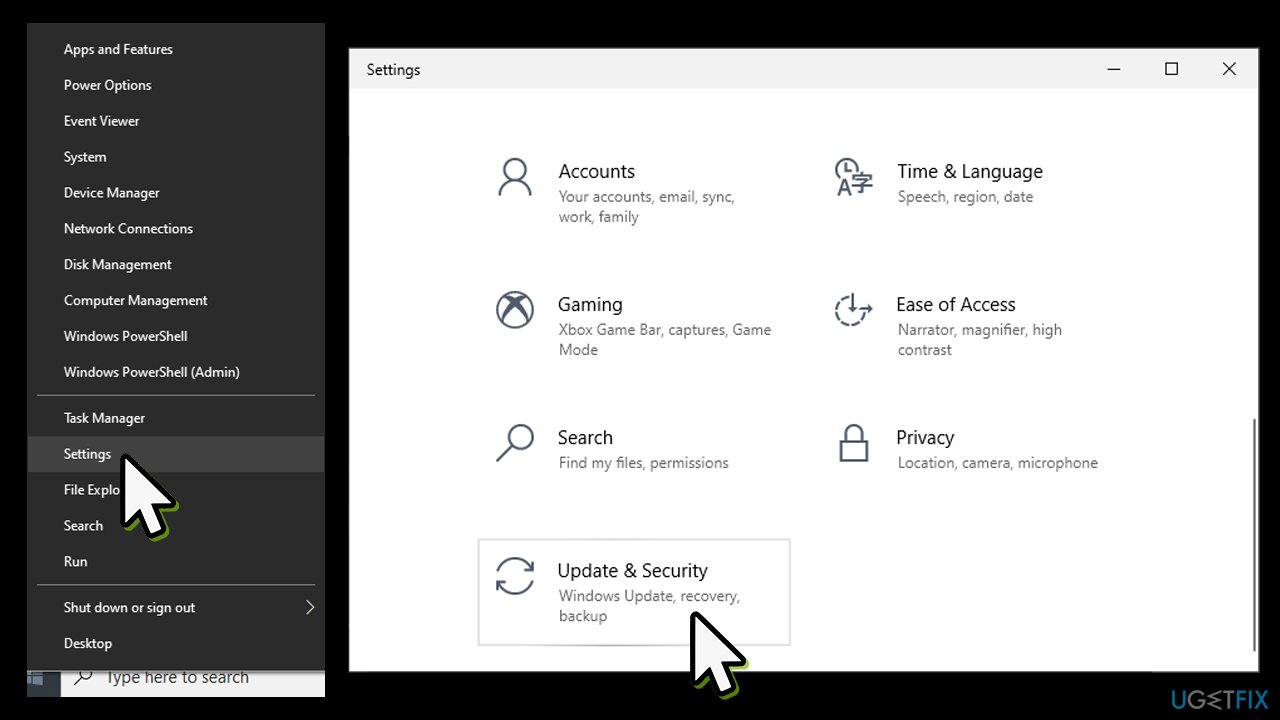
- Right-click on Start button and pick Settings
- Go to Update & Security
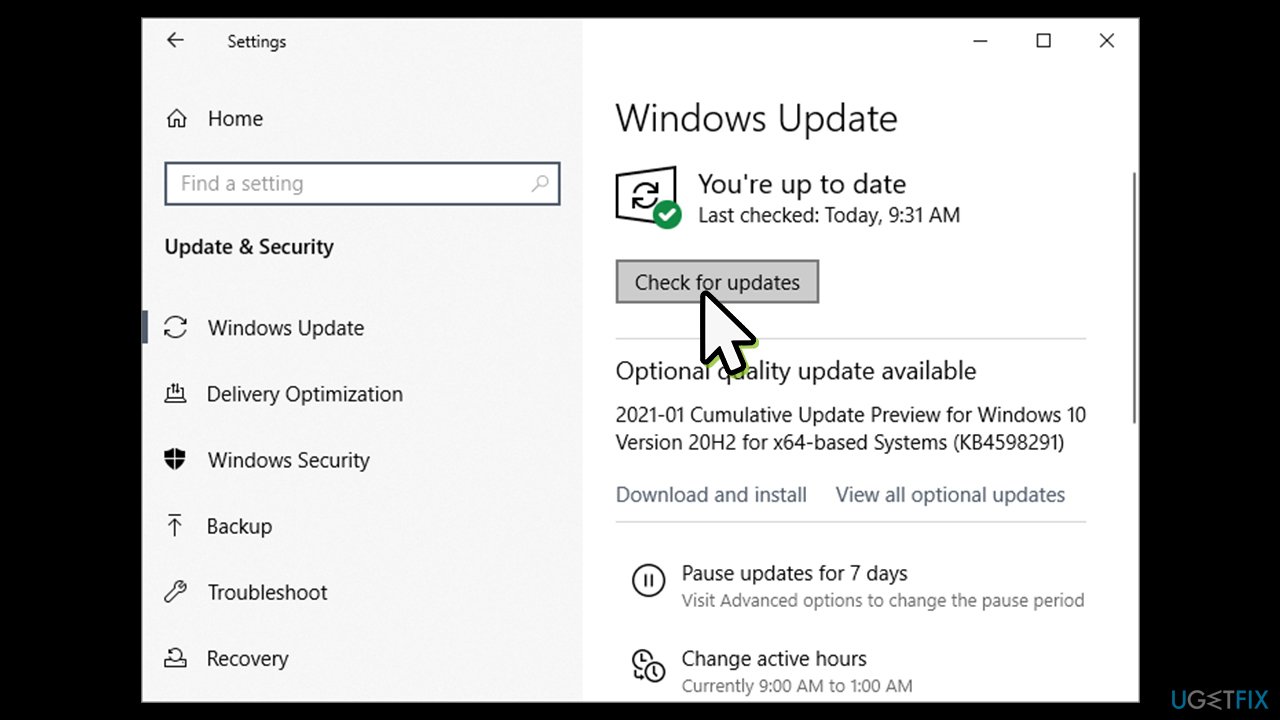
Directx runtime installers removed xinput1 3 dll missing how to fix go to settings - Click Check for updates
- Wait till Windows downloads and installs the newest updates
Directx runtime installers removed xinput1 3 dll missing how to fix update windows - Restart your PC.
Solution 3. Run system repair tool
Even though there are lots of websites on the Internet that offer to install .dll files, it's certainly not the best solution, to say the least. Keep in mind that .dll file download sources are not approved; therefore, by installing a .dll file on its own you risk catching a virus infection or installing a file misused by hackers.
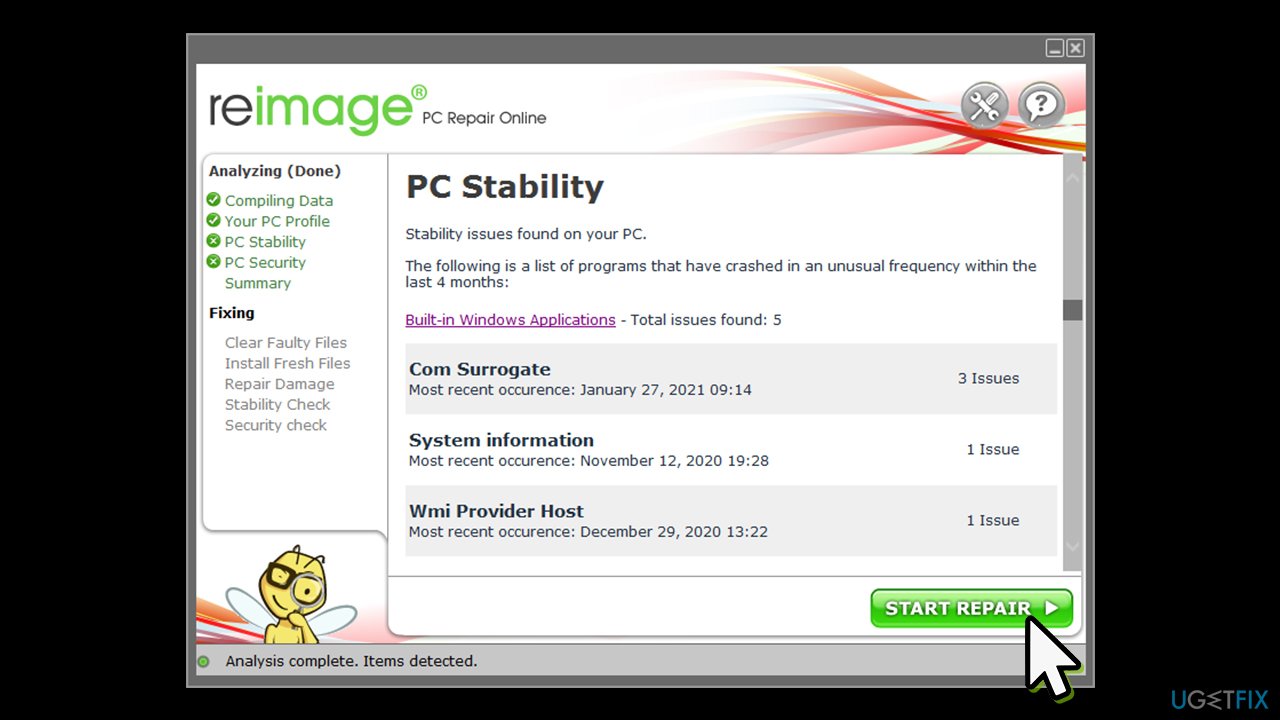
Therefore, instead of relying on websites that are offering DLL files, we highly recommend you employ repair software [d1]. It uses a database of 25,000 legitimate Windows files, and could easily replace and fix Xinput1_3.dll is missing error just within a few minutes. If you are using an older operating system, this software might be the only safe solution for you to fix DLL errors related to DirectX.
Solution 4. Install Service Pack 2 on Windows 7 (DirectX 11.1)
In order to determine which DirectX version you are using, perform the following steps:
- Click Start button, type in dxdiag in the search box and press Enter
- In System tab, look for the DirectX version entry - it should be at the bottom
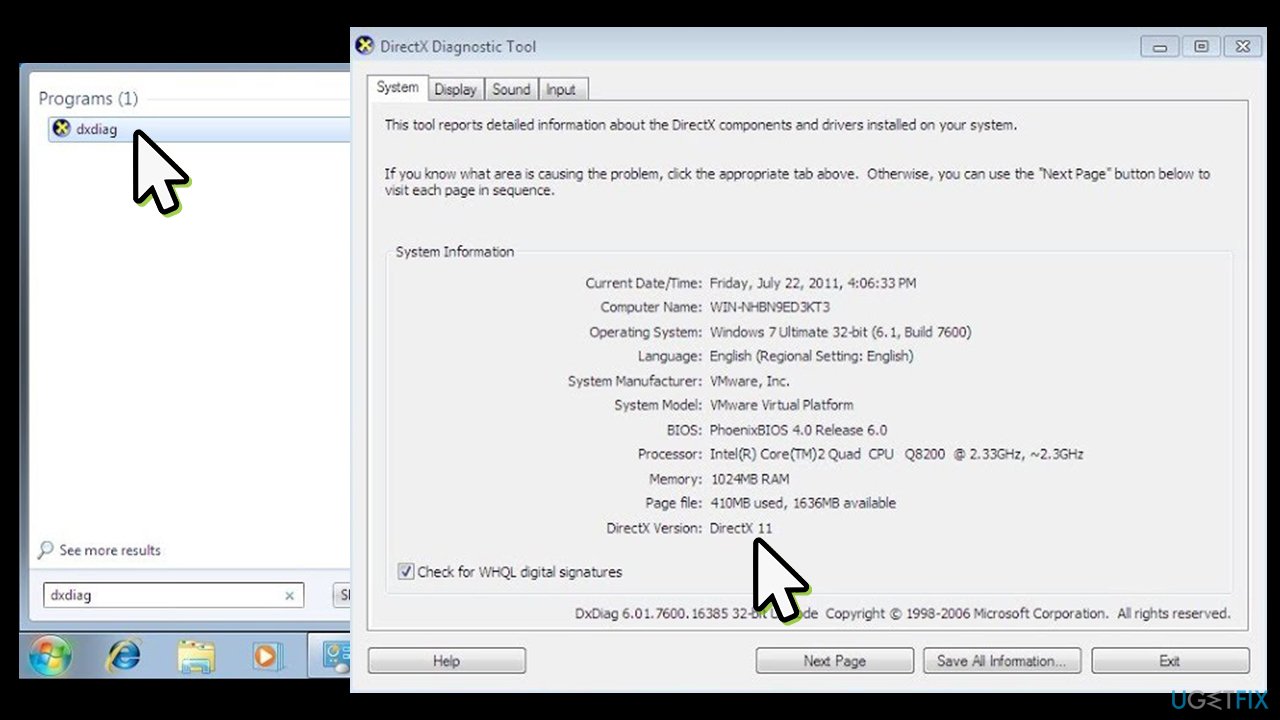
Directx runtime installers removed xinput1 3 dll missing how to fix check directx version
If your version is 11.0, the standalone package is no longer available. Therefore, if you are not willing to upgrade to more modern OS version, you can still reinstall the latest DirectX available for this platform. For that, download and install Service Pack 2 (KB2670838) from the official Microsoft website.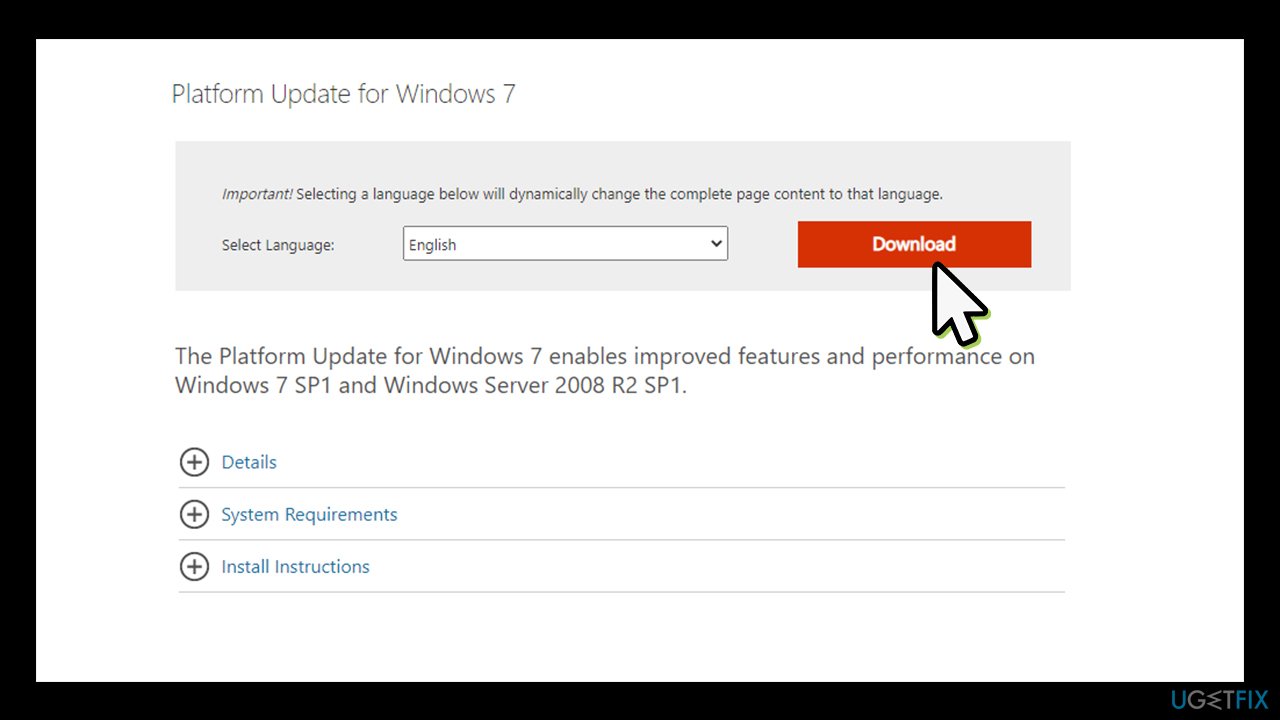
Solution 5. Install SP2 on Windows Vista to install DirectX 11.0
- Check what version of DirectX you are using as explained in the previous method
- Direct X 10 and DirectX 10.1 are no longer available for Vista as a standalone package to download
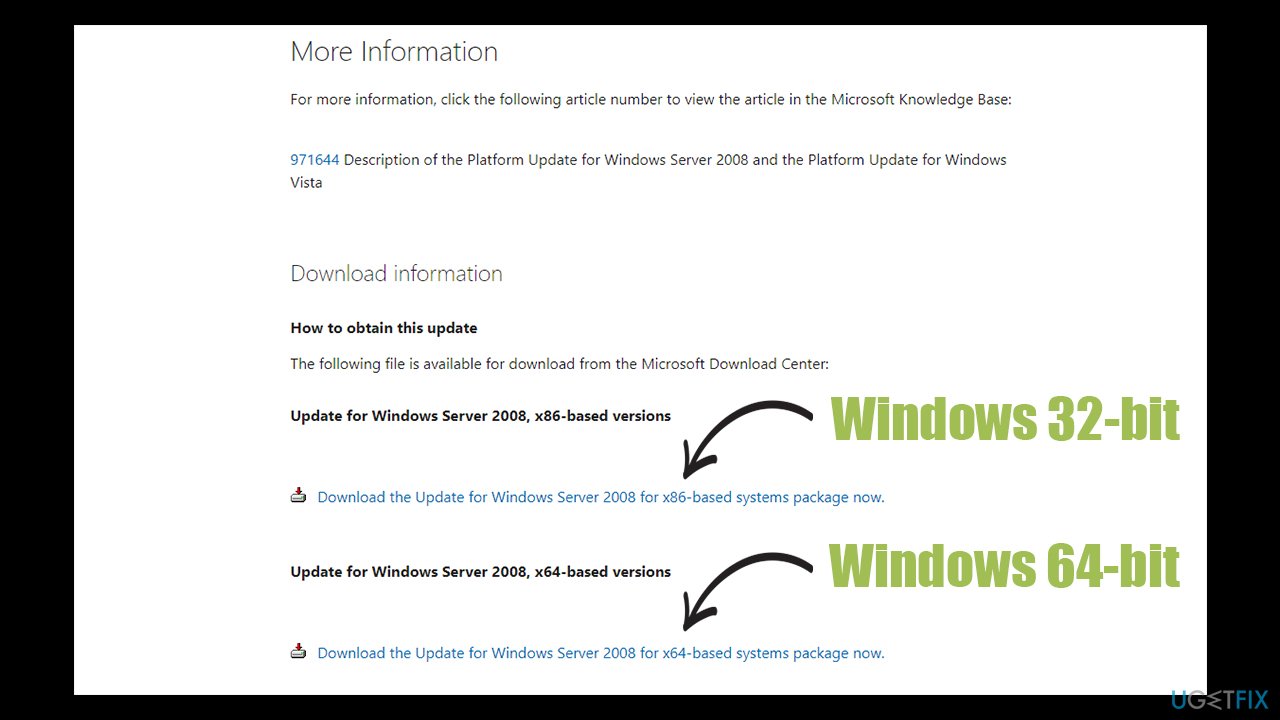
- Therefore, download and install Windows Vista Service Pack 2 (make sure KB971512 is included).
Wrapping it up
Missing DLL files are huge problems for users of all Windows platforms. By installing the above-mentioned components, you can reinstall the DirectX package easily. Unfortunately, Windows XP users are now left without any solutions. The best bet would be to upgrade XP to a newer version of Windows, as the former is no longer supported by Microsoft. Essentially, hackers could break into your device and steal any sensitive information at any time. If you have an older version of Windows, you can still upgrade to Windows 10 for free.
Bottom line
To fix the Xinput1_3.dll missing error, users can try reinstalling DirectX, which can be downloaded from the official Microsoft website. If the download is unavailable, users may need to seek alternative sources or solutions. If none of these fixes work, further troubleshooting may be necessary.
Frequently asked questions
You can resolve the missing Xinput1_3.dll issue by reinstalling the DirectX Runtime, which can be downloaded from the official Microsoft website.
You can check the DirectX version by typing 'dxdiag' in the Run dialog (Win + R) and pressing Enter; this will open the DirectX Diagnostic Tool.
To fix DirectX issues on Windows 11, try updating your graphics drivers and then reinstall the DirectX Runtime to ensure all necessary DLL files, including Xinput1_3.dll, are correctly installed.




Report an issue
What's wrong with this guide? We review every report and update or remove content.
Report received — thank you. We'll review and fix it.
You need a free account to submit a report.
Be the first to comment