How to fix
Upgrade to Windows 10
on Windows
Upgrade to Windows 10 effortlessly with our expert tips for optimizing your settings. Get a smoother experience, updated 2025.

Why does How to upgrade to Windows 10 occur?
- Free upgrade offer was limited in time
- Windows 7 is no longer supported
- Using outdated systems is dangerous
- Previous version of the OS must be legitimate
- Users may receive counterfeiting messages
Repairs Windows system files, removes malware, and restores a clean OS state — without reinstalling.
Hello, I have been using Windows 7 for many years now, and I decided it was time to upgrade to Windows 10. I remember that a free Windows 10 upgrade was offered back in 2015 - is that still valid? If yes, how do I switch to the newest version? Help is much appreciated.
Windows 10 was released on July 29, 2015, and was offered as a free operating system upgrades for a limited time period after the release. While many managed to use this opportunity to their advantage to gain access to the most advanced operating system released so far, others stuck to something they are more familiar with - Windows 7, Windows 8, or even Windows XP.
While Windows 10 has its fair share of issues (such as broken updates, and upgrade errors like MACHINE_CHECK_EXCEPTION, 0xC004F074, 0x80131500, and many others), using an outdated system is not only impractical but also dangerous. Microsoft stopped supporting Windows 7 as of January 14, 2020,[ref en-1] which means that the operating system will no longer receive security, stability, feature, and other updates.
For this reason, people using the OS will be vulnerable to cyberattacks, as criminals often find bugs[ref en-2] (otherwise known as software vulnerabilities) to exploit,[ref en-3] which allows them unauthorized access. Consequently, users might get infected with malware, have their information stolen, and permanently lose their personal files due to a ransomware infection. There, Windows 10 upgrade becomes a necessary process for everybody who values their online safety and privacy.
So, how do you upgrade Windows 10 in 2020? As mentioned above, the free Windows 10 upgrade was available at its release. Despite Microsoft claiming that the offer was only valid for a particular period, the company still allows users to upgrade their operating system for free.
However, to be eligible for a free Windows 10 upgrade, users need to ensure that the previous version of the OS is legitimate, i.e., not pirated. While the upgrade process might be successful, Microsoft will keep sending you the "You may be a victim of software counterfeiting" messages until you buy the software. Besides, pirated software installers are known to be one of the main causes of malware infections, so continuing the practice is highly discouraged by security experts and industry advisors.
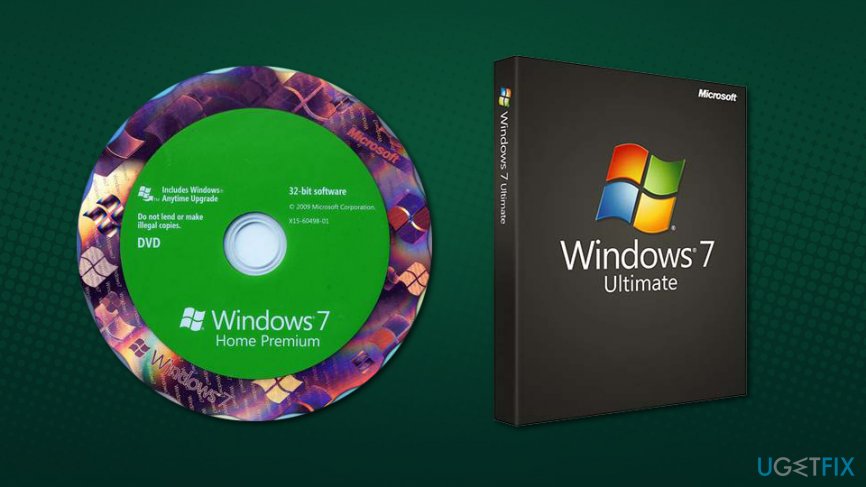
You can upgrade to Windows 10 in merely a few clicks, as long as you provide the license key of the previous Windows OS, such as Windows 7 or Windows 8. Besides, you can also install a fresh Windows 10 OS without any problems, as long as you have a valid key for the older Windows version.
Below you will find instructions on how to upgrade Windows 10 for free, although keep in mind that these instructions might not be working the future, as Microsoft can stop providing the service at any time in the future.
These Windows 10 upgrade instructions are only working for home users, as business accounts are treated completely differently, so you might have to contact Microsoft if you are interested in upgrading.
Before you proceed to upgrade to Windows 10
Before you start the process or upgrading, we suggest you do a few precautionary measures. First of all, you should backup all the important files on your system, such as pictures, music, videos, documents, and other data. Note that you can keep your files during the upgrading, and you will most likely not need backups, but it is recommended backing data regardless, in case something goes wrong. Simply take an external storage device, such as a USB stick, SSD, or a DVD, and copy all your files over.
Another thing you should do before you proceed with a free Windows 10 upgrade, you should find the license key of your Windows. The product key is a 25-digit code that can be found on your PC case/laptop if you bought it with the operating system included. Also, if you bought a physical copy of Windows, the key should be located inside the box, so you shouldn't worry about this. It should look as follows: XXXXX-XXXXX-XXXXX-XXXXX-XXXXX. Write it down, and you can proceed.
Upgrade to Windows 10 for free
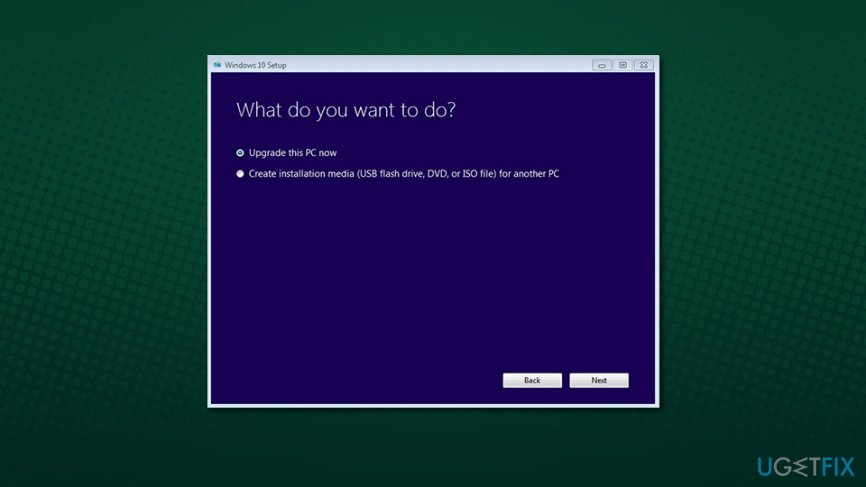
You can download the Windows 10 installer on the official Microsoft website. Double-click the MediaCreationTool.exe, and the upgrade process will begin.
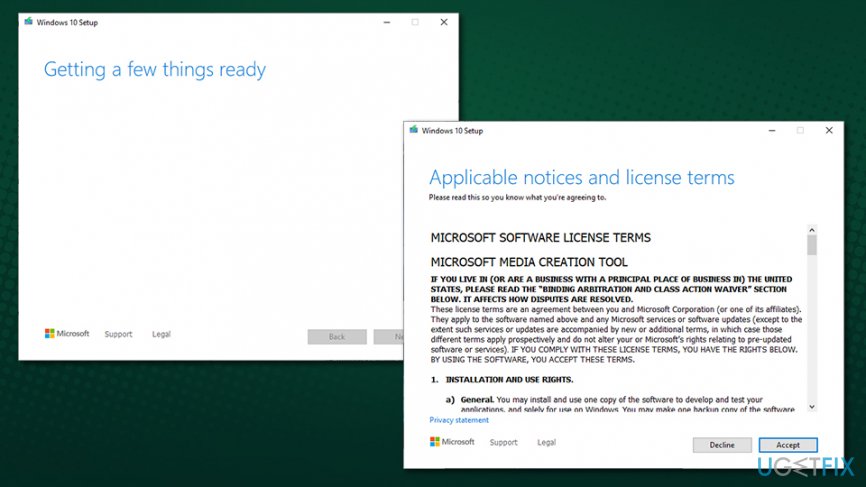
You can now click on Upgrade this PC now and proceed with on-screen instructions. Alternatively, you can also choose to Create installation media (USB flash drive, DVD, or ISO file) for another PC to install Windows 10 from scratch. However, we suggest going with the former option. During the installation, you will be asked if you want to keep your files or wipe your PC clean. If you do not wish to keep your files, pick the latter option.
As soon as you are logged into your new Windows 10 system (you should use the credentials of your Microsoft account or create one if needed), you can go to Settings > Update & Security > Activation and check if the license was applied correctly. It should say the following:
Edition: Windows 10
Activation: Windows is activated with a digital license linked to your Microsoft account
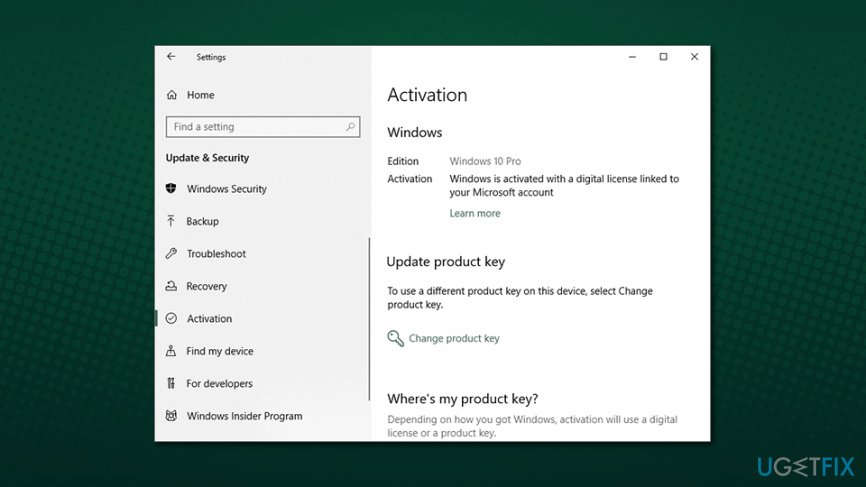
If you can see this message, it means that your digital license was connected to Microsoft account, and you will no longer need the activation key in case you would like to reinstall the operating system in the future.
Bottom line
To upgrade to Windows 10, ensure your previous OS is legitimate and follow the upgrade process. If you encounter issues like broken updates or upgrade errors, consider troubleshooting those specific problems. If none of the fixes work, purchasing a legitimate copy of Windows 10 may be necessary.
Frequently asked questions
To upgrade to Windows 10, your device must have at least a 1 GHz processor, 1 GB of RAM for 32-bit or 2 GB for 64-bit, and 16 GB of available storage space.
Yes, you can still upgrade to Windows 10 for free if you have a valid Windows 7 or 8.1 license, although the official free upgrade offer has ended.
You can back up your files by using Windows Backup and Restore or a third-party backup tool, ensuring your important data is safe during the upgrade process.




Report an issue
What's wrong with this guide? We review every report and update or remove content.
Report received — thank you. We'll review and fix it.
You need a free account to submit a report.
Be the first to comment