
How to fix Windows activation error 0x80041023?

Prefer to fix it yourself? The manual steps follow.
- 6methods
- 2 to 30 minutes
- Easy
Applies to Windows 11 and Windows 10, Home and Pro, when you enter a product key under Change product key, after a reset, a reinstall or an edition upgrade
6 methods in this guide
Hello. I have a difficult time activating Windows 10. I get the error, and other problems follow. Word and other common apps cannot run. Internet connection issues also annoy me a lot, but I don't know what the issue is and how to solve it. Can you help?
Error 0x80041023 appears when Windows refuses the product key you just typed in Activation settings. The key is mistyped, is for another edition or product, or cannot be used on this PC. Check the key and the edition first; after a reset, do not type a key at all.
Error 0x80041023 means Windows rejected the key you typed. Check every character and that it is a Windows key for the installed edition (Fix 1). After a reset of a PC that was activated, skip the key and select Activate or Troubleshoot (Fix 2). A PC that came with Windows has its key in the firmware (Fix 3). If the key itself cannot be used, only the seller or a new licence helps (Fix 6).
| Error | 0x80041023: "The product key you entered didn't work. Check the product key and try again, or enter a different one." |
|---|---|
| Where it appears | The Enter a product key window, after Change product key in Settings > System > Activation (Windows 10: Settings > Update & Security > Activation). |
| Main cause | A key that does not fit this copy of Windows: a typo, a key for the other edition, a key for another product, or a key that cannot be used any more. |
| Fastest fix | Check the key and the edition (Fix 1). After a reset of an activated PC, do not type a key: select Activate (Fix 2). |
| Also written as | 0x80041023, (0x80041023), 80041023, error code 0x80041023, sometimes searched as error code 1023 or ox80041023. |
| What the code is | A Windows Management Instrumentation (WMI) code. Microsoft's WMI list describes 0x80041023 as "An attempt was made to modify a read-only property." The licensing service returns it when it will not take the key. |
| Affects | Windows 11 and Windows 10, Home and Pro. Windows 10 left support on 14 October 2025, but key entry works the same way. |
| Vendor status | Not a known bug. Microsoft's activation error page does not list 0x80041023 at all, so the fix depends on what kind of key you have. |
| Time to fix | 2 minutes for a typo or an edition check, 10 minutes with Command Prompt, about an hour if you must install the other edition. |
Facts checked on 15 October 2026. Steps written for Windows 11 (25H2 and 26H2) and Windows 10 22H2.
What Windows activation error 0x80041023 means
You see error 0x80041023 right after you type a 25-character key in the Enter a product key window and select Next. Users on Microsoft Q&A quote the full message: "The product key you entered didn't work. Check the product key and try again, or enter a different one. (0x80041023)".
The code itself is not an activation code. Microsoft's list of WMI error constants gives 0x80041023 as "An attempt was made to modify a read-only property." Windows hands your key to its licensing service through WMI, and the service refuses to install it. That is why Microsoft's own page of activation errors does not list this code, and why the reason is almost always the key, not the PC.
| What you see | Where | What it tells you |
|---|---|---|
| The product key you entered didn't work. Check the product key and try again, or enter a different one. (0x80041023) | Enter a product key window | The key was not installed. Windows stays as it was. |
| Activate Windows watermark | Desktop | Only the result. Windows is not activated with any key yet. |
| 0xC004F050, 0xC004C060 or 0x803FA067 | Activation page or Command Prompt | Activation codes Microsoft does list: a key that cannot be used to activate Windows. Fix 4 often turns 0x80041023 into one of these. |
| 0x80041017 | Command Prompt or a script | A different WMI code: "Query was not syntactically valid." It comes from a mistyped command, not from your key. |
A refused key changes nothing on the PC. Windows keeps starting and your files stay where they are. If Word, other apps or the internet also fail, as in the question above, those are separate problems: a refused Windows key does not stop them.
Why error 0x80041023 appears, from most to least common
The message is the same in every case. What differs is the key and what you did just before. Find your row and go to its fix.
| Cause | How often | How to tell | Fix |
|---|---|---|---|
| A typo, or a key that is not a Windows key (Office, another product, a recovery code). | Most often | The key was typed by hand or copied from an email or a sticker. | Fix 1 |
| Windows was reset or reinstalled on a PC that was activated, and you typed an old key. | Often | Activation worked before the reset. On Microsoft Q&A this is the most common story behind the code. | Fix 2 |
| A PC that came with Windows, where the right key is stored in the firmware and the one you typed is another. | Often | No box card or order email, a laptop from a PC maker. | Fix 3 |
| A key for the other edition: Home key on Pro, or Pro key on Home. | Often | The edition on the Activation page differs from your key card or order. | Fix 4, Fix 5 |
| A key that cannot be used any more: used on another PC, a volume or OEM key sold on a marketplace, a blocked key. | Sometimes | The key was cheap, second hand or bought from an unknown seller. | Fix 6 |
Older guides blame malware, missing updates or a weak internet connection. We found no Microsoft source that ties 0x80041023 to any of them: the key is refused before activation even reaches the internet.
How to fix Windows activation error 0x80041023
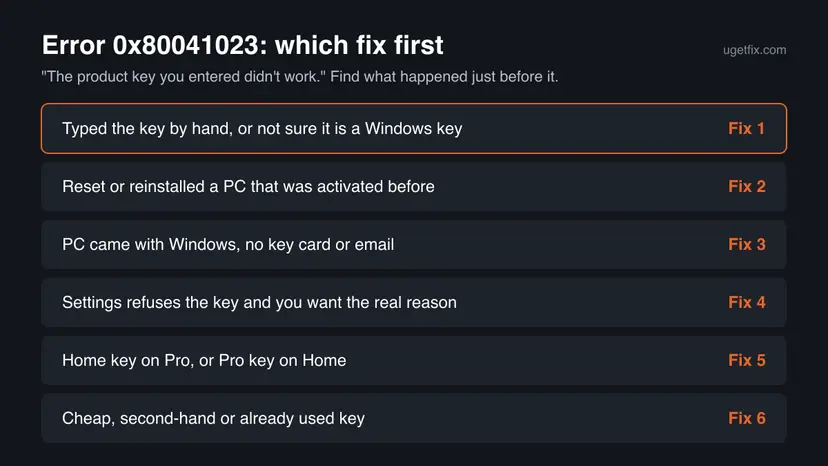
Fix 1 takes two minutes and solves typos and wrong keys. Fixes 2 and 3 use the licence the PC already has. Fix 4 shows the real reason from Command Prompt. Fixes 5 and 6 are for the wrong edition and for a key that cannot be used. Never use an activator tool or a free key from the web.
| What you see or did | Start with |
|---|---|
| You typed the key by hand or are not sure it is a Windows key. | Fix 1 |
| Windows was activated, then you reset or reinstalled it. | Fix 2 |
| The PC came with Windows and you have no key card or email. | Fix 3 |
| Settings shows only 0x80041023 and you want the real reason. | Fix 4 |
| Your key is for Home and Pro is installed, or the other way round. | Fix 5 |
| The key was cheap, second hand or already used on another PC. | Fix 6 |
Fix 1. Check the key and the edition before you type it again
2 minutesNo riskEveryone who sees the code, before any other fix.
The message itself asks you to check the key. A single wrong character, an Office key or a key for the other edition is refused with exactly this code.
- Open Settings > System > Activation. On Windows 10 it is Settings > Update & Security > Activation.
- Read the edition (Home or Pro) at the top of the page and the Activation state.
- Find what your key is for: the box card, the shop's order email or the sticker says Windows, the version and Home or Pro.
- Look for look-alike characters: B and 8, O and 0, I and 1, S and 5. Read the original carefully, not a photo of it.
- Select Change product key (Windows 11: Change next to it), type the key again in groups of five and select Next.
A Microsoft Office key looks exactly like a Windows key but is never accepted here. Office keys are entered in an Office app or at the Office setup page, not in Windows Activation settings.
It worked if: Windows accepts the key, asks to activate, and the Activation page says Windows is activated.
If not: If the key is for the other edition, go to Fix 5. If it was typed correctly and still fails, go to Fix 4 for the real reason.
Fix 2. After a reset or reinstall: do not type a key, select Activate
5 minutes, sometimes a few hours of waitingNo riskWindows was activated on this PC before you reset or reinstalled it.
Microsoft says a copy that was activated should activate again by itself after a reinstall, as long as the hardware did not change significantly. The PC has a digital licence, so typing an old or other key only adds a key the service can refuse.
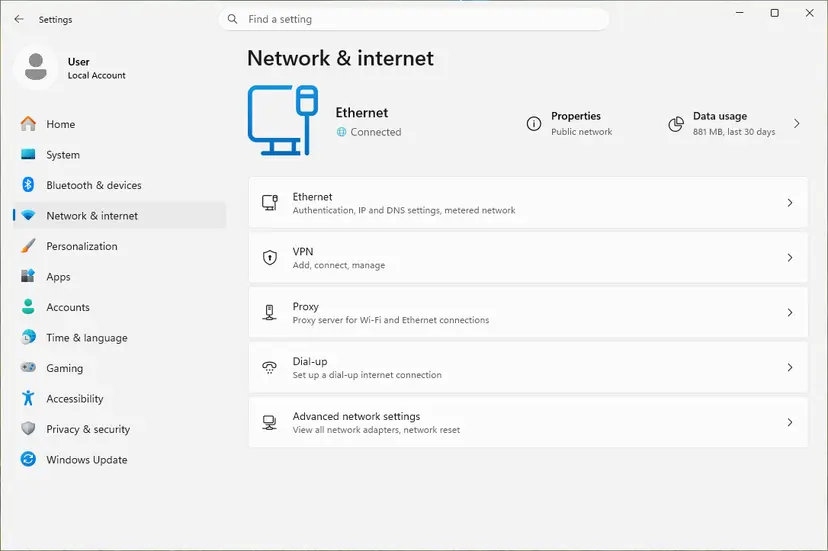
Activation needs a working connection. Check it first: How to check your internet connection in Windows
- Sign in to Windows with the Microsoft account you used before the reset, if you had one.
- Open Settings > System > Activation and close any Enter a product key window.
- Select Activate if it is offered. If it fails, wait a few hours and try again.
- Still not activated: select Troubleshoot on the same page and follow it.
- If you replaced the motherboard, choose the option for a recent hardware change when the troubleshooter offers it, and sign in.
The digital licence covers the edition you had. If the reset installed Pro and your licence is Home, it cannot activate: go to Fix 5.
It worked if: The Activation page says Windows is activated with a digital license, and the watermark goes after a restart.
If not: If the PC came with Windows, read the key from the firmware with Fix 3. If you replaced the board yourself, see our guide to error 0xC004F211.
Fix 3. On a PC that came with Windows: use the key stored in the firmware
5 minutesNo riskA laptop or desktop sold with Windows, where you have no box card and the key you typed came from somewhere else.
PC makers store the Windows key in the firmware. Windows normally reads it by itself, but if you typed another key over it, that key is the one refused. Reading the firmware key shows which key this PC was sold with.
- Right-click Start and select Terminal (Admin) on Windows 11, or Windows PowerShell (Admin) on Windows 10. Select Yes.
- Read the key stored in the firmware:
(Get-CimInstance -ClassName SoftwareLicensingService).OA3xOriginalProductKey - If a 25-character key appears, copy it. An empty line means the firmware holds no key.
- Open Settings > System > Activation, select Change product key and paste that key.
Older guides, including the first version of this one, used wmic path softwarelicensingservice get OA3xOriginalProductKey. Microsoft removed WMIC from Windows 11 starting with 25H2, so use the PowerShell line above. The firmware key is for the edition the PC was sold with, usually Home.
It worked if: Windows accepts the firmware key and activates, or Fix 2 activates it without a key.
If not: If the firmware key is for Home and Pro is installed, go to Fix 5. If no key appears, the PC was not sold with Windows: you need your own key (Fix 6).
Fix 4. Enter the key from Command Prompt to see the real reason
10 minutesLow riskThe key looks right but Settings shows only 0x80041023.
slmgr is the licensing script built into Windows. It installs the key, tries online activation and shows the edition and status, so a vague WMI code turns into a clear licensing answer.
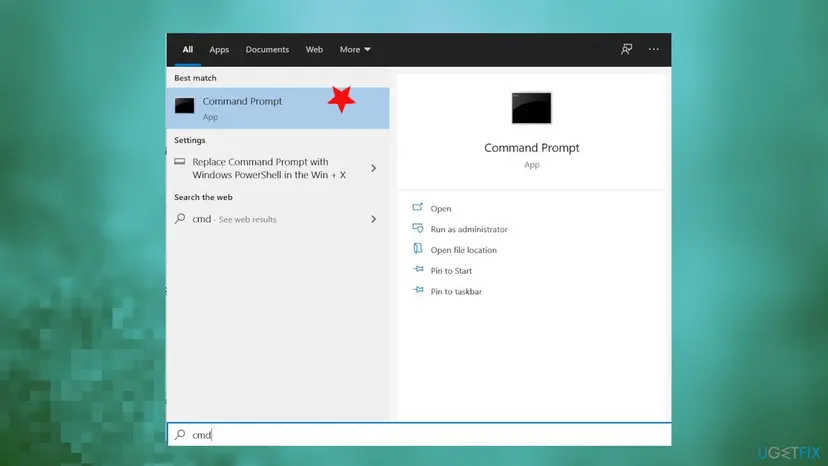
- Type cmd in the search box and select Run as administrator next to Command Prompt, then Yes.
- Install your key, with your own characters in place of the X:
slmgr /ipk XXXXX-XXXXX-XXXXX-XXXXX-XXXXX - Read the box that appears. A message that the key was installed means it fits this copy. An error names the real code.
- If the key was installed, start online activation:
slmgr /ato - Read the details: Name shows the edition and License Status the result.
slmgr /dlv
| slmgr answer | What it means | Next |
|---|---|---|
| Installed product key successfully | The key fits this edition. | Run slmgr /ato. |
| 0xC004F050 | Microsoft: a product key that can't be used to activate Windows. | Fix 5 or Fix 6. |
| 0xC004C003 | The key is blocked or was used on too many devices. | Fix 6. |
| License Status: Licensed | Windows is activated. | Done. |
Some forum answers suggest slmgr -rearm. It only restarts the grace period of an unactivated copy and does not activate Windows or fix the key. Avoid it.
It worked if: slmgr /ato reports that the product was activated successfully and slmgr /dlv shows License Status: Licensed.
If not: If slmgr /dlv names an edition other than your key, go to Fix 5. If the key is refused again, go to Fix 6.
Fix 5. Match the edition: activate Home first, or install the edition you own
10 minutes, or about an hour for a reinstallRead the warningYour key is for Pro and Home is installed, or your key is for Home and Pro is installed.
A key installs only on the edition it is for. A Pro upgrade needs an activated Home first, and a Home key can never activate Pro, so the key is refused until the edition matches.
| Installed | Your key | What to do |
|---|---|---|
| Home, activated | Pro | Enter the Pro key under Change product key. It upgrades Home to Pro. |
| Home, not activated | Pro | Activate Home first (Fix 2 or Fix 3), then enter the Pro key. |
| Pro | Home | Install Home with the steps below. A Home key cannot activate Pro. |
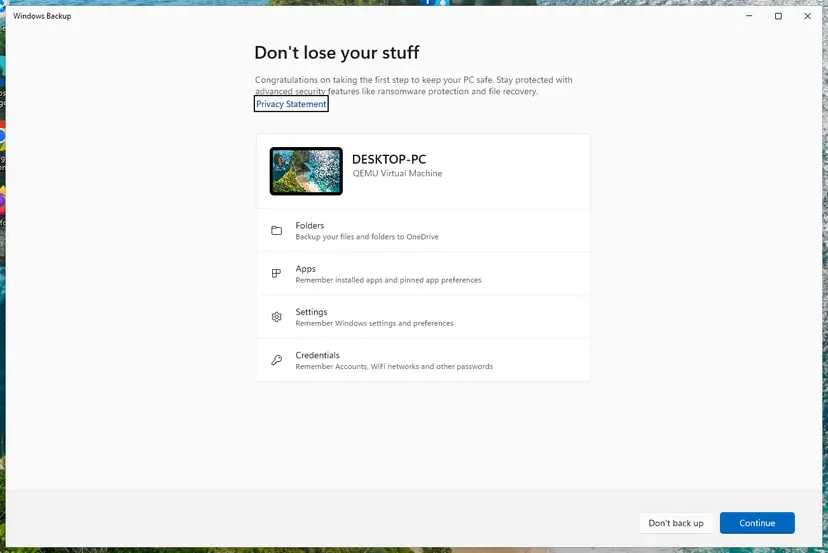
Installing Home over Pro removes your apps, settings and files on the system drive. Back up everything first: Back up your files (Windows Backup, File History, Time Machine)
- Back up your files and note the Microsoft account you use.
- Create installation media from Microsoft's Windows 11 download page.
- Start the PC from the media and choose the edition your key is for when setup asks.
- Enter your key when setup asks, or skip it if that edition was activated on this PC before.
- After setup, open Settings > System > Activation and check the state.
It worked if: The edition on the Activation page matches your key, and the page says Windows is activated.
If not: If the matching edition still refuses the key, the key itself is the problem: Fix 6. The Home to Pro upgrade path in detail is in our guide to error 0x803FA067.
Fix 6. When the key itself cannot be used: get a valid one
15 minutes, or the time of a purchaseNo riskThe key came from a marketplace far below the retail price, was used on another PC, or came with another device.
Microsoft's answer for a key that can't be used to activate Windows is to enter a different product key or buy a new one. Nothing on the PC makes a refused key valid.
| Where the key came from | Who can help |
|---|---|
| A reseller who sold it as valid | The reseller: ask for a refund or a working key. |
| The PC came with Windows preinstalled | The PC maker. |
| Your own key bought from Microsoft or a known retailer | Microsoft support, linked from the Troubleshoot page. |
| A key from work or school | Your administrator. Volume keys are managed by the organisation. |
- Find the proof of purchase: the box card, the order email or your Microsoft account order history.
- Run
slmgr /dlvfrom Fix 4 and save a screenshot for support. - Contact the seller, the PC maker or Microsoft support from the table.
- If no one can confirm the key, buy a licence through Settings > System > Activation or an authorised retailer.
- Enter the new key with Fix 1 or Fix 4.
Tools that promise free activation change system files and run with full rights on your PC, and free keys posted online are generic or stolen. This page does not link to any of them, and you should not run them.
It worked if: You get a working key from the seller or a new licence, and Windows activates.
If not: If support confirms the key is fine but it still fails, check the edition again with Fix 5.
If error 0x80041023 is still there
When none of the fixes worked, the question is no longer a setting. It is whether this key may be installed on this copy of Windows. Collect these facts before you contact anyone.
| What to check | Where | What it tells you |
|---|---|---|
| Edition and activation state | Settings > System > Activation | Home and Pro keys do not cross. |
| The real licensing code | slmgr /ipk and slmgr /dlv in Command Prompt | A clear code such as 0xC004F050 instead of 0x80041023. |
| The firmware key | The PowerShell line in Fix 3 | Which key the PC was sold with. |
| Proof of purchase | Box card, order email, Microsoft account orders | Who sold the key and who can confirm it. |
- Key from a reseller: the reseller.
- Preinstalled Windows: the PC maker.
- Key or Store purchase from Microsoft: Microsoft support from the troubleshooter.
- Key from work or school: your administrator.
How to avoid error 0x80041023
- Sign in with your Microsoft account so the digital licence is easy to restore after a reset.
- Reinstall the same edition you own, and keep the key card or order email.
- Copy and paste the key instead of typing it from a photo.
- Buy keys from Microsoft or an authorised retailer.
- Do not type an old key after a reset of a PC that was activated.
- Do not use one key on two PCs.
- Do not enter an Office key in Windows Activation settings.
- Do not run activator tools or registry tricks from forums or videos.
Frequently asked questions
What does error code 0x80041023 mean?
It means Windows did not accept the product key you typed. The message reads "The product key you entered didn't work. Check the product key and try again, or enter a different one." The code itself comes from WMI, the layer Windows uses to hand the key to the licensing service, and Microsoft describes it as an attempt to modify a read-only property. In practice the key is mistyped, for another edition, or cannot be used.
How do I fix 0x80041023 on Windows 11?
The same way as on Windows 10. Check the key and the edition under Settings > System > Activation first. After a reset of an activated PC, do not type a key; select Activate or Troubleshoot. On a PC that came with Windows, read the firmware key with PowerShell, because the old wmic command was removed in Windows 11 25H2. If the key still fails, run slmgr /ipk to see the real licensing code.
Why do I get 0x80041023 after resetting my PC?
Because the PC already had a digital licence and the key you typed is not the one Windows expects. Microsoft says a copy that was activated should activate again by itself after a reinstall if the hardware did not change significantly. Close the key window, sign in with your Microsoft account, select Activate and wait a few hours if it fails. Make sure the reset installed the same edition you had.
Is my key fake if I get 0x80041023?
Not necessarily. A genuine key is refused too when it has a typo, is for the other edition or is an Office key. Check those first. If the key matches the edition and slmgr /ipk still refuses it, ask where it came from. Keys sold far below the retail price are often volume or OEM keys that cannot be used on your PC, and only the seller can replace them.
What is error code 0x80041017?
A different WMI code. Microsoft's WMI list describes 0x80041017 as "Query was not syntactically valid." You may see it when a command such as wmic path softwarelicensingservice is typed with a mistake, or when a script queries WMI incorrectly. It says nothing about your key. Copy the command from Fix 3 exactly; on Windows 11 25H2 and later use the PowerShell line, because WMIC is gone.
Is error code 1023 or 80041023 the same error?
80041023 is the same code without the 0x prefix, and the fixes on this page apply to it. "Error code 1023" on its own is not a Windows activation code we could confirm: it is often a shortened search for 0x80041023. If your screen shows only 1023 in another app, such as a game or a printer tool, that app's error is not covered here.
Can a Windows update or a malware scan fix 0x80041023?
We found no Microsoft source that ties this code to missing updates or to malware. The key is refused when it is installed, before activation reaches the internet. Keep Windows updated and scan for malware for their own sake, but for this error check the key, the edition and the firmware key first. A scan does not make a refused key valid.
Will Windows work if I cannot activate it?
Yes. Windows keeps starting, your files stay where they are and your apps still run. You see an Activate Windows watermark and reminders until you activate. If Word, the internet or other apps also fail, those are separate problems with their own causes, not a result of this key error.
Is there a free key or tool that fixes 0x80041023?
No legitimate one. Free keys posted online are generic or stolen, and activation tools change system files and run with full rights on your PC. The legal ways are your own key, a digital licence linked to your Microsoft account, the key in your PC's firmware, or a licence bought through Settings > System > Activation or an authorised retailer. This page does not cover activators.
I searched in another language. Does this page help?
Yes, if your screen shows 0x80041023. People often search for it in Vietnamese, Indonesian, Spanish or Arabic, with phrases like "bị gì đây" or "berikan solusi" (what is this, give a solution). The answer is the same in every language: Windows did not accept the product key. Start with Fix 1 and use the table at the top of the fixes to pick the right one.
Sources
- Microsoft Support: Get help with Windows activation errors (support.microsoft.com)
- Microsoft Learn: WMI Error Constants (learn.microsoft.com)
- Microsoft Q&A: I have an activation key but it doesn't work. Error 0x80041023 (learn.microsoft.com)
Did this fix work?
One click, no account. It tells the next reader which guides are worth their time.
Questions and experiences: fix Windows activation error 0x80041023
Still broken, or found a fix we did not cover? Ask here: members and our editors answer. Reading is open; writing needs a free account.
…