Reset Windows Update components and clear the update cache

Windows keeps downloaded updates and their database in two folders. When updates fail or stay stuck, stopping the update services and renaming those folders makes Windows download everything again from a clean start.

Time
A few minutes, plus a restart
Level
Intermediate
You need
An administrator account and an internet connection.

Before you start

Windows 11 and 10

Steps written for Windows 11 and Windows 10 (the steps are the same).

  1. Open Command Prompt as administrator

    Type cmd in the search box, right-click Command Prompt and select Run as administrator. Select Yes when Windows asks for permission.

  2. Stop the update services

    Type the commands below and press Enter after each one. If Windows says that other services depend on Cryptographic Services, it stops them too. A message that a service is not started is fine.

    net stop wuauserv
    net stop bits
    net stop cryptsvc
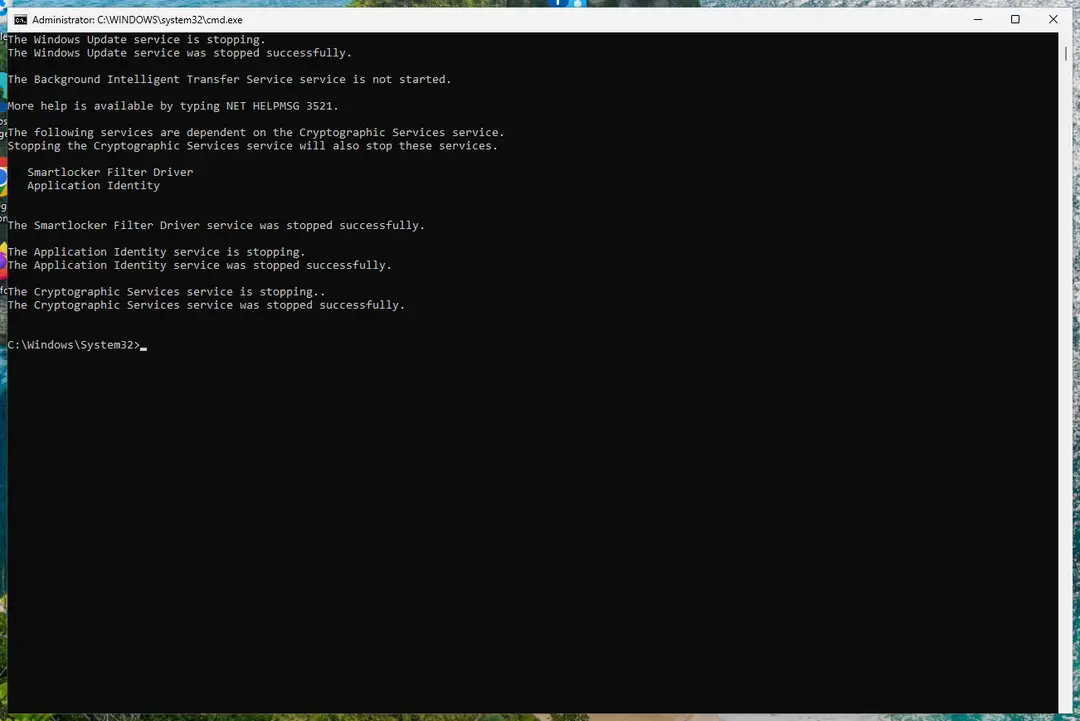
    Command Prompt after stopping Windows Update, BITS and Cryptographic Services
    The update services are stopped. Screenshot: Windows 11 26H2
  3. Delete the download queue files

    This clears the list of downloads that the Background Intelligent Transfer Service keeps. If Windows says it cannot find the files, continue.

    del "%ALLUSERSPROFILE%\Application Data\Microsoft\Network\Downloader\qmgr*.dat"
  4. Rename the update cache folders

    Renaming keeps a copy in case you need it; Windows creates new, empty folders when the services start again. If you get Access is denied, a service is still running: repeat the previous step.

    ren %systemroot%\SoftwareDistribution SoftwareDistribution.old
    ren %systemroot%\System32\catroot2 catroot2.old
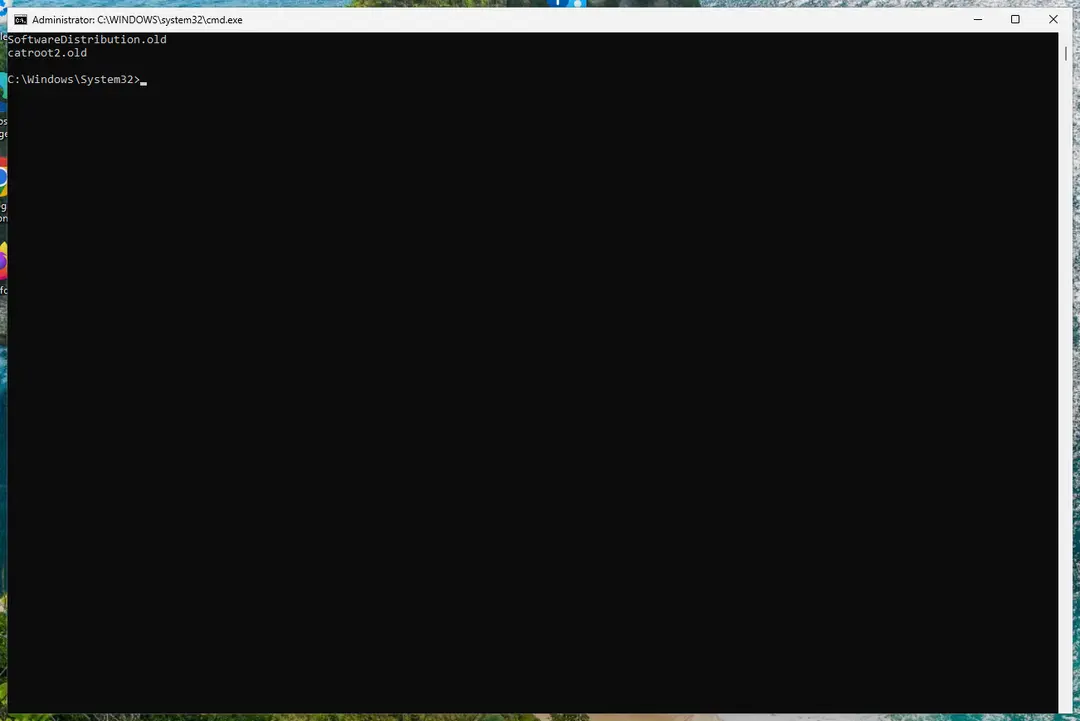
    SoftwareDistribution.old and catroot2.old listed in Command Prompt
    Both folders now end in .old. Screenshot: Windows 11 26H2
  5. Start the services again

    Type the commands below and press Enter after each one. The requested service has already been started is fine: Windows started it on its own.

    net start cryptsvc
    net start bits
    net start wuauserv
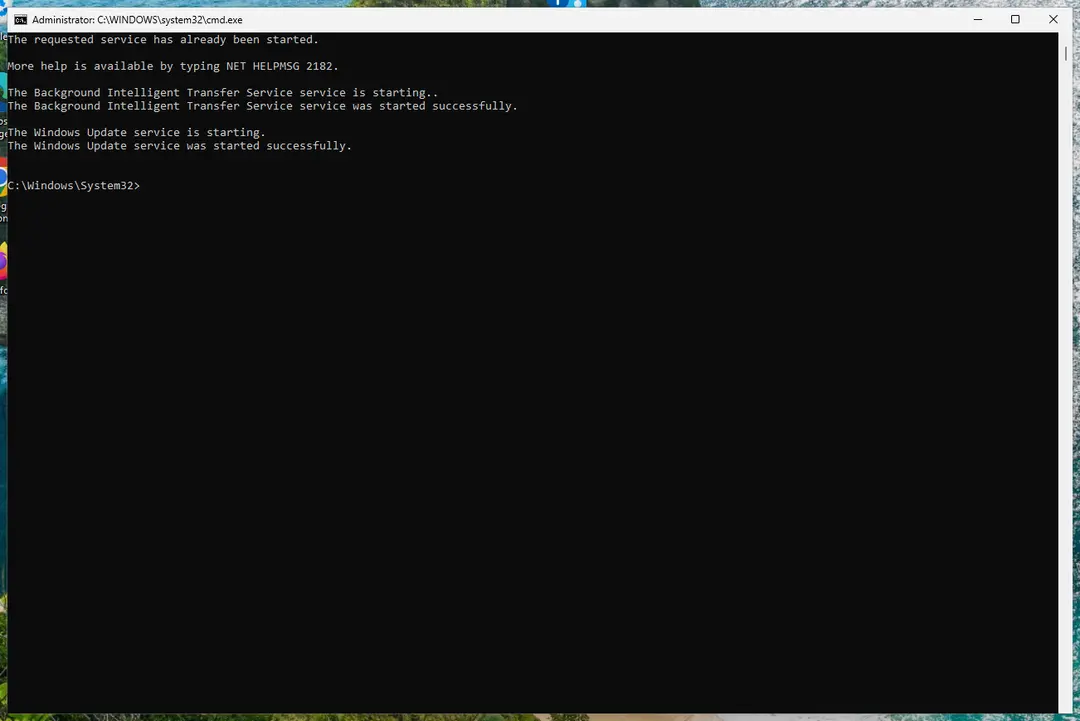
    Command Prompt after starting BITS and Windows Update
    BITS and Windows Update are running again. Screenshot: Windows 11 26H2
  6. Restart and check for updates

    Restart the PC. Then select Start > Settings > Windows Update > Check for updates. The first check can take longer than usual because everything is downloaded again.

Steps checked against Microsoft Learn: Additional resources for Windows Update (Feb 2026); our screenshots, Windows 11 Pro 26H2 on Oct 3, 2026.

Remove the old folders later

When updates install normally again, you can delete the renamed folders to free space. Open Command Prompt as administrator and run:

rd /s /q %systemroot%\SoftwareDistribution.old
rd /s /q %systemroot%\System32\catroot2.old

If updates still fail

  1. Repair system files with Run DISM and SFC to repair Windows system files, then try the update again.
  2. Install the failing update by hand: Install an update from the Microsoft Update Catalog.
  3. Microsoft's article for IT staff also resets the security settings of the BITS and Windows Update services and registers their files again. Those commands overwrite service permissions, so use them only when everything else failed: Microsoft Learn: Reset Windows Update components manually.

Used in 157 guides

How to fix Modern Setup Host high CPU usage in Windows 10 and 11?

How to fix Windows update stuck on "Working on updates"?

How to fix Windows update error 0x800f0987?

How to fix Clock app not working in Windows?

How to fix Windows update error 0x8007370D?

[Fix] 22H2 Windows 11 update fails with error 0x8007001F-0x3000D

How to fix 0x800f0821 error when installing optional features in Windows?

How to fix Windows update error 0x8007065e?

How to fix Windows update error 0x800706ba?

How to fix Windows Update error 0x8007045b?

How to fix Windows update error 0x800F0223?

How to fix Microsoft Store error 0x800700B7

How to fix Windows update error 0x800f0816?

How to fix error 0x80240013 in Microsoft Store (Windows Store)

How to fix "We couldn't connect to the update service" Windows update error?

How to fix Windows update error 0x80071160?

How to fix Windows update error 0x80188309?

How to fix Windows update error 0x800705b9?

How to fix Windows upgrade error 0x80070004 - 0x2000D?

How to fix Media Creation Tool error 0x8007043C - 0x90018 in Windows?

How to fix Windows update error code 0x80244022?

How to fix Windows update error 0xc190011f?

How to fix Windows update error 0x800f0823?

How to fix Windows Error Code 0x800706BE?

How to fix Windows Update error 0x800704C6

Error 1053: The service did not respond to the start or control request in a timely fashion

Amsdk.sys "A driver cannot load on this device": how to fix it in Windows 11 and 10

Scanner error WA003-0100: how to fix it on a Brother printer in Windows 11 and 10

How to fix Media Feature Pack not showing up in Feature list in Windows?

How to fix Windows update error 0x80244007?

How to fix ucrtbase.dll application error on Windows?

How to fix IntelliGo Extension 100.1.4.1273 download error in Windows

How to fix Windows 10 Update error code 0xc1900204?

How to fix "You're not up to date" but no updates available in Windows?

How to fix cdp.dll error in Windows?

How to unpause Windows updates when Resume updates does not work

[Fix] Protection definition update failed error code: 2147023293

How to fix Windows Event Log high CPU usage in Windows?

How to fix Windows update error 0x80020010?

How to fix Windows upgrade error 0xc004f075?

How to fix error 0x80240004 in Microsoft Store and Windows Update

How to fix error 0x80041010 in Windows?

How to fix Windows update error 0x8024a22d?

How to fix Media Creation Tool error 0x80070005 - 0xA001B in Windows?

How to fix Service Host DCOM high CPU usage in Windows?

How to fix Windows Update error 0x80d05001

How to fix Windows update error 0x80240022?

How to fix error 0x80240008 in Microsoft Store and Windows Update

How to fix Windows installation error 0x80070002 - 0x20009?

How to fix Windows update error 0x8024a203?

Fix: A connection to the Windows Metadata and Internet Services (WMIS) could not be established

How to fix error code 0x80240438 on Windows 10?

How to fix Windows update error 0xc1900104?

How to fix Windows update error 0xC80003FA?

How to fix Windows 10 activation error code 0xC004F034?

How to fix Windows Update Standalone Installer 0x80096002 error?

How to fix Windows Update error 0x800B010A?

How to fix Windows Update error 0x80096004?

How to fix Windows update error 0xc8000444?

How to fix Windows update error 0x800f0989?

How to fix Microsoft Store error 0x800704C6

How to fix Windows update error 0x80070050?

How to fix Windows update error 0xC1900200?

How to fix Windows update error 0x800B0003?

How to fix Windows update error 0x800f0806?

How to Fix Windows Update Error 0x8024001f?

How to fix Windows update error 0xc1900401?

How to fix Windows activation error 0xC004F009?

How to fix Windows update error 0x800f0801?

How to fix KB5057056 fails to install in Windows 10?

How to fix KB5007651 fails to install on Windows?

How to fix KB890830 fails to install in Windows?

How to fix SAFE_OS phase error during REPLICATE_OC operation in Windows 10?

How to fix Windows update error 0x80004002?

How to fix Windows 11 24H2 update fails to install?

How to fix "The group or resource is not in the correct state" error on Windows

How to fix KB5060999 fails to install in Windows 11?

How to fix "The resource loader cache doesn't have loaded MUI entry" 0x80073B01 in Windows

How to fix Windows update error 0x800f0983?

How to fix KB5058499 fails to install in Windows 11?

How to fix Windows update error 0x80073D06?

How to fix "BITS service failed to start. Error 0x80004015" in Windows?

How to fix Windows update error 0x800F0841?

How to fix Windows Update error 0x8007041D?

How to fix Windows update error 0x8024401F?

How to fix Windows 11 upgrade error 0x80070002 - 0x20007?

How to fix Windows update error 0x80072f76?

How to fix KB5060842 fails to install in Windows 11?

How to fix 0x8024200B error on Windows?

How to fix Microsoft Store error 0x80248014

How to fix error 0x8024001D in Windows Update, the Standalone Installer and Microsoft Store

How to fix Windows update error 0x800f8011?

How to fix Windows update error 0xc1900131?

How to fix KB5060533 fails to install in Windows 10?

How to fix Windows update error 0x80073D02?

How to fix Media Creation Tool error 0x80070006 - 0x90018 in Windows?

How to fix .NET Framework error 0x800f080c in Windows?

How to fix "Error 1067: The process terminated unexpectedly" in Windows?

[Fix] Error code 0x800f0950: installing Language packs on Windows?

How to fix error 0x80240037 in Microsoft Store and Windows Update

How to fix Microsoft Store error 0x80D03805 on Windows

How to fix Windows update error 0x800700a1?

How to fix “This operation is not supported when reserved storage is in use” error in Windows?

How to fix Network List Service (netprofm.dll) high CPU in Windows?

How to fix .NET Framework installation error 0x800c0006 in Windows?

How to fix api-ms-win-core-windowserrorreporting-l1-1-1.dll is missing on Windows?

How to fix Windows update error 0x80244011?

How to fix "Do Not Disturb" constantly turning itself on in Windows?

How to fix Windows update error code (-2147024864)?

How to fix Windows update error 0x8024402D?

How to fix Windows update error 0x80070661?

How to fix Event 4502 "Windows Recovery Environment servicing failed" error in Windows?

How to fix Windows update error 0x800f0835?

How to fix Windows update error 0x80244018?

How to fix "Get the newer version of Windows to stay up to date" error?

How to fix Cryptographic Services high CPU or disk usage in Windows?

How to fix troubleshooter error "I'm sorry. I was unable to run the Windows Update diagnostic"?

How to fix Windows update error 0xc1900403?

How to fix Windows update error 0x800f0905?

How to fix Windows update error 0x800B010F?

How to fix Windows update error 0x800f0991?

How to fix AppX Deployment Service (AppXSVC) and wsappx high CPU usage?

How to fix Windows Push Notifications User Service high CPU or memory usage in Windows?

How to fix KB5063878 fails to install in Windows 11?

How to fix .NET Framework error code 0x80072EE6 in Windows?

How to fix Windows update error 0x8024000b?

How to fix Windows Update error 0x800f0985 in Windows?

How to fix 0x80072F0D error in Windows?

How to fix Windows update error 0x800F0840?

How to fix "The data area passed to a system call is too small" error in Windows?

How to fix Microsoft Store error "Pardon the interruption" in Windows?

How to fix Windows update error 0x80071a2d?

How to fix Windows update error 0x8007006E?

How to fix Language Pack download stuck in Windows?

How to fix Windows update error 0x80240035?

How to fix Turn Windows features on or off is not working?

How to fix Event ID 1796 (TPM-WMI) in Windows?

How to fix Windows update error 0x8024500c?

How to fix WaaSMedicSvc error "Failed to Read Description. Error Code: 2" in Windows?

How to fix Windows update error 0x80244017?

How to fix Windows update error 0x80070306?

How to fix Windows update error 0x800f0838?

How to fix Windows update error 0x80242008 in Windows?

Reinstall your current version of Windows to repair system files and components: how to fix

How to fix Windows update KB5066835 not installing on Windows?

How to fix Windows update error 0x80888002?

How to fix error 0x801901f7 (The server stumbled) in Windows Update and Microsoft Store?

How to fix Fatal Error C0000022 on Windows?

How to fix "Another instance of application is already running" error in Windows?

How to fix Windows stuck on "Updates are underway" screen?

How to fix Windows update error 0x80070241 in Windows?

How to fix DISM RestoreHealth stuck at 62.3% in Windows?

How to fix Windows update error 0x80070302?

How to fix Windows update error 0x80070433?

How to fix Windows update error 0x800f0993?

How to fix Windows update error 0x800711c7?

How to fix KB5121003 errors in Windows 11?

Sources

  1. Microsoft Learn: Additional resources for Windows Update (Reset Windows Update components manually) (read Oct 3, 2026)
  2. Microsoft Support: Troubleshoot problems updating Windows (read Oct 3, 2026)

Questions and experiences

Ask about this page: members and our editors answer. Reading is open; writing needs a free account.

0 comments

…

4,322 members already hereThey read, write, comment and vote. 0 verified · 31 joined this year